Call CA Tally HelpDesk
+91 9205471661,
7428779101
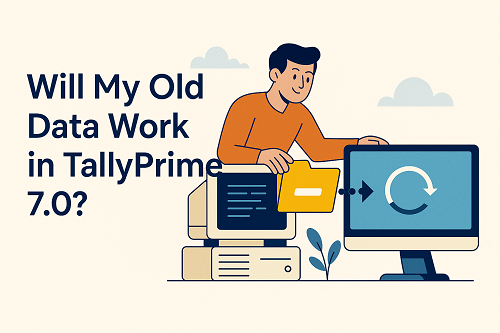
Whenever a new major version of accounting software is introduced, one question worries almost every business owner and accountant:
“Will my old data work in Tally Prime 7.0?”
This concern is valid. Businesses often have years of financial records, GST data, ledgers, inventory details, and audit history stored in Tally. Any risk to historical data can disrupt compliance, audits, and daily operations.
The clear and reassuring answer is:
�� Yes, your old data will work in Tally Prime 7.0.
This article explains how old data works in Tally Prime 7.0, what happens during migration, what remains unchanged, what improves, and how to upgrade safely without data loss.
Understanding “Old Data” in Tally
Before discussing compatibility, let’s clarify what “old data” usually means in Tally:
- Data created in Tally ERP 9
- Data created in earlier versions of TallyPrime
- Multiple years of accounting data
- GST returns, ledgers, vouchers, stock, payroll
- Audit trails and reports
All of this data is business-critical and must remain usable after upgrade.
Is Old Data Compatible with TallyPrime 7.0?
Short Answer
✔ Yes, fully compatible
Detailed Explanation
TallyPrime 7.0 is designed as a continuation of the Tally data architecture, not a replacement. The core data structure remains consistent, ensuring that:
- No re-entry of data is required
- No historical records are lost
- No separate conversion tool is needed
Your existing data is simply upgraded, not replaced.
How TallyPrime 7.0 Handles Old Data
TallyPrime 7.0 uses an automatic data upgrade mechanism. When you open old data for the first time:
- Tally detects older data format
- It upgrades the data internally
- Original data remains intact
- New features become available
This process is seamless and user-friendly.
Does Data from Tally ERP 9 Work in TallyPrime 7.0?
Yes. Data from Tally ERP 9 works in TallyPrime 7.0 with full integrity.
What Happens During ERP 9 to Prime 7.0 Upgrade:
- All vouchers are preserved
- Ledger balances remain unchanged
- Inventory quantities stay accurate
- GST data remains available
- Audit trails are retained
The upgrade only modernizes the data structure for better performance and features.
Does Data from Older TallyPrime Versions Work?
Absolutely.
If you are already using:
- TallyPrime Release 1.x
- TallyPrime Release 2.x
- TallyPrime Release 3.x or higher
Your data will open directly in TallyPrime 7.0 with no issues and no loss.
What Exactly Remains Unchanged After Upgrade?
After moving to TallyPrime 7.0, the following remain exactly the same:
1. Accounting Data
- Opening balances
- Ledger groups
- Profit & Loss figures
- Balance Sheet
2. Voucher History
- Sales and purchase vouchers
- Payment and receipt vouchers
- Journal entries
- Contra entries
3. GST Data
- GSTIN details
- Past returns
- Tax ledgers
- ITC records
4. Inventory Data
- Stock items
- Godowns
- Opening quantities
- Valuation methods
5. Payroll & Statutory Data
- Employee masters
- Salary vouchers
- PF / ESI records
In short, business continuity is fully preserved.
What Improves When Old Data Is Used in TallyPrime 7.0
While your data remains the same, the experience improves significantly.
1. Faster Data Access
Old data loads faster due to improved performance optimisation.
2. Better Reporting
Existing data appears in:
- Cleaner reports
- Improved filters
- Enhanced drill-down views
3. Improved Compliance Handling
Old GST data integrates better with:
- Reconciliation tools
- Error detection
- Audit workflows
Is Data Conversion Manual or Automatic?
The data upgrade is automatic.
You do not need to:
- Export data
- Convert files manually
- Re-import information
TallyPrime handles the process internally.
Is My Original Data File Changed?
No risk is involved if proper precautions are taken.
Best practice:
- Keep a backup of old data
- Upgrade using standard procedure
Even after upgrade:
- Original backup remains untouched
- You can restore data anytime
Can I Continue Using Old Data for Audits?
Yes.
Auditors can:
- Access past financial years
- Verify old vouchers
- Review GST records
- Generate historical reports
TallyPrime 7.0 ensures audit continuity.
What About Multi-Year Data?
Businesses with:
- 5 years
- 10 years
- Even 15+ years of data
can continue using all years in TallyPrime 7.0 without splitting or restructuring.
Common Myths About Old Data & TallyPrime 7.0
Myth 1: Old data will not open
❌ False – It opens seamlessly
Myth 2: Data needs re-entry
❌ False – No re-entry required
Myth 3: GST data may break
❌ False – GST data remains intact
Myth 4: Inventory will reset
❌ False – Stock remains unchanged
Precautions Before Opening Old Data in TallyPrime 7.0
Even though the process is safe, professionals recommend:
- Take a full data backup
- Ensure system meets minimum requirements
- Update TallyPrime properly
- Avoid power interruption during first open
These steps ensure a smooth experience.
What If Something Goes Wrong?
In rare cases:
- Data backup can be restored
- Upgrade can be repeated
- Support assistance can be taken
This makes the upgrade low-risk.
Benefits of Using Old Data in TallyPrime 7.0
- No learning curve for historical data
- Immediate continuity of work
- Improved performance
- Future-ready compliance
- Peace of mind for business owners
Who Should Be Confident About Data Compatibility?
This applies to:
- Traders
- Manufacturers
- Service providers
- CA firms
- MSMEs
- Large enterprises
TallyPrime 7.0 is designed for all existing Tally users.
Final Answer: Will My Old Data Work in TallyPrime 7.0?
✔ Technically: Yes
✔ Practically: Yes
✔ Audit-wise: Yes
✔ Future-ready: Yes
Your old data is safe, usable, and fully compatible with TallyPrime 7.0.
Conclusion
Upgrading accounting software often creates fear of data loss. With TallyPrime 7.0, that fear is unfounded. Tally has ensured complete backward compatibility, allowing businesses to move forward without leaving their past behind.
Your years of accounting effort remain protected, accessible, and enhanced in TallyPrime 7.0.
For businesses planning long-term growth, upgrading is not just safe—it is strategically sound.
Powered by Binarysoft Technologies
Authorized Tally Partner
Location : 1626/33, 1st Floor, Naiwalan, Karol Bagh, New Delhi – 110005, INDIA
Contact us : +91 7428779101, 9205471661, 8368262875
Email us : tally@binarysoft.com (10:00 AM – 6:00 PM, Mon–Fri)
Frequently Asked Questions
Will my ERP 9 data work in Prime 7.0?
Yes, fully.
Do I need to convert data manually?
No, it upgrades automatically.
Will past GST returns remain accessible?
Yes.
Is inventory data safe?
Yes, 100%.
CA. Vishal Mehta is a Chartered Accountant specializing in accounting compliance, GST advisory, and business process optimization. He has assisted businesses in transitioning to structured accounting and inventory systems. His articles focus on accuracy, compliance, and sustainable business growth.