Call CA Tally HelpDesk
+91 9205471661,
7428779101
What Changed in 2026: Why Businesses Are Moving Away from Manual Sales Entry
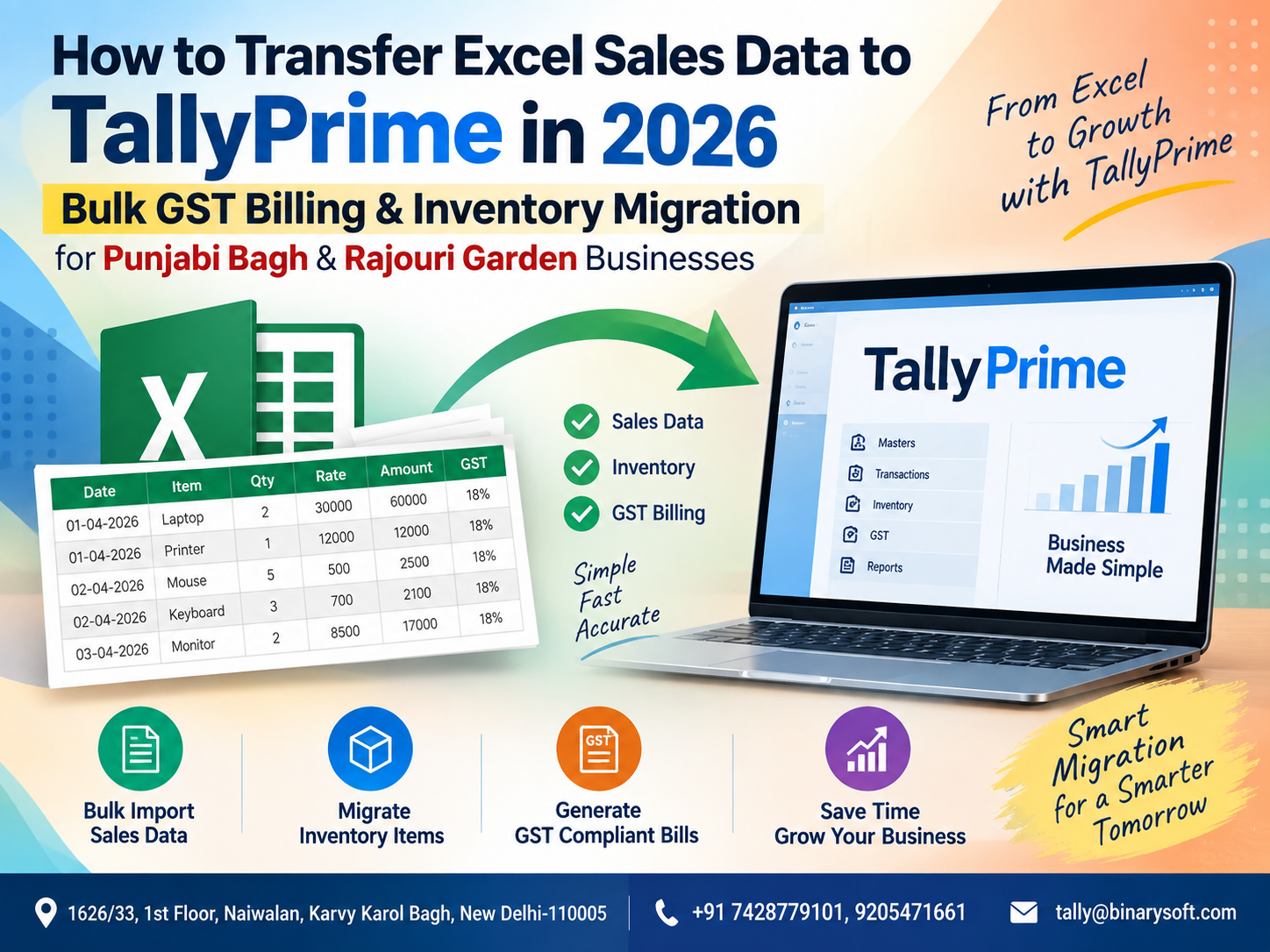
In 2026, businesses in Punjabi Bagh and Rajouri Garden are handling larger volumes of invoices, GST information, customer records and inventory movements than ever before. Yet many businesses still maintain daily sales in Excel and later re-enter the same transactions manually into TallyPrime. This duplicate work creates pressure during GST reconciliation, month-end closing and inventory verification, while a single typing error can affect customer balances, tax calculations or stock reports. The practical change is the growing use of structured Excel-to-TallyPrime data migration, where hundreds or thousands of properly prepared sales records can be transferred in bulk instead of being entered invoice by invoice. For wholesalers, retailers, distributors and growing businesses, this can significantly reduce repetitive work, improve data consistency and help accounts teams maintain more timely GST and inventory records. The key is not simply importing Excel—it is preparing, mapping, validating and reconciling the data correctly.
Excel to TallyPrime Data Transfer: A Smarter Approach to Business Accounting
Excel remains one of the most widely used tools for preparing and maintaining business data. Sales teams frequently use spreadsheets for order processing, daily sales reports, customer information, product lists, sales registers and inventory movement.
However, when the accounting department works in TallyPrime, maintaining the same information in two different places can create unnecessary duplication.
Consider a business generating 300 sales invoices every day. If the sales information is already available in Excel but the accounts team has to manually create those 300 vouchers again in TallyPrime, valuable working hours are consumed simply reproducing existing information.
A properly configured Excel-to-TallyPrime import process can change this workflow.
Instead of:
Excel Data → Manual Checking → Manual Voucher Entry → TallyPrime
the business can move towards:
Excel Data → Data Validation → Mapping → Bulk Import → TallyPrime → Reconciliation
This approach is especially useful for businesses with high transaction volumes.
Why Punjabi Bagh & Rajouri Garden Businesses Need Faster Data Migration
Punjabi Bagh and Rajouri Garden are active commercial areas of West Delhi, with businesses operating across retail, wholesale, distribution, services, restaurants, fashion, electronics, consumer goods and numerous other sectors.
A growing business may receive orders through several channels:
Retail counters
WhatsApp orders
Sales executives
B2B customers
Online marketplaces
Dealer networks
Excel-based order sheets
ERP exports
Billing applications
E-commerce portals
When this information eventually needs to reach TallyPrime, manual entry can become a bottleneck.
The problem becomes more visible at the end of the week or month when management needs accurate reports but the accounting team is still entering older transactions.
Bulk Excel migration can help close this gap.
A Business Story: When 1,800 Sales Rows Became a Weekend Problem
Imagine a wholesale business operating near Rajouri Garden.
The sales department maintained its daily order information in Excel. Customer names, GSTINs, invoice numbers, product quantities, rates and tax values were already available in spreadsheets.
At the end of the month, approximately 1,800 sales entries needed to be reflected in the accounting system.
The accountant started entering them manually.
Friday evening became Saturday morning. The accounts team continued checking invoice numbers, quantities, GST rates and customer names. Then they discovered another problem: several customer names in Excel were slightly different from the ledger names already available in TallyPrime.
The pressure increased because GST reconciliation and management reports were also pending.
The owner was not worried about whether Excel was good or bad. His concern was much simpler:
"If the information is already available, why are we entering everything again?"
That question changed the workflow.
The business standardized its Excel format, mapped customer and inventory names with TallyPrime, validated GST-related fields and established a bulk import process.
The biggest improvement was not merely saving keystrokes. The accounts team finally had more time for checking, reconciliation and exception handling instead of repetitive data entry.
This is the practical value of Excel-to-TallyPrime automation.
What Is Excel to TallyPrime Sales Data Import?
Excel to TallyPrime sales import is the process of converting structured sales information stored in Microsoft Excel into a format and structure that can be correctly recognized by TallyPrime.
Depending on the business requirement and available integration method, the process may involve supported import formats, structured data transformation, XML or other integration/customization approaches.
The objective is to convert spreadsheet rows into correctly structured accounting transactions.
For example, an Excel sales register may contain:
Invoice Number
Invoice Date
Customer Name
GSTIN
State
Item Name
Quantity
Unit
Rate
Taxable Value
Discount
CGST
SGST
IGST
Invoice Value
These columns must be mapped correctly to the corresponding masters and voucher information required in TallyPrime.
The accuracy of this mapping determines the quality of the migration.
What Sales Information Can Be Migrated?
The exact information that can be transferred depends on the Excel structure, TallyPrime configuration and import solution being used.
A properly designed process may handle information such as:
Invoice date and number
Customer or party ledger
Sales ledger
Stock item
Quantity
Unit of measurement
Rate
Discount
Taxable amount
GST rate
CGST
SGST
IGST
HSN/SAC details
Godown or location information
Narration
Order references
Batch details where applicable
Cost centre information where configured
Businesses should define their required fields before building an import template.
Trying to solve missing information after thousands of rows have already been processed can make reconciliation unnecessarily difficult.
Step-by-Step Process to Transfer Excel Sales Data to TallyPrime
Step 1: Review the Existing Excel Sales Register
Do not start by immediately importing the spreadsheet.
First examine the existing data.
Check whether every transaction contains the information required for accounting.
Look particularly for:
Missing invoice numbers
Incorrect dates
Blank customer names
Duplicate invoices
Incorrect GSTINs
Missing stock items
Negative quantities
Incorrect tax rates
Blank invoice values
Inconsistent item descriptions
Cleaning the source data is one of the most important stages of the entire process.
Automation can process information quickly, but it cannot automatically make inaccurate source data reliable.
Step 2: Standardize the Excel Columns
Create a consistent Excel structure.
For example:
| Invoice Date | Invoice No. | Customer | GSTIN | Item | Qty | Rate | GST % | Taxable Value | CGST | SGST | IGST | Total |
|---|
Avoid changing column names or positions every time a new file is prepared unless your import process is designed to handle such changes.
Consistency makes automation easier to maintain.
Step 3: Match Customer Ledgers
Customer naming differences are a common source of import problems.
Excel may contain:
ABC Traders
while TallyPrime contains:
ABC Traders Pvt. Ltd.
To a person, these may appear to represent the same customer. To an automated process, they may be two different values.
Therefore, businesses should create a clear ledger mapping strategy.
Before migration, verify:
Customer name
GSTIN
State
Registration type
Address where required
Existing ledger name
Creating duplicate ledgers simply because of spelling variations should be avoided.
Step 4: Match Inventory Masters
The same principle applies to inventory.
Suppose Excel contains:
LED BULB 12W
but the TallyPrime stock item is:
LED Bulb 12 Watt
Without appropriate mapping, the system may not identify the correct stock item.
Before bulk migration, standardize:
Stock item names
Stock groups
Units
HSN codes
GST rates
Godowns
Batch information where applicable
Inventory mapping is particularly important because errors can affect both accounting and physical stock reports.
Step 5: Validate GST Information
GST-related information deserves additional attention before importing sales transactions.
Verify important information such as:
GSTIN
Place of supply
Customer state
Registration type
HSN/SAC
Tax rate
Taxable value
CGST
SGST
IGST
For intra-state transactions, the applicable tax structure generally involves CGST and SGST, while inter-state transactions generally involve IGST, subject to the applicable GST rules and transaction circumstances.
The accounting setup and source data should therefore be checked before migration.
Step 6: Check Invoice Number Duplication
Duplicate invoice numbers can cause major reconciliation problems.
Before importing data, identify whether the Excel sheet contains duplicate invoice numbers.
However, duplicate detection should not always rely only on invoice number.
Depending on the business structure, validation may consider a combination such as:
Financial year
Voucher type
Invoice number
Customer
Invoice date
A duplicate-checking mechanism should be part of the migration process.
Step 7: Create a Backup Before Import
Never perform a major bulk import without maintaining an appropriate backup of the company data.
A backup provides a recovery point if:
Incorrect mappings are used
Duplicate transactions are imported
Ledger allocation is wrong
Tax calculations differ
Inventory quantities are incorrect
Voucher configuration needs modification
Testing and backup should be standard procedures, not optional steps.
Step 8: Run a Small Test Import
Instead of importing 10,000 records immediately, start with a small controlled batch.
For example, select 10–20 invoices representing different transaction scenarios.
Include:
Local GST sale
Inter-state sale
Multiple-item invoice
Discount transaction
Different GST rates
Different customers
Different inventory items
Import these transactions first.
Then check the resulting vouchers carefully.
Step 9: Reconcile the Test Results
After the test import, compare Excel and TallyPrime.
Check at least:
Number of invoices
Total taxable value
Total CGST
Total SGST
Total IGST
Grand total
Customer balances
Stock quantities
If Excel contains ₹10,00,000 of taxable sales, the corresponding imported data should reconcile appropriately after accounting for the intended configuration and transaction structure.
Do not proceed to full migration until material differences are understood.
Step 10: Perform Bulk Migration
Once the test has been successfully validated, the larger dataset can be processed.
Depending on transaction volume, businesses may choose to import data:
Daily
Weekly
Fortnightly
Monthly
For high-volume operations, smaller regular imports are usually easier to review than one enormous year-end migration.
Excel to TallyPrime for Bulk GST Billing
One of the strongest use cases is bulk GST invoice processing.
Imagine that a distributor receives sales information from multiple sales representatives.
Every representative submits an Excel sheet containing:
Customer details
Products
Quantities
Rates
Discounts
GST information
Instead of manually generating every accounting voucher, standardized files can be consolidated, validated and processed through the configured import workflow.
This can reduce repetitive accounting effort while allowing the team to concentrate on exceptions and verification.
Inventory Migration Along with Sales
Sales accounting and inventory accounting are closely connected for businesses maintaining stock in TallyPrime.
When an invoice contains:
Product A – 10 units
the accounting entry records the sale, while the inventory system should also reflect the corresponding stock movement according to the configured voucher and inventory setup.
This means Excel migration should not focus only on invoice totals.
It should also correctly account for:
Stock item
Quantity
Unit
Rate
Godown
Batch
Inventory allocation
Otherwise, the sales ledger may appear correct while the inventory report remains incorrect.
Common Problems During Excel to TallyPrime Migration
1. Incorrect Date Format
Excel may interpret dates differently depending on formatting.
For example:
05/06/2026
could be interpreted incorrectly if date conventions are inconsistent.
Use one standardized date format throughout the migration file.
2. Ledger Name Mismatch
Even an extra space or naming difference can prevent correct ledger mapping.
Clean and standardize ledger names before processing.
3. Stock Item Mismatch
Inventory names in Excel must correspond with the intended stock masters or be explicitly mapped.
4. Incorrect GST Classification
Incorrect state, registration or tax information can result in wrong tax treatment.
5. Duplicate Transactions
Importing the same file twice without adequate validation can create duplicate vouchers.
6. Missing Mandatory Fields
Blank invoice numbers, dates, customers or required values can cause records to fail validation.
7. Decimal and Rounding Differences
Tax and invoice calculations may differ slightly due to rounding rules.
These differences should be identified during testing.
Why Manual Excel-to-Tally Entry Becomes Expensive
Manual entry does not only consume an accountant's time.
It creates indirect costs.
Suppose an employee spends three hours every day re-entering information already available in Excel.
Over 25 working days, that becomes:
3 hours × 25 days = 75 hours per month.
Those 75 hours could instead be spent on:
GST reconciliation
Receivable follow-up
Outstanding analysis
Bank reconciliation
Stock verification
Management reporting
Exception checking
Automation therefore should not be evaluated merely as a faster method of typing.
It can change how the accounting team's time is allocated.
Benefits of Excel to TallyPrime Bulk Data Migration
Faster Data Processing
Large numbers of transactions can be processed more efficiently than manual invoice-by-invoice entry.
Reduced Repetitive Work
The accounting team avoids repeatedly entering information that already exists digitally.
Better Data Consistency
Structured templates and mapping rules can reduce inconsistent spellings and classifications.
Improved GST Workflow
Validated GST information can help businesses maintain more organized transaction data for subsequent reconciliation and compliance activities.
Better Inventory Visibility
When stock allocations are mapped correctly, sales and inventory movements remain connected.
Faster Month-End Closing
Regular imports can reduce the accumulation of unentered transactions at month-end.
Easier Scalability
As transaction volume grows, the business does not necessarily need to increase manual data-entry effort at the same rate.
Businesses That Can Benefit from Excel-to-TallyPrime Migration
The approach can be useful for many types of businesses in Punjabi Bagh, Rajouri Garden and other commercial areas of Delhi.
These include wholesalers, retailers, manufacturers, distributors, FMCG suppliers, electronics dealers, garment businesses, automobile-related businesses, pharmacies, trading companies, e-commerce sellers and service organizations.
The deciding factor is usually not the industry.
It is transaction volume and workflow.
If business data already exists in Excel and employees are manually recreating the same information in TallyPrime, there is an opportunity to improve the process.
Excel Sales Import for Wholesale Businesses
Wholesalers frequently process invoices containing multiple stock items.
One invoice may include dozens of products, quantities and different rates.
Manual voucher creation therefore becomes time-consuming.
A structured migration process can help convert sales registers into accounting transactions while retaining relevant item-level information.
This is especially useful for businesses that receive dealer orders through spreadsheets.
Excel Sales Import for Retail Businesses
Retail businesses may have data originating from:
POS systems
Retail billing software
Excel sales summaries
Branch reports
Online sales platforms
When TallyPrime is used as the central accounting system, these external data sources may need to be consolidated.
Instead of maintaining disconnected records, businesses can develop a standardized data-transfer workflow.
Excel to TallyPrime for E-Commerce Sellers
E-commerce accounting often involves large datasets.
Sellers may need to manage:
Order data
Sales invoices
B2B sales
B2C sales
Returns
Cancellations
Marketplace fees
Settlements
GST information
Simply copying marketplace Excel reports into accounting software without proper transformation is risky.
The source file should first be interpreted, mapped and reconciled according to the required accounting treatment.
Sales Returns and Credit Notes
A complete migration strategy should also consider what happens when goods are returned.
If the original sale was imported but the sales return remains outside TallyPrime, customer balances and inventory quantities can become inaccurate.
Businesses should therefore determine whether their process needs to handle:
Credit notes
Sales returns
Cancelled invoices
Rate differences
Discount adjustments
The migration workflow should reflect the actual business process rather than only successful sales invoices.
What Should Be Checked After Every Import?
A simple post-import reconciliation procedure can prevent small problems from accumulating.
Compare the source Excel file with the imported TallyPrime data.
Check:
Total records
Total invoice value
Taxable value
CGST
SGST
IGST
Customer-wise sales
Item-wise quantity
Stock movement
Rejected or skipped records
Maintain an exception report for anything that failed.
This makes troubleshooting much easier.
Don't Treat Excel Import as a One-Time Project
Businesses often think about data migration only when thousands of pending records have accumulated.
A better approach is to create a repeatable workflow.
For example:
Sales Team
↓
Standard Excel Template
↓
Automated Validation
↓
Error Report
↓
Approved Data
↓
TallyPrime Import
↓
Reconciliation
Once established, the same workflow can be repeated daily or weekly.
Importance of Data Validation Before Automation
Automation does not replace validation.
It makes validation even more important.
If one incorrect transaction is entered manually, one transaction is affected.
If an incorrect mapping rule is applied to 5,000 transactions, thousands of records may be affected.
Therefore, every automated accounting workflow should include three stages:
Pre-import validation
Controlled import
Post-import reconciliation
This combination provides a much stronger process than simply trying to import everything as quickly as possible.
Excel to TallyPrime Migration Checklist
Before processing a bulk file, confirm that:
Excel format is standardized
Dates are valid
Invoice numbers are available
Duplicate invoices are checked
Customer ledgers are mapped
Stock items are mapped
Units are correct
GSTINs are validated as required
GST rates are reviewed
Tax values are checked
Sales ledgers are mapped
Godowns are mapped where applicable
A company-data backup is available
Test transactions have been imported
Test results have been reconciled
Only after these checks should a large migration be processed.
Why Businesses Should Focus on Reconciliation, Not Just Import Speed
An import completing in a few minutes does not automatically mean the migration was successful.
Success means that the resulting accounting information is correct and usable.
For example, after migration:
Does the sales total match?
Do GST values reconcile?
Are customer balances correct?
Did inventory quantities move correctly?
Were any vouchers rejected?
Were duplicate transactions created?
Did the correct sales and tax ledgers receive the amounts?
These questions matter more than how quickly the import button completed its work.
Building a Better Accounting Workflow in 2026
Businesses are generating data from more sources than before.
Sales information may begin in Excel, an online marketplace, a POS application, an ERP, a CRM or another billing platform.
TallyPrime may then become the accounting destination where the business wants consolidated financial information.
The challenge is connecting these systems without introducing unnecessary manual work.
For Punjabi Bagh and Rajouri Garden businesses, Excel-to-TallyPrime migration can provide a practical bridge between operational sales data and accounting records.
The objective should be:
Enter information once.
Validate it properly.
Transfer it systematically.
Reconcile it accurately.
Use the resulting information for better business decisions.
Conclusion
Transferring Excel sales data to TallyPrime in 2026 can be much more than a simple data-import exercise. For businesses in Punjabi Bagh and Rajouri Garden handling hundreds or thousands of sales transactions, a structured migration workflow can reduce repetitive entry, improve consistency and support faster accounting and inventory processing.
The most important part is accuracy.
Customer ledgers, stock items, GST details, invoice numbers, quantities, tax values and voucher configurations should all be reviewed before bulk migration. Businesses should begin with a small test batch, reconcile the results and only then proceed with larger volumes.
When implemented carefully, Excel-to-TallyPrime automation allows accounting teams to spend less time retyping existing information and more time reviewing accounts, reconciling GST, controlling inventory and producing meaningful reports.
For businesses that depend heavily on Excel but maintain their final books in TallyPrime, developing a reliable Excel-to-TallyPrime workflow can be a valuable step toward more efficient accounting operations.
Powered by Binarysoft Technologies
Authorized Tally Partner
Location: 1626/33, 1st Floor, Naiwalan, Karol Bagh, New Delhi – 110005, INDIA
Contact us: +91 7428779101, 9205471661
Email us: tally@binarysoft.com
Business Hours: 10:00 AM – 6:00 PM, Mon–Fri
Frequently Asked Questions
Can sales data be transferred from Excel to TallyPrime?
Yes. Structured Excel sales data can be transformed and imported into TallyPrime using an appropriate supported import, integration or customized workflow. The exact method depends on the TallyPrime version, source data and business requirements.
Can hundreds of sales invoices be imported together?
Bulk processing is possible when the data has been properly structured and mapped. A small test import should be completed before processing a large dataset.
CA. Shivesh Khandelwaal is a practicing Chartered Accountant experienced in accounting automation, compliance management, and audit support. He has worked with trading and distribution businesses to improve inventory visibility and financial reporting. His articles focus on real-world applicability.