Call CA Tally HelpDesk
+91 9205471661,
7428779101
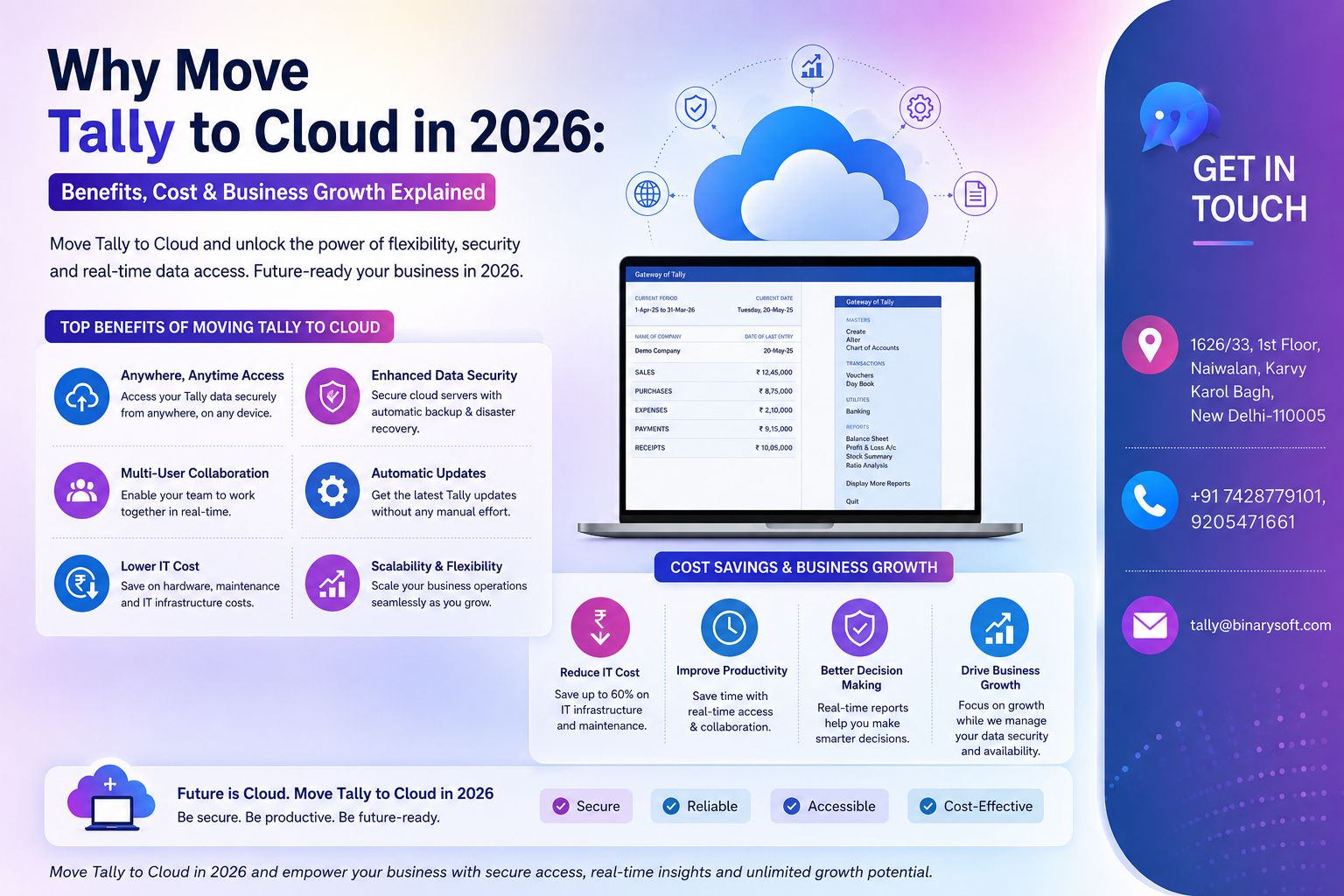
Businesses are no longer satisfied with accounting systems that only work from one office computer. Over the last few months, companies across India have faced growing pressure to provide remote access to accounting teams, enable real-time financial monitoring, improve data security, and maintain uninterrupted business operations across multiple locations. Traditional desktop-based accounting setups are becoming slower, riskier, and difficult to manage in a fast-moving digital environment. This is why more businesses are moving Tally to Cloud. Cloud-based Tally solutions now allow business owners, accountants, auditors, and staff to securely access accounting data anytime, anywhere, from laptops, desktops, or mobile devices. The biggest advantage is not just remote access — it is business continuity, centralized control, stronger data protection, lower IT dependency, faster collaboration, and the flexibility to scale operations without infrastructure limitations. In 2026, Tally on Cloud is becoming a growth necessity rather than just a technology upgrade.
Why Businesses are Moving Tally to Cloud in 2026
The modern business environment has changed rapidly.
Today’s businesses require:
- Remote working capabilities
- Multi-location accounting access
- Real-time reporting
- Faster GST compliance
- Secure financial data management
- Centralized operations
- Continuous business availability
- Instant collaboration between teams
Traditional local server setups create several limitations:
- Limited office-only access
- Risk of system crashes
- Data theft concerns
- Hardware maintenance costs
- Slow remote connectivity
- Difficult multi-user management
- Frequent backup problems
- Downtime during technical failures
Cloud technology solves these challenges by making Tally accessible securely through internet-based infrastructure.
A Story That Reflects the Reality of 2026
A Delhi-based wholesale company operated through three branches and managed accounts from a local office server for years.
Whenever the owner traveled outside the office, he constantly faced problems:
- Financial reports were delayed
- Staff depended on office systems
- Auditors requested files repeatedly
- Backup failures caused panic
- System crashes interrupted operations
- Remote work was almost impossible
During one critical GST filing week, the office server stopped working unexpectedly. The accounts team lost valuable hours trying to restore data while business operations slowed down.
In early 2026, the company migrated Tally to Cloud.
The transformation was immediate.
The owner could monitor reports from anywhere. Accountants worked remotely without interruption. Auditors accessed required reports instantly. Data backups became automatic.
But the biggest emotional relief came from knowing the business was no longer dependent on one office computer or one server room.
What is Tally on Cloud?
Tally on Cloud means hosting your Tally software and company data on a secure cloud server instead of running it only on a local computer or office server.
This allows authorized users to access Tally securely through the internet from:
- Office systems
- Home computers
- Laptops
- Mobile devices
- Different branch locations
The software experience remains similar to desktop Tally, but the accessibility and flexibility improve significantly.
Major Benefits of Moving Tally to Cloud
1. Access Tally Anytime, Anywhere
One of the biggest advantages is remote accessibility.
Business owners and accounting teams can work from:
- Home
- Office
- Client locations
- Warehouses
- Branch offices
- While traveling
This improves operational flexibility dramatically.
2. Better Business Continuity
Cloud hosting reduces dependency on physical office systems.
Even if:
- Office systems fail
- Hardware crashes
- Power issues occur
- Employees work remotely
business operations continue smoothly.
3. Strong Data Security
Modern cloud infrastructure provides advanced security features such as:
- Encrypted access
- Firewall protection
- Multi-layer security
- User access control
- Automatic monitoring
This helps protect sensitive financial information.
4. Automatic Data Backup
Manual backup management is risky and time-consuming.
Cloud systems provide automated backups that reduce the risk of:
- Data loss
- Corruption
- Accidental deletion
- Hardware failure damage
5. Faster Multi-User Collaboration
Multiple users can work on Tally simultaneously from different locations.
This improves collaboration between:
- Accounts teams
- Management
- Auditors
- CA firms
- Branch offices
6. Reduced Hardware Dependency
Businesses no longer need expensive local servers and heavy IT infrastructure.
This lowers:
- Maintenance costs
- Upgrade expenses
- Hardware replacement risks
- IT management burden
7. Improved Performance & Speed
Cloud servers often provide better performance than aging office systems.
This improves:
- Report generation
- Data processing
- Voucher entry
- Large database handling
Why Tally on Cloud is Important for Growing Businesses
Businesses expanding across cities or states need centralized accounting systems.
Cloud-based Tally helps businesses:
- Monitor branch performance
- Centralize financial control
- Improve reporting accuracy
- Simplify audits
- Manage teams remotely
- Scale operations faster
It becomes easier to maintain consistent financial processes across multiple locations.
Cost Benefits of Tally on Cloud
Many businesses assume cloud hosting is expensive, but in reality it often reduces long-term operational costs.
Reduced Server Expenses
Businesses avoid:
- Dedicated server purchases
- Frequent hardware upgrades
- Server maintenance costs
Lower IT Support Costs
Cloud providers handle:
- Infrastructure management
- Security updates
- Backup systems
- Technical maintenance
This reduces internal IT workload.
Reduced Downtime Costs
Business interruptions caused by hardware failures can be expensive.
Cloud infrastructure improves uptime reliability significantly.
Flexible Scaling
Businesses can increase or reduce cloud resources based on operational requirements.
This supports growth without major infrastructure investment.
Common Problems Solved by Tally on Cloud
Office-Only Access Restrictions
Teams can securely access Tally remotely.
Slow Collaboration Between Branches
Cloud systems centralize accounting operations.
Data Loss Risks
Automatic backup systems improve data protection.
Hardware Crash Dependency
Business continuity improves significantly.
Delayed Reporting
Real-time access speeds up reporting and decision-making.
Industries Benefiting from Tally Cloud Solutions
Tally on Cloud is useful for:
- Manufacturers
- Retail businesses
- Wholesalers
- Distributors
- CA firms
- Service providers
- Logistics companies
- E-commerce businesses
- Healthcare organizations
- Educational institutions
Any business requiring centralized accounting access can benefit from cloud migration.
Why Cloud Accounting is Growing Rapidly in India
Indian businesses are rapidly adopting:
- Digital operations
- Remote work systems
- Real-time reporting
- Paperless accounting
- Online collaboration
- Cloud infrastructure
- Automated compliance systems
Businesses using outdated local-only systems face increasing operational limitations.
Cloud accounting improves flexibility, scalability, and business resilience.
Tally on Cloud & GST Compliance
Cloud-based Tally helps businesses manage:
- Faster GST filing
- Remote audit access
- Real-time accounting updates
- Better reconciliation
- Centralized compliance tracking
This is especially useful for businesses managing multiple GST registrations or branch operations.
Why Businesses Trust Binarysoft Technologies for Tally Cloud Setup
Businesses need reliable implementation partners to ensure secure and smooth migration.
Binarysoft Technologies helps businesses with:
- Tally on Cloud setup
- Secure cloud hosting
- Remote multi-user access
- Data migration
- Cloud backup configuration
- GST-ready accounting systems
- Performance optimization
- Ongoing support and training
Businesses moving to cloud infrastructure in 2026 are preparing themselves for long-term operational growth and flexibility.
Contact Details
Powered by Binarysoft Technologies – Authorized Tally Partner
1626/33, 1st Floor, Naiwalan, Karol Bagh,
New Delhi – 110005, INDIA
Contact Us:
+91 9205471661
+91 7428779101
Email:
tally@binarysoft.com
Working Hours:
10:00 AM – 6:00 PM (Mon–Fri)
Conclusion
Moving Tally to Cloud in 2026 is no longer just a technology trend — it is a strategic business decision. Businesses require secure remote access, centralized accounting control, faster collaboration, better compliance management, and uninterrupted operations in an increasingly digital business environment.
Tally on Cloud helps businesses improve flexibility, reduce infrastructure dependency, strengthen security, and support long-term scalability. Whether you are managing one office or multiple branches, cloud accounting solutions provide the speed, convenience, and operational confidence required for modern business growth.
Businesses adopting cloud-based accounting systems today will be better prepared for tomorrow’s digital economy and compliance-driven environment.
Frequently Asked Questions
What is Tally on Cloud?
Tally on Cloud means hosting Tally software and company data on a secure cloud server for remote access through the internet.
Can users access Tally remotely?
Yes, authorized users can securely access Tally from anywhere using laptops, desktops, or mobile devices.
Is Tally on Cloud secure?
Yes, cloud solutions provide advanced security features including encrypted access, backups, and firewall protection.
Does Tally on Cloud support multiple users?
Yes, multiple users can work simultaneously from different locations.
CA. Arvindh Khetwaani is a Chartered Accountant with experience in financial reporting, compliance management, and accounting software implementation. He has assisted businesses in adopting structured inventory and billing practices, and his articles focus on accuracy, controls, and sustainable business growth.