Tally Remote Access – What You Can and Cannot Do: Complete Guide to Features & Limitations (2025)

Call CA Tally HelpDesk +91 9205471661, 7428779101
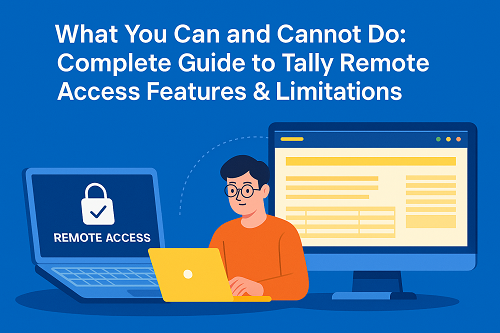
Tally Remote Access – What You Can and Cannot Do: Complete Guide to Features & Limitations (2025)
By CA. Arvindh Khetwaani   |   Published on: 05-12-2025 | 9 min read

Tally’s Remote Access feature allows users to log in to a Tally data file from anywhere in the world through a Tally.NET ID. This is extremely useful for CAs, auditors, business owners, and remote accountants who need access without being physically present at the office.

However, Tally Remote Access does NOT provide all functions.
Some options are restricted to protect data, avoid misuse, and maintain security.

This guide explains:

  • What Remote Access is
  • Which features are available
  • Which features are NOT available
  • Why certain options are restricted
  • How to overcome these limitations

1. What Is Tally Remote Access? (Simple Explanation)

Remote Access in Tally allows a user to:

  • Login from any location
  • View and work on Tally data
  • Enter vouchers (if permission given)
  • Check reports
  • Support clients remotely

Users authenticate using Tally.NET ID, and access is controlled by the admin.

Who Uses Remote Access Most?

  • Chartered accountants
  • GST consultants
  • Auditors
  • Business owners
  • Work-from-home staff
  • Branch accountants

2. Features Available Under Tally Remote Access

Remote Access supports the following operations (based on user rights):

 View Reports

Profit & Loss, Balance Sheet, Stock Summary, ledgers, GST reports, etc.

 Record Transactions

Sales, purchases, receipts, payments, journals (if permission enabled).

 Alter & Create Masters

Stock items, ledgers, cost centres, etc.

 Backup & Restore (If allowed)

Only for admin-level remote users.

 Print / Email / Upload

Invoices, statements, confirmations.

 Audit & Verification Tools

For CA and audit profiles.


3. Which Features Are NOT Available Under Tally Remote Access?

This is the most important part.

Below are the options NOT available for remote users:


 1. Import Data (NOT Available)

Remote Access does NOT allow importing data using:

  • Import Masters
  • Import Transactions
  • XML / Excel import
  • Data synchronisation imports

Reason:

Importing from a remote location may corrupt data if the connection breaks.
For safety, Tally blocks the import feature for remote users.


 2. ODBC Integration (NOT Available)

ODBC is used for:

  • Data exchange with external apps
  • Reporting automation
  • API connections

Remote Access does not allow ODBC because it requires local system-level access.


 3. TDL / Add-On Installation (NOT Available)

Remote users cannot:

  • Install TDLs
  • Load Add-Ons
  • Modify TDL settings

This can only be done on the host machine.


 4. Exporting in Some Formats (Partially Restricted)

Remote users cannot export in some formats depending on rights and OS, such as:

  • XML
  • TDL
  • Some JSON structures

PDF and Excel export usually works, but advanced export may not.


 5. Changing Company Features (Statutory & GST Setup)

Remote users cannot change:

  • GST configuration
  • Company statutory settings
  • F11 advanced features
  • TSS configuration

This is only available to local admin users.


 6. Accessing Data Without Internet

Remote Access cannot be used offline.
It needs:

  • Active internet
  • Valid Tally.NET subscription
  • Connected Tally Server or license

4. Summary — Which Option Will NOT Be Available?

Question:

Which option will NOT be available under Tally Remote Access?

A. Record Transactions
B. View Reports
C. Export Reports
D. Import Data

Correct Answer:  Import Data

Importing is completely blocked for remote users.


5. Why Import Is Not Allowed Under Remote Access

Tally blocks import because:

  • A bad network may break the process
  • Large imports can corrupt the company data
  • High risk of mistakes during bulk imports
  • Security restrictions protect financial data

This is why Tally only allows imports from the local system.


6. How to Import Data if You Still Need It?

You have three possible alternatives:

Option 1: Connect via Remote Desktop (RDP)

Use:

  • Windows RDP
  • AnyDesk (not recommended for long usage)
  • TeamViewer
  • Cloud RDP Server

This treats the server like a local machine, so imports work normally.


Option 2: Use Tally on Cloud

Cloud hosting allows full access including:

  • Import
  • Export
  • Backup
  • Synchronisation

This bypasses remote access limitations.


Option 3: Send the file to someone at the office

A local user can import the XML/Excel file on your behalf.


7. Who Should Use Remote Access & Who Should Avoid It?

Remote Access is Ideal For:

  • Viewing reports
  • Creating vouchers
  • Daily accounting work
  • CA/Audit verification
  • Business owners checking data

Remote Access is NOT Suitable For:

  • Master data migration
  • Bulk import projects
  • System-level configuration
  • TDS/GST setup changes
  • Heavy customization users

Conclusion

Tally Remote Access is a powerful way to work from anywhere, but it comes with important limitations. While you can record transactions, view reports, and export basic reports, you cannot import data using Remote Access. Importing is blocked to ensure data safety and prevent corruption.

For advanced operations like data import, TDL installation, GST configuration, or external integrations, use Tally on Cloud or Remote Desktop access instead of Tally Remote Access.

This ensures both security and full functionality while working remotely.


Powered by Binarysoft Technologies
Authorized Tally Partner
Location : 1626/33, 1st Floor, Naiwalan, Karol Bagh, New Delhi – 110005, INDIA
Contact us : +91 7428779101, 9205471661
Email us :  tally@binarysoft.com (10:00 AM – 6:00 PM, Mon–Fri)


About the Author

Written by CA. Arvindh Khetwaani • 05-12-2025

CA. Arvindh Khetwaani is a Chartered Accountant with experience in financial reporting, compliance management, and accounting software implementation. He has assisted businesses in adopting structured inventory and billing practices, and his articles focus on accuracy, controls, and sustainable business growth.


Verified Content 9 min read Support: +91 9205471661, 7428779101

Need Quick Support for Tally Prime?

For Tally Prime discount schemes and product inquiries, connect with our team.

+91 9205471661 | +91 7428779101

Subscribe For Product Updates

Opt-in Subscription

Tally Prime Auditor Renewal (One Year)

Applicable for CAs / Firms Using GOLD (Multi User ) Only
Renew your license now and upgrade from Tally ERP 9 to Tally Prime for Free!
Rs 6750 + 18% GST (Rs 1215)
Continue Here >>

Tally Prime Auditor Renewal (Two Years)

Applicable for CAs / Firms Using GOLD (Multi User ) Only
Renew your license now and upgrade from Tally ERP 9 to Tally Prime for Free!
Rs 12150 + 18% GST (Rs 2187)
Offer Continue Here >>

Tally Prime Gold Renewal (One Year)

Unlimited Multi-User Edition For Multiple PCs on LAN Environment
Renew your license now and upgrade from Tally ERP 9 to Tally Prime for Free!
Rs 13500 + 18% GST (Rs 2430)
Continue Here >>

Tally Prime Gold Renewal (Two Years)

Unlimited Multi-User Edition For Multiple PCs on LAN Environment
Renew your license now and upgrade from Tally ERP 9 to Tally Prime for Free!
Rs 24300 + 18% GST (Rs 4374)
Offer Continue Here >>

Tally Prime Silver Renewal  (One Year)

Single User Edition For Standalone PCs ( Not applicable for Rental License )
Renew your license now and upgrade from Tally ERP 9 to Tally Prime for Free!
Rs 4500 + 18% GST (Rs 810)
Continue Here >>

Tally Prime Silver Renewal  (Two Years)

Single User Edition For Standalone PCs ( Not applicable for Rental License )
Renew your license now and upgrade from Tally ERP 9 to Tally Prime for Free!
Rs 8100 + 18% GST (Rs 1458)
Offer Continue Here >>

Tally On Cloud

Tally On Cloud ( Per User Annual)
Now access Tally Prime anytime from anywhere – Just Deploy your Tally License and Tally Data on our Cloud Solution.
Rs 7000 + 18% GST (Rs 1260)
Continue Here >>

Tally Prime Gold

Unlimited Multi-User Edition
For EMI options, please Call: +91 742 877 9101 or E-mail: tally@binarysoft.com (10:00 am – 6: 00 pm , Mon-Fri)
Rs 67500 + 18% GST (Rs 12150)
Continue Here >>

Tally Prime Silver to Tally Prime Gold

Unlimited Multi-User Edition For Multiple PCs on LAN Environment
Renew your license now and upgrade from Tally ERP 9 to Tally Prime for Free!
Rs 45000 + 18% GST (Rs 8100)
Continue Here >>

Tally Prime Silver

Single User Edition For Standalone PCs
For EMI options, please Call: +91 742 877 9101 or E-mail: tally@binarysoft.com (10:00 am – 6: 00 pm , Mon-Fri)
Rs 22500 + 18% GST (Rs 4050)
Continue Here >>

Tally On AWS Cloud Personal (For 1 user)

(Per User/One Year)
TallyPrime latest release pre-installed
Rs 7200 + 18% GST (Rs 1296)
Continue Here >>

Tally On AWS Cloud Regular (Upto 2 users)

(Two Users/One Year)
TallyPrime latest release pre-installed
Rs 14400 + 18% GST (Rs 2592)
Continue Here >>

Tally On AWS Cloud Regular Plus (Upto 4 users)

(Four Users/One Year)
TallyPrime latest release pre-installed
Rs 21600 + 18% GST (Rs 3888)
Continue Here >>

Tally On AWS Cloud Regular Pro (Upto 8 users)

(Eight Users/One Year )
TallyPrime latest release pre-installed
Rs 43200 + 18% GST (Rs 7776)
Continue Here >>

Tally On AWS Cloud Performance (Upto 12 users)

(Twelve Users/One Year)
TallyPrime latest release pre-installed
Rs 64800 + 18% GST (Rs 11664)
Continue Here >>

Tally On AWS Cloud Performance Plus (Upto 16 users)

(Sixteen Users/One Year)
TallyPrime latest release pre-installed
Rs 86400 + 18% GST (Rs 15552)
Continue Here >>

Latest Articles

Best Billing Software to Buy in 2026: Simplify GST Billing, Invoicing, Stock Management & Business Growth
Billing is no longer a back-office task—it’s the heartbeat of your business operations. With stricte...
Read More →
Buy GST Billing Software in 2026: Simplify GST Compliance, Invoicing, Stock Management & Accounting for Faster Business Growth
What changed in 2026? GST compliance is no longer a periodic task—it’s a continuous, real-time respo...
Read More →
All-in-One Billing Software in Delhi NCR Bazar: Smart GST Billing, Inventory & Business Automation for 2026
What changed in 2026? Billing is no longer just about printing invoices—it’s about speed, GST compli...
Read More →
Inventory Management Software in 2026: Smart Stock Control, Real-Time Tracking & Business Automation for Growth
What changed in 2026? Inventory is no longer just about counting stock—it’s about controlling cash f...
Read More →
Discover the Added Benefits of TallyPrime Over Computax: Smarter GST Billing, Faster Return Filing & Advanced Inventory Management
GST compliance is no longer just about filing returns—it’s about real-time accuracy, audit readiness...
Read More →
Buy Barcode Inventory Software in 2026: Manage Stock, Billing, Barcode Scanning & Business Automation Efficiently
Inventory mistakes are no longer small errors—they are costly risks. With real-time GST compliance,...
Read More →
Get Tally Remote Access – What You Can and Cannot Do: Complete Guide to Features & Limitations (2025)
Call us at +91 7428779101, 8368262875.

Tally Query | Discounted Tally New License | Discounted Tally Renewal