Call CA Tally HelpDesk
+91 9205471661,
7428779101
What Changed in 2026: Why Manual Sales Entry Is Becoming a Bigger Business Problem
In 2026, manufacturers, wholesalers and distributors are generating more sales data outside their accounting software than ever before. Orders may begin in ERP systems, billing applications, dealer portals, e-commerce platforms or Excel worksheets, but the final accounting still needs to reach TallyPrime accurately. For businesses in Bawana Industrial Area and Narela Industrial Area, manually entering hundreds or thousands of sales invoices can create pressure at month-end, particularly when GST rates, customer ledgers, HSN/SAC details, quantities, stock items and interstate transactions must all be checked. A structured Excel-to-TallyPrime import workflow can turn bulk sales data into organized accounting vouchers without repeatedly typing every invoice. The benefit is not merely faster entry: businesses can reduce duplicate work, improve GST consistency, maintain inventory records more systematically and give accounts teams more time to investigate exceptions, reconcile balances and review the books before statutory reporting deadlines.
Excel Sales Data to TallyPrime: Why It Matters for Industrial Businesses
For many businesses, Excel is still one of the most important operational tools.
Sales teams maintain order sheets in Excel.
Factories prepare dispatch sheets in Excel.
Warehouse teams maintain stock movement files.
Distributors send sales information in spreadsheets.
Management teams prepare MIS reports in Excel.
Online platforms frequently provide CSV or Excel-compatible reports.
Yet the accounting team may ultimately maintain the books in TallyPrime.
This creates a familiar problem:
The data already exists, but somebody has to enter it again.
That second round of data entry consumes time and introduces another opportunity for error.
A better workflow is:
Excel Sales Data → Validation → Mapping → TallyPrime Import → GST & Inventory Check → Reconciliation
For high-volume businesses in Bawana and Narela, this approach can make a substantial difference.
The Bawana Factory Where One Wrong Excel Row Created a Long Night
Consider a small manufacturing company in Bawana Industrial Area.
Its sales team maintained dispatch details in Excel throughout the day.
The spreadsheet contained:
Invoice number
Invoice date
Customer name
GSTIN
Product
Quantity
Rate
GST rate
Invoice value
The system appeared organized.
But there was one problem.
At the end of every day, an accounts executive opened the same Excel sheet and manually recreated the invoices in TallyPrime.
On a normal day, the process was manageable.
Then came the last week of the month.
Orders increased sharply.
The dispatch team was working quickly.
The accounts team was trying to catch up.
One evening, an invoice worth more than ₹1 lakh was entered under the wrong customer ledger.
Another invoice had a quantity entered as 100 instead of 10.
A third transaction was entered twice because two employees assumed the other had not processed it.
The next morning, the business owner asked a simple question:
"Why is the stock report not matching yesterday's dispatch?"
Nobody had an immediate answer.
The team checked the warehouse sheet.
Then Excel.
Then TallyPrime.
Then the physical dispatch documents.
Hours passed.
The accountant eventually found the mistakes.
The owner was relieved, but his frustration remained.
"The information was already correct in Excel. Why did we type everything again?"
That question changed the workflow.
The company began preparing its Excel data in a standardized format, validating it and then processing it for TallyPrime instead of manually recreating every voucher.
The accounts executive still reviewed the transactions.
But he stopped spending most of his time typing them.
That difference turned a stressful month-end process into a more controlled one.
Why Bawana Industrial Area Businesses Need Bulk Import
Bawana Industrial Area contains a broad mix of manufacturing, processing, packaging, trading and distribution businesses.
Depending on the business, daily transactions may include:
Raw material purchases
Production
Job work
Finished goods
Sales orders
Dispatches
Tax invoices
Credit notes
Stock transfers
Customer receipts
As transaction volumes increase, manual accounting entry becomes harder to scale.
Suppose a business generates 300 invoices every day.
If manual entry and checking require only two minutes per invoice, that represents:
300 × 2 minutes = 600 minutes
That is approximately:
10 hours of work
And that is only invoice entry.
It does not include reconciliation, GST review, stock verification or correction of mistakes.
Bulk import changes the nature of the work.
Instead of entering 300 invoices individually, the team can focus on validating the source data and reviewing exceptions.
Why Narela Industrial Area Businesses Face Similar Challenges
Narela Industrial Area businesses often handle significant quantities of goods, suppliers, customers and inventory movements.
An organization may have:
Hundreds of customers
Thousands of stock items
Multiple GST rates
Different units of measurement
Delhi sales
Interstate sales
B2B invoices
B2C transactions
Returns
Discounts
Freight charges
When this information already exists in Excel, manual recreation in TallyPrime adds unnecessary duplication.
A standardized Excel-to-TallyPrime workflow can provide a more scalable approach.
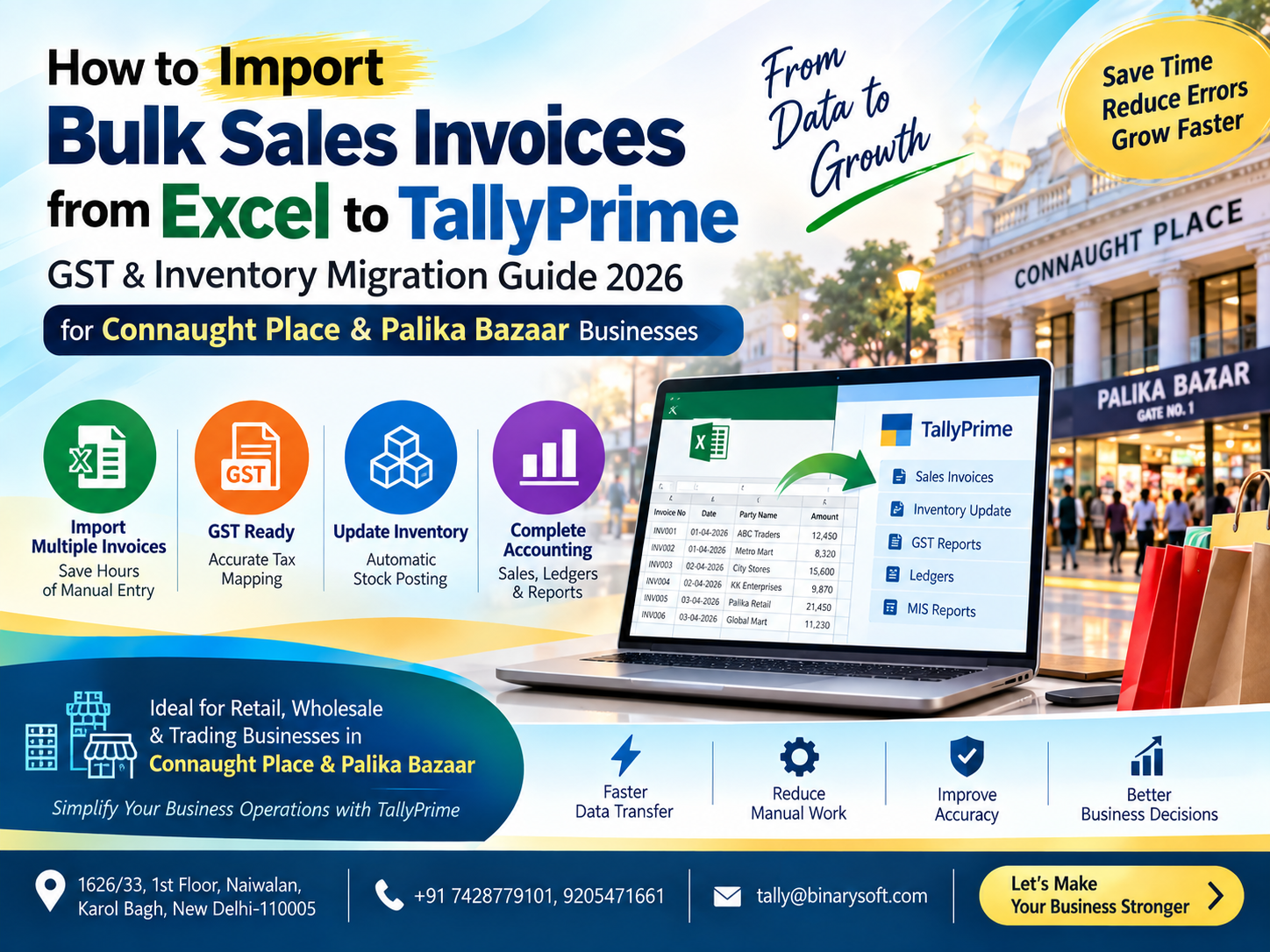
What Is Excel-to-TallyPrime Sales Import?
Excel-to-TallyPrime import is a process in which structured sales information maintained in an Excel worksheet is transformed or mapped into a format suitable for creating accounting data in TallyPrime.
Depending on the implementation, the process may involve:
Excel template preparation
Data validation
Ledger mapping
Stock item mapping
GST mapping
Voucher preparation
TallyPrime-compatible data generation
Import
Error handling
Post-import reconciliation
The objective is not simply to move rows from one application to another.
The objective is to preserve the accounting meaning of every transaction.
What Data Can Be Imported?
Depending on the available source information and TallyPrime setup, an Excel sales import may contain fields such as:
Invoice Date
Invoice Number
Customer Name
Customer GSTIN
State
Place of Supply
Stock Item
SKU or Item Code
HSN/SAC
Quantity
Unit
Rate
Discount
Taxable Value
GST Rate
CGST
SGST
IGST
Freight
Other Charges
Round Off
Invoice Total
Narration
Order Reference
Additional fields can be included according to the business requirement.
Designing the Excel Sales Import Template
A standardized template is essential.
For example:
| Invoice Date | Invoice No. | Customer | GSTIN | State | Item | Qty | Rate | GST % | Taxable Value | CGST | SGST | IGST | Total |
|---|
| 01-09-2026 |
INV-1001 |
ABC Traders |
GSTIN |
Delhi |
Item A |
10 |
500 |
18 |
5,000 |
450 |
450 |
0 |
5,900 |
| 01-09-2026 |
INV-1002 |
XYZ Industries |
GSTIN |
Haryana |
Item B |
20 |
1,000 |
18 |
20,000 |
0 |
0 |
3,600 |
23,600 |
This is only an illustrative structure.
The actual columns should reflect the company's TallyPrime configuration and accounting requirements.
Step 1: Standardize Excel Data
Bulk import works best when source data follows consistent rules.
Avoid situations such as:
Invoice dates written in multiple formats
Customer names changing between rows
Blank invoice numbers
GST rates written as text
Quantities mixed with unit names
Merged cells
Subtotals inside the transaction data
Decorative headings between rows
Manual comments inside numeric columns
The import file should function like structured data rather than a presentation report.
For example, choose one consistent date format and use it throughout the import workflow.
Step 2: Validate Invoice Numbers
Every invoice should have the correct reference.
Before import, check for:
Blank invoice numbers
Duplicate invoice numbers
Unexpected invoice sequences
Incorrect financial-year references
Special characters that may create processing issues
Duplicate invoice detection is particularly important.
If INV-1005 already exists in TallyPrime and is imported again without appropriate controls, duplicate accounting may occur.
Step 3: Map Customer Ledgers
Excel customer names should correspond to appropriate ledgers in TallyPrime.
Suppose Excel contains:
M/s Sharma Industries Pvt Ltd
but TallyPrime contains:
Sharma Industries Private Limited
A direct name-based process may not recognize them as the same entity.
A mapping table can solve the problem.
| Excel Customer | TallyPrime Ledger |
|---|
| Sharma Ind. Pvt Ltd |
Sharma Industries Private Limited |
| Gupta Traders |
Gupta Traders |
| ABC Co. |
ABC Company |
This mapping becomes especially useful when sales data comes from multiple departments or systems.
Step 4: Create Missing Ledgers Carefully
Some import workflows may allow missing customer ledgers to be created.
But automatic ledger creation should be controlled.
Before creating a customer ledger, verify relevant details such as:
Customer Name
GSTIN
State
Address
Registration Type
Applicable tax information
Opening balance, where relevant
Incorrect master creation can cause problems beyond the current invoice.
A wrong GSTIN or state in a customer ledger may affect subsequent transactions as well.
Step 5: Map Stock Items
The same principle applies to inventory.
Excel may use:
MS-BOLT-12MM
while TallyPrime uses:
Mild Steel Bolt 12 MM
A stock mapping master can connect the two.
| Excel Item Code | TallyPrime Stock Item |
|---|
| MS-BOLT-12MM |
Mild Steel Bolt 12 MM |
| BOX-500 |
Corrugated Box 500 MM |
| PVC-RED-01 |
PVC Component Red |
Correct stock mapping is essential for inventory accuracy.
Step 6: Verify Units of Measurement
Industrial businesses may use units such as:
Nos
Kg
Gram
Litre
Metre
Box
Carton
Piece
Set
Pair
Roll
If Excel says "PCS" while TallyPrime uses "Nos", the import logic must understand the relationship.
Unit mismatches can result in failed imports or incorrect stock quantities.
Step 7: Validate HSN/SAC and GST Rates
GST-related data should be reviewed before vouchers are created.
For each relevant item, verify applicable information such as:
HSN/SAC
GST Rate
Taxable Value
Place of Supply
CGST
SGST
IGST
Do not assume every item carries the same tax rate.
A company may sell products subject to different GST rates.
The source data and master configuration should reflect the applicable treatment.
Step 8: Local Delhi Sales – CGST and SGST
For an applicable intra-state taxable supply within Delhi, GST generally involves CGST and SGST.
For example:
Taxable Value: ₹1,00,000
Assuming an applicable GST rate of 18%:
CGST: ₹9,000
SGST: ₹9,000
Invoice Total:
₹1,18,000
The import process should map these components to the appropriate tax ledgers and voucher structure.
Step 9: Interstate Sales – IGST
Suppose a Bawana manufacturer sells applicable taxable goods from Delhi to a customer in Haryana.
Taxable Value: ₹1,00,000
Assuming an applicable GST rate of 18%:
IGST: ₹18,000
Invoice Total:
₹1,18,000
The import logic should distinguish this from a Delhi intra-state transaction.
This is why customer state and place-of-supply information are important.
Step 10: Validate GSTIN
GSTIN errors can create downstream reporting problems.
The Excel validation process can check whether:
GSTIN is blank when required
GSTIN has an unexpected length or structure
Customer GSTIN matches the relevant master
State information is consistent
Registration status is appropriately maintained
Format validation does not prove that a GSTIN is active or belongs to the stated business, but it can identify obvious data-entry problems before import.
Step 11: Calculate Taxable Value Correctly
A basic transaction may be calculated as:
Quantity × Rate = Gross Value
Then applicable discount or other adjustments may determine the taxable value according to the transaction structure.
GST is then calculated on the appropriate taxable amount.
For example:
Quantity: 100
Rate: ₹500
Gross Value:
₹50,000
Discount: ₹5,000
Taxable Value:
₹45,000
At an illustrative GST rate of 18%:
GST:
₹8,100
Invoice Total:
₹53,100
The calculation logic should match the actual invoice and applicable tax rules.
Step 12: Handle Multiple Items in One Invoice
One invoice may contain many stock items.
For example:
INV-1050
Item A – 10 units
Item B – 20 units
Item C – 5 units
Item D – 100 units
The Excel file may represent these as four rows with the same invoice number.
The import process needs to understand that these rows belong to one sales voucher rather than four unrelated invoices.
Invoice grouping is therefore a critical part of bulk import logic.
Step 13: Handle Multiple GST Rates in One Invoice
An invoice can contain items subject to different GST rates.
For illustration:
Item A – 5%
Item B – 12%
Item C – 18%
The import workflow should calculate and allocate taxes correctly rather than applying one GST rate to the entire invoice.
This becomes particularly important for distributors with large product catalogs.
Step 14: Freight and Other Charges
Invoices may also contain:
Freight
Packing Charges
Handling Charges
Insurance
Loading Charges
Other Charges
Discount
Round Off
The accounting and GST treatment of these amounts depends on the nature of the transaction and applicable rules.
Therefore, the import template should have dedicated fields where these amounts are relevant rather than forcing them into product values without review.
Step 15: Import Sales Vouchers into TallyPrime
After validation and mapping, the data can be transformed into the required voucher structure.
The resulting sales voucher may contain:
Voucher Date
Voucher Number
Party Ledger
Sales Ledger
Stock Item
Quantity
Rate
Taxable Value
CGST
SGST
IGST
Other Charges
Invoice Total
Narration
The exact structure depends on the company's TallyPrime configuration.
Always Test Before Bulk Import
Never begin by importing 20,000 invoices.
Start small.
For example:
Test 1: 5 invoices
Check:
Customer ledger
Stock item
Quantity
Rate
GST
Invoice number
Voucher date
Total amount
Then:
Test 2: 25 invoices
Check again.
Then:
Test 3: 100 invoices
Only after the structure has been validated should the complete dataset be considered for processing.
This controlled approach can prevent large-scale corrections later.
Bulk Ledger Import into TallyPrime
Businesses migrating or onboarding a large customer base may also have ledger data in Excel.
A ledger master import can potentially include:
Ledger Name
Group
Address
State
GSTIN
Registration Type
Opening Balance
Credit Period
Other relevant information
For example:
| Ledger Name | Group | State | GSTIN |
|---|
| ABC Traders |
Sundry Debtors |
Delhi |
GSTIN |
| XYZ Industries |
Sundry Debtors |
Haryana |
GSTIN |
Master data should be reviewed carefully before import because transaction accuracy depends on it.
Bulk Inventory Master Import
The same principle can be applied to inventory masters.
An Excel item master may include:
Item Name
Item Code
Stock Group
Category
Unit
HSN
GST Rate
Opening Quantity
Opening Rate
Opening Value
This can be useful for businesses with hundreds or thousands of products.
Opening Stock Import
When implementing TallyPrime for an existing business, opening inventory may also need to be brought into the system.
For example:
Item A – 500 Nos
Item B – 250 Kg
Item C – 80 Boxes
Opening quantities, rates and values should be verified against the approved opening records before import.
Sales Return Import
Bulk processing should not stop with sales invoices.
Businesses may also maintain sales returns in Excel.
A return import can include:
Credit Note Number
Credit Note Date
Original Invoice Number
Customer
Stock Item
Returned Quantity
Taxable Value
GST
Total Value
Linking the return to the original invoice reference can improve traceability.
Prevent Duplicate Sales Import
Duplicate import is one of the biggest operational risks.
Imagine:
1,500 invoices are imported.
The next day, someone imports the same file again.
Without appropriate duplicate controls, sales and inventory could be affected twice.
A robust workflow should identify transactions using fields such as:
Invoice Number
Voucher Reference
Customer
Date
Unique Transaction ID
If the transaction has already been processed, the system should flag it rather than silently importing it again.
Create a Pre-Import Validation Report
Before creating vouchers, the system can generate a summary.
For example:
Total Rows: 5,240
Invoices Identified: 1,820
Valid Invoices: 1,790
Invoices with Errors: 30
Errors:
8 Missing Customer Ledgers
7 Invalid GST Rates
5 Unknown Stock Items
4 Duplicate Invoice Numbers
3 Invalid Dates
3 Unit Mismatches
The accounting team can fix the 30 problem invoices rather than manually checking all 1,820 invoices.
This is one of the strongest advantages of structured automation.
Error Logs Matter
An import tool should not simply display:
Import Failed
A useful error log should explain why.
For example:
Invoice INV-1201 – Customer Ledger Not Found
Invoice INV-1207 – Invalid GST Rate
Invoice INV-1210 – Stock Item Not Found
Invoice INV-1235 – Duplicate Invoice Number
Invoice INV-1240 – Quantity Missing
Clear error reporting turns technical failures into actionable accounting tasks.
Post-Import Reconciliation
Successful import does not mean the work is finished.
The source and destination should be reconciled.
Compare:
Excel Invoice Count vs TallyPrime Voucher Count
Excel Taxable Value vs TallyPrime Taxable Value
Excel CGST vs TallyPrime CGST
Excel SGST vs TallyPrime SGST
Excel IGST vs TallyPrime IGST
Excel Invoice Total vs TallyPrime Sales Total
Excel Quantity vs TallyPrime Stock Movement
Differences should be investigated.
Example Control Summary
Suppose Excel shows:
Invoices: 2,000
Taxable Sales: ₹1,25,00,000
CGST: ₹6,50,000
SGST: ₹6,50,000
IGST: ₹8,20,000
Invoice Total: ₹1,46,20,000
After import, TallyPrime should be reconciled against these figures.
If TallyPrime shows 1,999 invoices, the process should not simply be considered complete.
One invoice requires investigation.
Inventory Reconciliation After Import
For manufacturing and trading businesses, invoice totals are only half of the picture.
Stock should also be checked.
Compare:
Excel Quantity Sold
with
TallyPrime Quantity Outward
If Excel shows 25,000 units sold but TallyPrime reflects 24,900, the 100-unit difference should be identified.
Potential reasons include:
Unmapped stock item
Failed invoice
Wrong unit
Duplicate adjustment
Manual voucher modification
Why Manufacturers Need Inventory-Level Import
A manufacturer may want each sale to affect:
Customer balance
Sales value
GST liability
Finished goods stock
Cost centres
Godown/warehouse reporting
Management reporting
Therefore, simply importing accounting totals may not be sufficient.
Inventory-level vouchers can provide more meaningful stock reporting where the underlying business process requires it.
Godown and Warehouse Mapping
Some industrial businesses maintain multiple storage locations.
For example:
Factory Godown
Finished Goods Warehouse
Bawana Warehouse
Narela Warehouse
Delhi Dispatch Godown
If the Excel source identifies the dispatch location, this information can potentially be mapped according to the TallyPrime inventory structure used by the company.
This can improve location-wise stock tracking.
Batch and Lot Information
Certain industries require batch or lot-level stock management.
Excel data may contain:
Batch Number
Manufacturing Date
Expiry Date
Quantity
Rate
Where applicable and supported by the configured workflow, this information may need to be included in inventory processing.
The exact setup should reflect the nature of the products and TallyPrime configuration.
Cost Centre Mapping
Businesses that analyze performance by:
Factory
Salesperson
Department
Branch
Project
Product Division
may also need cost-centre information during voucher creation.
An Excel column such as:
Sales Division
could potentially be mapped to the appropriate reporting structure in TallyPrime.
Why Clean Master Data Is Critical
Automation magnifies both good and bad data.
If the source contains accurate information, automation can process it efficiently.
If the source contains poor information, automation can reproduce mistakes efficiently.
Before bulk import, clean:
Customer names
GSTINs
Stock-item names
HSN/SAC details
Units
GST rates
States
Ledger mappings
Item mappings
Master-data quality should therefore be treated as part of the implementation, not as an afterthought.
Excel Formula Checks Before Import
The source workbook can include validation formulas to identify issues.
Useful checks include:
Duplicate Invoice
Blank Customer
Blank GSTIN where required
Unknown Item
Invalid Quantity
Zero Rate
GST Mismatch
Invoice Total Mismatch
State Mismatch
Missing HSN/SAC
Invalid Date
Conditional formatting can also help users visually identify problem rows before processing.
Keep Raw Data Separate
A good workflow should preserve the original source file.
Do not continuously modify the only copy of the sales data.
Instead, maintain stages such as:
Raw Data
↓
Cleaned Data
↓
Validated Data
↓
Import-Ready Data
↓
Imported Data
↓
Reconciliation Report
This creates a clearer audit trail.
Maintain an Import History
A simple control register can contain:
Import Date
Source File
Period
Invoice Range
Number of Invoices
Total Value
Imported By
Import Status
Error Count
Reviewed By
This becomes extremely useful when multiple files are processed every month.
Excel-to-TallyPrime for Daily Sales
High-volume companies do not necessarily need to wait until month-end.
A workflow can be designed around daily processing.
For example:
Sales team closes daily Excel file at 7 PM.
Accounts team validates the file.
Valid transactions are imported.
Exceptions are corrected the next morning.
Daily totals are reconciled.
This prevents month-end accumulation.
Weekly Import
For medium-volume businesses, weekly processing may be more practical.
The key is consistency.
A predictable import schedule makes errors easier to identify and prevents thousands of unprocessed transactions from building up.
Monthly GST Review
At the end of the month, businesses should review accounting and GST data according to their applicable compliance process.
Useful checks may include:
Sales register
Credit notes
Debit notes where applicable
B2B details
B2C details
Taxable values
CGST
SGST
IGST
HSN/SAC information
Place of supply
The accounting team should investigate differences before finalizing returns and books.
Excel Import Is Not Only About Speed
Businesses often begin looking for Excel-to-TallyPrime solutions because manual entry is slow.
But speed is only one benefit.
The larger benefits can include:
Standardization
Repeatability
Validation
Traceability
Reduced typing
Better reconciliation
Exception reporting
Inventory consistency
Improved month-end controls
A five-minute import is not useful if the underlying data is wrong.
A strong workflow combines automation with validation.
Benefits for Bawana Industrial Area Businesses
A structured Excel-to-TallyPrime process can be especially valuable for Bawana manufacturers, traders and distributors handling high transaction volumes.
Potential benefits include:
Reduced manual sales entry
Faster invoice processing
Better stock tracking
Consistent GST mapping
Bulk customer-ledger processing
Bulk inventory-master processing
Fewer duplicate entries
Faster reconciliation
Better exception management
This allows the accounts team to spend more time reviewing transactions instead of repeatedly typing information that already exists.
Benefits for Narela Industrial Area Businesses
Narela businesses with large customer and inventory bases can use structured imports to connect operational data with accounting.
This is useful when information originates from:
Factory software
ERP systems
Sales applications
Warehouse reports
Dealer systems
Excel worksheets
CSV exports
Custom applications
Instead of forcing every department to re-enter the same information, the business can create a controlled path into TallyPrime.
Excel-to-TallyPrime Migration
Bulk import is also useful when moving from another accounting process to TallyPrime.
Businesses may need to import:
Customer Ledgers
Supplier Ledgers
Stock Items
Opening Balances
Opening Stock
Sales Transactions
Purchase Transactions
Receipts
Payments
Journal Entries
Migration should be carefully planned and reconciled before the new system becomes the primary accounting environment.
Security and Data Backup
Before large imports, maintain appropriate backups.
This is especially important during initial implementation and testing.
A controlled process can include:
Backup TallyPrime company data
Preserve original Excel file
Create import-ready copy
Test sample transactions
Verify results
Run full import
Reconcile totals
Archive import report
Do not treat bulk import as an irreversible one-click operation.
How Binarysoft Technologies Can Help
Binarysoft Technologies can assist businesses with TallyPrime-related data import and customized accounting workflows.
Depending on the business requirement, solutions can be planned for:
Excel Sales to TallyPrime Import
GST Invoice Import
Customer Ledger Import
Supplier Ledger Import
Stock Item Import
Opening Stock Import
Bulk Inventory Import
Sales Return Import
Purchase Import
Receipt and Payment Import
GST Mapping
HSN/SAC Mapping
SKU/Item Mapping
Godown Mapping
Cost Centre Mapping
Duplicate Detection
Data Validation
Error Reporting
Custom Excel Templates
TallyPrime Data Migration
The appropriate solution depends on the source data and the company's accounting configuration.
Recommended Excel-to-TallyPrime Workflow
For businesses in Bawana and Narela, a controlled workflow can follow:
Step 1: Collect Excel Sales Data
↓
Step 2: Preserve Raw File
↓
Step 3: Standardize Columns
↓
Step 4: Validate Customers
↓
Step 5: Validate GSTIN & State
↓
Step 6: Map Stock Items
↓
Step 7: Check HSN/SAC & GST Rates
↓
Step 8: Validate Invoice Totals
↓
Step 9: Detect Duplicates
↓
Step 10: Generate Import Data
↓
Step 11: Test Sample Import
↓
Step 12: Import into TallyPrime
↓
Step 13: Review Error Log
↓
Step 14: Reconcile Sales & GST
↓
Step 15: Reconcile Inventory
↓
Step 16: Archive Import Report
This turns bulk data entry into a repeatable accounting process.
From Manual Entry to Exception-Based Accounting
The most important shift is not from Excel to TallyPrime.
It is from manual entry to exception-based accounting.
In the traditional approach, an accountant may review every transaction while manually typing it.
In a structured import approach, the system processes valid transactions while the accountant concentrates on exceptions.
For example:
5,000 invoices received.
4,965 pass validation.
35 contain errors.
Instead of manually entering and checking all 5,000 transactions, the accounts team can focus attention on the 35 exceptions and perform post-import control checks on the full batch.
That is where automation becomes genuinely useful.
Preparing for Growth
A company may manage 100 invoices a month manually.
At 500 invoices, the process becomes uncomfortable.
At 5,000 invoices, it becomes expensive.
At 50,000 invoices, manual duplication can become a serious operational challenge.
A standardized Excel-to-TallyPrime workflow creates infrastructure that can scale with the business.
For growing manufacturers and distributors in Bawana Industrial Area and Narela Industrial Area, this scalability can become increasingly important as sales channels, customer counts and product catalogs expand.
Conclusion
For businesses in Bawana Industrial Area and Narela Industrial Area, importing Excel sales data into TallyPrime can transform a repetitive accounting process into a more structured and scalable workflow.
The objective should not be to import Excel rows blindly.
A reliable process should validate customer ledgers, GSTINs, states, stock items, units, HSN/SAC information, GST rates, invoice numbers, quantities and totals before creating accounting vouchers.
The complete workflow can be summarized as:
Excel Sales Data → Validation → Ledger Mapping → Inventory Mapping → GST Mapping → TallyPrime Import → Error Review → GST Reconciliation → Inventory Reconciliation
When implemented correctly, this approach can reduce repetitive manual voucher entry, improve consistency and allow accounts teams to concentrate on exceptions and reconciliation.
For high-volume manufacturers, wholesalers and distributors, the benefit becomes even greater as transaction volumes grow.
Automation should never replace accounting review. Instead, it should remove unnecessary repetitive work so that finance professionals have more time to focus on accuracy, compliance and business control.
Powered by Binarysoft Technologies
Authorized Tally Partner
Location: 1626/33, 1st Floor, Naiwalan, Karol Bagh, New Delhi – 110005, INDIA
Contact us: +91 7428779101, 9205471661
Email us: tally@binarysoft.com
Working Hours: 10:00 AM – 6:00 PM, Mon–Fri
Frequently Asked Questions
Can Excel sales invoices be imported into TallyPrime?
Yes. Structured Excel sales data can be transformed and mapped into an appropriate format for processing in TallyPrime. The implementation depends on the source columns, voucher structure and TallyPrime configuration.
Can I import thousands of invoices at once?
Bulk processing is possible with a properly designed workflow. However, a large dataset should not be the first test. Start with a small sample, verify the accounting results and then increase the batch size.
CA. T.R Venkat is a Chartered Accountant with extensive experience in accounting systems, GST compliance, and MSME advisory. He has worked closely with Indian traders and businesses on inventory control and accounting process improvement. His writing draws from real operational challenges faced by growing enterprises.