Call CA Tally HelpDesk
+91 9205471661,
7428779101
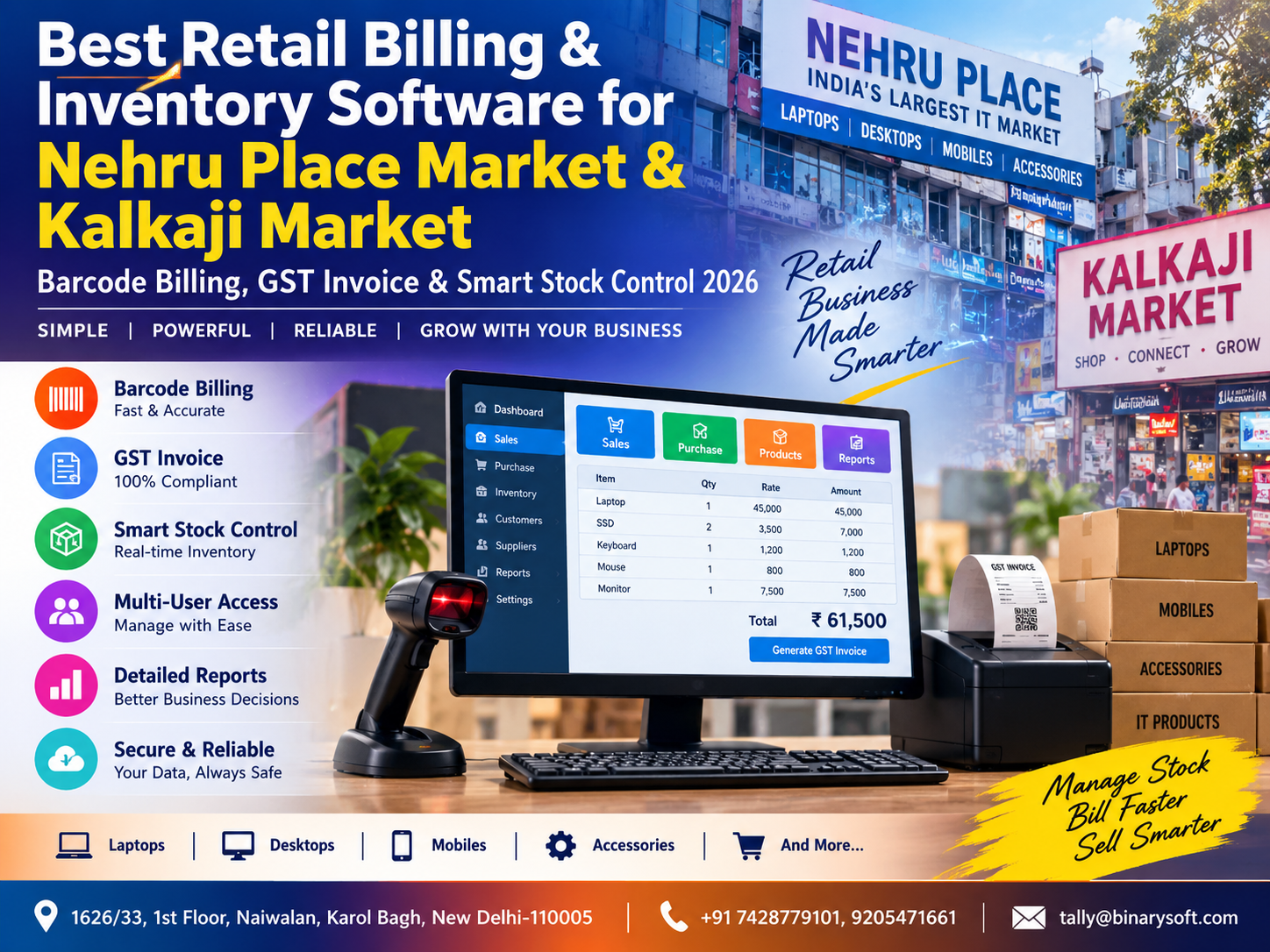
What Changed in 2026: Retailers Need Faster Billing and Real-Time Stock Visibility
In 2026, retail businesses in Nehru Place Market and Kalkaji Market are dealing with a faster sales cycle, larger product catalogues and customers who expect accurate GST invoices without waiting at the billing counter. The pressure is especially high for electronics, computer accessories, mobile accessories, office equipment, electrical goods, garments and general retail stores where hundreds or thousands of SKUs may move every month. Manual bills, disconnected Excel stock sheets and delayed inventory updates can make it difficult to know what is actually available, what needs reordering and which products are moving slowly. Modern retail billing and inventory software can connect barcode scanning, GST invoicing, purchases, sales, stock control and business reports in one structured workflow. For a busy retailer, the benefit is immediate: faster checkout, fewer pricing mistakes, better stock visibility and more time to focus on customers instead of repeatedly checking registers and spreadsheets.
Why Retail Billing Is Changing in Nehru Place and Kalkaji
Retail is no longer only about making a sale.
Every transaction creates data.
A retailer needs to know:
What was sold?
At what price?
At what GST rate?
How much stock remains?
Which product is selling fastest?
Which item needs replenishment?
How much money was received?
Was payment made by cash, card, UPI or another mode?
What was the gross margin?
Which supplier provided the stock?
When these questions are answered by different notebooks, Excel sheets and people's memory, managing a growing retail business becomes increasingly difficult.
A modern billing and inventory system brings this information together.
For businesses in Nehru Place Market and Kalkaji Market, that can mean moving from reactive stock management to a more controlled retail operation.
The Nehru Place Shopkeeper Who Lost a Sale Because the Computer Said "Out of Stock"
Consider a computer accessories retailer in Nehru Place.
It was a busy Saturday afternoon.
Customers were standing near the counter asking for SSDs, keyboards, adapters, cables, RAM and laptop accessories.
One customer needed four units of a particular SSD.
The salesperson checked the billing computer.
Stock available: 0
"Sorry sir, it is out of stock."
The customer left and bought the products elsewhere.
Later that evening, an employee opened a box stored behind another shelf.
Inside were six units of the same SSD.
The owner was frustrated.
The product had been available.
The business had lost the sale because the stock record was wrong.
When he investigated, he discovered something even more concerning.
Some purchase entries had been delayed.
A few sales had been manually billed without updating the inventory sheet.
One returned item had never been added back into available stock.
The owner had always thought of inventory software as an accounting requirement.
That day, he understood it differently.
Incorrect inventory does not only create accounting problems. It can cost actual sales.
The shop gradually introduced barcode-based billing and more disciplined purchase, sales and stock recording.
The next time a customer asked:
"Four pieces available?"
the salesperson did not search three shelves and call the warehouse.
He checked the system.
That confidence is one of the biggest advantages of better inventory control.
Why Nehru Place Retailers Need Smart Inventory Management
Nehru Place has a distinctive retail environment.
Many businesses deal with technology and electronics-related products, where a store may maintain hundreds or thousands of variations.
For example:
Laptops
Desktops
SSDs
Hard drives
RAM
Keyboards
Mouse devices
Printers
Toners
Cartridges
Networking products
Routers
Cables
Adapters
Power supplies
Monitors
Computer accessories
CCTV products
Office electronics
One product category alone may contain dozens of models.
A retailer cannot efficiently manage this complexity through memory.
The business needs accurate item-level records.
Why Kalkaji Market Retailers Need Faster Billing
Kalkaji businesses may operate in different retail segments, including:
Electronics
Garments
Footwear
Grocery
Cosmetics
Home products
Electrical items
Stationery
Mobile accessories
General merchandise
Hardware
Gift products
During busy hours, billing speed directly affects customer experience.
A customer buying five products does not want to wait while an employee manually types:
Product Name
Rate
Quantity
Discount
GST Rate
Barcode billing can dramatically simplify this process.
What Is Retail Billing and Inventory Software?
Retail billing and inventory software combines point-of-sale billing with stock management.
A typical system can manage:
Product Masters
Barcode Information
Purchase Entries
Sales Billing
GST Invoices
Sales Returns
Purchase Returns
Stock Quantities
Pricing
Discounts
Customer Information
Supplier Information
Payment Modes
Cash and Bank Records
Business Reports
The exact features vary by software and configuration.
For many retailers, the objective is to create one reliable flow:
Purchase → Inventory → Barcode → Sale → GST Invoice → Stock Reduction → Payment → Accounting → Reports
Barcode Billing: From Product Scan to Invoice
Barcode billing is one of the most practical improvements a retailer can implement.
Instead of manually searching for every product, the cashier scans the barcode.
The system identifies the item and retrieves information such as:
Product Name
Selling Price
GST Rate
Unit
Stock Details
Applicable Discount, where configured
The cashier confirms the quantity and completes the bill.
For high-traffic retail stores, saving even a few seconds per product can make a noticeable difference during peak hours.
How Barcode Billing Works
The basic workflow is straightforward.
Step 1: Create the stock item.
Step 2: Assign or record its barcode.
Step 3: Configure price, GST and other required information.
Step 4: Scan the product during billing.
Step 5: Software identifies the stock item.
Step 6: Quantity and rate are added to the bill.
Step 7: Applicable taxes and discounts are calculated.
Step 8: Invoice is generated.
Step 9: Inventory is reduced according to the transaction.
The result is faster and more standardized billing.
Existing Manufacturer Barcodes
Many packaged products already contain manufacturer barcodes.
Where appropriate, the business can map those existing codes to its inventory master.
For example:
Barcode: 890XXXXXXX001
Mapped Item:
Wireless Keyboard Model K100
When scanned, the system identifies the item immediately.
This eliminates the need to create a separate barcode label for every product where an appropriate barcode already exists.
Generate Your Own Barcodes
Some retailers sell products that do not have usable manufacturer barcodes.
The business may therefore need to create internal barcodes.
For example:
NP-CABLE-001
NP-SSD-500-02
KAL-SHIRT-BLK-L
KAL-BAG-105
Barcode labels can then be printed and attached to the products or packaging.
This is particularly useful for private-label products, loose items or internally coded inventory.
GST Invoice Generation
GST billing is another major requirement for applicable retailers.
A GST invoice may require relevant information such as:
Business Name
Address
GSTIN
Invoice Number
Invoice Date
Customer Details
Customer GSTIN, where applicable
Place of Supply
Product Description
HSN/SAC
Quantity
Rate
Taxable Value
CGST
SGST
IGST
Total Invoice Value
A properly configured billing system calculates relevant taxes according to the transaction and configured tax information.
Local Delhi GST Billing
For an applicable intra-state taxable sale within Delhi, GST generally involves:
CGST
and
SGST
For illustration:
Product Value: ₹10,000
Assuming GST at 18%:
CGST: ₹900
SGST: ₹900
Invoice Total:
₹11,800
The billing software should calculate and record the appropriate tax components according to the configured transaction.
Interstate GST Billing
If an applicable taxable supply is made from Delhi to another state, IGST may apply depending on the nature and place of supply of the transaction.
For illustration:
Taxable Value: ₹10,000
GST Rate: 18%
IGST: ₹1,800
Invoice Total:
₹11,800
A correctly configured system helps the billing team apply the relevant tax structure consistently.
HSN/SAC Management
Retailers dealing with multiple product categories may have different HSN classifications and GST rates.
Product masters can maintain information such as:
Item Name
Item Code
HSN/SAC
GST Rate
Unit
Purchase Rate
Selling Rate
Barcode
This reduces the need for the cashier to remember tax information for every item.
Smart Stock Control
Inventory software should answer a simple question:
How much stock do I have right now?
But good stock management goes further.
It should help answer:
Where is the stock?
What is selling?
What is not selling?
What needs to be reordered?
Which products are overstocked?
Which items are running low?
What is the stock value?
These insights help retailers make better purchasing decisions.
Real-Time Stock Updates
Suppose the system shows:
Wireless Mouse – 25 Nos
A customer purchases 3.
Available stock becomes:
22 Nos
If another employee checks the item, the latest quantity should be visible.
This is much more reliable than updating an Excel stock sheet once at the end of the day.
Reorder Level Management
Running out of fast-moving products can result in lost sales.
Retail software can help identify products approaching a predefined minimum stock level.
For example:
SSD 500 GB
Current Stock: 7
Minimum Stock Level: 10
Status:
Reorder Required
The business can use this information to plan purchases before the shelf becomes empty.
Avoid Overstocking
Stock problems also occur when businesses buy too much.
Suppose a retailer has:
Old Router Model
Stock: 75 units
Average Monthly Sales: 5 units
That represents approximately 15 months of stock at the recent sales rate.
If a newer model becomes popular, those 75 units may become difficult to sell.
Inventory reports can help identify slow-moving stock earlier.
Fast-Moving Products
A fast-moving report may show:
USB-C Cable – 240 sold
Wireless Mouse – 185 sold
SSD 500 GB – 160 sold
Laptop Adapter – 145 sold
The retailer can use this information to prioritize purchasing and maintain appropriate stock levels.
Slow-Moving Products
A slow-moving report is equally valuable.
For example:
Product A – 2 units sold in 90 days
Product B – 0 units sold in 60 days
Product C – 3 units sold in 120 days
This may indicate a need to review pricing, promotion or future purchasing.
Dead Stock Identification
Dead stock ties up working capital.
Imagine ₹5 lakh of products sitting on shelves without meaningful sales movement.
The business may look profitable on paper, but cash is locked in inventory.
A good inventory system can help identify products with no movement over defined periods.
Management can then decide whether to:
Discount them
Bundle them
Promote them
Return them where possible
Stop purchasing additional quantities
Purchase Management
Stock accuracy begins with purchase entry.
When goods arrive, the system should record information such as:
Supplier
Purchase Invoice
Invoice Date
Stock Item
Quantity
Rate
GST
Batch/Serial information where applicable
Warehouse/Godown
Once the purchase is recorded correctly, stock availability becomes more reliable.
Supplier Management
Retail businesses often buy the same product from multiple suppliers.
A supplier-wise purchase history can help answer:
Who supplied the item last time?
At what price?
How frequently do we buy it?
Which supplier offers better commercial terms?
What amount is payable?
This information can improve purchasing decisions.
Serial Number Tracking for Electronics
For electronics retailers in Nehru Place, serial number tracking can be particularly useful.
Products such as:
Laptops
Hard Drives
SSDs
Monitors
Printers
Networking Devices
may have individual serial numbers.
Where the software and business workflow support it, serial numbers can be recorded during purchase and linked to sales.
This can help with warranty and product traceability.
Batch Tracking Where Required
Other retail segments may require batch-level management.
Depending on the products, businesses may need to maintain:
Batch Number
Manufacturing Date
Expiry Date
Purchase Quantity
Sales Quantity
Available Quantity
The requirement depends on the industry and product type.
Multiple Godown Management
A retailer may have:
Main Shop
Back Store
Warehouse
Second Branch
Inventory software can help maintain location-wise quantities.
For example:
Wireless Keyboard
Nehru Place Shop: 12
Warehouse: 45
Kalkaji Branch: 8
Total Stock: 65
This gives management better visibility than a single combined stock figure.
Stock Transfer Between Locations
Suppose Kalkaji has only two units of a popular product while the warehouse has 40.
A stock transfer can be recorded:
Warehouse → Kalkaji Shop
Quantity: 10
The system updates both locations without treating the movement as a sale or purchase.
Sales Returns
Retail returns need proper accounting and inventory treatment.
Suppose a customer returns one keyboard.
Depending on the circumstances, the transaction may require:
Sales return/credit note
GST adjustment where applicable
Stock update
Customer adjustment or refund
If the returned item is saleable, it may return to available inventory.
If damaged, it may need separate treatment.
Purchase Returns
The same principle applies when stock is returned to a supplier.
A proper purchase return process ensures that:
Supplier balance changes appropriately
Inventory reduces correctly
Relevant tax treatment is recorded
Return reference is preserved
Multiple Payment Modes
Modern retail counters may accept:
Cash
UPI
Credit Card
Debit Card
Bank Transfer
Credit Sale
The billing system should help classify these payment modes so the owner can reconcile collections.
For example:
Today's Sales: ₹2,50,000
Cash: ₹70,000
UPI: ₹95,000
Cards: ₹60,000
Credit: ₹25,000
Total: ₹2,50,000
This makes daily closing easier.
UPI Reconciliation
UPI has become a major payment method for retailers.
But the cashier seeing a payment confirmation is not the end of accounting.
The business should reconcile digital collections with bank records.
A structured billing and accounting workflow makes it easier to compare:
UPI Sales
Payment Provider Records
Bank Credits
Differences should be investigated.
Customer Credit Management
Some retailers also sell to regular businesses or dealers on credit.
The system can maintain:
Customer Ledger
Invoice Date
Invoice Amount
Amount Received
Outstanding Balance
Credit Period
This helps the owner understand who owes money.
Outstanding Receivable Reports
Instead of asking:
"Which customers have not paid?"
the system can generate an outstanding report.
For example:
ABC Traders – ₹45,000
XYZ Solutions – ₹28,500
Kumar Enterprises – ₹16,000
The business can follow up systematically.
GST and Accounting Integration
Billing and accounting should ideally work together.
When a sale is recorded correctly, the system should update relevant areas according to its configuration:
Sales
Customer balance
GST
Inventory
Payment/receivable
Business reports
This reduces the need to recreate the same transaction in multiple places.
Why TallyPrime Can Be Useful for Retail Businesses
TallyPrime is widely used by businesses for accounting, inventory, GST-related workflows and business reporting.
Depending on configuration and business requirements, retailers can structure TallyPrime around:
Sales
Purchases
GST Invoices
Inventory
Stock Groups
Stock Categories
Godowns
Customer Ledgers
Supplier Ledgers
Receivables
Payables
Cash and Bank
Business Reports
Retail-specific workflows, barcode requirements or customized processes should be planned according to the actual store operation.
Daily Retail Dashboard
A useful retail dashboard should quickly answer questions such as:
Today's Sales
Number of Bills
Average Bill Value
Cash Sales
UPI Sales
Card Sales
Credit Sales
Gross Profit or Margin Indicators
Top-Selling Items
Low-Stock Items
Sales Returns
This allows the owner to review the business without manually checking every invoice.
Salesperson-Wise Reporting
If multiple employees work at the counter, salesperson-wise reporting can help management understand sales activity.
For example:
Salesperson A – ₹1,20,000
Salesperson B – ₹95,000
Salesperson C – ₹82,000
This can support performance analysis where the business workflow records salesperson information.
Category-Wise Sales Analysis
A Nehru Place electronics retailer might want to know:
Laptop Sales
SSD Sales
RAM Sales
Accessories Sales
Printer Sales
Networking Sales
A Kalkaji retailer might analyze:
Garments
Footwear
Cosmetics
Home Products
Electrical Goods
Category-wise reports help identify where revenue is actually coming from.
Product-Wise Profitability
High sales do not always mean high profit.
Product A may generate ₹5 lakh of revenue but only a small margin.
Product B may generate ₹2 lakh of revenue with a much stronger margin.
Product-level reporting helps management understand the difference between turnover and profitability.
Discount Control
Uncontrolled discounts can quietly reduce margins.
A retail system can help maintain:
Standard Selling Price
Maximum Discount
Special Customer Price
Promotional Price
Where supported, management can establish controls over who can change rates or provide discounts.
User-Level Access
Not every employee should have access to every function.
A cashier may need billing access.
A store manager may need stock reports.
An accountant may need financial information.
The owner may require full access.
Role-based controls can reduce accidental or unauthorized changes.
Backup Is Essential
Retail billing data is operationally critical.
Imagine arriving at the store one morning and losing access to:
Invoices
Stock
Customer balances
Supplier balances
Sales history
Regular backups should therefore be part of the operating process.
The backup strategy should be appropriate to the software and infrastructure being used.
Multi-User Requirements
A growing retailer may have:
Two billing counters
One accounts computer
One warehouse computer
One management workstation
A suitable setup should support the required number of users and ensure that data remains consistent.
The configuration should be selected according to actual business usage rather than simply buying more functionality than necessary.
Multi-Branch Retail Management
Businesses operating more than one location may require branch-wise reporting.
For example:
Nehru Place Branch
Kalkaji Branch
Management may want:
Branch Sales
Branch Stock
Branch Expenses
Branch Profitability
Inter-Branch Transfers
A properly designed accounting and inventory structure can support this level of reporting.
Retail Inventory Should Be an Asset, Not a Mystery
Retailers invest significant working capital in inventory.
If the owner does not know what is in stock, where it is located or how quickly it sells, purchasing becomes guesswork.
Too little inventory creates lost sales.
Too much inventory locks cash.
Incorrect inventory creates confusion.
Smart stock control aims to keep these three risks visible.
How Better Inventory Improves Cash Flow
Suppose a retailer has ₹25 lakh invested in inventory.
If ₹5 lakh represents slow-moving or dead stock, that money is effectively sitting on shelves.
Better inventory reports can help management reduce unnecessary purchases and redirect cash toward faster-moving products.
This is why inventory software should not be viewed only as a billing tool.
It can become a working-capital management tool.
Retail Software Selection Checklist
Before choosing a billing and inventory solution, businesses should evaluate their actual requirements.
Important areas include:
Billing speed
Barcode support
GST invoicing
Inventory tracking
Stock groups/categories
Purchase management
Sales returns
Purchase returns
Multiple payment modes
Customer outstanding reports
Supplier payable reports
Godown management
Serial/batch tracking where required
Multi-user requirements
Multi-branch requirements
Data backup
Accounting integration
Management reporting
The best system is not necessarily the one with the longest feature list.
It is the one that matches the retailer's actual workflow.
Common Retail Software Mistakes
Retailers often make mistakes such as:
Creating duplicate stock items
Using inconsistent item names
Ignoring barcodes
Not recording purchases on time
Allowing negative stock without review
Not recording sales returns properly
Not reconciling UPI and card collections
Not maintaining backups
Using one generic GST rate for unrelated products
Giving every employee unrestricted access
Software cannot solve poor processes automatically.
The business must also maintain disciplined data practices.
Implementation Plan for a Nehru Place or Kalkaji Retailer
A practical implementation can follow these stages.
Stage 1: Business Study
Understand:
Products
Billing volume
Number of counters
GST requirements
Payment modes
Inventory locations
Existing software
Customer types
Stage 2: Master Preparation
Create or clean:
Stock Items
Barcodes
HSN/SAC
GST Rates
Units
Customers
Suppliers
Opening Stock
Stage 3: Billing Configuration
Configure:
Invoice Format
Barcode Scanner
Rates
Discounts
Payment Modes
Taxes
Stage 4: Inventory Setup
Configure:
Stock Groups
Categories
Godowns
Reorder Levels
Serial/Batch requirements
Stage 5: Testing
Test:
Sales
Returns
Purchases
GST
Barcode Scanning
Payments
Stock Updates
Stage 6: Staff Training
Train cashiers, accountants and store personnel according to their roles.
Stage 7: Go Live
Begin live billing and monitor exceptions carefully.
Why Staff Training Matters
A technically strong system can still fail if staff members do not understand the workflow.
Cashiers should know:
How to scan products
How to handle quantity changes
How to process discounts
How to select payment modes
How to handle returns
Inventory staff should understand:
Purchases
Stock transfers
Returns
Stock verification
Accounts staff should understand:
GST
Ledgers
Receivables
Payables
Reconciliation
Training turns software into a working business system.
Physical Stock Verification
Even with good software, physical stock should be verified periodically.
The process can compare:
System Stock vs Physical Stock
For example:
System: 100 units
Physical: 97 units
Difference: 3 units
The reason should be investigated.
Potential causes include:
Billing errors
Damage
Unrecorded returns
Incorrect purchase quantity
Stock transfer issues
Loss or shrinkage
Regular verification improves confidence in inventory reports.
Barcode Billing During Peak Hours
Imagine a busy evening in Kalkaji.
Ten customers arrive within a short period.
Without barcode billing, employees manually identify items and enter prices.
With barcode billing:
Scan
Quantity
Payment
Invoice
The queue moves faster.
For the customer, this means less waiting.
For the cashier, fewer repetitive entries.
For the owner, cleaner transaction data.
That is a practical business improvement rather than just a technology upgrade.
Smart Retail Management in 2026
Retail competition is increasingly about operational efficiency.
Two shops may sell the same product at similar prices.
But one shop knows:
Exactly what is in stock
Which item is selling
What needs to be ordered
What customers owe
What suppliers need to be paid
How much was collected through UPI
Which products are slow-moving
The other relies on memory and disconnected spreadsheets.
Over time, the difference in decision quality can become significant.
How Binarysoft Technologies Can Help
Binarysoft Technologies can assist retail businesses with TallyPrime-related billing, accounting, inventory and customized business workflows.
Depending on the retailer's requirements, solutions can be planned around:
Retail Billing
GST Invoice Setup
Barcode-Based Billing
Stock Item Management
Inventory Control
Customer and Supplier Ledgers
Purchase and Sales Management
Sales Returns
Purchase Returns
Godown Management
Outstanding Reports
Business Reports
Excel-to-TallyPrime Import
Inventory Data Migration
Customized TallyPrime Requirements
Multi-User Setup
Cloud-Based Access Requirements
The appropriate configuration depends on the store's transaction volume, product structure, number of users and reporting requirements.
Moving from Billing Software to Business Control
The real purpose of retail software is not to print an invoice.
Printing an invoice is only the beginning.
A properly designed retail system should connect:
Product Purchase
↓
Stock Availability
↓
Barcode Identification
↓
Customer Billing
↓
GST Invoice
↓
Payment
↓
Inventory Reduction
↓
Accounting
↓
Reconciliation
↓
Management Reporting
When these stages work together, the owner gets something more valuable than faster billing.
The owner gets visibility.
Conclusion
For retailers in Nehru Place Market and Kalkaji Market, modern billing and inventory management is becoming increasingly important as product ranges expand, customer expectations rise and transactions move across cash, UPI, cards and credit.
A suitable retail billing and inventory system can combine barcode billing, GST invoices, purchases, sales, stock management, customer and supplier ledgers, payment tracking and business reporting within a more controlled workflow.
For Nehru Place electronics and computer retailers, features such as barcode identification, serial-number tracking, item-wise inventory and fast billing can be particularly valuable.
For Kalkaji retailers across electronics, garments, accessories, general merchandise and other categories, accurate stock visibility and faster checkout can improve both customer service and operational control.
The objective should not be to purchase software simply because it has hundreds of features.
The objective should be to build a system that answers the questions a retailer faces every day:
What sold?
What is available?
What needs to be reordered?
What is not moving?
How much money was collected?
What is the actual position of the business?
When billing, GST, inventory and accounting work together, retailers can spend less time searching for information and more time making informed business decisions.
Powered by Binarysoft Technologies
Authorized Tally Partner
Location: 1626/33, 1st Floor, Naiwalan, Karol Bagh, New Delhi – 110005, INDIA
Contact us: +91 7428779101, 9205471661
Email us: tally@binarysoft.com
Working Hours: 10:00 AM – 6:00 PM, Mon–Fri
Frequently Asked Questions
What is the best retail billing and inventory software for Nehru Place businesses?
The appropriate software depends on transaction volume, number of products, barcode requirements, GST needs, number of users, inventory locations and accounting requirements. Businesses already using TallyPrime can evaluate a TallyPrime-based workflow and any required retail-specific configuration or customization.
CA. Shaurya Venkataraman specializes in business accounting, GST consultancy, and financial analysis. His articles focus on simplifying complex financial concepts and helping businesses improve operational efficiency.