Call CA Tally HelpDesk
+91 9205471661,
7428779101
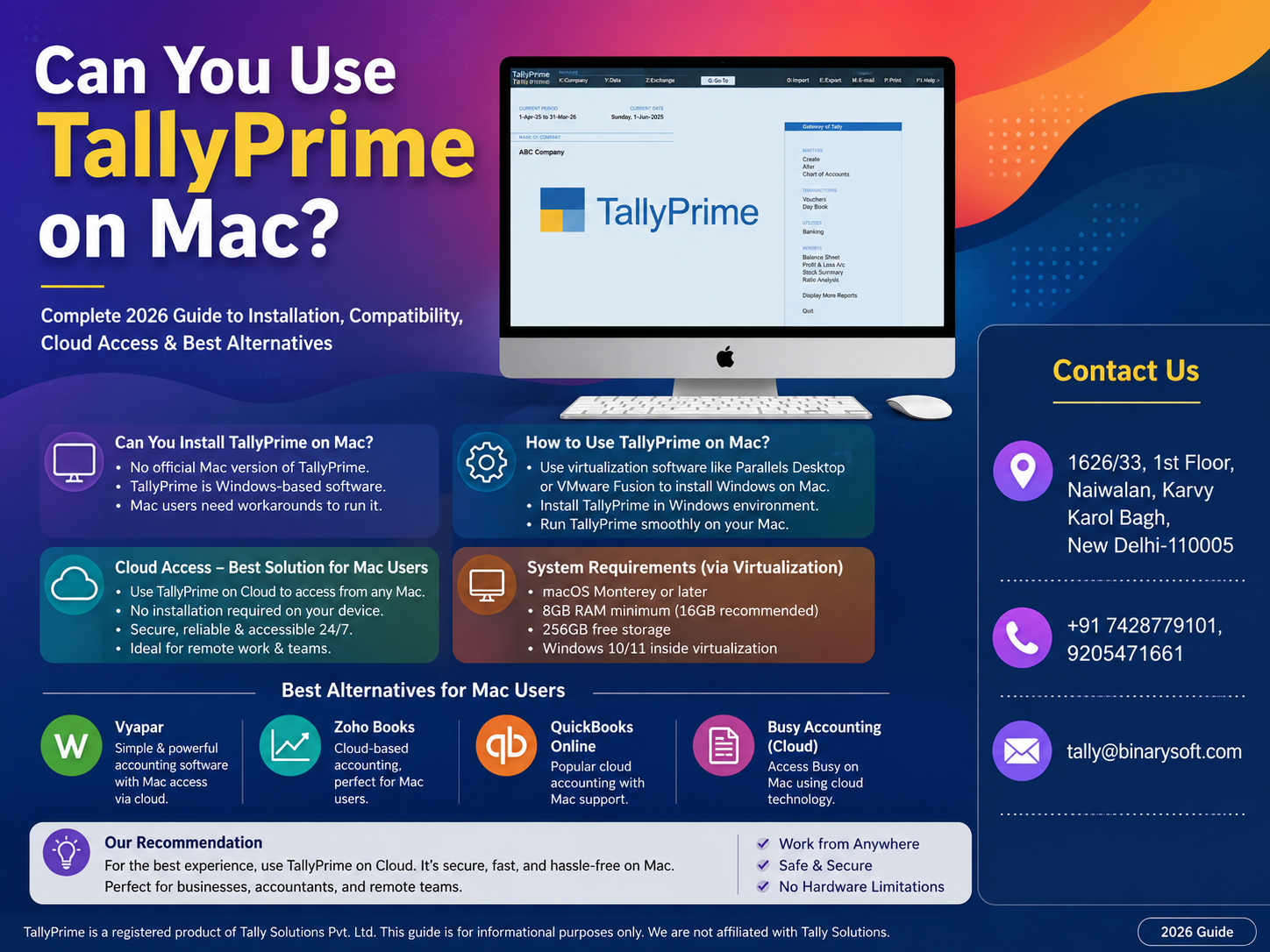
Can Mac Users Finally Run TallyPrime Smoothly in 2026? Here's What Changed
The number of businesses using MacBooks for work has grown significantly in recent years, especially among startups, consultants, accountants, freelancers, retail businesses, and entrepreneurs. At the same time, TallyPrime continues to remain one of India's most trusted accounting and GST software solutions. This has created one common question in 2026: Can TallyPrime run on macOS without issues?
The answer is both yes and no. TallyPrime is still designed primarily for Microsoft Windows, but modern virtualization tools, cloud hosting services, and remote desktop technologies have made it easier than ever for Mac users to access TallyPrime efficiently. Businesses that fail to choose the right setup often experience slow performance, licensing confusion, printing issues, or data synchronization problems. However, users who adopt the correct deployment method enjoy the same accounting experience as Windows users while continuing to work on their preferred Mac devices. Understanding these options can save money, improve productivity, and eliminate unnecessary technical headaches.
A Small Story That Many Mac Users Can Relate To
Rohit, a Chartered Accountant based in Bengaluru, invested in a premium MacBook Pro because of its speed, battery life, and reliability. His entire office used Apple devices for presentations, communication, and documentation.
Everything worked perfectly until GST filing season arrived.
His clients maintained accounts in TallyPrime, but he discovered that the software wasn't built for macOS. Initially, he tried different unofficial methods downloaded from random websites. The software crashed repeatedly, printers stopped responding, and data synchronization became unreliable.
Deadlines approached quickly.
Instead of risking client data, Rohit shifted to a secure cloud-hosted TallyPrime solution. Within a day, his Mac accessed the same licensed TallyPrime environment from anywhere. His team could work simultaneously, backups became automatic, and client support became faster than ever.
Today, he still enjoys using macOS while accessing TallyPrime securely without compromising accounting accuracy.
His experience reflects what thousands of Mac users are discovering in 2026.
Is TallyPrime Available for macOS?
The short answer is:
No.
TallyPrime does not currently have a native macOS application.
The software has been developed specifically for Microsoft Windows. There is no official installer designed exclusively for:
- macOS Sonoma
- macOS Ventura
- macOS Monterey
- Apple Silicon (M1)
- Apple Silicon (M2)
- Apple Silicon (M3)
- Apple Silicon (M4)
This does not mean Mac users cannot use TallyPrime.
Instead, they need one of several supported deployment methods.
Why Doesn't TallyPrime Run Natively on Mac?
TallyPrime has been built using technologies optimized for Windows architecture.
Several Windows components are deeply integrated into the software, including:
- Windows system libraries
- Printer management
- Device drivers
- Windows networking
- Registry management
- Windows authentication
Because macOS works differently, the software cannot simply be copied onto a Mac and expected to function properly.
Can Apple Silicon Macs Run TallyPrime?
Modern Apple devices now use Apple Silicon processors instead of Intel processors.
These include:
- MacBook Air M1
- MacBook Air M2
- MacBook Air M3
- MacBook Pro M1
- MacBook Pro M2
- MacBook Pro M3
- Mac Studio
- Mac Mini
These processors are extremely powerful.
However, since TallyPrime is still a Windows application, additional software is required to create a compatible Windows environment.
Different Ways to Use TallyPrime on Mac
There are multiple approaches available.
Each suits different business requirements.
Option 1: Cloud-Based TallyPrime (Recommended)
This has become the preferred solution in 2026.
Instead of installing TallyPrime directly on your Mac, the software runs on a secure Windows cloud server.
Users simply connect through:
- Remote Desktop
- Browser-based access
- Secure cloud application
Advantages include:
- No Windows installation
- Access from anywhere
- Automatic backups
- Multi-user support
- High security
- Easy scalability
- Centralized data
- Lower IT maintenance
This method is especially useful for businesses with multiple branches or remote teams.
Option 2: Virtual Machine Software
A virtual machine allows Windows to run inside macOS.
Popular virtualization platforms include:
- Parallels Desktop
- VMware Fusion
- UTM (for advanced users)
After installing Windows, TallyPrime can be installed like it would be on a normal Windows PC.
Advantages:
- Full Windows compatibility
- Offline usage
- Local data storage
- Good performance on modern Macs
Disadvantages:
- Windows license required
- More storage usage
- Higher RAM requirements
- Additional software cost
Option 3: Remote Desktop to Office Computer
Many businesses already have a Windows desktop in their office.
Mac users simply connect remotely.
Benefits include:
- Existing Tally license
- No reinstall required
- Office data remains centralized
- Lower setup cost
This works well for professionals who travel frequently.
Option 4: Dedicated Windows Laptop
Some organizations maintain a Windows machine solely for accounting.
Mac is used for:
- Email
- Design
- Development
- Presentations
Windows handles:
- Accounting
- GST
- Payroll
- Inventory
Although effective, this requires maintaining two devices.
Can Boot Camp Run TallyPrime?
Older Intel Macs supported Boot Camp.
However:
Apple Silicon Macs no longer support Boot Camp.
Therefore:
- Intel Macs → Possible
- M1 Macs → Not Supported
- M2 Macs → Not Supported
- M3 Macs → Not Supported
- M4 Macs → Not Supported
Which Method is Best for Businesses?
| Business Type | Best Solution |
|---|
| Small Business |
Cloud TallyPrime |
| Chartered Accountant |
Cloud + Multi User |
| Retail Store |
Windows PC or Cloud |
| Manufacturing |
Cloud Server |
| Trading Company |
Cloud |
| Startup |
Virtual Machine |
| Freelancer |
Virtual Machine |
| Remote Team |
Cloud Hosting |
Benefits of Cloud-Based TallyPrime for Mac Users
Cloud hosting has become extremely popular because it removes most compatibility concerns.
Key benefits include:
Work From Anywhere
Access accounts from:
- Home
- Office
- Client location
- Business travel
Real-Time Collaboration
Multiple employees can work simultaneously.
No need to transfer data repeatedly.
Automatic Backup
Professional cloud providers usually perform scheduled backups.
This reduces the risk of accidental data loss.
Better Security
Professional hosting generally includes:
- Firewall protection
- Encrypted connections
- Multi-level authentication
- Secure access permissions
Faster Disaster Recovery
If a laptop is damaged, the accounting data remains secure on the cloud server.
Can TallyPrime Work Offline on Mac?
Yes.
If Windows is installed through virtualization software, TallyPrime works offline just like it does on a Windows computer.
Cloud-hosted versions, however, require an internet connection.
Performance Expectations
Modern Macs provide excellent hardware performance.
Actual speed depends on:
- Available RAM
- SSD storage
- Internet speed
- Virtualization software
- Cloud server specifications
Many users report smooth operation on Apple Silicon Macs when properly configured.
Printing from Mac
Printing can be slightly different depending on the deployment method.
Cloud users may need printer redirection.
Virtual machine users generally print through Windows printer drivers.
Proper setup usually resolves these issues.
File Sharing Between Mac and TallyPrime
Most deployment methods allow seamless file sharing.
Examples include:
- PDF exports
- Excel reports
- GST reports
- Invoice PDFs
- XML files
- Backup files
Cloud platforms often provide shared folders for easy access.
Is Your Existing Tally License Valid?
In most cases, yes.
The license remains associated with TallyPrime rather than the operating system.
However, license activation and deployment should always follow the official licensing terms.
Businesses planning cloud hosting or major infrastructure changes should verify their licensing requirements with an authorized Tally partner.
Common Challenges Faced by Mac Users
Some users experience issues due to incorrect setup rather than software limitations.
Typical challenges include:
- Slow virtual machines
- Insufficient RAM
- Printer configuration
- Incorrect Windows installation
- Shared folder permissions
- Internet latency
- Unsupported unofficial software
Working with experienced implementation professionals helps avoid these problems.
Tips for Better Performance
To get the best experience:
- Use at least 16 GB RAM for virtualization.
- Store business data on fast SSD storage.
- Keep Windows updated.
- Use a reliable internet connection for cloud access.
- Schedule regular backups.
- Avoid unofficial installers or modified software.
- Use licensed software for better stability and support.
Why Businesses Prefer Cloud TallyPrime in 2026
Business operations have become increasingly hybrid, with employees working from offices, homes, and client locations.
Cloud deployment supports this flexibility by enabling secure access from multiple devices while simplifying maintenance. Instead of relying on individual systems, businesses can centralize data, reduce hardware dependency, and improve collaboration. This approach is particularly valuable for growing organizations that need reliable access without compromising data security or operational continuity.
Future of TallyPrime on macOS
Many users hope for a native macOS version in the future.
Until then, the available alternatives continue to improve.
With virtualization becoming more efficient and cloud technologies more accessible, Mac users can already achieve a smooth TallyPrime experience without changing their preferred hardware.
Final Recommendation
If you only need occasional access to TallyPrime on a Mac, a virtual machine may be sufficient.
For professionals, accountants, and businesses that rely on TallyPrime every day, secure cloud hosting is generally the most practical and scalable option. It provides consistent access from Mac devices without the need to manage Windows installations, while supporting collaboration, centralized data management, and business continuity.
Regardless of the method you choose, always use genuine, licensed software and implement secure backup practices. This ensures compliance, protects valuable business data, and provides access to updates and technical support.
Conclusion
Although TallyPrime is not natively available for macOS in 2026, Mac users are far from limited. Modern cloud hosting, virtualization software, and remote desktop technologies make it possible to run TallyPrime efficiently while continuing to enjoy the advantages of Apple's hardware and ecosystem.
The best solution depends on your business size, mobility needs, and budget. Cloud-hosted TallyPrime is ideal for organizations seeking flexibility and collaboration, while virtualization works well for individual professionals who prefer a local setup. By selecting the right approach and using properly licensed software, Mac users can manage accounting, GST compliance, payroll, inventory, and financial reporting with confidence.
Frequently Asked Questions
Can I install TallyPrime directly on macOS?
No. TallyPrime does not currently have a native macOS version. Mac users need to use cloud hosting, virtualization software, or remote desktop access.
Does TallyPrime work on Apple Silicon Macs like M1, M2, M3, and M4?
Yes, but not natively. It can run through supported virtualization software or by accessing a cloud-hosted Windows environment.
CA. Shaurya Venkataraman specializes in business accounting, GST consultancy, and financial analysis. His articles focus on simplifying complex financial concepts and helping businesses improve operational efficiency.