Call CA Tally HelpDesk
+91 9205471661,
7428779101
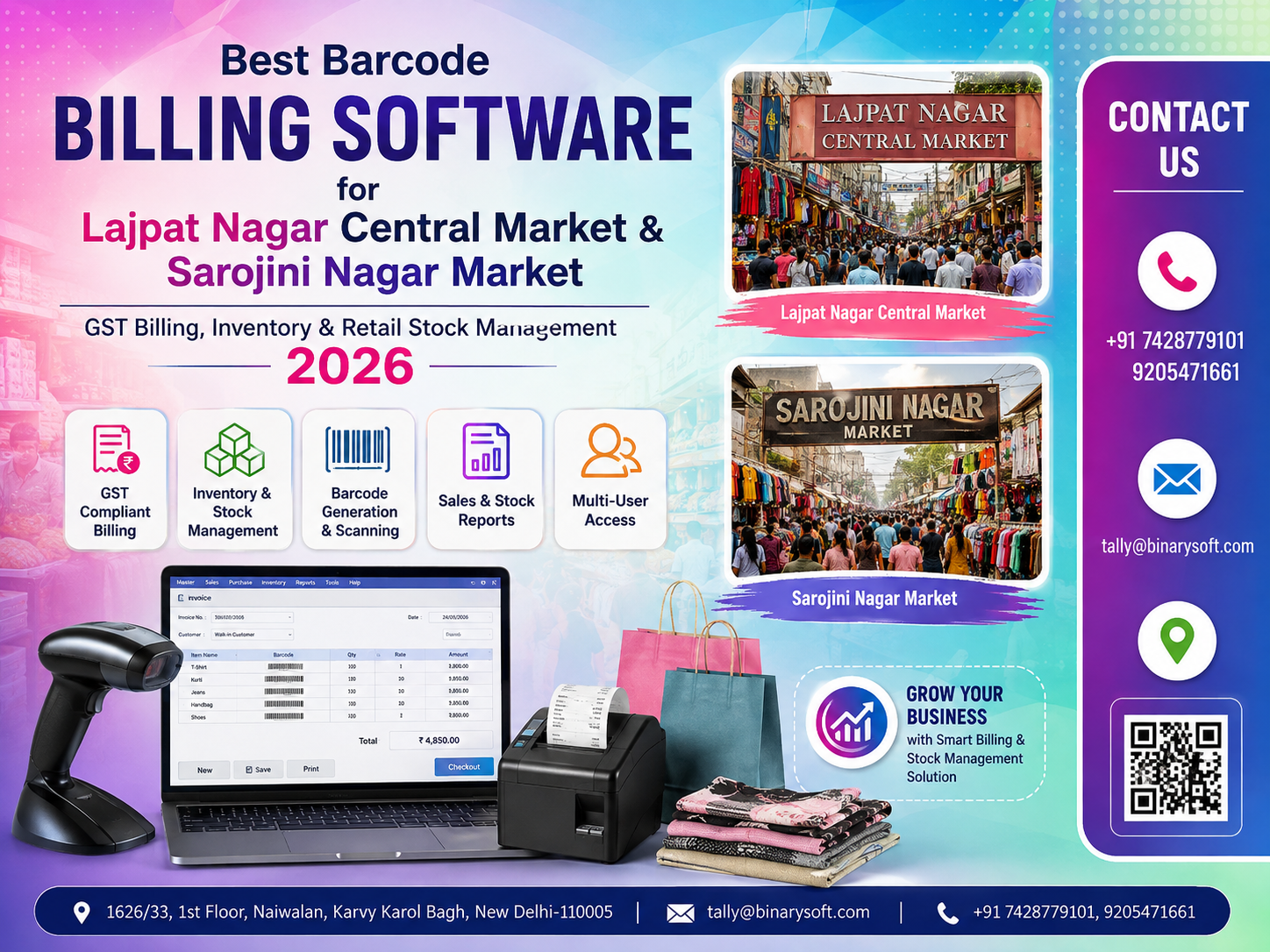
Barcode Billing and Retail Management Are Becoming Essential in 2026
In 2026, retail businesses in busy shopping destinations such as Lajpat Nagar Central Market and Sarojini Nagar Market are facing a new operational challenge: customers expect faster checkout, accurate prices and immediate bills, while shop owners need tighter control over GST compliance, inventory and fast-moving stock. Managing hundreds or thousands of garments, footwear items, accessories, cosmetics and other products through handwritten bills or disconnected spreadsheets can quickly create stock mismatches and billing delays. Barcode-enabled billing software can change that workflow by allowing retailers to scan products, generate GST invoices, update inventory and review sales information from a structured system. For shops handling heavy weekend and festive-season traffic, the benefit is practical: quicker billing, fewer manual entries, better visibility of available stock and more reliable business records. In a competitive retail market, operational speed and inventory accuracy can directly influence customer experience and profitability.
Why Barcode Billing Software Matters for Delhi Retailers in 2026
Retail businesses have always depended on speed, availability and customer service. But the definition of efficient retail management has changed significantly.
A retailer today does not simply need software that prints an invoice. The business may need to manage purchases, sales, GST, stock quantities, product variants, pricing, discounts, outstanding payments and financial records together.
This requirement becomes particularly important in high-footfall markets.
Lajpat Nagar Central Market attracts shoppers looking for clothing, footwear, jewellery, accessories, fabrics, cosmetics, home products and many other retail categories.
Sarojini Nagar Market is similarly known for fashion, garments, accessories and value-focused shopping.
In such environments, a shop may handle a large number of products and transactions every day. During weekends, festive seasons, wedding shopping periods or promotional sales, billing counters can become extremely busy.
Barcode billing software can help transform this process.
Instead of manually identifying a product, entering its description, selecting its price and updating stock separately, the operator can scan the barcode and retrieve the relevant product information.
The transaction becomes faster and inventory can be updated as part of the billing workflow.
A Busy Saturday That Changed the Way One Retailer Looked at Billing
Consider the example of a fictional garment retailer operating in a crowded Delhi shopping market.
For years, the owner had managed the business through experience, handwritten notes, spreadsheets and a conventional billing process.
He knew his products almost by memory.
He knew which shelves contained new arrivals, which sizes sold quickly and which items had been sitting for months.
That approach worked while the store was small.
Then the business expanded.
More designs were introduced. Different colours and sizes multiplied the number of stock items. Online enquiries started arriving alongside walk-in customers. Employees were added, and purchase volumes increased.
One Saturday afternoon, the store became packed with customers.
A family was waiting at the billing counter with several garments. Another customer wanted to exchange an item. A staff member was searching for a different size, while the owner was trying to confirm whether a particular product was actually available.
The billing queue grew.
One customer eventually put the selected products back and left.
That moment stayed with the owner.
The problem was not a lack of customers.
The problem was that the store's internal process had not grown with the business.
After introducing structured product codes and barcode-based billing, employees no longer needed to depend entirely on memory. Products could be identified faster, bills prepared more systematically and stock movement recorded in a more organized manner.
The biggest change was not simply faster scanning.
It was confidence.
The owner could spend more time understanding customers and purchasing decisions instead of repeatedly asking:
"How many pieces are actually left?"
That is the operational difference modern retail technology can make.
What Is Barcode Billing Software?
Barcode billing software is a retail billing and inventory management system that uses unique barcodes to identify products during transactions.
A barcode can be assigned to a stock item or product variant. Depending on the business setup, the barcode may represent information associated with:
Product name
Item code or SKU
Category
Size
Colour
Brand
Selling price
GST classification
Tax rate
Unit of measurement
Batch or other inventory information
When the barcode is scanned at the billing counter, the system identifies the corresponding stock item and adds it to the transaction.
The operator does not have to manually type the entire product description every time.
For retailers managing large inventories, this can significantly simplify day-to-day billing.
Why Lajpat Nagar Central Market Retailers Need Faster Billing
Retailers in Lajpat Nagar Central Market may handle products across multiple categories and price points.
Fashion and garment businesses can have additional complexity because a single design might be available in several:
Sizes
Colours
Patterns
Materials
Price ranges
Imagine a retailer stocking 300 garment designs.
If each design is available in four sizes and three colours, the actual number of combinations can become substantial.
Managing these variants manually becomes increasingly difficult.
Barcode-based inventory management gives every relevant item or variant a systematic identity.
When merchandise is received, products can be entered into inventory and barcodes can be generated or mapped.
When an item is sold, scanning helps identify the correct product.
The system can then record the sale and reduce the relevant inventory quantity according to its configuration.
Barcode Billing for Sarojini Nagar Market Businesses
Sarojini Nagar Market has a distinctive retail environment where pricing, inventory turnover and customer traffic can move quickly.
For retailers dealing with fashion products, accessories, footwear and seasonal merchandise, one important question is:
What is selling today?
Traditional stock records may tell an owner how much merchandise was purchased.
A structured inventory system can go further by helping the retailer understand what has actually moved.
For example, retailers can review products based on:
Fast-moving stock
Slow-moving stock
Available quantities
Sales value
Purchase value
Categories
Product groups
Profitability information where configured
This information can influence future purchasing decisions.
Instead of purchasing purely from intuition, retailers can combine their market experience with recorded business data.
GST Billing Software for Retail Shops
Barcode scanning is only one part of modern retail management.
GST-compliant billing is equally important.
Retail billing software should help businesses configure applicable GST information and create invoices based on their business requirements.
Depending on the transaction and configuration, a GST billing system may support details such as:
GSTIN
HSN/SAC information
Taxable value
CGST
SGST
IGST
Applicable GST rates
Invoice number
Invoice date
Customer information
Item quantities
Rates and discounts
Correct configuration remains important because tax treatment can depend on the product, transaction and applicable GST rules.
Businesses should ensure that their GST settings and classifications are reviewed by appropriate accounting or tax professionals where necessary.
Barcode Billing + GST + Inventory: Why Integration Matters
Using three separate systems for billing, GST records and inventory can create unnecessary duplication.
Suppose a retailer sells ten shirts.
The billing application records ten shirts sold.
But if the stock register is maintained separately and employees forget to update it, the inventory report may continue showing those ten shirts as available.
Now imagine this happening hundreds of times every month.
The difference between physical stock and recorded stock can become significant.
An integrated billing and inventory workflow reduces this problem because the sale and inventory movement are recorded together.
The goal is simple:
One transaction should update the relevant business records wherever possible.
TallyPrime for Retail Accounting and Inventory Management
TallyPrime can be used by businesses to manage accounting, inventory, taxation and business reporting in an integrated environment.
For retailers, wholesalers and other businesses, the exact configuration can depend on their operational requirements.
A properly planned setup can bring together areas such as:
Sales
Purchases
Receipts
Payments
Inventory
GST-related accounting
Outstanding receivables
Outstanding payables
Financial reports
Stock reports
Where barcode-based retail workflows are required, businesses should evaluate the appropriate barcode hardware, printing setup and compatible implementation according to their operational needs.
The objective should not be to add technology merely for appearance.
It should make everyday work simpler.
How Barcode Billing Works in a Retail Store
A practical barcode billing workflow can be organized into several stages.
Stage 1: Create Stock Items
Products are created in the inventory system with the necessary information.
This can include product names, stock groups, units, GST details, rates and other relevant attributes.
Stage 2: Assign Product Codes or Barcodes
Each relevant product or product variant is assigned an identifiable code.
A clothing retailer, for example, may need separate identification for different sizes or colours.
Stage 3: Print Barcode Labels
Where required, barcode labels can be printed and attached to products, packaging or tags.
Stage 4: Scan Products During Billing
At checkout, the operator scans the barcode.
The relevant item can then be selected in the billing workflow instead of requiring repeated manual identification.
Stage 5: Generate the Invoice
The system calculates the transaction based on the configured quantity, rate, discount and applicable taxation.
Stage 6: Update Inventory
Once the sale is recorded, inventory quantities can be updated according to the software configuration.
Stage 7: Review Business Reports
Management can later review sales, stock and accounting information for business analysis.
Reduce Billing Queues During Peak Shopping Hours
A billing counter is one of the last stages of the customer's shopping experience.
A customer may spend 30 minutes selecting products but still become frustrated by an unnecessarily long checkout queue.
This becomes particularly relevant during:
Weekends
Festival shopping
Wedding seasons
Clearance sales
End-of-season promotions
Special discount campaigns
Barcode scanning reduces repetitive manual product entry.
The operator can focus on checking quantities, discounts, payment and customer requirements rather than repeatedly typing product descriptions.
For high-volume retailers, even a small reduction in average billing time can become meaningful across hundreds of transactions.
Better Retail Stock Management
Stock is money sitting on shelves.
If a retailer cannot identify what is available, what has sold and what needs replenishment, purchasing decisions become difficult.
Inventory management software can help businesses monitor stock more systematically.
Know Available Stock
Retailers can review recorded quantities instead of relying only on physical observation.
Identify Fast-Moving Products
Products selling frequently can be identified for replenishment planning.
Find Slow-Moving Inventory
Products that remain unsold for longer periods may need promotions, discounts or purchasing adjustments.
Improve Purchase Planning
Past sales and current stock information can support better purchase decisions.
Reduce Excess Inventory
Buying too much slow-moving merchandise blocks working capital.
Improved visibility helps retailers make more informed purchasing choices.
Managing Size and Colour Variants
This is particularly relevant for clothing and footwear retailers.
Suppose a shirt is available in:
Small
Medium
Large
Extra Large
and in:
Black
White
Blue
Green
The retailer may need to distinguish each combination appropriately.
Without systematic product identification, an employee might know that ten shirts are available but not immediately know which sizes or colours remain.
Structured stock classification and barcode identification can improve visibility at the variant level where the implementation is designed accordingly.
Barcode Software for Footwear Stores
Footwear stores face similar inventory challenges.
One shoe model may be available across several sizes and colours.
The store needs to know whether a customer's requested size is available.
A systematic inventory setup helps employees search recorded stock instead of manually checking multiple boxes every time.
This can improve both customer service and inventory organization.
Barcode Billing for Garment Stores
Garment businesses in Lajpat Nagar and Sarojini Nagar can benefit significantly from organized stock identification.
Products may be grouped according to:
Men's wear
Women's wear
Kids' wear
Ethnic wear
Western wear
Winter wear
Summer collections
Accessories
Within each group, retailers can maintain individual stock items and appropriate codes.
This makes inventory easier to classify and analyse.
Barcode Billing for Cosmetics and Accessories
Small products can be particularly difficult to track manually because large numbers of SKUs may occupy relatively little physical space.
Cosmetics and accessories retailers may deal with:
Different brands
Shades
Sizes
Product categories
Price points
Variants
A barcode-driven system can help reduce dependence on memory and improve product identification during billing.
Purchase Management Is Equally Important
Retail management does not begin at the sales counter.
It starts when merchandise is purchased.
A well-organized system should help record purchases accurately so that inventory information begins with correct data.
Businesses can maintain supplier-related transactions, purchase records and inventory receipts according to their accounting setup.
This provides a better foundation for stock management.
Sales and Purchase Integration
Consider the complete merchandise cycle:
Purchase goods
Receive stock
Record inventory
Display products
Sell products
Generate bills
Reduce stock
Review sales
Reorder products
If these stages are disconnected, the retailer spends additional time reconciling information.
An integrated system creates a more continuous workflow.
Manage Customer Outstanding Amounts
Not every retail or wholesale transaction is necessarily an immediate cash sale.
Some businesses also deal with regular customers, resellers, institutional buyers or other parties where outstanding balances need to be monitored.
Accounting software can help maintain party ledgers and receivable information.
This allows businesses to review amounts due and follow up accordingly.
Supplier Outstanding Management
Retailers also need to understand what they owe suppliers.
Without organized purchase and payment records, it can become difficult to answer basic questions such as:
Which supplier needs to be paid?
How much is outstanding?
Which invoices are pending?
What purchases were made from a particular supplier?
Integrated accounting records can make these questions easier to answer.
Better Decision-Making Through Business Reports
Modern retail software should not simply record transactions.
The information should help the owner understand the business.
Useful reports may include:
Sales reports
Purchase reports
Stock summaries
Item-wise sales
Category-wise information
Receivables
Payables
Profit and loss information
Cash and bank information
GST-related reports
The availability of specific reports depends on the software and configuration being used.
Fast-Moving vs Slow-Moving Stock
One of the biggest inventory challenges is deciding what to reorder.
A retailer may personally feel that a product is popular because customers frequently ask about it.
But sales data may reveal something different.
A product that receives attention may not necessarily generate high sales.
Conversely, an ordinary-looking product may sell consistently.
Recorded sales data helps owners distinguish perception from actual movement.
That information can improve purchasing decisions.
Preventing Stock-Out Situations
A stock-out occurs when customers want an item but the retailer cannot supply it.
Every stock-out can represent a missed sales opportunity.
If fast-moving inventory can be identified early, the retailer can plan replenishment before quantities become critically low.
For stores competing with numerous nearby retailers, product availability can make a substantial difference.
A customer who cannot find the required item may simply walk to another shop.
Control Excess Stock
Too little inventory can result in missed sales.
Too much inventory creates another problem.
Money becomes locked into merchandise.
Fashion retailers face additional risk because trends and seasons can change quickly.
A product purchased aggressively today may require heavy discounting later.
Better stock visibility can help retailers balance availability with working-capital efficiency.
Discount Management at the Billing Counter
Discounts are common in competitive retail markets.
They may be offered based on:
Products
Customer negotiations
Promotions
Seasonal campaigns
Clearance sales
Bulk quantities
The billing system should be configured so discounts are recorded systematically rather than being handled informally.
This creates clearer transaction records and helps management understand actual selling prices.
Improving Employee Productivity
Without barcode identification, employees may need extensive product knowledge simply to prepare bills correctly.
This creates dependency on experienced staff.
Barcode-enabled product identification can simplify training for billing operators because the system handles part of the product identification process.
Employees still need appropriate training and supervision, but repetitive manual entry can be reduced.
Reducing Manual Entry Errors
Manual typing introduces several opportunities for mistakes.
An employee may enter:
The wrong item
Wrong quantity
Wrong rate
Incorrect product description
Incorrect variant
Barcode scanning does not eliminate every possible error, but it can significantly reduce repetitive product-entry work when barcodes and master data have been configured correctly.
Accuracy ultimately depends on both system configuration and operational discipline.
Multi-Counter Retail Billing
Busy retail stores may operate more than one billing counter.
In such cases, the implementation needs to consider how data, inventory and accounting information will be managed across those counters.
Businesses should evaluate requirements such as:
Number of billing users
Concurrent access requirements
Local network setup
Printer requirements
Barcode scanners
Data security
Backup procedures
User permissions
The right configuration depends on the size and workflow of the store.
Data Security and Backup
Retail business data can include years of transactions, customer information, supplier records, inventory and financial information.
Losing that data can seriously disrupt operations.
Businesses should establish proper backup procedures.
Backups should not depend on someone remembering occasionally to copy a file.
A defined process should specify:
What data is backed up
How often backups are taken
Where backups are stored
Who is responsible
How restoration is tested
Backup discipline is as important as billing speed.
User Access and Internal Control
As a business grows, different employees may require different levels of system access.
A cashier may need billing access.
An accountant may require accounting reports.
The owner may require broader management visibility.
Where supported, appropriate user rights and permissions can help businesses reduce unnecessary access to sensitive information.
Retail Management for Growing Businesses
A small retailer may begin with one counter and limited stock.
Over time, the business may expand to:
More products
More employees
More counters
Additional storage locations
Wholesale transactions
Online orders
Multiple branches
Software selection should therefore consider not only today's requirements but also reasonable future needs.
A system that works for 200 products should be evaluated carefully if the business expects to manage thousands of SKUs later.
Barcode Hardware Requirements
Barcode billing is a combination of software and hardware.
Depending on the implementation, a retailer may require:
Barcode scanner
Barcode label printer
Standard invoice printer
Computer system
Appropriate network infrastructure for multiple users
Hardware should be selected based on expected transaction volume and operating environment.
Cheap equipment that repeatedly fails during peak hours can create more problems than it solves.
Choosing the Best Barcode Billing Software in 2026
There is no single software configuration that is automatically best for every retailer.
The right solution should be selected according to the actual business workflow.
Before implementation, retailers should evaluate:
Number of products
Number of daily invoices
GST requirements
Number of users
Number of billing counters
Inventory complexity
Size/colour variants
Supplier management
Customer outstanding requirements
Accounting requirements
Reporting requirements
Barcode printing requirements
Backup and security needs
Future growth plans
The best software is ultimately the one that solves the retailer's operational problems without creating unnecessary complexity.
Why Accounting Integration Matters
Many POS applications focus mainly on checkout.
But business owners eventually need answers beyond:
"How much did we sell today?"
They also need to know:
What did we purchase?
How much do customers owe?
How much do we owe suppliers?
What are our expenses?
What is our financial position?
What does our stock look like?
How are our GST-related records organized?
This is where integrated accounting and inventory management can become valuable.
Benefits for Lajpat Nagar Central Market Businesses
Retailers in Lajpat Nagar Central Market can use a structured barcode and inventory system to improve:
Billing speed
Product identification
GST invoice preparation
Stock visibility
Size and colour management
Purchase recording
Supplier records
Customer records
Sales analysis
Inventory planning
Accounting organization
The actual benefit depends on how carefully the system is configured and how consistently employees use it.
Benefits for Sarojini Nagar Market Retailers
For Sarojini Nagar retailers dealing with rapidly changing fashion inventory, the major advantage can be improved stock movement visibility.
Retailers can focus on three fundamental questions:
What is selling?
What is not selling?
What should we purchase next?
When transaction data is recorded consistently, these questions become easier to analyse.
Preparing Your Retail Store for Barcode Implementation
Before introducing barcode billing, retailers should organize their product data.
A practical preparation process can include:
Creating product categories
Standardizing item names
Defining units
Reviewing GST classifications
Organizing size and colour variants
Reviewing opening stock
Creating stock groups
Assigning product codes
Selecting barcode equipment
Training employees
Establishing backup procedures
Poor master data can create problems even with excellent software.
Implementation quality therefore matters.
Common Mistakes Retailers Should Avoid
One common mistake is introducing barcode software without first cleaning product records.
Another is assigning codes inconsistently.
Retailers should also avoid maintaining duplicate products under slightly different names because this can distort inventory reports.
A third mistake is ignoring physical stock verification.
Software tells the business what its records show.
Periodic physical stock checks remain useful for identifying differences caused by damaged items, incorrect entries, returns, theft or other operational issues.
From Billing Software to Business Management
The biggest opportunity in 2026 is to stop thinking of billing software merely as an invoice-printing tool.
Every transaction creates useful business information.
Over weeks and months, that information can reveal patterns about:
Customer demand
Product movement
Seasonality
Purchase requirements
Outstanding payments
Inventory levels
Revenue trends
Retailers who maintain clean and consistent records can use this information to make better operational decisions.
Why Professional Implementation Matters
Installing software is only the first step.
The system should reflect how the business actually operates.
Implementation may require understanding:
Existing accounting structure
Inventory categories
Billing process
GST configuration
Product codes
Barcode requirements
User roles
Reports
Backup strategy
Existing data
A carefully configured system can reduce operational friction.
A poorly configured system may simply digitize existing confusion.
Binarysoft Technologies – Tally Solutions for Retail Businesses
Binarysoft Technologies provides Tally-related solutions and support for businesses looking to organize accounting, GST, inventory and operational processes.
Retail businesses considering barcode-enabled workflows can evaluate their requirements before deciding on the final setup.
The objective is to create a practical system aligned with the actual business process rather than implementing unnecessary features.
Whether the business operates in Lajpat Nagar Central Market, Sarojini Nagar Market or another commercial area, the starting point should be understanding its daily workflow.
How many products are handled?
How many invoices are generated?
How is inventory currently managed?
How are purchases recorded?
What causes delays at the billing counter?
Which reports does management actually need?
Once these questions are answered, an appropriate solution can be planned.
Conclusion
Retail competition in 2026 is not determined only by product range or pricing. Operational efficiency increasingly matters as well.
For retailers in Lajpat Nagar Central Market and Sarojini Nagar Market, barcode billing can provide a practical foundation for faster product identification, systematic invoicing and better stock management.
When barcode workflows are combined with GST billing, inventory control, purchasing and accounting, the business gains more than a faster checkout counter. It gains structured information.
That information can help retailers understand fast-moving products, monitor available stock, plan purchases, control outstanding amounts and improve financial visibility.
The goal is not to replace the shop owner's experience.
It is to strengthen that experience with reliable records.
For a growing retail business, that combination of market knowledge and organized data can become a significant competitive advantage.
Frequently Asked Questions
What is barcode billing software?
Barcode billing software allows products to be identified using barcodes during billing. When a barcode is scanned, the corresponding product information can be retrieved, helping reduce repetitive manual product entry.
Is barcode billing useful for garment shops in Lajpat Nagar?
Yes. Garment retailers often manage many designs, sizes and colours. A properly configured barcode and inventory system can make individual products or variants easier to identify and track.
CA. Mayankh Singhaal is a Chartered Accountant experienced in accounting systems, statutory audits, and compliance advisory. He has worked with businesses across different sectors to improve reporting accuracy and inventory tracking. His writing focuses on structured growth and compliance-ready operations.