Tally Drive Backup Services for Businesses & CA Firms

Call CA Tally HelpDesk +91 9205471661, 7428779101
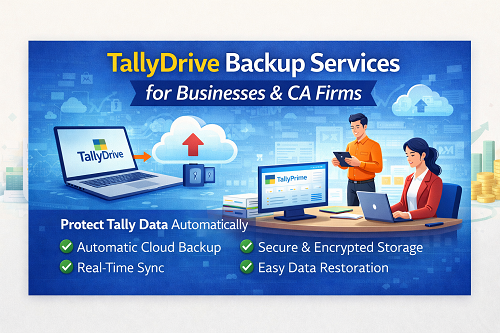
Tally Drive Backup Services for Businesses & CA Firms
By CA. Mayankh Singhaal   |   Published on: 02-01-2026 | 8 min read

Introduction

Accounting data is one of the most critical assets for any business. Loss of company data due to system failure, virus attack, accidental deletion, or hardware damage can lead to serious financial and compliance issues. To overcome this risk, Tally provides TallyDrive – a secure cloud-based auto backup solution that automatically backs up your company data without manual effort.

This article explains how to schedule backup of company data to TallyDrive using Auto Backup, its benefits, step-by-step configuration, and best practices to ensure complete data safety.

What is TallyDrive Auto Backup?

TallyDrive Auto Backup is a cloud-based backup facility provided by Tally that automatically stores your company data on secure servers. Once enabled, your data is backed up in real time or at defined intervals without user intervention.

TallyDrive ensures:

  • Continuous data protection
  • Remote access to backups
  • Protection against system crashes
  • Compliance-ready data storage

Why Scheduled Backup is Important in Tally

Manual backups are often skipped due to busy schedules. Scheduled auto backup eliminates this risk by ensuring that data is backed up automatically.

Risks of Not Using Auto Backup

  • Data loss due to system crash
  • Virus or ransomware attack
  • Accidental deletion of company data
  • Hard disk or server failure
  • Compliance and audit complications

Key Benefits of TallyDrive Auto Backup

  • Automatic cloud backup
  • No manual intervention required
  • Secure and encrypted storage
  • Easy data restoration
  • Access from anywhere
  • Reduced risk of data loss
  • Ideal for CA firms and multi-location businesses

System Requirements for TallyDrive Auto Backup

  • Active Tally license
  • Valid Tally Software Services (TSS)
  • Stable internet connection
  • User logged in with Tally.NET credentials

Step-by-Step: How to Schedule Backup of Company Data to TallyDrive

Step 1: Login to Tally with Tally.NET ID

  • Open Tally
  • Login using Tally.NET ID
  • Ensure TSS is active

Step 2: Open Company for Backup

  • Select the company you want to back up
  • Ensure company data is error-free

Step 3: Enable Auto Backup

  1. Go to Gateway of Tally
  2. Press Alt + O (Company Info)
  3. Select Configure
  4. Enable Auto Backup

Step 4: Select Backup Location as TallyDrive

  • Choose TallyDrive as backup destination
  • Authenticate TallyDrive if prompted
  • Confirm cloud backup selection

Step 5: Set Backup Frequency

You can configure:

  • Automatic real-time backup
  • Backup on company close
  • Scheduled backup intervals

This ensures data is backed up regularly without interruption.

Step 6: Save Configuration

  • Accept the configuration
  • Backup will start automatically in background

How Auto Backup Works in TallyDrive

Once enabled:

  • Tally continuously monitors data changes
  • Backup is uploaded securely to cloud
  • No performance impact on daily work
  • Multiple versions of backup are maintained

How to Restore Data from TallyDrive

  • Login to Tally.NET
  • Select Restore from TallyDrive
  • Choose required backup version
  • Restore company data safely

This feature is extremely useful during system migration or data recovery.

Best Practices for Using TallyDrive Backup

  • Keep TSS subscription active
  • Ensure stable internet connection
  • Verify backup status periodically
  • Use strong Tally.NET credentials
  • Avoid sharing login details
  • Combine local and cloud backups for extra safety

TallyDrive vs Manual Backup

Feature

TallyDrive Auto Backup

Manual Backup

Automation

Yes

No

Human Error

No

Possible

Cloud Access

Yes

No

Security

High

Medium

Recovery Speed

Fast

Slow

Why CA Firms & Businesses Prefer TallyDrive

  • Multiple clients data safety
  • Remote working support
  • Reduced IT dependency
  • Better audit readiness
  • Peace of mind

Conclusion

Scheduling auto backup of company data to TallyDrive is one of the smartest decisions for any business using Tally. It ensures continuous data protection, minimizes risk of loss, and provides peace of mind. With simple configuration and powerful cloud infrastructure, TallyDrive Auto Backup is a must-have feature for modern accounting environments.

Powered by Binarysoft Technologies – Authorized Tally Partner

Powered by Binarysoft Technologies
Authorized Tally Partner

Location:
1626/33, 1st Floor, Naiwalan,
Karol Bagh, New Delhi – 110005, INDIA

Contact:
+91 7428779101
+91 9205471661
+91 8368262875

Email:
tally@binarysoft.com

Working Hours:
10:00 AM – 6:00 PM (Mon–Fri)


Frequently Asked Questions

Is TallyDrive backup automatic?

Yes, once enabled, backups run automatically without manual effort.

Does TallyDrive require internet?

Yes, internet is required for cloud backup synchronization.

Can I access TallyDrive backup from another system?

Yes, data can be restored on any system using Tally.NET login.

Is TallyDrive backup secure?

Yes, data is encrypted and stored on secure servers.

About the Author

Written by CA. Mayankh Singhaal • 02-01-2026

CA. Mayankh Singhaal is a Chartered Accountant experienced in accounting systems, statutory audits, and compliance advisory. He has worked with businesses across different sectors to improve reporting accuracy and inventory tracking. His writing focuses on structured growth and compliance-ready operations.


Verified Content 8 min read Support: +91 9205471661, 7428779101

Need Quick Support for Tally Prime?

For Tally Prime discount schemes and product inquiries, connect with our team.

+91 9205471661 | +91 7428779101

Subscribe For Product Updates

Opt-in Subscription

Tally Prime Auditor Renewal (One Year)

Applicable for CAs / Firms Using GOLD (Multi User ) Only
Renew your license now and upgrade from Tally ERP 9 to Tally Prime for Free!
Rs 6750 + 18% GST (Rs 1215)
Continue Here >>

Tally Prime Auditor Renewal (Two Years)

Applicable for CAs / Firms Using GOLD (Multi User ) Only
Renew your license now and upgrade from Tally ERP 9 to Tally Prime for Free!
Rs 12150 + 18% GST (Rs 2187)
Offer Continue Here >>

Tally Prime Gold Renewal (One Year)

Unlimited Multi-User Edition For Multiple PCs on LAN Environment
Renew your license now and upgrade from Tally ERP 9 to Tally Prime for Free!
Rs 13500 + 18% GST (Rs 2430)
Continue Here >>

Tally Prime Gold Renewal (Two Years)

Unlimited Multi-User Edition For Multiple PCs on LAN Environment
Renew your license now and upgrade from Tally ERP 9 to Tally Prime for Free!
Rs 24300 + 18% GST (Rs 4374)
Offer Continue Here >>

Tally Prime Silver Renewal  (One Year)

Single User Edition For Standalone PCs ( Not applicable for Rental License )
Renew your license now and upgrade from Tally ERP 9 to Tally Prime for Free!
Rs 4500 + 18% GST (Rs 810)
Continue Here >>

Tally Prime Silver Renewal  (Two Years)

Single User Edition For Standalone PCs ( Not applicable for Rental License )
Renew your license now and upgrade from Tally ERP 9 to Tally Prime for Free!
Rs 8100 + 18% GST (Rs 1458)
Offer Continue Here >>

Tally On Cloud

Tally On Cloud ( Per User Annual)
Now access Tally Prime anytime from anywhere – Just Deploy your Tally License and Tally Data on our Cloud Solution.
Rs 7000 + 18% GST (Rs 1260)
Continue Here >>

Tally Prime Gold

Unlimited Multi-User Edition
For EMI options, please Call: +91 742 877 9101 or E-mail: tally@binarysoft.com (10:00 am – 6: 00 pm , Mon-Fri)
Rs 67500 + 18% GST (Rs 12150)
Continue Here >>

Tally Prime Silver to Tally Prime Gold

Unlimited Multi-User Edition For Multiple PCs on LAN Environment
Renew your license now and upgrade from Tally ERP 9 to Tally Prime for Free!
Rs 45000 + 18% GST (Rs 8100)
Continue Here >>

Tally Prime Silver

Single User Edition For Standalone PCs
For EMI options, please Call: +91 742 877 9101 or E-mail: tally@binarysoft.com (10:00 am – 6: 00 pm , Mon-Fri)
Rs 22500 + 18% GST (Rs 4050)
Continue Here >>

Tally On AWS Cloud Personal (For 1 user)

(Per User/One Year)
TallyPrime latest release pre-installed
Rs 7200 + 18% GST (Rs 1296)
Continue Here >>

Tally On AWS Cloud Regular (Upto 2 users)

(Two Users/One Year)
TallyPrime latest release pre-installed
Rs 14400 + 18% GST (Rs 2592)
Continue Here >>

Tally On AWS Cloud Regular Plus (Upto 4 users)

(Four Users/One Year)
TallyPrime latest release pre-installed
Rs 21600 + 18% GST (Rs 3888)
Continue Here >>

Tally On AWS Cloud Regular Pro (Upto 8 users)

(Eight Users/One Year )
TallyPrime latest release pre-installed
Rs 43200 + 18% GST (Rs 7776)
Continue Here >>

Tally On AWS Cloud Performance (Upto 12 users)

(Twelve Users/One Year)
TallyPrime latest release pre-installed
Rs 64800 + 18% GST (Rs 11664)
Continue Here >>

Tally On AWS Cloud Performance Plus (Upto 16 users)

(Sixteen Users/One Year)
TallyPrime latest release pre-installed
Rs 86400 + 18% GST (Rs 15552)
Continue Here >>

Latest Articles

Smart Tally Solutions for Shopkeepers in Chandni Chowk Bazar & Sadar Bazar – GST Billing and Inventory Management
The business environment for traders and shopkeepers in 2026 is changing faster than ever. Recent GS...
Read More →
GST Software in Nehru Place & Lajpat Nagar for Inventory Control, Tax Automation and Invoice Processing
In 2026, GST compliance requirements, digital invoicing practices, and business reporting expectatio...
Read More →
Office Software in Naraina Industrial Area & Shalimar Bagh for Business Operations & Reporting
In recent months, businesses across industrial and wholesale hubs have faced increasing pressure to...
Read More →
Stores Software in Mayur Vihar & South Extension for Advanced Store Accounting Solutions
Retail and wholesale businesses are experiencing significant changes in customer behavior, taxation...
Read More →
Smart School ERP Solution in Kamla Nagar & Model Town for Library, Hostel & Examination Management
Schools across Delhi are facing unprecedented administrative challenges. Recent changes in digital e...
Read More →
What Changed in 2026? Why Mobile Shop Owners in Kalkaji & Govindpuri Need Barcode Software Now
Mobile retailers and wholesalers are facing increasing pressure due to stricter GST compliance requi...
Read More →
Get Tally Drive Backup Services for Businesses & CA Firms
Call us at +91 7428779101, 8368262875.

Tally Query | Discounted Tally New License | Discounted Tally Renewal







