Call CA Tally HelpDesk
+91 9205471661,
7428779101
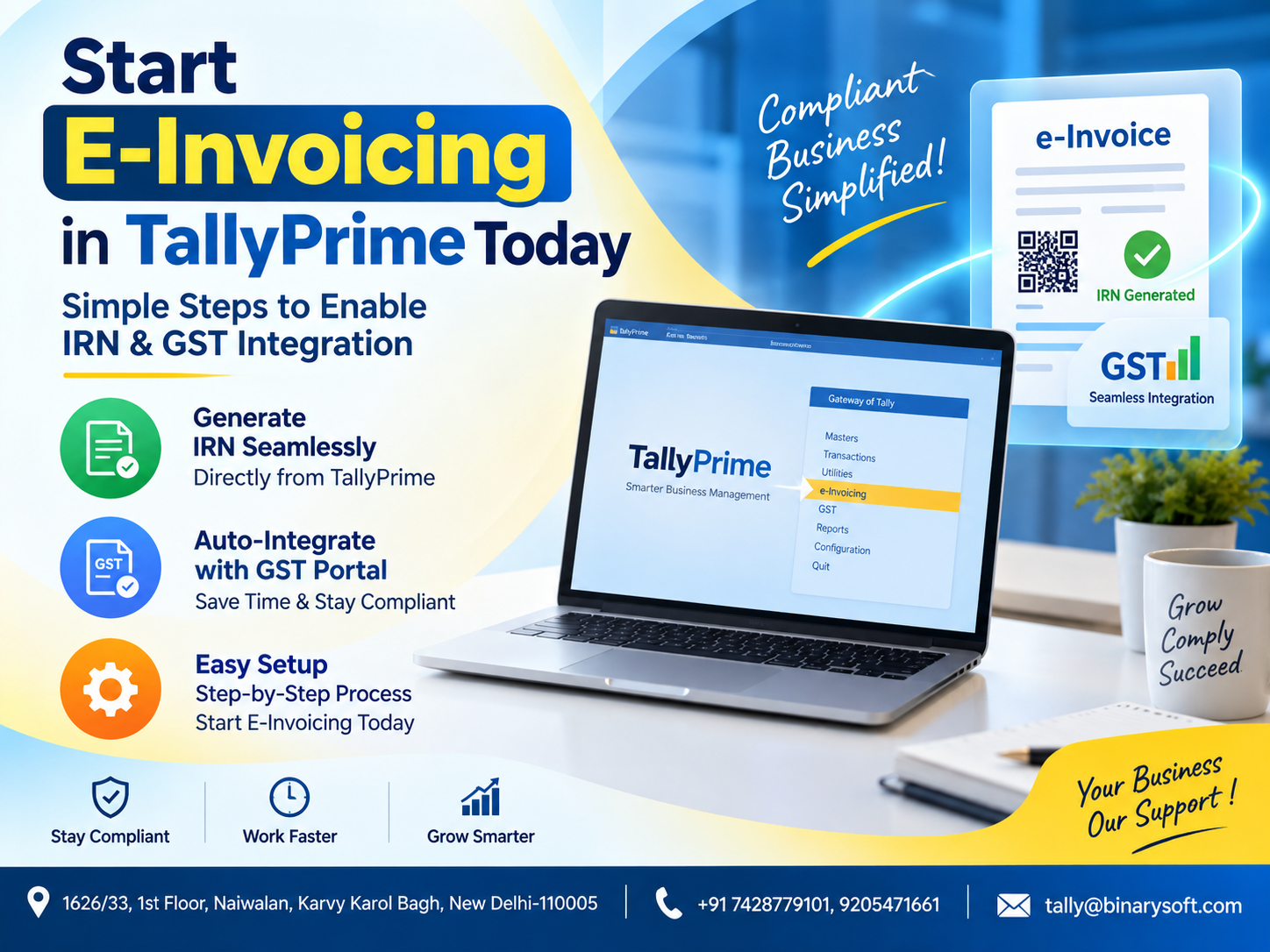
What Changed in 2026: E-Invoicing Is Now a Daily Business Workflow, Not Just a Compliance Task
In 2026, e-invoicing has become an essential part of day-to-day GST billing for businesses covered by the applicable turnover rules. The pressure is no longer simply about creating an invoice—it is about generating the correct invoice data, obtaining the Invoice Reference Number (IRN), maintaining GST accuracy and completing dispatch without unnecessary delays. Recent improvements in accounting and connected compliance workflows have made it easier for businesses to manage these activities directly from systems such as TallyPrime. Instead of preparing invoice information in one system and repeatedly entering it elsewhere, businesses can use an integrated process to reduce duplication and improve accuracy. For growing companies processing dozens or hundreds of B2B invoices, the benefit is significant: faster invoice processing, fewer manual errors, better compliance control and a smoother connection between accounting records and e-invoice requirements.
What Is E-Invoicing Under GST?
E-invoicing is a system under India's Goods and Services Tax framework in which specified invoice information is electronically reported to an authorised Invoice Registration Portal (IRP).
It is important to understand that e-invoicing does not simply mean creating a PDF invoice or sending an invoice by email.
Under the e-invoice system, eligible businesses report prescribed invoice details electronically. After successful validation, the system generates an Invoice Reference Number, commonly known as an IRN.
The registered invoice can also contain a digitally signed QR code and other relevant information.
For businesses covered by e-invoicing requirements, this process becomes an important part of GST-compliant invoicing.
What Is an IRN?
IRN stands for Invoice Reference Number.
It is a unique reference associated with an invoice registered through the e-invoicing system.
In practical business terms, the IRN confirms that the prescribed invoice information has been successfully registered through the e-invoice framework.
Instead of manually managing the complete process outside the accounting system, businesses using supported TallyPrime functionality can integrate e-invoice activities more closely with their regular invoicing workflow.
Why E-Invoicing Matters for Businesses in 2026
Compliance is one reason, but the operational impact is equally important.
Imagine a business generating 200 B2B invoices every day.
If employees have to create invoices in accounting software, export information, manually enter the same data on another portal, download the response and then update internal records, the process becomes time-consuming.
Every additional manual step also creates an opportunity for mistakes.
An incorrect GSTIN.
A wrong HSN code.
A taxable-value mismatch.
Incorrect tax calculation.
Duplicate invoice information.
Missing mandatory information.
E-invoicing integration helps businesses move towards a more connected workflow.
A Business Story: One Invoice, One Mistake and a Delayed Dispatch
Consider a Delhi-based distributor supplying products to corporate customers across India.
For years, its accounts team had followed a familiar routine. Create the invoice, check GST details, prepare dispatch documents and send the goods.
As transaction volumes increased, the company became eligible for e-invoicing.
Initially, the accounts team treated e-invoicing as an additional compliance task.
One employee prepared invoices while another handled the online reporting process.
Then came a particularly busy Monday.
A large customer had requested urgent delivery. The warehouse packed the material, the transporter was waiting, and the sales team had promised same-day dispatch.
But the invoice information submitted for registration contained incorrect customer GST details.
The process stopped.
The accounts team had to investigate the error, correct the information and complete the required steps before the dispatch documentation could move forward.
The customer kept calling.
The warehouse kept waiting.
The business owner realised something important: a small data-entry mistake was no longer confined to the accounts department. It could affect sales, logistics and customer relationships.
The company subsequently reorganised its billing process around properly maintained masters, GST validation and a more integrated TallyPrime workflow.
The biggest benefit was not simply faster IRN generation.
It was confidence that billing and compliance were moving together.
How TallyPrime Helps with E-Invoicing
TallyPrime combines accounting, GST-related configuration and business invoicing within a single business-management environment.
For businesses using supported e-invoicing functionality, the workflow can help connect invoice creation with e-invoice generation.
Instead of treating GST e-invoicing as a completely separate activity, businesses can incorporate it into their regular invoicing process.
Depending on the applicable TallyPrime version, configuration and GST requirements, businesses can manage relevant invoice information and e-invoice activities from their accounting environment.
Before You Start E-Invoicing in TallyPrime
Before enabling e-invoicing, businesses should make sure their basic GST information is correctly configured.
Important information may include:
Company GSTIN
State
Registration type
Customer GSTIN
Place of supply
HSN/SAC information
Taxability
GST rates
Invoice type
Taxable value
CGST, SGST or IGST treatment
Unit of measurement
Item information
Incorrect master data can create errors during invoice registration.
Therefore, the first step towards smooth e-invoicing is clean and accurate business data.
Step 1: Keep TallyPrime Updated
Businesses should use a supported and appropriately updated version of TallyPrime.
GST and e-invoicing requirements can change over time. Software updates may include compliance-related enhancements, corrections and improvements.
Before configuring e-invoicing, check your TallyPrime release and confirm that the required GST/e-invoicing functionality is available.
Keeping business software updated also reduces the possibility of relying on an outdated compliance workflow.
Step 2: Configure GST in Your Company
Your company's GST configuration must be correctly maintained.
Open the relevant company in TallyPrime and review its GST settings.
Ensure that GST is enabled and verify important registration information.
This includes the company's GSTIN and state details.
Your GSTIN is particularly important because e-invoicing is linked with the registered taxpayer's GST identity.
Even a small mistake in company-level GST configuration can affect subsequent transactions.
Step 3: Enable E-Invoicing
Businesses covered by the e-invoicing provisions can configure the relevant e-invoicing options within TallyPrime's GST setup.
The exact menu wording and workflow can vary with TallyPrime releases, so businesses should follow the options available in their installed version.
Once enabled, TallyPrime can identify applicable transactions based on the configured information and voucher details.
Do not simply enable the feature and immediately start generating invoices.
First review your masters and GST configuration.
Step 4: Verify Your Party Ledgers
Customer information plays a critical role in B2B e-invoicing.
Review your customer ledgers carefully.
Important information can include:
Customer name
Mailing name
Address
State
Country
GST registration type
GSTIN/UIN
Place of supply
If a customer's GSTIN is entered incorrectly, invoice registration may fail or the invoice may contain incorrect information.
For businesses with hundreds of customer ledgers, master-data cleaning should be treated as an important implementation project.
Step 5: Check Stock Item and HSN Details
Next, review the products and services being invoiced.
Relevant information can include:
Stock item name
Description
HSN/SAC
Unit
GST applicability
Tax classification
GST rate
Accurate HSN/SAC and tax configuration helps TallyPrime calculate and report transaction information correctly.
Businesses should avoid repeatedly overriding tax information during invoice entry unless there is a legitimate transaction-specific reason.
Good master configuration reduces manual intervention.
Step 6: Create Your Sales Invoice
Once the basic configuration is complete, create a sales invoice as part of your regular TallyPrime workflow.
Select the customer.
Enter the invoice details.
Select the stock items or services.
Enter quantities and rates.
Check taxable values.
Verify GST calculations.
Confirm place of supply.
Review the final invoice value.
At this stage, accuracy is more important than speed.
The information recorded in the sales invoice forms the basis of the e-invoice data.
Step 7: Verify GST Treatment Before IRN Generation
One of the most important checks is whether the transaction has been treated correctly for GST.
For example, depending on the nature and place of supply, the transaction may involve:
CGST and SGST
or
IGST.
Do not assume the software can correct inaccurate master information automatically.
The accounting team should understand the underlying GST treatment and verify the invoice before submitting it for registration.
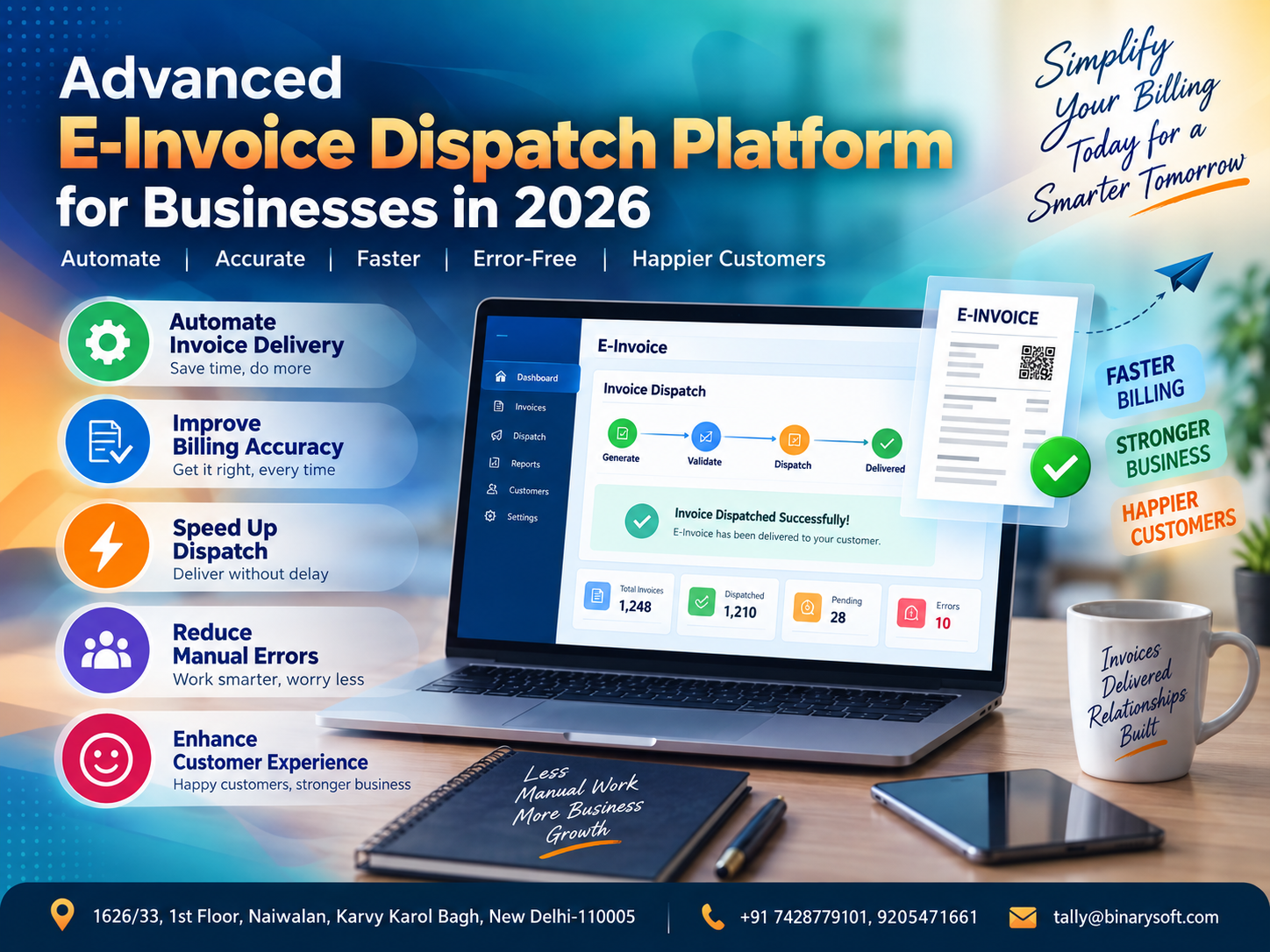
Step 8: Generate the E-Invoice and IRN
Once the invoice is ready and validated internally, the applicable e-invoice process can be initiated through the supported TallyPrime workflow.
The required invoice information is communicated for registration.
If the information is successfully validated, an IRN is generated.
The response can also include the relevant QR-code information.
This is the point at which the regular accounting invoice becomes connected with the GST e-invoice registration process.
Step 9: Check the IRN
After successful generation, verify that the IRN has been received and associated with the transaction.
Do not assume that clicking a button means registration was successful.
Businesses should distinguish between:
Invoice created in accounting software
Invoice submitted for registration
Invoice successfully registered
IRN received
This distinction becomes especially important when internet connectivity or portal communication is interrupted.
Step 10: Verify the QR Code
The e-invoice system provides a signed QR code as part of the registered invoice response.
This QR code contains specified information related to the registered invoice.
TallyPrime can incorporate relevant e-invoice information into the invoice output according to the supported workflow and configuration.
Before issuing invoices to customers, businesses should verify that the expected e-invoice information appears correctly.
Step 11: Print or Share the Invoice
After successful processing, the business can proceed with its normal invoice-sharing and dispatch workflow.
Depending on the organisation's processes, invoices may be:
Printed
Saved digitally
Emailed to customers
Shared with dispatch teams
Stored for business records
Integrated digital workflows reduce the need to repeatedly recreate invoice information.
E-Invoice Status Monitoring
Generating IRNs is only one part of compliance management.
Businesses should also monitor the status of transactions.
Management should know:
Which invoices have successfully generated IRNs?
Which invoices are pending?
Which transactions failed?
Which transactions require correction?
Which invoices have been cancelled where applicable?
A pending transaction should not remain unnoticed simply because the sales invoice exists in the accounting system.
What Happens If IRN Generation Fails?
IRN generation can fail when submitted data does not satisfy applicable validation requirements.
Possible reasons may include incorrect or incomplete transaction information, invalid GST-related data, duplicate information or technical/connectivity issues.
The appropriate response is not to repeatedly submit the same incorrect transaction.
Review the error.
Identify the affected field.
Correct the underlying data where appropriate.
Then follow the supported process again.
Keeping masters accurate prevents many recurring errors.
Common E-Invoicing Errors Businesses Should Avoid
Businesses implementing e-invoicing should pay particular attention to data quality.
Common operational problems can arise from:
Incorrect GSTIN
Wrong state information
Incorrect place of supply
Missing HSN/SAC information
Incorrect GST rate
Wrong invoice type
Incomplete party details
Incorrect taxable values
Incorrect item configuration
Duplicate invoice submission
Connectivity problems
Outdated software
Poorly configured masters
The best approach is prevention rather than repeated correction.
E-Invoicing and Interstate Sales
Suppose a GST-registered business in Delhi sells taxable goods to an eligible registered customer in Maharashtra and the transaction is treated as an interstate supply under the applicable GST provisions.
The invoice would generally involve IGST rather than CGST plus SGST, subject to the applicable place-of-supply and GST rules.
Correct state and place-of-supply information is therefore essential.
E-invoicing does not replace the need to understand GST taxation.
It reports invoice information based on the underlying transaction.
E-Invoicing and Intrastate Sales
For an applicable intrastate transaction, CGST and SGST may apply instead of IGST.
Again, the exact treatment depends on GST rules and the nature of the transaction.
Businesses should ensure that company, customer and place-of-supply information is correctly configured so that invoice taxation reflects the actual transaction.
E-Invoice vs Normal GST Invoice
A normal GST invoice contains prescribed tax invoice information.
An e-invoice involves reporting applicable invoice information to the e-invoice system and obtaining an IRN for transactions covered by the requirements.
Therefore, creating an invoice in accounting software alone does not necessarily mean that the e-invoice registration requirement has been completed.
Businesses covered by e-invoicing should ensure the applicable registration process is successfully completed.
E-Invoice vs E-Way Bill
E-invoice and E-Way Bill are related digital compliance mechanisms, but they serve different purposes.
E-invoicing primarily concerns the electronic registration of specified invoice information.
The E-Way Bill system relates to prescribed requirements for movement of goods.
Depending on the transaction and applicable rules, a business may need to deal with both.
Integrated systems can help reduce repetitive entry by using transaction information already maintained during billing.
Why Integration Matters
Consider the traditional disconnected workflow:
Create invoice.
Copy invoice details.
Open another system.
Enter GSTIN.
Enter invoice number.
Enter date.
Enter HSN.
Enter taxable amount.
Enter tax information.
Submit.
Download response.
Return to accounting software.
Update records.
Every step takes time.
Every re-entry creates another opportunity for error.
Integrated e-invoicing aims to reduce this duplication.
E-Invoicing for High-Volume Businesses
The value becomes particularly clear when invoice volumes increase.
Imagine manually processing 20 invoices.
It may be manageable.
Now imagine 200.
Or 1,000.
Businesses processing large numbers of B2B transactions need repeatable workflows.
The system should make it easy to identify successful, pending and failed transactions.
This allows employees to focus on exceptions rather than manually handling every invoice as an isolated compliance task.
Benefits of E-Invoicing Through TallyPrime
A properly implemented e-invoicing workflow can provide several operational benefits.
It can reduce repetitive data entry.
It can improve consistency between accounting and invoice information.
It can simplify IRN generation.
It can improve GST-related data discipline.
It can help businesses identify errors earlier.
It can support faster invoice processing.
It can create a more structured billing workflow.
Most importantly, accounting and compliance can operate as connected processes rather than separate activities.
How E-Invoicing Improves Accounting Accuracy
Integrated workflows reduce the number of times employees manually reproduce the same transaction.
This matters because every manual copy introduces risk.
If an invoice contains a taxable value of ₹1,00,000 but an employee accidentally enters ₹10,000 in a separate compliance system, the records no longer match.
When information originates from a properly prepared accounting transaction, the risk associated with repetitive manual entry can be reduced.
How E-Invoicing Helps the Dispatch Team
E-invoicing may appear to be an accounts-department responsibility.
In reality, delays can affect warehouse and dispatch operations.
If an invoice cannot be processed correctly, dispatch may also be delayed depending on the transaction and the organisation's compliance workflow.
A connected process allows the accounts and logistics teams to coordinate more effectively.
That means fewer situations where goods are packed but documentation is still unresolved.
How E-Invoicing Improves Customer Experience
Corporate customers expect accurate invoices.
Errors can lead to:
Payment delays
Reconciliation issues
Credit disputes
Repeated corrections
Communication with vendors
Administrative work
A reliable invoicing process reduces unnecessary friction.
For businesses supplying large corporate customers, invoice accuracy is part of customer service.
Importance of Master Data in TallyPrime
One of the most overlooked areas in e-invoicing implementation is master data.
Businesses sometimes focus on the IRN generation process while ignoring the information feeding into it.
Your system is only as reliable as its underlying data.
Review:
Company GST information
Customer GSTINs
Addresses
States
HSN/SAC information
GST rates
Units
Stock items
Ledger classifications
Place-of-supply procedures
Cleaning these records before implementation can prevent repeated errors later.
Staff Training Is Essential
Do not limit e-invoice training to one accountant.
Employees involved in sales, accounting and dispatch should understand the basic workflow.
They should know:
When e-invoicing applies.
Which customer information must be checked.
Why GSTIN accuracy matters.
Why an IRN must be successfully generated where required.
What to do when generation fails.
Who is authorised to make corrections.
A well-trained team creates a much stronger compliance process.
Establish an E-Invoice Checklist
Businesses can introduce a simple pre-submission checklist.
Before generating an e-invoice, confirm:
Customer GSTIN is correct.
Invoice number is correct.
Invoice date is correct.
Place of supply is correct.
HSN/SAC is properly configured.
Taxable value is correct.
GST rate is correct.
CGST/SGST/IGST treatment is correct.
Invoice total is correct.
Required customer details are available.
A short checklist can prevent time-consuming corrections.
Internet Connectivity and E-Invoicing
Because e-invoice registration requires communication with the relevant online infrastructure, connectivity can affect processing.
Businesses with high transaction volumes should maintain stable internet connectivity and establish procedures for handling temporary disruptions.
Employees should also understand the difference between an invoice being prepared locally and the e-invoice being successfully registered.
Data Backup and Security
E-invoicing is part of the wider accounting environment.
Businesses should maintain proper data backup procedures.
Important practices include:
Regular backups
Controlled user access
Strong passwords
Authorised administrator access
Software updates
Secure computers
Reliable network infrastructure
Periodic review of user permissions
Accounting information contains sensitive financial and customer data, so security should be treated as a business requirement rather than an optional technical feature.
E-Invoicing for Growing SMEs
Many SMEs initially view compliance technology as an additional burden.
But once transaction volumes grow, integrated processes can actually reduce administrative work.
The business no longer needs to rely entirely on one employee remembering every compliance step manually.
A structured system creates repeatability.
This becomes especially important when businesses open new branches, increase B2B sales, add accounting staff or expand into other states.
How E-Invoicing Supports Digital Transformation
E-invoicing is part of a larger transition towards connected digital business processes.
An invoice can affect:
Accounting
GST compliance
Inventory
Receivables
Dispatch
Customer communication
Management reporting
When these processes are connected, businesses gain better operational visibility.
The objective is not simply to digitise a paper invoice.
The objective is to create a connected transaction lifecycle.
Why Businesses Should Avoid Last-Minute E-Invoicing
Waiting until dispatch time to discover invoice errors creates unnecessary pressure.
A better process is to maintain correct masters and verify transactions as they are entered.
This reduces the possibility of an urgent shipment being delayed because the customer's GSTIN, state, HSN or tax configuration was incorrect.
Compliance should be built into the billing workflow rather than treated as a final checkpoint.
Moving from Manual E-Invoicing to an Integrated Workflow
Businesses still using highly manual processes should review how much time employees spend copying invoice information between systems.
Calculate the impact across a month.
If one employee spends only three minutes repeating information for 100 invoices every day, that represents 300 minutes—or five hours—of repetitive activity daily.
Over time, automation and integration can create meaningful operational savings.
More importantly, reducing repetitive entry can lower the opportunity for transcription errors.
TallyPrime E-Invoicing for Better Business Control
The real value of TallyPrime e-invoicing is not simply the ability to generate an IRN.
The broader value comes from bringing invoicing, accounting, GST information and business reporting closer together.
A properly configured system helps businesses create a controlled process:
Prepare transaction.
Validate information.
Generate invoice.
Complete applicable e-invoice registration.
Receive IRN.
Verify status.
Continue dispatch.
Maintain accounting records.
This creates a cleaner transaction trail.
E-Invoicing Best Practices for 2026
Businesses implementing or reviewing their e-invoice process should focus on five principles.
First, keep TallyPrime updated.
Second, maintain clean GST and customer master data.
Third, verify transactions before submission.
Fourth, monitor failed and pending transactions rather than assuming every request succeeded.
Fifth, train employees and document the internal workflow.
Technology works best when supported by disciplined business processes.
Why Businesses Should Start Preparing Today
Even businesses with an existing e-invoice process should periodically review their configuration.
Customer masters change.
Product classifications change.
Employees change.
Business locations change.
Software releases change.
Compliance requirements may also change.
A process that worked correctly two years ago should not automatically be assumed to remain optimal forever.
Periodic review helps businesses maintain a reliable workflow.
From GST Compliance to Business Efficiency
E-invoicing began primarily as a compliance mechanism, but integrated implementation can produce broader operational benefits.
Better master data improves billing.
Better billing improves accounting.
Better accounting improves reporting.
Faster invoice processing supports dispatch.
Accurate invoices reduce customer disputes.
Structured digital records improve traceability.
This is why businesses should think beyond “How do I generate an IRN?”
A better question is:
“How can I make the entire invoice-to-dispatch process faster, more accurate and easier to control?”
That is where integrated accounting technology creates greater value.
Conclusion
Starting e-invoicing in TallyPrime is not simply about enabling a setting and generating an IRN. Successful implementation begins with accurate GST configuration, properly maintained customer and stock masters, correct tax treatment, trained employees and a clear process for checking successful and failed transactions.
For businesses covered by applicable e-invoicing requirements, integrating the process with everyday accounting can reduce repetitive work, improve data consistency and support faster invoice processing.
In 2026, businesses should treat e-invoicing as part of their complete digital billing workflow rather than as a separate compliance activity.
When accounting, GST, inventory, invoicing and dispatch information work together, organisations can operate with greater accuracy and control.
Whether you are implementing e-invoicing for the first time or improving an existing TallyPrime setup, the priority should remain the same: correct data, correct configuration and a reliable workflow from invoice creation to IRN generation and final business reporting.
Frequently Asked Questions
What is e-invoicing in TallyPrime?
E-invoicing in TallyPrime refers to using supported TallyPrime functionality to prepare applicable invoice information and complete the e-invoice registration workflow, including obtaining an IRN for eligible transactions.
What is an IRN in GST e-invoicing?
IRN stands for Invoice Reference Number. It is the unique reference associated with an invoice successfully registered through the applicable e-invoice system.
CA. Ankit Vardiya works closely with traders, wholesalers, and service businesses on accounting automation, GST reporting, and audit readiness. His professional exposure to day-to-day business operations allows him to translate complex accounting concepts into practical guidance for Indian business owners.