Call CA Tally HelpDesk
+91 9205471661,
7428779101
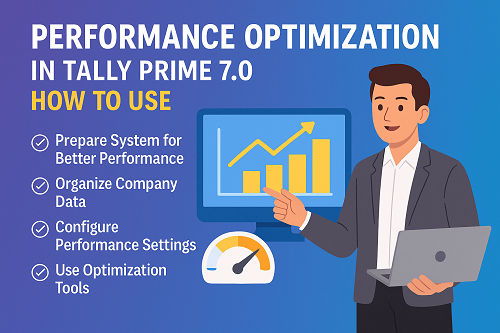
Tally Prime 7.0 is designed to help businesses handle more data, more users, and more reports without slowing down. The Performance Optimisation focus in this version is all about giving you a smoother, faster experience – especially if you work with large company data or many users on the same network.
In simple words, “Performance Optimisation” means:
- Reports open faster
- Switching between vouchers and menus feels instant
- Multi-user work becomes smoother
- Large data files behave more stable and responsive
Let’s understand this in two parts:
- What performance optimisation practically means for you
- Step-by-step guide to get the best speed from Tally Prime 7.0
What Does “Performance Optimisation” Mean in Tally Prime 7.0?
From a user’s point of view, you don’t see the internal engine changes, but you feel the difference in daily work:
- Faster report loading – Ledger, Trial Balance, GST reports, stock summary, sales register, etc. respond more quickly.
- Smooth navigation – No noticeable lag while moving from one screen to another.
- Better handling of large data – Multiple years of data, lakhs of vouchers, and heavy inventory details are handled more efficiently.
- Improved multi-user response – When multiple users are working in the same company, you see fewer delays.
- Optimised resource usage – The software uses RAM, CPU, and disk more intelligently so that even mid-range systems perform better.
Technically, performance optimisation usually involves:
- Better indexing and caching of data
- Reduced repeated calculations in background
- Smarter way of reading/writing data files
- Improved network communication in multi-user mode
You don’t need to understand all the technical pieces to benefit from it.
What you do need is to set up your system and Tally correctly.
Step-by-Step Guide to Get Maximum Performance from Tally Prime 7.0
Below is a practical, step-by-step approach you can follow in your office.
Step 1: Prepare Your System for Better Tally Performance
Even the best software will feel slow if the system is weak or misconfigured. Start with your hardware and Windows settings.
1. Use a suitable machine
- Prefer 64-bit Windows (Windows 10/11).
- Use at least 8 GB RAM; 16 GB is better for big data files.
- Install Tally on a system with SSD storage instead of HDD for faster file read/write.
2. Keep your system clean
- Uninstall unwanted heavy programs you don’t use.
- Avoid running too many apps in the background while using Tally (browsers with 20 tabs, video streaming, games, etc.).
3. Configure antivirus properly
- Add Tally program folder and Tally data folder to antivirus exclusion.
This prevents the antivirus from constantly scanning data files while Tally is working, which can slow everything down.
4. Use “High Performance” power settings
- In Windows Power Options, set your power plan to High Performance (especially on laptops connected to power).
- This helps avoid CPU throttling that can make Tally feel slow.
Step 2: Organise Your Tally Data for Speed
Your data structure has a direct impact on speed.
1. Avoid using one extremely heavy company for 10–15 years
- If your company data has many years of transactions, plan to split data year-wise or phase-wise.
- Separate old financial years which you only use for reference from the latest active years.
2. Clean unused masters
- Remove or disable old stock items, cost centres, ledgers that are no longer required.
- Less clutter = faster lookup and reports.
3. Use proper grouping
- Organise ledgers into correct groups (Sundry Debtors, Sundry Creditors, etc.).
- Proper classification helps Tally generate group/summary reports faster.
4. Regularly remove test / dummy companies
- Many users create test companies for practice or one-time work and never delete them.
- Keep only active and necessary companies in the data path.
Step 3: Configure Tally Prime 7.0 Settings for Better Performance
Once your system and data are in good condition, fine-tune Tally options.
1. Choose correct data location
- Keep the Tally data folder on a fast local drive or SSD.
- Avoid storing live data on slow external USB drives.
- In LAN setups, keep the main data on a reliable server machine.
2. Limit unnecessary background features
- Disable features you don’t use, such as:
- Very detailed inventory tracking if not required
- Extra cost centres/categories which are never used
- The more fields Tally needs to manage per voucher, the heavier it becomes.
3. Optimise user access
- Create user roles so that not everyone opens heavy reports at the same time.
- Restrict high-load operations (heavy GST reports, full-period stock reports) to certain users.
4. Use proper company security
- Avoid multiple duplicate companies with the same data.
- Use security levels instead of making separate data copies for each user.
Step 4: Use Performance/Health Tools Periodically
Tally usually provides tools for maintaining data health (like Verify, Rewrite, or any new Performance/Optimisation utilities introduced in higher versions).
A good maintenance routine could be:
1. Verify data
- Run data verification periodically to check for any inconsistencies.
- Fixing small issues early prevents bigger performance issues later.
2. Rewrite / Optimise company data (when required)
- If you feel your company has started becoming slow after years of use,
use the available rewrite or optimisation tools with proper backup.
- This helps Tally rebuild internal structures and clear some “noise” in the data.
Always take backup before using any repair/rewrite option.
3. Archive old data
- For very old years which you rarely open, keep them as archived backups outside the active data path.
- This keeps Tally’s “live” environment lighter.
Step 5: Improve Multi-User & Remote Performance
If you use Tally in multi-user mode, performance optimisation is not only about the software, but also about the network.
1. Use wired LAN where possible
- Prefer LAN cable over Wi-Fi for Tally server and primary user systems.
- Wired connections are more stable and faster for continuous data access.
2. Place Tally data on a strong server
- Host the data on a machine with:
- Better processor
- More RAM
- SSD storage
- Avoid using a very old PC as the “server” for everyone else.
3. Plan heavy report timings
- Encourage staff to run very heavy reports (full year GST, audit, stock movement, etc.) during off-peak hours.
- During peak billing or voucher entry time, keep heavy background activity low.
4. Remote access optimisation
- When using Tally remotely, ensure a stable internet connection on both sides.
- Close background downloads/streaming on remote machines for smoother use.
Step 6: Monitor and Maintain Ongoing Performance
Performance optimisation is not a one-time job. Make it a habit.
Monthly checklist you can follow:
- Take verified backup of all active companies.
- Check size of major company data files – if extremely large, plan for splitting or archiving older years.
- Clean unused masters (old items, parties, cost centres).
- Observe user feedback – if users report slow screens, note which report or action is slow and adjust accordingly.
- Update to stable releases – newer stable updates often include bug fixes and performance improvements.
What Will You Notice After Proper Performance Optimisation?
If you follow the above steps along with the in-built optimisation improvements in Tally Prime 7.0, you will typically experience:
- Faster loading of common reports
- Less waiting time when switching between vouchers or menus
- More stable performance with heavy inventory and multi-year data
- Smoother working when multiple staff are logged in
- Less frustration and more productivity in your daily accounting work
Powered by Binarysoft Technologies
Authorized Tally Partner
Location : 1626/33, 1st Floor, Naiwalan, Karol Bagh, New Delhi – 110005, INDIA
Contact us : +91 7428779101, 9205471661
Email us : tally@binarysoft.com (10:00 AM – 6:00 PM, Mon–Fri)
CA. Pankaj Bhadoria brings practical experience in GST, accounting, and business process consulting. He works closely with MSMEs to resolve compliance challenges and improve operational transparency. His articles aim to simplify complex regulations for everyday business use.









