Call CA Tally HelpDesk
+91 9205471661,
7428779101
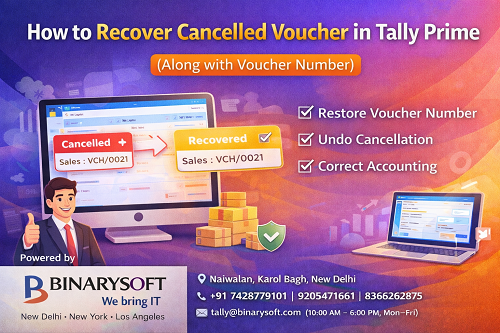
Introduction
While working in Tally Prime, many users accidentally cancel or delete vouchers such as Sales, Purchase, Payment, Receipt, or Journal vouchers. This usually happens due to:
- Accidental key press
- Wrong voucher entry
- Confusion between Cancel and Delete
- Audit or review corrections
A common question that arises is:
“Can we recover a cancelled voucher in Tally Prime along with its voucher number?”
The answer depends on how the voucher was removed and which features are enabled in Tally Prime.
This article explains all possible ways to recover cancelled vouchers in Tally Prime, in a simple and practical manner, suitable for beginners, accountants, and CA firms.
Difference Between Cancelled and Deleted Voucher
Understanding this difference is very important.
Cancelled Voucher
- Voucher is not removed permanently
- Voucher number still exists
- Voucher remains in records with Cancelled status
- Can usually be recovered
Deleted Voucher
- Voucher is permanently removed
- Voucher number may be lost
- Recovery is possible only through backup or audit trail
How to Identify a Cancelled Voucher in Tally Prime
A cancelled voucher usually:
- Shows “Cancelled” status
- Does not affect accounts
- Appears in voucher list when cancelled vouchers are enabled
Method 1: Recover Cancelled Voucher Using Voucher Number
This is the most common and easiest method.
Step-by-Step Process
- Go to Gateway of Tally
- Press Alt + F5
(or enable Show Cancelled Vouchers)
- Open the Voucher Type (Sales, Purchase, etc.)
- Locate the voucher using the Voucher Number
- Open the cancelled voucher
- Press Ctrl + Alt + R (or simply remove cancellation)
- Save the voucher using Ctrl + A
✔ Voucher is restored
✔ Voucher number remains the same
Method 2: Recover Cancelled Voucher via Voucher Alter Mode
- Go to Gateway of Tally
- Select Alter > Voucher
- Choose the correct Voucher Type
- Enable Show Cancelled Vouchers
- Select the voucher number
- Remove cancellation
- Save
This method is useful when searching by voucher number or date.
Method 3: Recover Voucher Using Audit Trail (If Enabled)
If Audit Trail is enabled:
- Go to Display > Audit Trail
- Filter by voucher type and date
- Check cancelled voucher details
- Recreate or restore voucher manually if required
Audit Trail helps track:
- Who cancelled the voucher
- When it was cancelled
- Original values
Method 4: Recover Deleted Voucher Using Backup
If the voucher was deleted (not cancelled):
✔ Direct recovery is not possible
Solution
- Restore the latest backup taken before deletion
- Open the restored company
- Note the voucher details and voucher number
- Re-enter the voucher in the current company
This is the safest method for deleted vouchers.
Can Voucher Number Be Recovered?
For Cancelled Vouchers
✔ Yes, voucher number remains unchanged
For Deleted Vouchers
❌ Original voucher number may not be restored automatically
✔ You can manually re-enter with same number if numbering is flexible
Important Points to Remember
- Cancelled vouchers do not affect books
- Deleted vouchers remove data permanently
- Always take daily backups
- Enable Audit Trail for compliance and safety
- Restrict user rights to avoid accidental deletions
Best Practices to Avoid Voucher Loss
- Enable Audit Trail
- Assign proper user access controls
- Avoid deleting vouchers; cancel instead
- Maintain regular cloud or local backups
- Review vouchers before saving
Why Take Help from Binarysoft Technologies?
Powered by Binarysoft Technologies – Authorized Tally Partner
Binarysoft Technologies helps businesses and CA firms with:
- Cancelled & deleted voucher recovery
- Backup & data restoration
- Audit Trail configuration
- User access control
- Tally Prime training & support
- Genuine Tally licenses & upgrades
Contact Details
Binarysoft Technologies
Authorized Tally Partner
Frequently Asked Questions
Can I recover a cancelled voucher in Tally Prime?
Yes. Cancelled vouchers can be recovered easily.
Will the voucher number remain same after recovery?
Yes, for cancelled vouchers the voucher number remains unchanged.
Can deleted vouchers be recovered?
Only through backup or audit trail reference.
How can I avoid accidental voucher deletion?
Enable Audit Trail and restrict user permissions.
CA. T.R Venkat is a Chartered Accountant with extensive experience in accounting systems, GST compliance, and MSME advisory. He has worked closely with Indian traders and businesses on inventory control and accounting process improvement. His writing draws from real operational challenges faced by growing enterprises.









