Call CA Tally HelpDesk
+91 9205471661,
7428779101
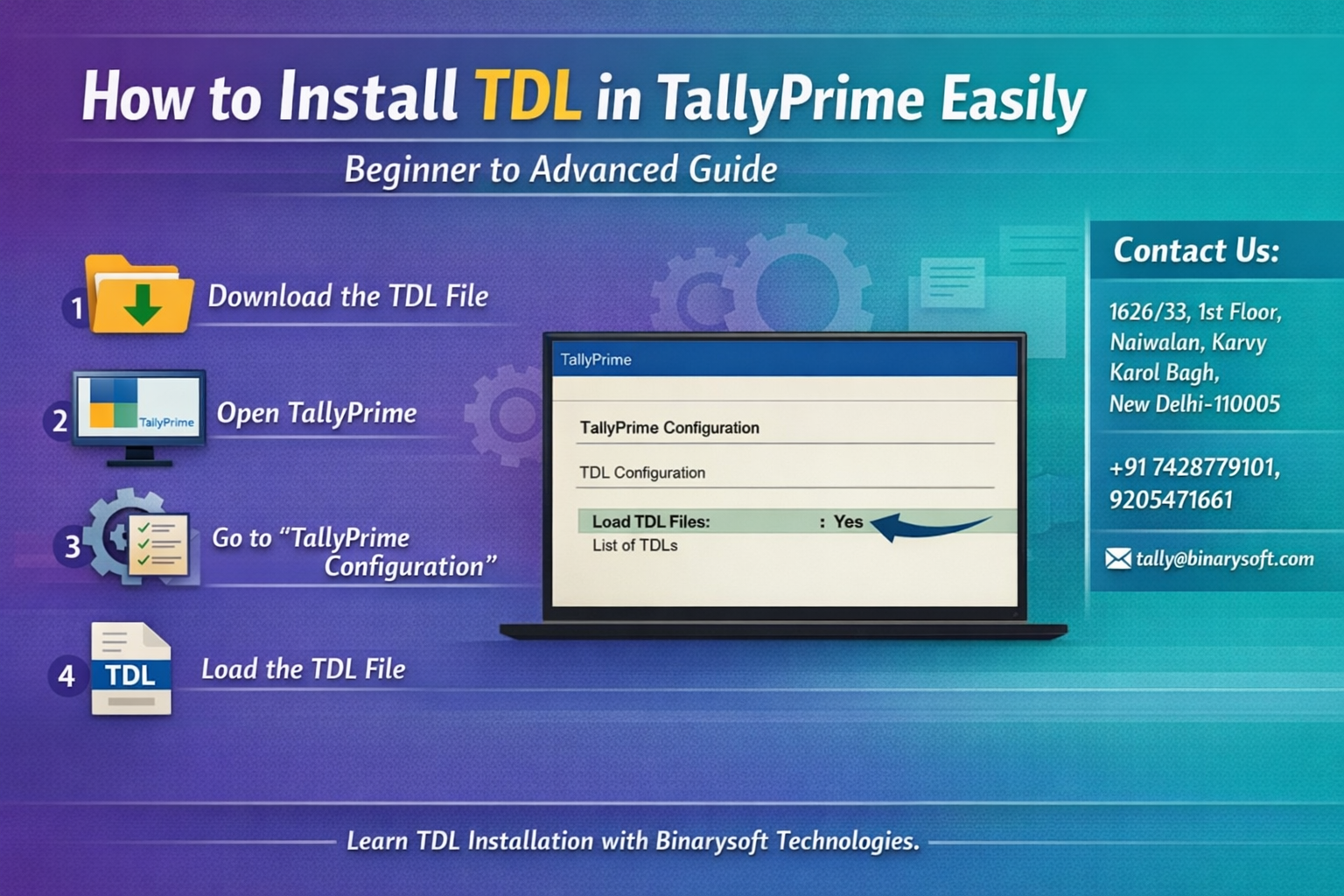
In 2026, businesses using TallyPrime are facing a new wave of compliance updates, automation expectations, and real-time reporting demands. Recent months have seen increasing pressure on accountants and finance teams to customize workflows quickly — whether for GST changes, industry-specific reporting, or automation of repetitive tasks. This is where TDL (Tally Definition Language) has become more critical than ever. Companies that know how to install and use TDL files are saving hours every week, reducing manual errors, and gaining better control over their data. On the other hand, many users still struggle with loading TDL correctly, leading to missing features, software errors, or under-utilization of TallyPrime’s real power. If you want to unlock advanced capabilities without changing your core accounting system, learning how to install TDL in TallyPrime is now an essential skill — not just a technical option.
Introduction
TallyPrime is widely known for its simplicity and reliability, but what truly makes it powerful is its ability to adapt to business-specific needs. This flexibility comes through TDL (Tally Definition Language), which allows developers and solution providers to extend Tally’s features — from customized reports and invoices to automation tools and industry modules.
Whether you are a beginner who just received a TDL file from your consultant or an advanced user implementing multiple add-ons, understanding the correct installation process ensures smooth performance and error-free usage.
This comprehensive guide explains everything — from basics to advanced configuration — so you can confidently install and use TDL files in TallyPrime.
A Real Story: From Manual Work to Automation
In early 2026, a mid-size trading firm in Delhi struggled with manual reconciliation of GST reports every month. Their accountant spent nearly two days preparing custom summaries for management. After consulting a Tally expert, they implemented a simple TDL that automated GST reconciliation and generated management dashboards instantly.
The result was not just time saved — the accountant felt less stressed during month-end closing, and management gained real-time visibility into financial performance. This small customization changed the team’s workflow and confidence.
Stories like this show that TDL is not just a technical tool; it directly impacts productivity and peace of mind.
What is TDL in TallyPrime
TDL stands for Tally Definition Language, the programming language used to customize and extend TallyPrime.
With TDL, you can:
• Add new reports
• Modify invoices
• Automate entries
• Integrate with other systems
• Create industry-specific features
In simple terms, TDL transforms TallyPrime from a standard accounting software into a tailored business solution.
Types of TDL Files
Understanding file types helps in correct installation.
TCP File
Compiled TDL file used directly in TallyPrime. Most commonly used.
TDL File
Editable source file used by developers.
Add-On Pack
A bundle of multiple TDLs designed for specific business needs.
Prerequisites Before Installing TDL
Before you begin, ensure the following:
• You have the correct TDL/TCP file
• TallyPrime is updated to the latest version
• The file is stored in an accessible folder
• You have admin access (if using multi-user environment)
Step-by-Step Guide to Install TDL in TallyPrime
Method 1: Load TDL at Startup
Step 1
Open TallyPrime.
Step 2
On the startup screen, press F1 (Help) → Settings → TDL & Add-On.
Step 3
Set “Load TDLs on Startup” to Yes.
Step 4
In “List of TDLs to preload,” select the TDL file path.
Step 5
Save settings and restart TallyPrime.
The TDL will now load automatically every time.
Method 2: Load TDL Temporarily
This is useful for testing.
Step 1
Open TallyPrime.
Step 2
Press Ctrl + Alt + T.
Step 3
Enter the TDL file path.
Step 4
Accept and load.
This method loads the TDL only for the current session.
Method 3: Load TDL for Specific Company
Step 1
Open your company in TallyPrime.
Step 2
Go to F1 Help → TDL & Add-On.
Step 3
Select “Manage Local TDLs.”
Step 4
Add file path and enable.
This ensures the TDL works only for that company.
How to Verify TDL is Loaded
You can confirm installation by:
• Checking new menu options
• Viewing custom reports
• Opening altered invoice formats
• Pressing Ctrl + Alt + T to view loaded TDL list
Common Errors and Solutions
TDL Not Loading
Check file path and version compatibility.
Access Denied
Ensure correct user rights in multi-user setup.
Feature Not Visible
Restart TallyPrime after loading.
Version Conflict
Use updated TDL compatible with your Tally version.
Best Practices for Using TDL
Keep a backup before installing new TDL
Use trusted TDL sources only
Maintain a separate folder for add-ons
Document installed TDLs for audit purposes
Advanced Tips for Power Users
Use multiple TDLs with priority settings
Test new TDL in educational mode first
Maintain version control for custom developments
Combine TDL with integration tools for automation
Benefits of Using TDL in 2026
As businesses demand faster insights and automation, TDL helps by:
Reducing manual accounting work
Improving reporting accuracy
Enabling business-specific workflows
Enhancing compliance readiness
Extending Tally without costly migrations
Conclusion
Installing TDL in TallyPrime is one of the simplest ways to unlock powerful customization without changing your accounting platform. As compliance requirements and reporting expectations grow in 2026, businesses that leverage TDL gain a clear operational advantage.
From beginners loading their first file to advanced users managing multiple add-ons, mastering TDL installation ensures smoother workflows, better reporting, and improved efficiency. With the right approach and proper testing, TDL can transform TallyPrime into a solution perfectly aligned with your business processes.
Frequently Asked Questions
What is the difference between TCP and TDL
TCP is a compiled file ready to use, while TDL is the editable source code.
Can I use multiple TDL files together
Yes, TallyPrime supports multiple TDLs, but compatibility should be checked.
Is TDL safe to install
Yes, if obtained from a trusted developer or partner.
Do I need technical knowledge to install TDL
Basic steps are simple, but advanced customization may require expertise.
CA. Darshit Malhotraa has hands-on experience in GST compliance, accounting reviews, and MSME consulting. He regularly works with businesses transitioning from manual systems to digital accounting platforms. His content emphasizes real-world problem solving and operational efficiency.









