How to Create a Company in Tally – Complete Step-by-Step Guide for Beginners

Call CA Tally HelpDesk +91 9205471661, 7428779101
How to Create a Company in Tally – Complete Step-by-Step Guide for Beginners
By CA. Shivesh Khandelwaal   |   Published on: 24-11-2025 | 8 min read

Tally is one of the most widely used accounting and business management software tools in India. For any business—whether small, medium, or large—the very first step in Tally is creating a company. This process sets up your financial year, books, base information, and accounting structure. If you are new to Tally or setting up a company for the first time, this guide will walk you through every step in a simple and beginner-friendly manner.

Below is the full step-by-step explanation on how to create a company in Tally Prime or Tally Prime Edit Log.


What Does “Create Company” Mean in Tally?

Creating a company in Tally means establishing the foundation of your business records. This includes:

  • Business name
  • Financial year
  • Books beginning date
  • Statutory/GST details
  • Basic address and contact information
  • Security and password settings

Once created, this becomes your primary database where all accounting, inventory, and financial entries will be stored.


Step-by-Step Guide to Create a Company in Tally

Step 1: Open Tally Prime

When you launch Tally Prime, the Gateway of Tally screen appears. Here, you will see options like:

  • Create Company
  • Select Company
  • Shut Company

Click on Create Company to begin the setup.


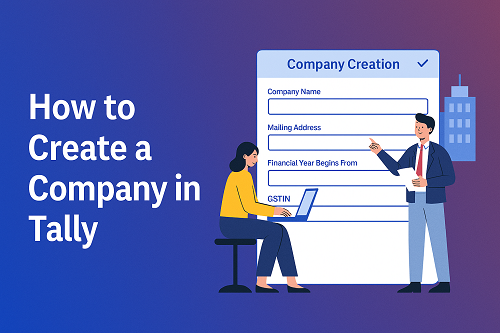
Step 2: Enter Basic Company Information

You will now see the Company Creation form. Fill in the following details:

 Company Name

Enter the official name of your business.
Example: ABC Traders Pvt. Ltd.

 Mailing Address

Enter your full business address, including:

  • Street
  • City
  • State
  • PIN code

 State & Country

Choose the correct state, as GST and taxation depend on it.

 Phone, Mobile & Email

Enter the contact details of your business.


Step 3: Set Financial Year and Books Beginning Date

This is one of the most important steps.

 Financial Year Begins From

For India, the standard accounting period is:
1st April to 31st March

So, enter: 01-04-2024 (for example)

 Books Beginning From

This can be the same as the financial year or any later date if your books start mid-year.


Step 4: Enable or Disable Security Control (Optional)

If you want to protect your data, enable Security Control:

  • Set Admin Username
  • Enter a strong password

This is recommended for businesses with multiple users.


Step 5: Enable GST & Statutory Features

Scroll down to the Statutory & Taxation section.

Enable the following:

  • Enable Goods & Services Tax (GST) – Yes
  • Enable Set/Alter GST Details – Yes

Then enter:

  • GSTIN number
  • Registration type (Regular/Composition)
  • Applicable state
  • Nature of business

Click Yes to save the details.


Step 6: Save the Company

Once all fields are filled:

  • Press Ctrl + A
    or
  • Select Yes on the bottom-right corner

Your company will now be created successfully.

You will automatically enter the Gateway of Tally for the company you just created.


 Additional Features You Can Configure After Creation

After your company is created, you can set up more features if needed:

 Currency Settings

For multinational businesses.

 Inventory Management

Enable stock, warehouses, units, batches, and more.

 Cost Centers & Cost Categories

Useful for department-wise expense tracking.

 Payroll Module

For salary and attendance management.

 E-Invoicing & E-Way Bill Setup

For tax compliance and transportation documents.

These can be enabled anytime through the F11: Features menu.


 Tips for Creating a Company in Tally Smoothly

  • Always enter correct financial dates
  • Match your GSTIN with your state
  • Set a strong admin password
  • Take regular backups
  • Enable Edit Log if required for audit compliance
  • Review company details regularly

These steps help keep your Tally data clean, secure, and error-free.


 Final Words

Creating a company in Tally is simple, but it forms the base of your entire business accounting system. Once your company is set up correctly, you can start recording transactions, generating invoices, maintaining stock, filing GST, and preparing financial statements with ease.

If you need help with Tally installation, setup, data migration, GST configuration, or troubleshooting—Binarysoft Technologies offers fast and reliable Tally services for businesses across India.
Their expert team ensures a smooth and error-free Tally experience for accounting, GST, and business management.


Powered by Binarysoft Technologies
Authorized Tally Partner
Location : 1626/33, 1st Floor, Naiwalan, Karol Bagh, New Delhi – 110005, INDIA
Contact us : +91 7428779101, 9205471661
Email us :  tally@binarysoft.com (10:00 AM – 6:00 PM, Mon–Fri)


About the Author

Written by CA. Shivesh Khandelwaal • 24-11-2025

CA. Shivesh Khandelwaal is a practicing Chartered Accountant experienced in accounting automation, compliance management, and audit support. He has worked with trading and distribution businesses to improve inventory visibility and financial reporting. His articles focus on real-world applicability.


Verified Content 8 min read Support: +91 9205471661, 7428779101

Need Quick Support for Tally Prime?

For Tally Prime discount schemes and product inquiries, connect with our team.

+91 9205471661 | +91 7428779101

Subscribe For Product Updates

Opt-in Subscription

Tally Prime Auditor Renewal (One Year)

Applicable for CAs / Firms Using GOLD (Multi User ) Only
Renew your license now and upgrade from Tally ERP 9 to Tally Prime for Free!
Rs 6750 + 18% GST (Rs 1215)
Continue Here >>

Tally Prime Auditor Renewal (Two Years)

Applicable for CAs / Firms Using GOLD (Multi User ) Only
Renew your license now and upgrade from Tally ERP 9 to Tally Prime for Free!
Rs 12150 + 18% GST (Rs 2187)
Offer Continue Here >>

Tally Prime Gold Renewal (One Year)

Unlimited Multi-User Edition For Multiple PCs on LAN Environment
Renew your license now and upgrade from Tally ERP 9 to Tally Prime for Free!
Rs 13500 + 18% GST (Rs 2430)
Continue Here >>

Tally Prime Gold Renewal (Two Years)

Unlimited Multi-User Edition For Multiple PCs on LAN Environment
Renew your license now and upgrade from Tally ERP 9 to Tally Prime for Free!
Rs 24300 + 18% GST (Rs 4374)
Offer Continue Here >>

Tally Prime Silver Renewal  (One Year)

Single User Edition For Standalone PCs ( Not applicable for Rental License )
Renew your license now and upgrade from Tally ERP 9 to Tally Prime for Free!
Rs 4500 + 18% GST (Rs 810)
Continue Here >>

Tally Prime Silver Renewal  (Two Years)

Single User Edition For Standalone PCs ( Not applicable for Rental License )
Renew your license now and upgrade from Tally ERP 9 to Tally Prime for Free!
Rs 8100 + 18% GST (Rs 1458)
Offer Continue Here >>

Tally On Cloud

Tally On Cloud ( Per User Annual)
Now access Tally Prime anytime from anywhere – Just Deploy your Tally License and Tally Data on our Cloud Solution.
Rs 7000 + 18% GST (Rs 1260)
Continue Here >>

Tally Prime Gold

Unlimited Multi-User Edition
For EMI options, please Call: +91 742 877 9101 or E-mail: tally@binarysoft.com (10:00 am – 6: 00 pm , Mon-Fri)
Rs 67500 + 18% GST (Rs 12150)
Continue Here >>

Tally Prime Silver to Tally Prime Gold

Unlimited Multi-User Edition For Multiple PCs on LAN Environment
Renew your license now and upgrade from Tally ERP 9 to Tally Prime for Free!
Rs 45000 + 18% GST (Rs 8100)
Continue Here >>

Tally Prime Silver

Single User Edition For Standalone PCs
For EMI options, please Call: +91 742 877 9101 or E-mail: tally@binarysoft.com (10:00 am – 6: 00 pm , Mon-Fri)
Rs 22500 + 18% GST (Rs 4050)
Continue Here >>

Tally On AWS Cloud Personal (For 1 user)

(Per User/One Year)
TallyPrime latest release pre-installed
Rs 7200 + 18% GST (Rs 1296)
Continue Here >>

Tally On AWS Cloud Regular (Upto 2 users)

(Two Users/One Year)
TallyPrime latest release pre-installed
Rs 14400 + 18% GST (Rs 2592)
Continue Here >>

Tally On AWS Cloud Regular Plus (Upto 4 users)

(Four Users/One Year)
TallyPrime latest release pre-installed
Rs 21600 + 18% GST (Rs 3888)
Continue Here >>

Tally On AWS Cloud Regular Pro (Upto 8 users)

(Eight Users/One Year )
TallyPrime latest release pre-installed
Rs 43200 + 18% GST (Rs 7776)
Continue Here >>

Tally On AWS Cloud Performance (Upto 12 users)

(Twelve Users/One Year)
TallyPrime latest release pre-installed
Rs 64800 + 18% GST (Rs 11664)
Continue Here >>

Tally On AWS Cloud Performance Plus (Upto 16 users)

(Sixteen Users/One Year)
TallyPrime latest release pre-installed
Rs 86400 + 18% GST (Rs 15552)
Continue Here >>

Latest Articles

Best Billing Software to Buy in 2026: Simplify GST Billing, Invoicing, Stock Management & Business Growth
Billing is no longer a back-office task—it’s the heartbeat of your business operations. With stricte...
Read More →
Buy GST Billing Software in 2026: Simplify GST Compliance, Invoicing, Stock Management & Accounting for Faster Business Growth
What changed in 2026? GST compliance is no longer a periodic task—it’s a continuous, real-time respo...
Read More →
All-in-One Billing Software in Delhi NCR Bazar: Smart GST Billing, Inventory & Business Automation for 2026
What changed in 2026? Billing is no longer just about printing invoices—it’s about speed, GST compli...
Read More →
Inventory Management Software in 2026: Smart Stock Control, Real-Time Tracking & Business Automation for Growth
What changed in 2026? Inventory is no longer just about counting stock—it’s about controlling cash f...
Read More →
Discover the Added Benefits of TallyPrime Over Computax: Smarter GST Billing, Faster Return Filing & Advanced Inventory Management
GST compliance is no longer just about filing returns—it’s about real-time accuracy, audit readiness...
Read More →
Buy Barcode Inventory Software in 2026: Manage Stock, Billing, Barcode Scanning & Business Automation Efficiently
Inventory mistakes are no longer small errors—they are costly risks. With real-time GST compliance,...
Read More →
Get How to Create a Company in Tally – Complete Step-by-Step Guide for Beginners
Call us at +91 7428779101, 8368262875.

Tally Query | Discounted Tally New License | Discounted Tally Renewal