Call CA Tally HelpDesk
+91 9205471661,
7428779101
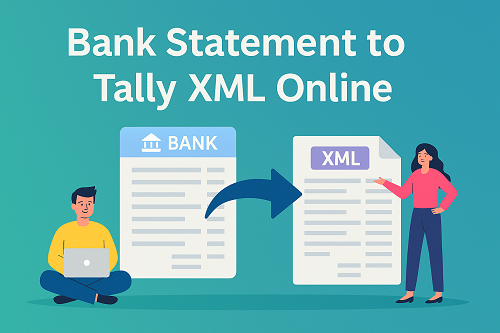
Managing bank transactions accurately is one of the most important tasks in accounting. Every business—whether small, medium, or large—needs to ensure that bank entries recorded in accounting software exactly match the bank statement. Manual entry of bank transactions is time-consuming, error-prone, and inefficient.
This is where converting bank statements to Tally XML online becomes extremely useful. It allows businesses and accountants to import bank transactions directly into Tally, saving time, improving accuracy, and ensuring faster reconciliation.
This article explains what bank statement to Tally XML conversion is, why it is important, and how to do it step by step, along with best practices and common mistakes to avoid.
What Is Bank Statement to Tally XML Conversion?
Bank statement to Tally XML conversion is the process of converting bank transaction data (usually downloaded from a bank portal) into Tally-compatible XML format, which can be imported directly into Tally.
Instead of manually entering:
- Deposits
- Withdrawals
- Bank charges
- Interest entries
- NEFT / RTGS / IMPS transactions
the data is imported automatically into Tally using an XML file.
Why Businesses Prefer Online Bank Statement to Tally XML Conversion
1. Saves Significant Time
Manual bank entry can take hours or days, especially for high-volume accounts. XML import completes the same task in minutes.
2. Reduces Human Errors
Typing errors, skipped entries, and wrong dates are common in manual posting. Automated XML import ensures data accuracy.
3. Faster Bank Reconciliation
Once transactions are imported, reconciliation becomes easier and quicker.
4. Ideal for CA Firms & Accountants
CA firms handling multiple clients benefit the most from automation and standardisation.
Common Bank Statement Formats Used for Conversion
Banks usually allow downloading statements in the following formats:
- Excel (.xls / .xlsx)
- CSV (.csv)
- PDF (less preferred)
Among these, Excel and CSV formats are best suited for conversion into Tally XML.
What Is Tally XML Format?
XML (eXtensible Markup Language) is a structured data format that Tally understands for importing:
- Vouchers
- Masters
- Bank transactions
When bank statements are converted into Tally XML format, Tally can read and post each transaction automatically into the correct ledger.
Types of Bank Transactions Imported via XML
Using bank statement to Tally XML conversion, you can import:
- Bank receipts
- Bank payments
- Cheque transactions
- Online transfers (NEFT / RTGS / IMPS / UPI)
- Bank charges
- Interest credited or debited
Each transaction is mapped to:
- Date
- Amount
- Particulars
- Bank ledger
Prerequisites Before Importing Bank Statement into Tally
Before importing XML into Tally, ensure the following:
- Bank Ledger Exists in Tally
The bank account name in XML should match the bank ledger name in Tally.
- Party Ledgers (Optional)
If party-wise mapping is required, party ledgers should exist.
- Correct Accounting Period
The voucher date should fall within the active financial year.
- Backup of Tally Data
Always take a backup before importing data.
Step-by-Step Process: Bank Statement to Tally XML Online
Step 1: Download Bank Statement
Log in to your bank’s net banking portal and download the statement for the required period in:
Ensure that the statement contains:
- Transaction date
- Narration
- Debit amount
- Credit amount
- Balance (optional)
Step 2: Clean and Prepare the Bank Statement
Before conversion:
- Remove blank rows
- Ensure date format consistency
- Separate debit and credit columns properly
- Avoid merged cells
Clean data ensures error-free XML generation.
Step 3: Convert Bank Statement to Tally XML Online
Use an online conversion tool or utility that:
- Reads Excel / CSV bank statements
- Converts them into Tally-compatible XML
- Allows mapping of:
- Debit → Payment voucher
- Credit → Receipt voucher
The output file should be .xml format.
Step 4: Import XML File into Tally
- Open Tally
- Go to Gateway of Tally
- Select Import Data
- Choose Vouchers
- Select XML format
- Browse and select the converted XML file
- Accept and import
Tally will display:
- Number of vouchers imported
- Any exceptions or errors
Step 5: Verify Imported Transactions
After import:
- Open Bank Ledger
- Check voucher entries
- Verify dates and amounts
- Ensure debit and credit entries are correct
How Tally Treats Imported Bank Transactions
- Credit transactions → Receipt vouchers
- Debit transactions → Payment vouchers
- Narration is captured from bank statement description
- Voucher numbers are auto-generated
This ensures consistency and audit readiness.
Bank Reconciliation After XML Import
Once transactions are imported:
- Go to Bank Reconciliation Statement
- Match imported entries with bank dates
- Clear matched entries
- Identify:
- Unreconciled transactions
- Timing differences
This significantly reduces reconciliation effort.
Advantages of Bank Statement to Tally XML Over Manual Entry
|
Aspect
|
Manual Entry
|
XML Import
|
|
Time Required
|
Very high
|
Very low
|
|
Accuracy
|
Medium
|
High
|
|
Scalability
|
Limited
|
Excellent
|
|
Reconciliation
|
Slow
|
Fast
|
|
Audit Readiness
|
Medium
|
High
|
Common Mistakes to Avoid During XML Import
- Ledger Name Mismatch
Bank ledger name in XML must match Tally ledger exactly.
- Wrong Date Format
Incorrect date format may cause voucher rejection.
- Duplicate Import
Importing the same XML twice creates duplicate entries.
- Ignoring Exception Reports
Always review exceptions after import.
Best Practices for Smooth XML Import
- Maintain standard bank ledger names
- Use consistent date formats
- Import statements period-wise
- Reconcile immediately after import
- Keep XML files organised by month
Who Should Use Bank Statement to Tally XML Conversion?
This method is ideal for:
- Chartered Accountants
- Accounting firms
- MSMEs
- Traders and manufacturers
- Businesses with high transaction volumes
Especially useful where:
- Daily bank entries are high
- Multiple bank accounts exist
- Monthly reconciliation takes too long
Is Online Bank Statement to Tally XML Safe?
When used responsibly:
- No financial data is altered
- XML only imports transaction details
- Original bank statement remains unchanged
Always use trusted tools and keep backups.
Frequently Asked Questions (FAQs)
Q1.
Q2.
Q3.
Q4.
Q5. Is XML import allowed in all Tally versions?
Yes, XML import is supported in Tally Prime and earlier versions.
Conclusion
Converting bank statements to Tally XML online is one of the most effective ways to modernise accounting operations. It eliminates manual work, reduces errors, speeds up reconciliation, and improves overall financial accuracy.
For accountants, CA firms, and growing businesses, this approach is no longer optional—it is a necessity for efficient and compliant accounting.
By following the correct process and best practices explained above, businesses can ensure smooth, accurate, and audit-ready bank accounting in Tally.
Powered by Binarysoft Technologies
Authorized Tally Partner
Location : 1626/33, 1st Floor, Naiwalan, Karol Bagh, New Delhi – 110005, INDIA
Contact us : +91 7428779101, 9205471661, 8368262875
Email us : tally@binarysoft.com (10:00 AM – 6:00 PM, Mon–Fri)
Frequently Asked Questions
Can all banks’ statements be converted to Tally XML?
Yes, as long as the statement is available in Excel or CSV format.
Does XML import affect existing vouchers?
No. It only adds new vouchers.
Can I import multiple months together?
Yes, but monthly imports are recommended for control.
Is GST affected by bank XML import?
No. Bank entries are non-GST unless linked to GST vouchers.
Is XML import allowed in all Tally versions?
Yes, XML import is supported in Tally Prime and earlier versions.
CA. Anand Tirpathi is a Chartered Accountant with experience in statutory compliance, internal controls, and accounting process optimization. He has advised multiple businesses on improving operational efficiency through structured accounting and inventory systems. His writing focuses on clarity, compliance, and risk reduction for MSMEs.