Call CA Tally HelpDesk
+91 9205471661,
7428779101
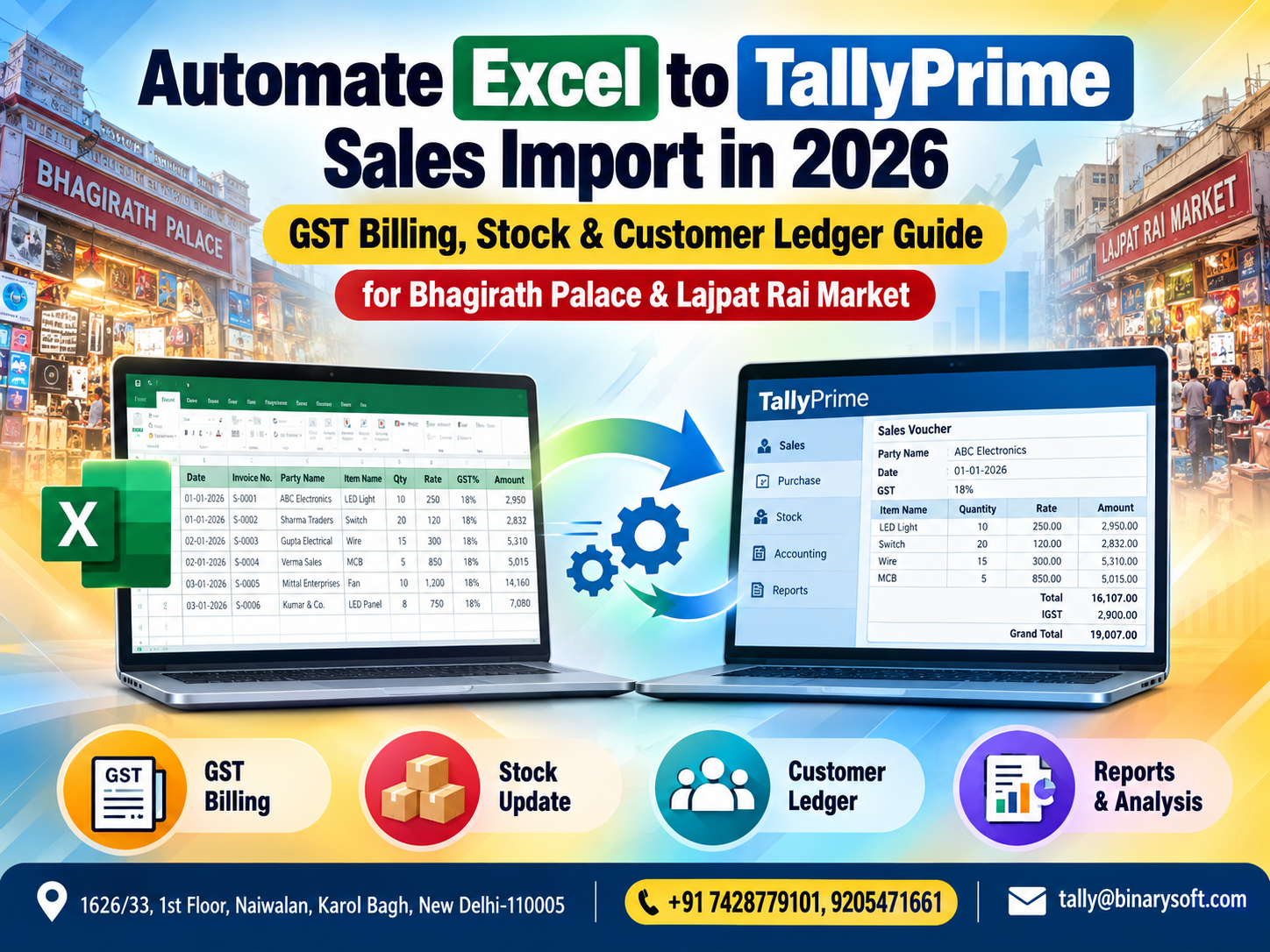
What Changed in 2026: Manual Sales Entry Is Becoming a Bigger Business Bottleneck
In 2026, traders handling hundreds or thousands of sales transactions can no longer treat repetitive accounting entry as a harmless back-office task. Businesses in busy commercial hubs such as Bhagirath Palace and Lajpat Rai Market may receive sales data from billing systems, e-commerce operations, branches, counters and Excel files, while the accounts team still needs accurate GST invoices, customer ledgers and inventory records in TallyPrime. The pressure increases at month-end and around GST compliance deadlines, when one incorrect GSTIN, tax rate, stock item or invoice value can create hours of reconciliation work. A structured Excel-to-TallyPrime sales import process can reduce repetitive voucher entry, accelerate accounting and improve consistency. Instead of typing every invoice again, businesses can prepare validated Excel data, map it correctly and move eligible transactions into TallyPrime, allowing accountants to spend more time reviewing exceptions, GST accuracy, stock movements and outstanding customer balances.
Why Excel to TallyPrime Sales Import Matters in 2026
For many Indian trading businesses, Excel remains one of the most commonly used tools for collecting and exchanging sales information.
A business may generate sales data from:
Billing counters
POS software
E-commerce platforms
Sales representatives
Branches
Warehouses
Dealer networks
Custom billing applications
ERP systems
Online marketplaces
Customer order systems
Excel or CSV files
The difficulty begins when the same sales information has to be manually entered again into TallyPrime.
Consider a trader generating 500 invoices every day.
If the accounting department manually recreates those invoices in TallyPrime, it is not simply entering 500 voucher numbers.
For every transaction, staff may have to check the customer, GSTIN, item, quantity, rate, taxable value, GST rate, CGST, SGST or IGST, invoice total and other details.
Multiply this by 25 working days.
That could mean processing 12,500 sales invoices in a month.
Automation can dramatically change this workflow.
Excel to TallyPrime Sales Import for Bhagirath Palace Traders
Bhagirath Palace is one of Delhi's prominent trading markets, particularly associated with electrical and related products.
Businesses operating in and around such high-volume markets may handle products such as:
Electrical switches
Wires and cables
LED lighting products
Fixtures
MCBs
Distribution boards
Electrical accessories
Industrial electrical goods
Fans
Connectors
Control equipment
Power supplies
Electronic components
Wholesale electrical materials
The number of invoices can become substantial, especially for wholesalers and distributors serving dealers, contractors, builders and institutional customers.
When billing data is already available electronically, manually entering it again into accounting software creates duplicate effort.
A properly planned Excel-to-TallyPrime import workflow can help reduce this duplication.
Excel to TallyPrime Sales Import for Lajpat Rai Market Businesses
Lajpat Rai Market is another well-known Delhi commercial hub where electronics and related goods are traded.
A trader may handle numerous SKUs along with frequent price and stock movements.
Accounting teams need to keep track of:
Sales invoices
Customer accounts
GST
Inventory quantities
Product values
Receivables
Returns
Discounts
Payments
Daily turnover
When transaction volume increases, manual entry can become a bottleneck.
The purpose of sales-import automation is to move structured information into the accounting workflow more efficiently while maintaining appropriate validation and review.
The Story of a Busy Market Accountant Who Stayed Until Midnight
Imagine a wholesale electrical trader operating near Bhagirath Palace.
The shop remained busy throughout the day.
Salespeople prepared invoices.
Warehouse staff dispatched material.
Customers called about availability.
The owner negotiated prices with dealers.
Everything seemed to be moving quickly.
But every evening, one person remained behind.
The accountant.
The sales system had already generated the day's invoices, but accounting entries still needed to be prepared in TallyPrime.
He would open one invoice.
Type the party.
Check the GSTIN.
Select the item.
Enter quantity.
Enter rate.
Check tax.
Save.
Then repeat.
Again.
And again.
One evening, close to a GST deadline, the accountant noticed something worrying.
A set of invoices had been entered under the wrong customer ledger.
He stared at the screen.
It was almost midnight.
The market outside was nearly silent.
His family had already called several times asking when he would come home.
The owner was worried too—not only about the errors but about the amount of skilled employee time being consumed by work that was fundamentally repetitive.
The business eventually reorganized its process.
Sales data was standardized in Excel, validated and prepared for structured import into TallyPrime.
The accountant's role changed.
Instead of spending most of the evening retyping invoices, he concentrated on reviewing exceptions, checking GST treatment, reconciling totals and monitoring customer balances.
That was the real value of automation.
It did not eliminate accounting responsibility.
It eliminated avoidable repetition.
What Is Excel to TallyPrime Sales Import?
Excel to TallyPrime sales import is a process through which structured sales information maintained in a spreadsheet is transferred into TallyPrime using an appropriate supported import mechanism, configuration, utility or integration workflow.
The exact method depends on the version, source data, required voucher structure and implementation approach.
The important point is that Excel data must be organized correctly.
An unstructured spreadsheet cannot simply be treated as reliable accounting data.
For example, your Excel file may contain columns such as:
Invoice Number
Invoice Date
Customer Name
Customer GSTIN
State
Item Name
Quantity
Unit
Rate
Discount
Taxable Amount
GST Rate
CGST
SGST
IGST
Total Invoice Value
The source data must then be mapped appropriately to the accounting structure required in TallyPrime.
Why Manual Sales Entry Becomes Risky at High Volumes
Manual entry is manageable when transaction volume is low.
The problem grows with scale.
Suppose an employee takes three minutes to enter and verify one sales invoice.
For 100 invoices, that represents approximately five hours of work.
For 500 invoices, the theoretical effort becomes 25 hours.
Even when entry is much faster, thousands of invoices can consume significant employee time.
More importantly, fatigue increases the possibility of mistakes.
A user may enter:
₹18,500 instead of ₹15,800
18% GST instead of 12%
50 units instead of 5
A wrong customer ledger
An incorrect stock item
The wrong invoice date
A duplicate voucher
An incorrect invoice number
Automation cannot remove every risk, but a well-designed import process can reduce repetitive typing and allow validation rules to catch problems systematically.
Step 1: Standardize Your Excel Sales Data
Before attempting an import, clean the source data.
A consistent spreadsheet structure is essential.
Each required field should have a clear purpose.
For example:
Invoice Date – transaction date
Invoice Number – unique sales invoice reference
Customer Name – party ledger identification
GSTIN – customer's GST registration number where applicable
Item – product or stock item
Quantity – units sold
Rate – selling rate
Taxable Value – amount before GST
GST Rate – applicable tax percentage
CGST – Central GST amount where applicable
SGST – State GST amount where applicable
IGST – Integrated GST amount where applicable
Invoice Total – final value
Do not combine unrelated information into one cell if the import process expects separate fields.
Consistency makes mapping and validation much easier.
Step 2: Clean Customer Names
Customer names are a common source of import problems.
Suppose your TallyPrime ledger is:
Sharma Electricals
But the Excel files contain:
Sharma Electrical
Sharma Electricals Delhi
SHARMA ELECTRICALS
Sharma Elec.
The system or mapping process may treat these as different values depending on the implementation.
Before importing large quantities of data, standardize party names.
Better still, establish a controlled customer master and use consistent identifiers wherever possible.
Step 3: Validate Customer GSTIN
For B2B sales, GSTIN accuracy can be extremely important.
A typographical error can create reconciliation and compliance problems later.
Before import, businesses should validate relevant customer details according to their accounting and compliance process.
The customer master may include:
Legal or trade name
GSTIN
Registration type
State
Address
Other relevant tax information
Import automation works best when master data is already clean.
Step 4: Standardize Stock Item Names
Inventory-based businesses face the same issue with product descriptions.
For example, the TallyPrime stock item might be:
LED Bulb 12W White
The Excel file might contain:
LED 12W W
12 Watt LED White
LED BULB 12 W
12W White Bulb
Without appropriate mapping, these variations can create problems.
Businesses should therefore develop a standard product coding or naming system.
For large inventories, a unique SKU or product code can be especially useful.
Step 5: Check Units of Measurement
Units matter in inventory accounting.
Depending on the business, items may be sold in:
Nos
Pcs
Boxes
Meters
Kilograms
Sets
Pairs
Bundles
Rolls
Cartons
If the source file records "Box" while the accounting master expects another unit structure, the import process must handle that relationship correctly.
Unit mismatches should be resolved before bulk import.
Step 6: GST Rate Mapping
Electrical and electronic businesses may handle products with different tax classifications and GST treatments.
Therefore, do not assume that every line item has the same GST rate.
The source data and accounting masters should support accurate tax treatment based on the applicable transaction.
Before importing, review:
GST rate
HSN/SAC information where applicable
Party registration details
Place of supply
Intra-state versus inter-state transaction
Taxable value
CGST
SGST
IGST
Tax treatment should be based on applicable GST provisions and current business circumstances.
CGST and SGST vs IGST
One important validation area is determining whether a transaction should be treated as intra-state or inter-state.
For an intra-state taxable supply, CGST and SGST may generally apply.
For an inter-state taxable supply, IGST may generally apply.
However, GST treatment should always follow applicable law and the facts of the transaction.
The import process should not blindly assign taxes merely because a column exists in Excel.
The source information and accounting configuration need to be correct.
Step 7: Prevent Duplicate Invoice Imports
Duplicate vouchers can cause serious accounting problems.
Suppose Invoice BP-1056 has already been imported.
The same file is accidentally imported again.
If the workflow does not detect duplicates, sales could potentially be overstated.
A strong import process should therefore include controls around identifiers such as:
Invoice number
Invoice date
Party
Reference number
Source transaction ID
Before re-importing corrected data, businesses should understand how existing vouchers and duplicate detection are being handled.
Step 8: Import Customer Ledgers Carefully
A sales invoice affects more than revenue.
It can also affect the customer's outstanding balance.
Therefore, customer mapping must be accurate.
If a ₹1,25,000 invoice belonging to Customer A is incorrectly posted to Customer B, total sales may still appear correct.
But customer outstanding reports will be wrong.
This is precisely why accountants remain essential in an automated workflow.
Automation moves data.
Accountants validate its meaning.
Step 9: Connect Sales Import with Inventory
For stock-based businesses, sales entries can affect inventory records depending on the voucher configuration.
When invoices contain stock items, quantities and units, a properly structured accounting process can help maintain inventory information along with financial records.
This gives businesses better visibility into questions such as:
What was sold?
How much was sold?
Which products are moving quickly?
What stock remains?
Which items may require replenishment?
Which products are slow moving?
For wholesalers in Bhagirath Palace and Lajpat Rai Market, this can be particularly valuable because hundreds of SKUs may be handled.
Inventory Accuracy Starts Before Import
Automation does not fix bad master data.
If the stock master contains duplicates, inconsistent units or incorrect classifications, bulk importing transactions can multiply the problem.
Before implementing sales automation, review:
Stock groups
Stock categories where used
Stock items
Units
Opening balances
Warehouses or locations where relevant
Product naming conventions
GST-related item information
Clean masters create cleaner transactions.
Step 10: Reconcile Imported Sales Totals
Never assume an import is correct simply because it completed successfully.
Reconciliation should be mandatory.
After import, compare important totals between the source and destination.
For example:
Number of invoices
Total taxable value
Total CGST
Total SGST
Total IGST
Total invoice value
Customer-wise totals
Date-wise sales
Item quantities
Depending on the workflow, additional controls may also be necessary.
If Excel contains sales of ₹48,75,250 for a particular period, the imported data should be reconciled against the relevant TallyPrime reports.
A successful import message is not the same as successful accounting.
Build an Exception Report
A strong automation process should identify problematic transactions rather than silently ignoring them.
Potential exceptions include:
Customer not found
Stock item not found
GSTIN mismatch
Invalid date
Missing invoice number
Duplicate invoice
Invalid quantity
Incorrect tax rate
Missing ledger
Incorrect unit
Incomplete data
Instead of forcing these transactions into the accounting system, the workflow should allow them to be reviewed and corrected.
This creates a much safer automation model.
Sales Import for B2B Transactions
Bhagirath Palace and Lajpat Rai Market businesses may have significant B2B sales.
These transactions often require particular attention to customer details.
The source data may need to capture:
Customer name
GSTIN
Invoice number
Invoice date
Place of supply
Taxable value
GST rate
Tax amount
Invoice value
Item information
Correct master mapping is crucial because inaccurate customer details can create problems later during GST reporting and reconciliation.
Sales Import for B2C Transactions
Retail or smaller-value sales may follow a different billing structure.
A business may have hundreds of B2C transactions every day.
If these are generated through another billing system, automation can help transfer the relevant accounting data into TallyPrime according to the required voucher structure.
The implementation should be designed according to the actual business and GST reporting requirements rather than using the same assumptions for every type of transaction.
Cash and Credit Sales
Your source data should clearly distinguish how the sale needs to be accounted for.
Credit sales typically affect customer receivables.
Cash sales have a different accounting impact.
Digital payment transactions may also require appropriate ledger treatment depending on the business process.
The Excel structure should therefore capture the information required to map each transaction correctly.
Discounts and Sales Import
Discounts require careful treatment.
Businesses may offer:
Item-level discounts
Invoice-level discounts
Dealer discounts
Quantity discounts
Promotional discounts
Cash discounts
Trade discounts
The import workflow should match the way these discounts are represented in the source billing system and the required accounting treatment in TallyPrime.
Do not simply deduct every discount from the final invoice value without considering the correct accounting and GST implications.
Sales Returns and Credit Notes
Automation should not focus only on sales invoices.
Trading businesses also experience:
Sales returns
Damaged goods
Short supply
Rate differences
Post-sale discounts
Invoice corrections
These may require credit notes or other appropriate accounting treatment.
If the business regularly processes returns, the automation design should consider them from the beginning.
Why Customer Ledger Accuracy Matters
Many wholesale businesses operate on credit.
A dealer may have a credit period of 15, 30, 45 or 60 days.
If invoices are not correctly posted to customer ledgers, the outstanding report becomes unreliable.
This affects:
Collection follow-up
Credit control
Cash-flow planning
Customer disputes
Sales decisions
Management reporting
Automation should therefore improve—not weaken—customer ledger accuracy.
Faster Outstanding Collection
Once sales transactions are correctly posted, the accounts team can focus on collections.
Instead of spending hours typing yesterday's invoices, the accountant can spend that time reviewing overdue customers.
For example:
Customer A – ₹2,40,000 outstanding
Customer B – ₹85,000 overdue
Customer C – ₹4,25,000 outstanding
Customer D – payment expected this week
For a wholesaler, improving collections can have a much larger financial impact than merely reducing data-entry costs.
Excel Import and Daily Sales Closing
One useful approach for high-volume businesses is a structured daily closing process.
At the end of the business day:
Sales data is extracted.
The Excel file is validated.
Missing masters are identified.
Incorrect transactions are corrected.
Sales data is imported through the selected supported process.
Imported totals are reconciled.
Exceptions are reviewed.
Accounting reports are checked.
This creates a repeatable workflow.
The goal is not simply automation.
The goal is controlled automation.
Month-End Benefits
Month-end is often stressful because accounting teams discover that daily backlogs have accumulated.
Perhaps invoices from the 5th are still pending.
A branch has not submitted data.
Several GSTINs need correction.
Stock quantities do not match.
Customer balances need reconciliation.
Automation can reduce the volume of repetitive pending work if transactions are imported and reviewed regularly.
Instead of spending the last few days of the month entering data, the team can concentrate on verification and reconciliation.
GST Compliance Benefits
A structured sales-import workflow can support GST accounting by improving consistency in transaction capture.
Potential benefits include:
More consistent invoice information
Reduced typing errors
Faster transaction processing
Improved customer master consistency
Better tax-value reconciliation
Quicker identification of exceptions
Reduced month-end backlog
However, automation does not guarantee GST compliance.
The business remains responsible for ensuring that the underlying transaction, GSTIN, tax classification, place of supply and other relevant information are correct.
Security Considerations
Sales files contain sensitive commercial information.
They may reveal:
Customer names
GSTINs
Product prices
Discount structures
Sales volume
Credit customers
Turnover
Business margins
Therefore, access to Excel source files and import tools should be controlled.
Avoid unnecessarily circulating accounting data through personal email accounts, messaging groups or uncontrolled storage.
Define who can:
Prepare data
Modify data
Approve data
Import transactions
Alter vouchers
Delete vouchers
Review reports
Good automation includes good access control.
Backup Before Bulk Import
Before performing significant bulk imports, businesses should follow an appropriate backup procedure.
Why?
Because an incorrectly mapped import could create a large number of unwanted or incorrect transactions.
A backup and recovery plan can make corrective action easier.
The exact backup method will depend on the company's environment and TallyPrime setup.
Bulk accounting operations should never be treated casually.
Test Before Full Import
Do not begin by importing 50,000 transactions.
Start with a controlled sample.
For example, test 10 or 20 representative invoices.
Include different transaction types such as:
Local B2B
Inter-state B2B
Cash sale
Credit sale
Different GST rates
Discounted invoice
Multiple stock items
Then verify each resulting voucher.
Once the mapping and results are confirmed, test a larger batch.
Only after adequate validation should the process be used for full-scale imports.
Common Excel to TallyPrime Import Mistakes
Several problems occur repeatedly in automation projects:
Inconsistent dates
Duplicate invoice numbers
Incorrect customer names
Missing GSTINs
Incorrect GST rates
Item-name mismatches
Unit mismatches
Blank mandatory fields
Incorrect ledger mapping
Duplicate masters
Incorrect tax calculations
Wrong voucher types
Missing stock items
Poor reconciliation
Most of these problems originate in source-data quality rather than the act of importing itself.
How Bhagirath Palace Wholesalers Can Benefit
A high-volume electrical wholesaler may process hundreds of dealer invoices.
Instead of allocating skilled accounting employees to repetitive invoice recreation, a structured import process can shift their effort toward:
GST review
Bank reconciliation
Receivables
Payables
Stock verification
Exception handling
Credit control
Management reporting
The benefit is therefore not limited to faster entry.
It is better use of accounting talent.
How Lajpat Rai Market Traders Can Benefit
Electronics businesses often handle numerous items and frequent transactions.
When sales information is already generated electronically, importing properly structured data can help keep accounting closer to actual business activity.
Management can receive faster visibility into:
Daily sales
Product movement
Customer balances
Outstanding receivables
Inventory
Tax values
Business performance
The shorter the delay between a commercial transaction and its accounting record, the more useful accounting information becomes.
Can Excel to TallyPrime Import Save Money?
Potentially, yes—but labour savings should not be the only calculation.
Consider the wider benefits.
Reduced repetitive work
Lower risk of typing mistakes
Faster month-end processing
Improved reporting availability
More time for reconciliation
Better use of accounting employees
Faster customer collection follow-up
More consistent transaction processing
For a business processing thousands of invoices every month, these operational improvements can become significant.
Automation Does Not Replace the Accountant
This point deserves emphasis.
The purpose of Excel-to-TallyPrime automation should not be to remove financial control.
An accountant still needs to:
Review exceptions
Check GST treatment
Reconcile sales
Verify ledgers
Review outstanding balances
Investigate differences
Monitor stock-related accounting
Check reports
Support statutory compliance
Automation handles repetitive movement of structured information.
Professional judgement remains with people.
A Better Accounting Workflow for 2026
The old workflow often looks like this:
Generate invoice.
Print invoice.
Give it to accounts.
Re-enter invoice.
Check entry.
Correct typing mistake.
Repeat.
A more efficient workflow can look like:
Generate structured sales data.
Validate it.
Map required fields.
Import through the appropriate supported process.
Reconcile totals.
Review exceptions.
Finalize accounting.
The difference is important.
Instead of asking employees to recreate information that already exists, the business concentrates on making existing information reliable and usable.
Why Data Quality Is the Foundation of Automation
Many businesses ask:
"Can you automate our Excel file?"
The better first question is:
"Is our Excel data consistent enough to automate?"
Automation magnifies whatever it receives.
Clean data processed automatically can create enormous efficiency.
Bad data processed automatically can create errors at enormous speed.
Therefore, begin with data discipline.
Standardize:
Customer codes
Product codes
GSTINs
Invoice numbers
Dates
Units
Tax rates
Ledger names
Transaction types
Once this foundation is established, automation becomes much more dependable.
From Data Entry to Financial Control
This is the bigger transformation for businesses in Bhagirath Palace and Lajpat Rai Market.
Accounting employees should not spend the majority of their time copying numbers from one system into another.
Their greater value comes from identifying:
Overdue receivables
Incorrect GST transactions
Unusual discounts
Inventory differences
Duplicate transactions
Unreconciled accounts
Falling margins
Unexpected expenses
Cash-flow risks
Automation creates the opportunity for accountants to move from data entry toward financial control.
Conclusion
For high-volume traders in Bhagirath Palace and Lajpat Rai Market, manual sales entry can become an increasingly expensive bottleneck as transaction volumes grow. When invoice information already exists in Excel, billing software or another structured source, repeatedly typing the same data into TallyPrime consumes time and creates additional opportunities for human error.
A properly designed Excel-to-TallyPrime sales import process can help businesses streamline GST billing data, customer ledgers, stock-related transactions and sales accounting.
However, successful automation depends on preparation.
Customer names must be standardized. GSTIN information needs appropriate validation. Stock items and units should be consistent. GST treatment must be correct. Duplicate invoices should be controlled. Imported totals must be reconciled.
The most effective approach is controlled automation—not blind automation.
In 2026, the competitive advantage is not simply entering accounts faster. It is giving accountants more time to analyse receivables, reconcile GST, monitor inventory and provide management with timely financial information.
For busy Delhi trading markets, that shift can turn accounting from a repetitive back-office activity into a stronger business-control function.
Frequently Asked Questions
Can sales data be imported from Excel into TallyPrime?
Structured data can be brought into TallyPrime through appropriate supported import or integration workflows, depending on the TallyPrime version, source format and required voucher structure. The data should be validated and mapped correctly before bulk processing.
Can Excel sales import create GST sales transactions?
A properly configured workflow can transfer relevant sales information required for GST-related accounting. Correct tax treatment depends on accurate source data, masters, GST configuration and applicable legal requirements.
CA. Tanishq Saraf works with traders and service businesses on GST compliance, ledger scrutiny, and accounting automation. His focus is on simplifying financial processes and improving the quality of business accounting records.