Call CA Tally HelpDesk
+91 9205471661,
7428779101
Why Manual Bank Entries Are Becoming a Thing of the Past
Managing bank transactions is one of the most important yet time-consuming responsibilities for any business. Whether you operate a retail shop, wholesale distribution company, manufacturing unit, consultancy firm, or growing MSME, maintaining accurate bank records is essential for financial stability.
Every business handles multiple banking activities, including customer payments, supplier transfers, bank charges, loan instalments, interest credits, UPI collections, NEFT transactions, RTGS payments, and other financial movements.
Traditionally, accountants manually entered each transaction into accounting software by referring to bank statements. Although this method works, it creates challenges when transaction volumes increase.
A single incorrect amount, duplicated payment, or missed banking entry can affect financial reports and reconciliation.
In 2026, businesses are increasingly adopting automated accounting processes to improve accuracy, reduce repetitive work, and gain better control over cash flow.
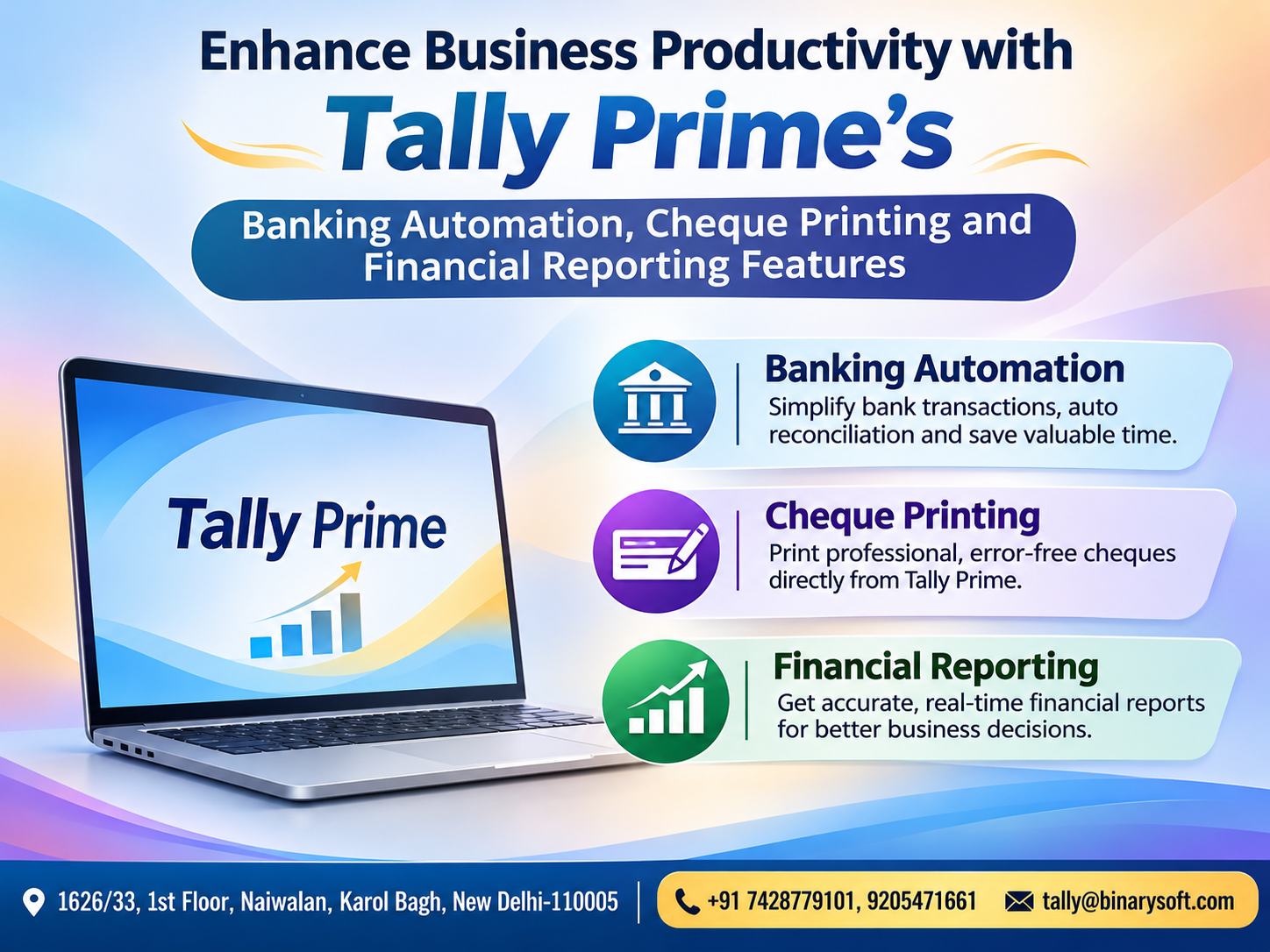
Tally Prime helps businesses streamline bank accounting by importing supported bank statements, identifying transactions, assisting with voucher creation, and reconciling bank records with accounting books.
Instead of spending hours entering transactions individually, accountants can focus on reviewing exceptions, verifying payments, monitoring outstanding balances, and making better financial decisions.
This guide explains how bank entry automation works in Tally Prime, its benefits, practical implementation steps, common challenges, and how businesses can use it to strengthen their financial operations.
1. What Is Bank Entry Automation in Tally Prime?
Bank entry automation is the process of using electronic bank transaction data to reduce manual accounting work.
Instead of typing every transaction from a bank statement, businesses import supported statement files into Tally Prime and use the available banking features to identify, match, reconcile, and account for transactions.
For example, imagine a business receiving 150 customer payments and making 80 supplier payments every week.
Manually recording 230 transactions requires significant time, especially when accountants must identify customers, select ledgers, enter amounts, and verify references.
With bank statement-based automation, the accountant can import the statement and process eligible transactions through a more structured workflow.
Depending on the installed Tally Prime version, supported bank, transaction details, and enabled features, the software can assist with:
-
Importing bank statement transactions.
-
Identifying deposits and withdrawals.
-
Matching bank transactions with existing vouchers.
-
Creating accounting vouchers from eligible bank transactions.
-
Reconciling bank balances and accounting records.
-
Identifying unmatched or missing transactions.
-
Reducing duplicate data entry.
Automation does not mean every transaction should be recorded without verification. Proper ledger classification, transaction review, and reconciliation remain essential.
2. Why Businesses Need Automated Bank Entries in 2026
Modern businesses are handling a growing number of digital transactions.
UPI payments, online banking, payment gateways, electronic transfers, and digital collections have increased the volume of financial information that accountants must process.
Manual accounting becomes more difficult as businesses expand.
Reducing repetitive accounting work
Entering hundreds of transactions manually consumes valuable employee time.
Bank statement automation reduces repeated typing and allows accountants to concentrate on more productive activities.
Improving financial accuracy
Manual data entry may result in incorrect transaction amounts, wrong dates, duplicate vouchers, or missing entries.
Importing transaction information directly from supported bank statement files reduces the need to retype these details.
Supporting faster reconciliation
Businesses need to ensure that their accounting records match bank statements.
Automated matching and reconciliation features help accountants identify differences more efficiently.
Improving cash flow visibility
Accurate bank accounting provides better information about available funds, customer collections, supplier payments, and upcoming obligations.
Supporting business growth
As transaction volumes increase, automated workflows help businesses manage additional accounting activity without increasing manual effort at the same rate.
3. An Emotional Story: When One Missed Bank Entry Almost Cost a Business Its Reputation
Rajesh owned a small electrical distribution business in Delhi.
After spending nearly fifteen years building relationships with contractors, retailers, and suppliers, he had finally reached a stage where his company was receiving regular orders from several cities.
But growth brought an unexpected problem.
His accountant was responsible for recording daily bank transactions, reconciling payments, and updating customer balances.
During a particularly busy month, the business received hundreds of digital payments.
One afternoon, a long-standing customer called Rajesh.
"Sir, we transferred the payment last week. Why is your team still asking us to pay?"
Rajesh checked the accounting records. The invoice appeared unpaid.
The customer immediately shared the bank transaction reference.
After searching through several days of statements, Rajesh discovered that the payment had reached the bank account but had never been recorded against the customer's invoice.
The customer was upset.
For Rajesh, the problem was not simply an accounting mistake. It threatened a relationship he had built over years.
That evening, he remained in his office long after everyone had left, wondering how many other transactions might have been missed.
The next month, he introduced a structured bank statement import and reconciliation process using Tally Prime.
His accountant began importing supported statements, reviewing unmatched transactions, and reconciling customer payments regularly.
The business gradually reduced the time spent searching for missing transactions.
More importantly, Rajesh regained confidence in the financial information used to communicate with customers.
This illustrative story highlights an important lesson: accurate bank accounting protects not only financial records but also customer trust, business relationships, and peace of mind.
4. How to Automate Bank Entries in Tally Prime: Step-by-Step Guide
Businesses can follow a structured process to import bank statements, create vouchers, and reconcile transactions.
Step 1: Prepare your bank account ledger
Before importing a statement, ensure the relevant bank ledger exists in Tally Prime.
Open the bank ledger and verify the bank name, account number, IFSC, and other required information.
Enable the bank reconciliation configuration and specify the date from which reconciliation should begin.
If you previously reconciled transactions manually, complete the outstanding reconciliation up to a chosen cutoff date before switching to statement-based automation.
Step 2: Download your bank statement
Log in to your bank's official internet banking portal and download the required statement.
For standard bank statement import, use the original Excel or CSV file supported by Tally Prime.
Avoid modifying the bank's original file structure unnecessarily.
Certain supported Tally Prime configurations also allow text-based PDF statement processing through Docs by Ira. This requires the relevant feature, login, and access permissions. Scanned PDFs are not supported through that workflow.
Step 3: Import the statement into Tally Prime
Follow these steps:
-
Open Gateway of Tally.
-
Press Alt+O (Import).
-
Select Bank Statement.
-
Choose the appropriate bank ledger.
-
Specify the folder containing your statement.
-
Select the supported file type and statement file.
-
Enable the preview option.
-
Press Ctrl+A and review the import preview.
-
Confirm the import.
Tally Prime displays the imported transactions and matching information.
Review the import summary to ensure the expected transactions have been processed.
Step 4: Open the Bank Reconciliation report
Navigate to Banking Activities through the Go To menu.
Open the Bank Reconciliation Summary for the relevant bank.
Here, you can identify transactions already recorded in the books, entries that match the bank statement, and transactions requiring further action.
Step 5: Create accounting vouchers from bank transactions
For transactions that have not yet been recorded:
-
Select the relevant bank entries.
-
Press F7 (Create Vch/Multi-Vch).
-
Assign the appropriate accounting ledgers.
-
Verify transaction amounts and details.
-
Save the generated vouchers.
For multiple-voucher creation, Tally Prime initially creates optional vouchers that can be reviewed before finalisation.
After checking the entries, use Mark as Regular & Reconcile to finalise and reconcile them.
This review process helps prevent incorrect classifications and duplicate accounting.
Step 6: Verify and complete reconciliation
Review the reconciliation report for exact matches, potential matches, partial matches, and unmatched transactions.
Investigate discrepancies before accepting questionable matches.
Finally, compare the reconciled bank balance with the accounting records and resolve any remaining differences.
5. Understanding Automated Voucher Creation
One of the most useful banking capabilities in Tally Prime is creating accounting vouchers from imported bank transactions.
Businesses can generate individual vouchers, multiple vouchers, or consolidated vouchers where appropriate.
Consider the following illustrative transactions:
|
Bank transaction
|
Amount
|
Possible accounting treatment
|
|---|
|
Customer payment received
|
₹45,000
|
Receipt against customer ledger
|
|
Supplier payment
|
₹28,000
|
Payment against supplier ledger
|
|
Bank service charge
|
₹350
|
Bank charges expense
|
|
Interest credited
|
₹1,200
|
Interest income
|
|
Cash deposited
|
₹20,000
|
Contra entry
|
The appropriate ledger and voucher type depend on the transaction's actual business purpose.
For example, a ₹45,000 bank credit could represent a customer payment, loan receipt, capital contribution, or another transaction. It should not automatically be treated as sales income.
Accountants must verify the underlying transaction before finalising its accounting treatment.
6. Automatic Bank Reconciliation: Keeping Books and Bank Statements in Sync
Bank reconciliation compares transactions recorded in the company's accounting books with transactions appearing in its bank statement.
Differences may arise because of uncleared cheques, bank charges, unrecorded receipts, transaction timing, or accounting errors.
Tally Prime helps identify exact matches and potential matches, while allowing users to investigate partial or unmatched entries.
For example, suppose a supplier payment of ₹32,500 is recorded in the accounting books and appears in the bank statement.
If the relevant details match, the transaction may be reconciled automatically according to the configured settings.
However, if the bank statement shows ₹32,500 while the accounting voucher shows ₹35,200, the discrepancy requires investigation.
Reconciliation is especially important at month-end because unreconciled entries can affect cash flow reporting and financial decision-making.
7. Case Study One: Wholesale Distributor Improves Banking Efficiency
Illustrative case study
A wholesale electrical goods distributor in Delhi handled approximately 1,800 banking transactions every month.
Its accounting team manually entered customer receipts, supplier payments, and other transactions from downloaded statements.
The process created delays during month-end closing.
The business introduced a structured bank statement import process using Tally Prime.
The accountant imported supported statements, created eligible vouchers, reviewed ledger classifications, and reconciled transactions regularly.
Illustrative results after implementation:
|
Performance indicator
|
Before
|
After
|
|---|
|
Monthly banking work
|
30 hours
|
11 hours
|
|
Unresolved transactions at month-end
|
45
|
8
|
|
Reconciliation frequency
|
Monthly
|
Daily
|
|
Accounting review
|
Mostly manual
|
Exception-focused
|
These figures illustrate a possible outcome rather than independently verified customer results.
The greatest benefit was improved financial visibility. Management could identify pending collections and accounting discrepancies earlier.
The business also established a daily review process to prevent new unmatched transactions from accumulating.
8. Case Study Two: Consultancy Firm Gains Better Control Over Client Payments
Illustrative case study
A growing consultancy firm in Gurugram provided financial, operational, and business advisory services.
The company received payments through NEFT, IMPS, and other banking channels.
Although the firm issued invoices regularly, matching customer receipts against outstanding bills became increasingly difficult.
Several customers made partial payments, while others combined payments for multiple invoices.
The accounting team began using Tally Prime's bank statement import and reconciliation features.
After importing statements, employees reviewed incoming credits, identified the relevant customer ledgers, and allocated receipts against the appropriate outstanding bills.
The firm also introduced weekly exception reviews.
As a result, its management had a clearer picture of unpaid invoices and unapplied receipts.
The firm could follow up with customers more accurately and reduce unnecessary payment reminders.
The case demonstrates how banking automation can support both accounting efficiency and stronger customer relationships.
9. Major Benefits of Automating Bank Entries in Tally Prime
Faster accounting operations
Bank statement-based voucher creation reduces repeated manual entry and helps accountants process large transaction volumes.
Better control over duplicate entries
Reviewing existing vouchers and imported transactions helps businesses identify entries that may already have been recorded.
More accurate customer balances
Properly allocating bank receipts against customer invoices improves outstanding receivables reporting.
Improved supplier payment tracking
Businesses can compare supplier payments with accounting records and identify transactions requiring clarification.
Better management reporting
Accurate bank entries improve the reliability of cash balances, ledger reports, and other financial information.
Easier month-end closing
Regular reconciliation reduces the number of unresolved transactions that accountants must investigate at the end of each month.
Greater accountability
A structured import, review, approval, and reconciliation process creates clearer responsibilities within the accounting team.
10. How Tally Prime Supports Different Business Types
Bank entry automation is useful across several industries.
Retail businesses: Retailers can reconcile digital collections, supplier payments, and banking expenses. UPI and payment gateway settlements may require additional verification against settlement reports.
Wholesale distributors: Distributors can manage frequent customer receipts, supplier transfers, and bank charges while keeping receivables and payables updated.
Manufacturing companies: Manufacturers can track raw material payments, operational expenses, and customer collections more efficiently.
Consultancy firms: Service providers can match client payments with invoices and identify overdue balances.
E-commerce businesses: Online sellers can use bank reconciliation alongside marketplace settlement reports to account for commissions, deductions, refunds, and net payouts.
In each industry, automation works best when transaction classifications and supporting documents are maintained correctly.
11. Connected Banking and Bank Statement Automation
Connected Banking can further simplify banking workflows for businesses using supported banks and eligible configurations.
Instead of manually downloading every statement, eligible users may retrieve bank information through connected services within Tally Prime.
This can reduce the effort involved in obtaining statements and updating accounting records.
However, Connected Banking availability varies by bank, account type, product configuration, and supported services.
Businesses should distinguish between three activities:
Bank statement import: Bringing transaction data into Tally Prime.
Voucher creation: Recording accounting entries based on those transactions.
Bank reconciliation: Matching accounting entries with actual bank transactions.
These activities are related but serve different purposes.
A bank statement import does not automatically mean every transaction has been correctly classified or recorded as a final accounting voucher.
12. Common Challenges and How to Resolve Them
Unsupported bank statement format
A bank may provide a statement layout that is not recognised by the installed software configuration.
Download the original supported format and verify compatibility before attempting another import.
Incorrect ledger selection
A bank credit or debit may be assigned to the wrong accounting ledger.
Review party names, transaction references, supporting invoices, and the actual purpose of the transaction.
Duplicate accounting entries
Transactions may already exist in the books before the bank statement is imported.
Check existing vouchers and reconciliation status before creating new entries.
Unmatched transactions
Differences in dates, references, or amounts may prevent automatic matching.
Investigate the transaction and use the appropriate reconciliation options rather than forcing an incorrect match.
Incorrect customer bill allocation
Receiving money from a customer does not always mean the entire amount belongs to one invoice.
Verify bill-wise allocations, advances, partial receipts, and deductions before finalising vouchers.
13. Best Practices for Reliable Bank Accounting in 2026
Businesses should combine automation with a consistent accounting control process.
Maintain separate bank ledgers for each bank account and use clearly defined customer, supplier, expense, and income ledgers.
Import statements regularly rather than waiting until the end of the financial year.
Keep the original bank statements securely for verification and audit purposes.
Back up company data before major imports, configuration changes, or bulk voucher operations.
Assign responsibilities for importing statements, reviewing accounting entries, and approving reconciliation adjustments.
Investigate unexplained transactions promptly.
Businesses should also avoid sharing banking passwords, OTPs, or sensitive account information with unauthorised individuals.
Most importantly, remember that automation reduces repetitive work, but professional accounting judgment remains essential.
14. How Bank Automation Supports GST Compliance and Financial Reporting
Accurate banking records support several important business activities.
When customer receipts are correctly allocated, businesses can monitor outstanding invoices and collections more reliably.
Supplier payment tracking can also help businesses identify unpaid obligations and manage working capital.
Bank reconciliation supports the accuracy of cash and bank balances reported in financial statements.
However, bank statement imports do not independently establish GST liability, input tax credit eligibility, or the correct tax treatment of a transaction.
For example, receiving a bank credit does not automatically mean that a taxable sale has occurred.
Similarly, a supplier payment does not independently prove eligibility for input tax credit.
Businesses must continue maintaining valid invoices, tax records, and supporting documentation.
Tally Prime can bring banking, accounting, inventory, and GST-related records into a more organised business workflow, helping accountants review financial information with greater consistency.
15. The Future of Automated Banking for Indian MSMEs
As digital payments become increasingly common, the importance of efficient bank accounting will continue to grow.
Businesses will increasingly expect accounting systems to reduce manual transaction entry, identify discrepancies, and provide timely financial information.
Future improvements across accounting technology may include more sophisticated transaction categorisation, exception detection, and banking integrations.
Nevertheless, successful automation will depend on accurate data, secure processes, appropriate software configuration, and responsible human oversight.
For Indian MSMEs, the practical goal is not simply to automate every transaction.
It is to create an accounting process that is faster, more accurate, easier to review, and capable of supporting sustainable growth.
16. Get Professional Tally Prime Banking Automation Support
Implementing bank statement automation requires more than importing a file.
Businesses may need assistance with bank ledger configuration, reconciliation settings, voucher workflows, existing accounting data, and employee training.
Binarysoft Technologies helps businesses understand and implement Tally Prime accounting and banking features according to their operational requirements.
Whether you manage a retail business, manufacturing company, wholesale distribution operation, or professional services firm, a properly configured accounting workflow can reduce repetitive tasks and improve financial control.
Powered by Binarysoft Technologies
Authorized Tally Partner
Location: 1626/33, 1st Floor, Naiwalan, Karol Bagh, New Delhi – 110005, INDIA
Contact us: +91 7428779101, 9205471661
Email us: tally@binarysoft.com
Business Hours: 10:00 AM – 6:00 PM, Monday to Friday
Conclusion
Automating bank entries in Tally Prime using bank statements is a practical way for businesses to improve accounting efficiency in 2026.
By importing supported bank statements, creating accounting vouchers, matching transactions, and performing regular bank reconciliation, businesses can reduce repetitive work and maintain more reliable financial records.
The benefits extend beyond saving time.
Accurate banking records help organisations manage customer collections, monitor supplier payments, identify discrepancies, and make informed financial decisions.
For growing MSMEs, a structured bank automation process can make daily accounting more manageable and support better business control.
Tally Prime provides useful tools for achieving these objectives, particularly when businesses combine its banking features with correct ledger configuration, regular reconciliation, and appropriate review procedures.
With professional implementation support from Binarysoft Technologies, businesses can build a more efficient and dependable banking accounting workflow.
Frequently Asked Questions
Can Tally Prime automatically create accounting entries from bank statements?
Yes. Tally Prime supports creating payment and receipt vouchers from imported bank transactions. Multiple vouchers can be created together, reviewed, and finalised according to the available workflow.
How do I import a bank statement into Tally Prime?
Open Gateway of Tally, press Alt+O, select Bank Statement, choose the relevant bank ledger and supported statement file, review the preview, and confirm the import.
Which bank statement formats are supported?
Standard bank statement import supports compatible Excel and CSV files. Eligible configurations also support certain text-based PDF bank statements through Docs by Ira. Format compatibility depends on the bank and the software features available.
Can Tally Prime reconcile bank transactions automatically?
Yes. Tally Prime can identify exact matches between bank statements and accounting vouchers. It also provides options to review potential and partial matches.
CA. Aarav Bhandari specializes in GST compliance, accounting systems, and business advisory services. He regularly writes about tax updates, accounting automation, and financial best practices to help businesses improve efficiency and maintain statutory compliance.