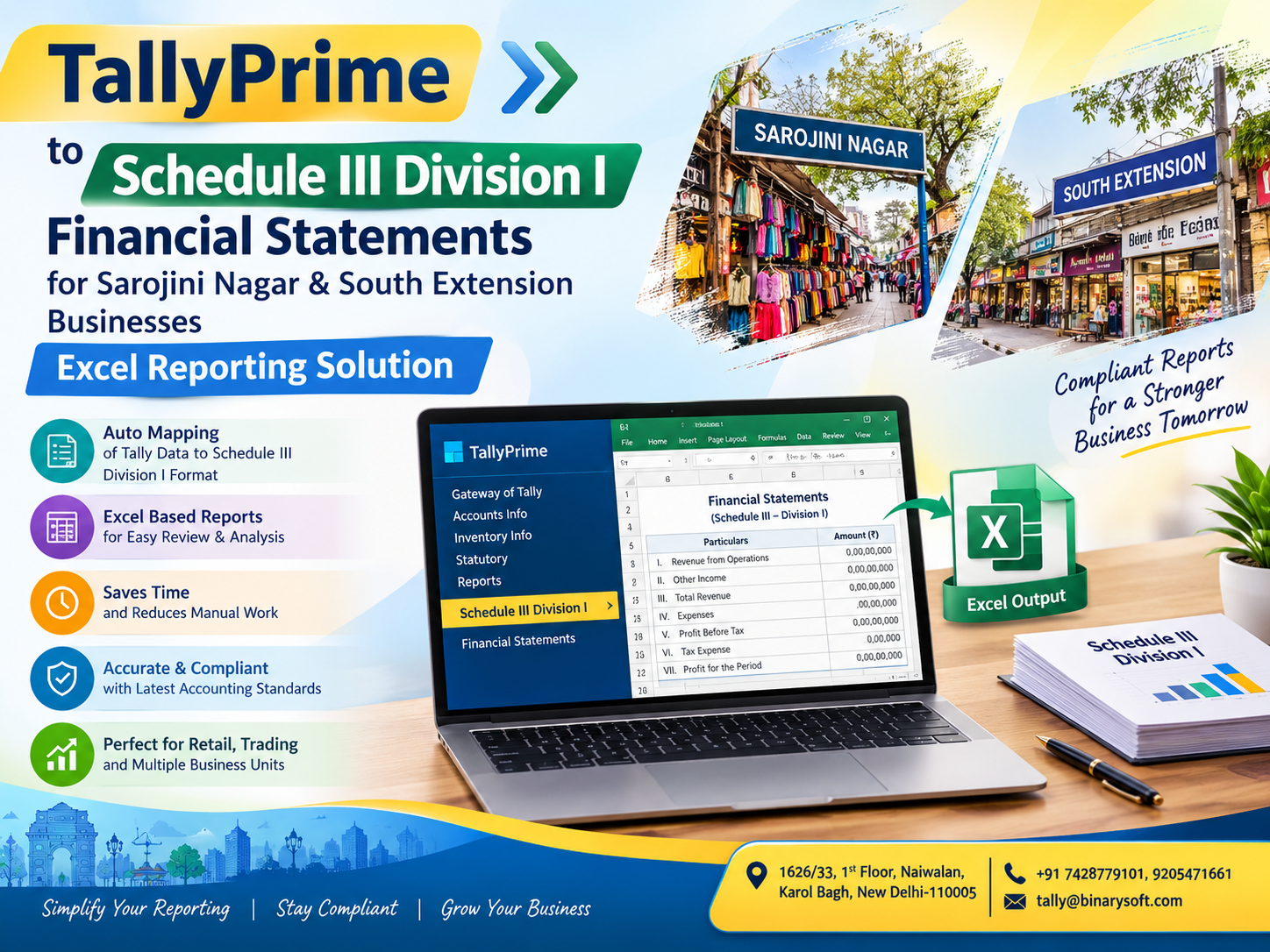
Introduction: Convert TallyPrime Data into Schedule III Financial Statements with Excel
In 2026, businesses in Sarojini Nagar and South Extension are facing increasing pressure to maintain accurate books, prepare structured financial statements, and share reliable financial reports with auditors, banks, and management. For companies preparing financial statements under Schedule III Division I of the Companies Act, 2013, maintaining correct ledger classifications, balance sheet groupings, and profit and loss disclosures is essential. TallyPrime helps businesses maintain day-to-day accounting records, but converting accounting data into a properly classified Schedule III financial statement can require additional Excel-based reporting, verification, and presentation work. For traders, wholesalers, retailers, distributors, and private limited companies operating in Delhi, an organised TallyPrime-to-Excel reporting solution can simplify this process. By connecting accounting data with a structured Excel reporting format, businesses can reduce repetitive data entry, identify classification errors, improve reporting consistency, and prepare financial statements more efficiently while retaining professional oversight and statutory review.
A well-planned reporting workflow can help businesses move from scattered ledger balances to structured financial information, making year-end closing, audit preparation, and management review easier to manage.
1. The Financial Reporting Challenge for Businesses in Sarojini Nagar and South Extension
Sarojini Nagar and South Extension have diverse commercial businesses, from garment traders and wholesalers to branded showrooms, retailers, distributors, and service companies. Many businesses use TallyPrime to maintain sales, purchases, expenses, inventory, GST transactions, bank accounts, and other financial records.
However, maintaining accounting records and preparing statutory financial statements are two different responsibilities.
A company's accounting software may contain thousands of ledger entries, but the financial statements must present those balances under the appropriate statutory headings. A ledger called "Bank Loan," for example, must be evaluated for its nature, repayment terms, security, and current or non-current classification before appearing in the final report.
Similarly, sales, purchases, inventory, outstanding creditors, employee expenses, fixed assets, depreciation, borrowings, and statutory liabilities need to be reviewed before the financial statements are finalised.
Common reporting problems faced by businesses
Accounting challenge
Impact on financial reporting
Incorrect ledger grouping
Assets, liabilities, and expenses may appear under inappropriate headings.
Manual Excel preparation
Repeated copying and pasting can introduce errors.
Missing comparative figures
Current-year statements may not show the previous reporting period correctly.
Incomplete supporting schedules
Auditors may need additional explanations and reconciliations.
Unverified year-end balances
Differences may remain in bank, GST, inventory, or creditor accounts.
Inconsistent reporting formats
Management and auditors may receive different versions of the same financial information.
For businesses with multiple branches, warehouses, bank accounts, or product categories, these challenges can become more complicated.
A structured TallyPrime-to-Excel reporting process provides a way to organise accounting information, map ledger balances to Schedule III headings, and prepare financial statements for professional review.
The objective is not simply to export a balance sheet. It is to create a reliable reporting workflow that connects the books of account with the company's statutory presentation requirements.
2. What Is Schedule III Division I Under the Companies Act, 2013?
Schedule III Division I of the Companies Act, 2013, prescribes the presentation and disclosure framework for companies whose financial statements are prepared under the Companies (Accounting Standards) Rules, 2006. It sets out the minimum requirements for the balance sheet, statement of profit and loss, and accompanying notes to accounts.
India Code
+1
Division I generally applies to companies following the applicable Accounting Standards framework rather than Ind AS, subject to the company's legal and regulatory classification.
It is important to establish the applicable framework before creating an Excel reporting template. Companies following Ind AS generally need Division II, while applicable NBFCs following Ind AS use Division III. Banking, insurance, and certain other regulated entities may have separate requirements.
Company Balance Sheet
+1
Main components of Schedule III Division I
Balance Sheet
Presents the company's assets, equity, and liabilities as at the reporting date, with corresponding previous-period figures.
Statement of Profit and Loss
Presents revenue, expenses, profit or loss, and other required line items for the reporting period.
Notes to Accounts
Provides supporting classifications, detailed disclosures, accounting policies, and explanations connected to the financial statements.
Cash Flow Statement, Where Applicable
Reports cash flows from operating, investing, and financing activities in accordance with the applicable requirements and exemptions.
The exact statements and disclosures required depend on the company's circumstances, applicable Accounting Standards, and statutory exemptions.
Schedule III is a presentation and disclosure framework. It does not replace the need to maintain proper books, apply accounting principles, make appropriate year-end adjustments, or obtain professional review.
3. How TallyPrime Supports Schedule III Financial Reporting
TallyPrime serves as the accounting foundation for the reporting process. It helps companies record and maintain transactions throughout the year and generate accounting reports that can be used as source data for financial statement preparation.
For a company operating in Sarojini Nagar or South Extension, a reporting workflow may begin with the following TallyPrime reports:
TallyPrime source report
Use in the Excel reporting process
Trial Balance
Starting point for mapping ledger balances to reporting heads.
Balance Sheet
Reconciliation of assets, liabilities, and equity.
Profit and Loss Account
Mapping of income and expenses.
Stock Summary
Supporting inventory balances and valuation review.
Ledger Vouchers
Verification of individual account transactions.
Day Book
Review of recorded transactions and adjustments.
Outstanding Receivables
Supporting trade receivable ageing and reconciliation.
Outstanding Payables
Supporting trade payable balances and ageing.
Fixed Asset Ledgers
Supporting fixed asset and depreciation schedules.
Bank Reconciliation
Verification of bank balances and outstanding entries.
The exact report availability and export options depend on the TallyPrime version, configuration, permissions, and company data.
The role of Excel in the reporting solution
Excel can serve as the intermediate reporting and review layer between TallyPrime and the final financial statements.
It can be used to:
Map TallyPrime ledger names and groups to Schedule III reporting heads.
Separate source accounting data from reporting adjustments.
Prepare current-year and previous-year comparisons.
Calculate subtotals and reporting schedules using controlled formulas.
Maintain supporting schedules for disclosures and reconciliations.
Identify unmapped accounts and differences before finalisation.
Prepare review copies for management, accountants, and statutory auditors.
The accounting data remains in TallyPrime. Excel organises and presents the information for the reporting process, while the responsible finance team and professional advisers determine the appropriate accounting treatment and statutory disclosures.
4. TallyPrime to Schedule III Division I: Complete Excel Reporting Workflow
A practical TallyPrime-to-Excel solution should follow a repeatable workflow. This helps businesses avoid preparing financial statements from unverified balances or using different classification rules every year.
Step 1: Finalise the accounting data in TallyPrime
Before exporting information to Excel, the accounts team should complete the relevant accounting entries for the reporting period.
For a company preparing accounts for the financial year ending 31 March 2027, this may include reviewing transactions from 1 April 2026 to 31 March 2027.
The accounting team should check:
All sales and purchase transactions have been recorded.
Credit notes, debit notes, sales returns, and purchase returns have been accounted for.
Bank transactions and bank reconciliations have been reviewed.
GST balances and other statutory liabilities have been reconciled.
Inventory quantities and valuation have been reviewed.
Fixed asset purchases, disposals, and depreciation have been considered.
Outstanding expenses, accrued income, provisions, and other year-end adjustments have been evaluated.
Loans, advances, and inter-company balances have been verified.
These activities should be completed before the source balances are treated as final reporting data.
A preliminary Excel report can be generated before year-end closing, but it should be clearly marked as a draft until the accounting adjustments and reviews are complete.
Step 2: Export the Trial Balance from TallyPrime
The Trial Balance is an important starting point for preparing the Schedule III mapping.
It provides ledger-wise debit and credit balances that can be analysed and assigned to the appropriate reporting categories.
A typical workflow is:
Trial Balance export process
Open the relevant company in TallyPrime.
Navigate to the Trial Balance report through the applicable Reports or Display menu.
Select the reporting period and appropriate level of ledger detail.
Review the report for unexpected balances and confirm the required level of detail.
Use the available export functionality to export the report into Excel-compatible format, such as XLSX or another supported format.
Save the exported source data as a separate, unmodified working file for traceability.
Menu labels and keyboard shortcuts can vary between TallyPrime releases and report configurations. Users should follow the export options available in their installed version.
Important: Exporting a Trial Balance does not automatically establish statutory classification. A ledger balance must be evaluated according to its accounting nature, supporting documentation, applicable standards, and Schedule III presentation requirements.
Step 3: Create a ledger mapping master in Excel
The ledger mapping master is one of the most important parts of an Excel reporting solution.
Each relevant TallyPrime ledger should be associated with a reporting category and a Schedule III line item. The mapping should be reviewed and approved by the responsible accountant or finance professional.
A sample mapping structure is shown below.
TallyPrime ledger or group
Illustrative Schedule III reporting head
Share Capital
Share Capital
Securities Premium
Reserves and Surplus
General Reserve
Reserves and Surplus
Term Loan
Long-term Borrowings or applicable current portion
Cash Credit / Overdraft
Short-term Borrowings or applicable classification
Trade Creditors
Trade Payables
Sundry Debtors
Trade Receivables
Stock-in-Hand
Inventories
Plant and Machinery
Property, Plant and Equipment
Computer Equipment
Property, Plant and Equipment
Software Licences
Intangible Assets, where recognition criteria are met
Security Deposits
Other Financial Assets or applicable deposit classification
Outstanding Salaries
Other Current Liabilities or applicable classification
Sales Accounts
Revenue from Operations, subject to the nature of income
Purchase Accounts
Expense or cost of materials and goods, as applicable
Salary Expenses
Employee Benefits Expense
Bank Interest
Finance Costs
Depreciation
Depreciation and Amortisation Expense
These are illustrative mappings, not automatic accounting conclusions. For example, a loan cannot be classified entirely as long-term merely because the ledger is named "Term Loan." The portion due within the applicable current classification period must be evaluated using the loan agreement, repayment schedule, and applicable requirements.
Likewise, advances, deposits, related-party balances, and statutory dues may require more detailed classification than the original TallyPrime ledger group provides.
Recommended Excel mapping master columns
Suggested mapping master format
Illustrative Excel columns for an accounting and reporting team.
Column
Description
A
TallyPrime Ledger Name
B
TallyPrime Group
C
Account Code
D
Schedule III Main Head
E
Schedule III Sub-Head
F
Current / Non-current Classification
G
Current Year Amount
H
Previous Year Amount
I
Supporting Schedule Reference
J
Reviewer Status
This mapping master can be reused in subsequent reporting periods, provided the company reviews new ledgers, changed accounting treatments, and amended statutory requirements.
For example, a new loan account created during the year should not remain unmapped simply because the previous year's mapping master did not contain it.
The Excel workbook should flag such accounts for review rather than automatically placing them in a miscellaneous category.
Step 4: Map the Trial Balance to Schedule III Division I
After preparing the mapping master, the reporting team can connect the exported Trial Balance with the Schedule III reporting structure.
A well-designed workbook can use Excel lookup formulas, structured tables, or Power Query to connect the source data with the mapping master.
The process should distinguish between:
Source balances imported from TallyPrime.
Approved ledger classifications.
Year-end adjustments.
Reporting reclassifications.
Final presentation balances.
This distinction is important because the balance shown in the original accounting ledger may differ from the amount presented under a particular Schedule III heading after appropriate adjustments or reclassifications.
For example, a bank loan ledger may contain a balance of ₹25,00,000. If the applicable repayment schedule indicates that ₹5,00,000 is due within the relevant current classification period, the reporting team must evaluate the appropriate split between current and non-current liabilities.
The final classification should be supported by the loan documents and reviewed under the applicable accounting requirements.
Step 5: Prepare the Schedule III Division I Balance Sheet
The Excel reporting format should organise the mapped data into the prescribed vertical balance sheet structure.
Schedule III Division I presents equity and liabilities separately from assets, with the required classifications and corresponding previous-period amounts.
ICSI E-Book
+1
The following is an illustrative structure for a reporting workbook.
Illustrative Balance Sheet Structure
Name of the Company: ABC Private Limited
Balance Sheet as at 31 March 2027
Particulars
Current Year
Previous Year
I. Equity and Liabilities
1. Shareholders' Funds
₹ XX
₹ XX
2. Share Application Money Pending Allotment
₹ XX
₹ XX
3. Non-current Liabilities
₹ XX
₹ XX
4. Current Liabilities
₹ XX
₹ XX
II. Assets
1. Non-current Assets
₹ XX
₹ XX
2. Current Assets
₹ XX
₹ XX
Illustrative headings only. This is not a complete statutory template or a substitute for the prescribed format and disclosures applicable to the company.
The detailed reporting format should include the appropriate sub-heads, note references, and disclosures based on the applicable Division I requirements.
Equity and Liabilities
The reporting workbook should provide for the relevant classifications, including:
Shareholders' funds, including share capital and reserves and surplus.
Share application money pending allotment, where applicable.
Non-current liabilities, including applicable long-term borrowings, deferred tax liabilities, and other non-current liabilities.
Current liabilities, including short-term borrowings, trade payables, other current liabilities, and short-term provisions, as applicable.
For trade payables, the company must evaluate the required disclosures for outstanding dues to micro and small enterprises and creditors other than micro and small enterprises. These categories should be supported by appropriate supplier information and reconciliations.
Assets
The asset side should include relevant classifications such as:
Property, Plant and Equipment and Intangible Assets.
Capital Work-in-Progress and other applicable non-current asset categories.
Non-current investments, loans, advances, and other financial or non-financial assets, where relevant.
Current investments.
Inventories.
Trade Receivables.
Cash and Cash Equivalents.
Short-term loans, advances, and other current assets, where applicable.
Classification depends on the nature of the asset, the company's operating cycle, realisation expectations, and applicable accounting requirements.
For businesses in Sarojini Nagar with substantial garment or retail inventories, stock valuation and inventory classification can be especially important. Businesses in South Extension with showroom assets, deposits, borrowings, or multiple locations may require additional fixed asset, deposit, and loan schedules.
Step 6: Prepare the Statement of Profit and Loss
The next part of the workbook should organise income and expenses into the applicable Schedule III Division I format.
A typical reporting structure includes revenue from operations, other income, expenses, profit before tax, tax expense, and profit or loss for the period, together with other applicable line items.
Illustrative Profit and Loss Reporting Format
ABC Private Limited — Year ended 31 March 2027
Particulars
Current Year
Previous Year
Revenue from Operations
₹ XX
₹ XX
Other Income
₹ XX
₹ XX
Total Income
₹ XX
₹ XX
Expenses
Cost of Materials / Purchases, as applicable
₹ XX
₹ XX
Changes in Inventories
₹ XX
₹ XX
Employee Benefits Expense
₹ XX
₹ XX
Finance Costs
₹ XX
₹ XX
Depreciation and Amortisation Expense
₹ XX
₹ XX
Other Expenses
₹ XX
₹ XX
Profit Before Tax
₹ XX
₹ XX
Tax Expense
₹ XX
₹ XX
Profit / (Loss) for the Period
₹ XX
₹ XX
This is an illustrative reporting layout. The statutory line items, order, and disclosures must be verified against the current applicable Schedule III Division I and Accounting Standards.
For example, a garment trader in Sarojini Nagar may have sales, purchase returns, discounts, freight, warehouse expenses, employee costs, and closing inventory. These transactions should be reviewed to determine the appropriate presentation under revenue, expenses, and inventory-related line items.
A company operating a showroom in South Extension may also have rental expenses, employee benefits, advertising expenditure, finance costs, depreciation, and other operating expenses.
Excel can consolidate these balances into reporting heads, but the mapping must reflect the company's actual accounting policies and applicable standards.
5. Excel Notes to Accounts: The Most Important Supporting Schedules
Preparing the balance sheet and profit and loss statement is only part of the reporting process. Schedule III Division I also requires notes to accounts and other applicable disclosures. The Schedule specifies that the disclosures under the applicable Accounting Standards and the Companies Act must be considered in addition to the face of the financial statements.
India Code
+1
For this reason, an Excel reporting solution should include supporting schedules rather than only two summary statements.
A. Share Capital Schedule
The share capital schedule can include:
Authorised share capital.
Issued, subscribed, and paid-up share capital.
Number and face value of shares.
Reconciliation of shares outstanding at the beginning and end of the reporting period.
Rights, preferences, and restrictions attached to each class of shares, as applicable.
Shareholding details and other prescribed disclosures.
The finance team should obtain the required information from the company's statutory records, share register, and supporting documents. A TallyPrime ledger balance alone may not contain all the information required for the share capital note.
B. Reserves and Surplus Schedule
The reserves and surplus schedule can be prepared to show the opening balance, movements during the year, and closing balance of relevant reserves and retained earnings.
A typical working format is:
Particulars
Opening balance
Additions
Deductions
Closing balance
General Reserve
₹ XX
₹ XX
₹ XX
₹ XX
Retained Earnings
₹ XX
₹ XX
₹ XX
₹ XX
Securities Premium
₹ XX
₹ XX
₹ XX
₹ XX
The actual categories and movement disclosures should follow the company's records and applicable statutory requirements.
C. Property, Plant and Equipment Schedule
For businesses with showrooms, offices, warehouses, computers, furniture, and machinery, the fixed asset schedule is an important component of year-end reporting.
The Excel workbook can maintain information such as:
Particulars
Opening gross block
Additions
Disposals
Closing gross block
Furniture and Fixtures
₹ XX
₹ XX
₹ XX
₹ XX
Computers and Equipment
₹ XX
₹ XX
₹ XX
₹ XX
Plant and Machinery
₹ XX
₹ XX
₹ XX
₹ XX
A separate depreciation schedule can calculate or record depreciation based on the applicable accounting policy and relevant asset details.
The reporting team should reconcile the closing balances with the general ledger and consider the required disclosures for accumulated depreciation, impairment, capital work-in-progress, and other applicable matters.
Excel calculations should not be treated as a replacement for determining the appropriate depreciation method, useful life, residual value, or impairment treatment under the applicable requirements.
D. Trade Receivables Ageing
Trade receivables are especially relevant for businesses that sell goods on credit to dealers, distributors, corporate customers, and other businesses.
The ageing schedule can help the company understand the period for which receivables have remained outstanding.
Customer
Invoice date
Outstanding amount
Ageing category
Customer A
15-Apr-2026
₹ 1,50,000
Based on applicable ageing criteria
Customer B
20-Jun-2026
₹ 2,25,000
Based on applicable ageing criteria
Customer C
10-Aug-2026
₹ 75,000
Based on applicable ageing criteria
The final ageing categories, basis of calculation, and disclosures should follow the applicable Schedule III requirements and relevant accounting framework.
For reporting purposes, the company should consider disputed balances, doubtful receivables, credit notes, subsequent receipts, and any required provisions or adjustments.
E. Trade Payables Ageing and MSME Classification
Businesses in Delhi frequently purchase goods from multiple suppliers. A company may have hundreds of supplier accounts in TallyPrime, but the statutory reporting process may require additional information beyond the closing ledger balances.
The Excel workbook can help consolidate supplier balances and supporting information, including:
Outstanding dues to micro and small enterprises.
Outstanding dues to creditors other than micro and small enterprises.
Supplier-wise outstanding balances.
Ageing of trade payables, where required.
Disputed and undisputed amounts, where applicable.
Information about delayed payments and interest disclosures, as applicable.
The classification should be based on verified supplier information and the relevant statutory definitions, not merely on a supplier's name or a generic ledger group.
F. Borrowings and Loan Schedules
For companies with bank loans, cash credit facilities, unsecured loans, or other borrowings, the Excel reporting solution can include a loan-wise schedule.
The schedule may capture the lender, opening balance, additional borrowings, repayments, closing balance, interest, security, repayment terms, and current/non-current classification.
A repayment schedule can assist in determining the portions due within the relevant period, but the final presentation must be checked against the loan agreement, applicable accounting requirements, and the reporting date.
G. Other Important Disclosure Schedules
Depending on the company's activities and circumstances, the reporting workbook may also include:
Schedule
Reporting purpose
Related-party transactions
Support disclosures required under applicable law and Accounting Standards.
Contingent liabilities and commitments
Record relevant obligations not recognised as liabilities, as required.
Inventory valuation
Support inventory balances and applicable valuation disclosures.
Bank balances and loans
Reconcile balances and support classifications.
Tax balances
Support current tax, deferred tax, and statutory liability reporting.
Ratios
Calculate prescribed financial ratios and support explanations of material changes.
Other regulatory disclosures
Track disclosures applicable to the company's specific circumstances.
The Ministry of Corporate Affairs' 2021 Schedule III amendments introduced additional disclosure requirements, including specified ageing schedules, financial ratios, and other matters. These requirements should be considered when designing the workbook and reviewing the company's applicability.
Press Information Bureau
+1
6. Excel Automation: How to Reduce Repetitive Reporting Work
For companies with large Trial Balances, Excel automation can make the reporting process more manageable.
Instead of manually copying ledger balances into different financial statement formats, the reporting team can design a workbook that imports the source data, applies approved mappings, and generates reporting schedules.
Recommended workbook structure
Sheet 1
TallyPrime Source Data
Imported Trial Balance, ledger balances, and relevant source reports. Original source values are preserved.
Sheet 2
Ledger Mapping Master
Approved mapping of TallyPrime ledgers to reporting heads, including review status and supporting schedules.
Sheet 3
Adjustments and Reclassifications
Separate schedules for approved year-end adjustments and reporting reclassifications, with explanations and references.
Sheet 4
Schedule III Balance Sheet
Formula-driven balance sheet headings, subtotals, comparative figures, and note references.
Sheet 5
Profit and Loss Statement
Income and expense mapping, subtotals, profit calculations, and previous-year comparisons.
Sheet 6
Notes and Disclosures
Supporting schedules, reconciliations, disclosure checklists, and review references.
Sheet 7
Validation and Review
Checks for unmapped ledgers, balance differences, missing comparative values, and incomplete review items.
Using Excel formulas
Depending on the workbook design, commonly used Excel functions may include:
Excel function
Potential reporting application
XLOOKUP
Retrieve approved reporting classifications from the mapping master.
SUMIFS
Consolidate balances by reporting head, year, or other criteria.
IFERROR
Display controlled messages for missing mappings or formula errors.
INDEX and MATCH
Retrieve mapping values in compatible Excel versions.
ROUND
Apply the approved presentation unit and rounding rules.
SUBTOTAL
Calculate subtotals in suitable filtered schedules.
For example, a mapping formula may retrieve the Schedule III classification for a ledger using a unique ledger code.
=XLOOKUP(A2,Mapping!A:A,Mapping!D:D,"UNMAPPED")
Here, A2 contains a ledger identifier, while the mapping sheet contains the approved ledger identifiers in column A and reporting classifications in column D.
This is an illustrative formula. The actual column references should be adapted to the workbook, and duplicate ledger identifiers should be resolved before the mapping is used for financial reporting.
The formula should return "UNMAPPED" when an account is missing from the mapping master. This makes it easier for the accountant to identify new or incorrectly configured ledgers before generating the final statements.
Using Power Query for recurring imports
For businesses preparing monthly, quarterly, or annual reports from similar TallyPrime exports, Power Query may help standardise data preparation.
A possible process is:
Export the Trial Balance into a consistent Excel-compatible format.
Import the source file into Power Query.
Standardise ledger identifiers, account names, and numeric columns.
Merge the source data with the approved mapping master.
Review missing classifications and duplicate records.
Load the processed data into the reporting workbook.
Refresh the reporting schedules after the source data has been updated and checked.
Power Query can reduce repetitive data preparation, but it does not independently establish the correct accounting treatment or statutory compliance.
If the source export format changes between TallyPrime versions or reporting configurations, the query should be reviewed and tested before being used for reporting.
Reporting controls to include
A well-designed workbook should include controls such as:
A source file name and reporting period.
Date and version information for the mapping master.
Identification of unmapped ledgers.
Separate identification of manual adjustments.
Reconciliation of source Trial Balance totals with the reporting data.
Verification that the balance sheet balances after approved adjustments.
Review of comparative figures against the previous year's final statements.
Sign-off fields for preparation, review, and approval.
These controls help the company identify differences and retain a clear record of how the financial statements were prepared.
7. Realistic Business Story: How an Excel Reporting Solution Can Help a Delhi Trader
Consider a fictional garment trading company operating near Sarojini Nagar, Delhi.
The company maintains its daily accounts in TallyPrime. During the year, it records thousands of sales invoices, purchase bills, customer receipts, supplier payments, bank transactions, and inventory movements.
For most of the year, the accounting team focuses on daily operations. Sales invoices need to be generated, suppliers need to be paid, customers need to be followed up, and stock needs to be available for the next business day.
At the end of the financial year, the situation changes.
The company's management requests the final balance sheet and profit and loss statement. The auditor asks for the Trial Balance, fixed asset details, loan schedules, creditor ageing, and supporting information for the financial statements.
The accountant opens the books and discovers that some ledgers need reclassification, certain supplier balances require verification, and previous-year figures need to be incorporated into the reporting format.
For several days, the team copies figures into Excel, checks totals, changes headings, and prepares revised versions of the statements.
The pressure is not simply about completing a spreadsheet. The accountant knows that every figure represents real business activity, and an overlooked classification or unreconciled balance could lead to additional audit queries and delays.
Now imagine the same company using a structured reporting workflow.
The team exports the TallyPrime Trial Balance, applies its approved ledger mapping master, and refreshes the Excel reporting schedules. Unmapped accounts are flagged for review. Comparative figures are brought into the reporting structure, and supporting schedules are linked to the relevant financial statement headings.
The accountant still reviews the loan classifications, inventory valuation, outstanding balances, and statutory disclosures. The auditor receives organised working papers instead of a collection of disconnected spreadsheets.
The difference is in the process: repetitive preparation is reduced, while professional attention can be directed towards verification, accounting judgments, and financial reporting quality.
This is the practical value of a TallyPrime-to-Excel Schedule III reporting solution for a growing business.
8. Benefits for Sarojini Nagar and South Extension Businesses
Businesses in the two markets may have different operational requirements, but the need for accurate financial reporting is common.
Benefits for garment traders and wholesalers in Sarojini Nagar
Garment traders and wholesalers may maintain substantial stock, high transaction volumes, multiple supplier accounts, and credit sales to retailers.
A structured reporting solution can help with:
Consolidating purchase and sales balances for financial statement preparation.
Organising inventory balances and supporting valuation schedules.
Reviewing trade receivables and trade payables.
Separating operating expenses from other reporting categories.
Preparing current-year and previous-year comparisons.
Organising supporting schedules for audit and management review.
For a business handling a large number of stock items, inventory reconciliation should be given particular attention. The Excel report should agree with the accounting records and be supported by appropriate inventory verification and valuation procedures.
Benefits for South Extension showrooms and corporate businesses
Showrooms, distributors, private limited companies, and service businesses may have additional reporting needs involving fixed assets, rent, deposits, bank facilities, and multiple operating locations.
An Excel reporting solution can help these businesses organise:
Fixed asset and depreciation schedules.
Bank loan and repayment schedules.
Security deposits and advances.
Customer and supplier balances.
Employee benefit expenses and other operating costs.
Related-party information and other applicable disclosures.
Where a company has multiple branches, the reporting team should ensure that branch-level information is properly consolidated and that inter-branch or inter-unit balances are treated appropriately.
Business reporting benefits at a glance
Area
Potential benefit
Accounting
Better organisation of source ledger balances.
Excel reporting
Reduced repetitive data entry and formula-based consolidation.
Audit preparation
Easier access to supporting schedules and reconciliation records.
Management
More consistent presentation of financial information.
Year-end closing
Improved visibility of incomplete classifications and review items.
Repeat reporting
Reusable mapping and workbook structure for future periods.
Actual time savings and reporting accuracy depend on the quality of the accounting data, workbook design, automation, and review procedures.
9. Schedule III Reporting Mistakes Businesses Should Avoid
An Excel workbook may look professional and still contain incorrect financial information. The following issues should be addressed before a reporting solution is used for final statements.
Mistake 1: Treating TallyPrime groups as automatic statutory classifications
TallyPrime groups provide accounting organisation, but a statutory reporting classification may require further analysis.
A ledger named "Loans and Advances," for example, may represent a security deposit, employee advance, supplier advance, or loan to another party. Each may require a different classification and disclosure.
Solution: Maintain a reviewed mapping master and evaluate material or unusual balances individually.
Schedule III requires corresponding previous-period amounts for items shown in the financial statements, subject to the applicable exception for the first financial statements after incorporation.
India Code
+1
Solution: Import and reconcile the previous year's final figures, including relevant notes, before finalising the current-year workbook.
Mistake 3: Preparing statements without completing reconciliations
A balance sheet may mathematically balance even when certain ledger balances are incorrect or unsupported.
For example, an unreconciled bank balance or an incorrectly valued closing inventory can affect the reliability of the statements without necessarily creating an obvious balance sheet difference.
Solution: Complete relevant bank, inventory, receivable, payable, loan, tax, and other reconciliations.
Mistake 4: Using one generic disclosure template for every company
A garment trader, a service company, and a company with substantial borrowings may have different disclosure requirements.
Solution: Use a common workbook structure where useful, but maintain a company-specific disclosure checklist based on its applicable accounting framework and circumstances.
Mistake 5: Treating an Excel report as a statutory filing-ready document
A formatted workbook is not automatically a complete set of statutory financial statements.
The final statements must be reviewed for accounting treatment, presentation, applicable disclosures, approval requirements, and the relevant statutory filing process.
Solution: Have the financial statements and supporting disclosures reviewed by the company's responsible finance professional and statutory auditor, as applicable.
10. 2026 Reporting Checklist for Companies Using TallyPrime
The following checklist can be used by businesses and accounting teams preparing financial statements for the year ending 31 March 2027.
Financial reporting readiness
0/10 completed
This is a practical review checklist, not a certification of statutory compliance.
11. Why Choose Binarysoft Technologies for TallyPrime Reporting Support?
Binarysoft Technologies provides Tally-related sales, implementation, and accounting software support for businesses requiring assistance with their accounting and reporting workflows.
For companies in Sarojini Nagar, South Extension, and other Delhi business locations, the reporting requirements may include TallyPrime configuration, ledger grouping review, Excel export workflows, financial reporting formats, and customised reporting requirements.
Depending on the scope of the engagement, a reporting solution may include:
Review of the existing TallyPrime accounting structure.
Assistance with Trial Balance exports and Excel reporting workflows.
Ledger mapping and reporting classification support.
Excel-based financial reporting templates and automation.
Supporting schedules and reconciliation formats.
Assistance with reporting process improvements and user training.
The final accounting treatment, statutory applicability, disclosures, and approval of financial statements should remain with the company's responsible management and qualified professionals.
1626/33, 1st Floor, Naiwalan, Karol Bagh, New Delhi – 110005, INDIA
Contact Us
+91 7428779101
+91 9205471661
Email
tally@binarysoft.com
Business Hours
10:00 AM – 6:00 PM, Monday to Friday
Frequently Asked Questions
What is Schedule III Division I in the Companies Act, 2013?
Schedule III Division I prescribes the presentation and disclosure requirements for financial statements of companies required to comply with the Companies (Accounting Standards) Rules, 2006. It covers the balance sheet, statement of profit and loss, and notes to accounts, along with applicable general instructions.
Can TallyPrime data be converted into Schedule III Division I financial statements using Excel?
Yes. TallyPrime accounting reports, such as the Trial Balance and relevant ledger reports, can be exported into Excel-compatible formats. The source data can then be mapped to an appropriately designed Schedule III reporting template. The classification and disclosures must be reviewed for the company's circumstances.
CA. Sagar Singh advises MSMEs on accounting accuracy, GST compliance, and internal controls. With exposure to high-volume transaction environments, he writes practical guidance on inventory management, billing discipline, and compliance-ready accounting systems.