Tally Prime Cheque Printing Summary – The Easiest Way to Preview & Print Multiple Cheques at Once

Call CA Tally HelpDesk +91 9205471661, 7428779101
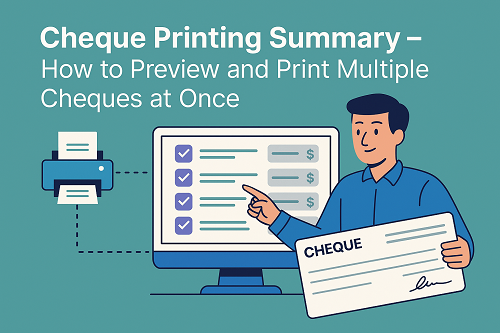
Tally Prime Cheque Printing Summary – The Easiest Way to Preview & Print Multiple Cheques at Once
By CA. Ankit Vardiya   |   Published on: 28-11-2025 | 9 min read

When businesses handle vendors, salaries, refunds, or supplier payments, cheque printing becomes a common task. Doing it one by one is time-consuming, especially when you need to issue multiple cheques on the same day.

Tally Prime solves this problem through a dedicated report that allows you to preview, format, and print multiple cheques at once—saving time and ensuring accuracy.

The correct report in Tally Prime for printing multiple cheques at once is:

 Cheque Printing Summary

This report lists all pending cheque payments and lets you preview, select, and print multiple cheques in a single batch.

This article explains why this report is important, how it works, and how businesses can benefit from using it daily.


What Is the Cheque Printing Summary in Tally Prime?

The Cheque Printing Summary is a dedicated report under the Banking module that displays:

  • All pending payments
  • Cheques that need to be printed
  • Voucher details for each payment
  • Bank name & account
  • Party name
  • Amount details
  • Cheque format assigned

Instead of printing cheques one by one, this report groups all cheque payments in one place — letting you print them together.

This makes it the official feature used by accountants and finance teams to print cheque batches quickly.


Why Not Other Reports?

To avoid confusion, here is why the other reports do NOT support multi-cheque printing:

 Bank Reconciliation Statement

Shows bank transactions vs bank statement, not cheque print options.

 Balance Sheet

Used for financial position analysis — no relation to cheque printing.

 Profit & Loss Statement

Shows income & expenses — unrelated to cheque printing.

Only Cheque Printing Summary provides a list of pending cheque payments with print options.


Where to Find the Cheque Printing Summary in Tally Prime

Follow this path:

Gateway of Tally → Banking → Cheque Printing → Cheque Printing Summary

You will now see:

  • All payment vouchers that require cheque printing
  • Party-wise details
  • Bank ledger mapping
  • Amounts & dates
  • Status of printed/unprinted cheques

This is your master screen for managing cheque batches.


How to Use the Cheque Printing Summary (Step-by-Step)

Below is a simple workflow any accountant can follow.


Step 1 – Ensure Cheque Printing Is Enabled

Go to:

F11 → Accounting Features → Enable Cheque Printing → Yes

Assign cheque formats for each bank under:

Gateway of Tally → Banking → Cheque Printing → Cheque Format Setup


Step 2 – Record Payment Vouchers

Whenever you enter a Bank Payment Voucher, Tally automatically adds it to the Cheque Printing Summary if:

  • Payment mode = Bank
  • A bank account is selected
  • Cheque number is pending

You can enter payment vouchers using:

F5: Payment Voucher → Bank Ledger


Step 3 – Open Cheque Printing Summary

Path:

Gateway of Tally → Banking → Cheque Printing Summary

Here you can:

  • View all pending cheque entries
  • Check party names & payable amounts
  • View voucher numbers
  • Select multiple entries
  • Preview cheque appearance
  • Assign cheque numbers
  • Print cheques in bulk

 Step 4 – Select Multiple Cheques

Press Spacebar to select each entry.
Press Alt + S to select all entries at once.


Step 5 – Preview Before Printing

Press Alt + P → Preview

This allows you to verify:

  • Alignment of text
  • Party name
  • Amount in words
  • Date on cheque
  • Bank format

This reduces cheque wastage and printing errors.


Step 6 – Print All Selected Cheques

Press:

Alt + P → Print

Tally will now print all selected cheques in one batch.


Benefits of Using Cheque Printing Summary

 Time-Saving

Print multiple cheques in one go.

 Accurate Cheque Formatting

Avoids handwritten errors; ensures uniformity.

 Reduces Cheque Wastage

Preview option prevents alignment mistakes.

 Automatic updation

Once printed, Tally marks cheques as completed.

 Ledger Linking

Automatically updates bank ledgers & party accounts.

 Ideal for Bulk Payments

Vendor payments, staff salaries, refunds, AMC payments, etc.


Best Use Cases for Multi-Cheque Printing

This report is perfect for:

  • Companies making multiple vendor payments
  • Salary disbursements
  • Service providers issuing refunds
  • Schools/colleges printing fee-related cheques
  • Retailers settling supplier dues
  • Finance teams handling month-end payouts

The Cheque Printing Summary keeps all cheque payments streamlined and organized.


Conclusion

When you need to preview and print multiple cheques at once in Tally Prime, the only correct and efficient report is the Cheque Printing Summary.

It gives you complete control over cheque management — from batch selection to previewing and printing. For accountants and businesses that deal with frequent payments, this report saves time, reduces errors, and ensures professional cheque handling.

Whether you print 5 cheques or 500 cheques a month, Cheque Printing Summary keeps payment processing fast and reliable.


H2: FAQs

Q1. Can Tally print cheques automatically with voucher entry?

Yes, Tally fills cheque details automatically once cheque format is assigned.

Q2. Can I reprint a cheque?

Yes. Printed cheques appear in the summary with status “Printed”. You can print again if needed.

Q3. Can I print cheques for multiple bank accounts?

Yes, just select the bank ledger before printing.

Q4. How to change cheque alignment?

Use Banking → Cheque Format Setup to adjust spacing and alignment.

Q5. Is cheque preview available before printing?

Yes, preview helps avoid mistakes before final printing.


Powered by Binarysoft Technologies
Authorized Tally Partner
Location : 1626/33, 1st Floor, Naiwalan, Karol Bagh, New Delhi – 110005, INDIA
Contact us : +91 7428779101, 9205471661
Email us :  tally@binarysoft.com (10:00 AM – 6:00 PM, Mon–Fri)


About the Author

Written by CA. Ankit Vardiya • 28-11-2025

CA. Ankit Vardiya works closely with traders, wholesalers, and service businesses on accounting automation, GST reporting, and audit readiness. His professional exposure to day-to-day business operations allows him to translate complex accounting concepts into practical guidance for Indian business owners.

Verified Content 9 min read Support: +91 9205471661, 7428779101

Need Quick Support for Tally Prime?

For Tally Prime discount schemes and product inquiries, connect with our team.

+91 9205471661 | +91 7428779101

Subscribe For Product Updates

Opt-in Subscription

Tally Prime Auditor Renewal (One Year)

Applicable for CAs / Firms Using GOLD (Multi User ) Only
Renew your license now and upgrade from Tally ERP 9 to Tally Prime for Free!
Rs 6750 + 18% GST (Rs 1215)
Continue Here >>

Tally Prime Auditor Renewal (Two Years)

Applicable for CAs / Firms Using GOLD (Multi User ) Only
Renew your license now and upgrade from Tally ERP 9 to Tally Prime for Free!
Rs 12150 + 18% GST (Rs 2187)
Offer Continue Here >>

Tally Prime Gold Renewal (One Year)

Unlimited Multi-User Edition For Multiple PCs on LAN Environment
Renew your license now and upgrade from Tally ERP 9 to Tally Prime for Free!
Rs 13500 + 18% GST (Rs 2430)
Continue Here >>

Tally Prime Gold Renewal (Two Years)

Unlimited Multi-User Edition For Multiple PCs on LAN Environment
Renew your license now and upgrade from Tally ERP 9 to Tally Prime for Free!
Rs 24300 + 18% GST (Rs 4374)
Offer Continue Here >>

Tally Prime Silver Renewal  (One Year)

Single User Edition For Standalone PCs ( Not applicable for Rental License )
Renew your license now and upgrade from Tally ERP 9 to Tally Prime for Free!
Rs 4500 + 18% GST (Rs 810)
Continue Here >>

Tally Prime Silver Renewal  (Two Years)

Single User Edition For Standalone PCs ( Not applicable for Rental License )
Renew your license now and upgrade from Tally ERP 9 to Tally Prime for Free!
Rs 8100 + 18% GST (Rs 1458)
Offer Continue Here >>

Tally On Cloud

Tally On Cloud ( Per User Annual)
Now access Tally Prime anytime from anywhere – Just Deploy your Tally License and Tally Data on our Cloud Solution.
Rs 7000 + 18% GST (Rs 1260)
Continue Here >>

Tally Prime Gold

Unlimited Multi-User Edition
For EMI options, please Call: +91 742 877 9101 or E-mail: tally@binarysoft.com (10:00 am – 6: 00 pm , Mon-Fri)
Rs 67500 + 18% GST (Rs 12150)
Continue Here >>

Tally Prime Silver to Tally Prime Gold

Unlimited Multi-User Edition For Multiple PCs on LAN Environment
Renew your license now and upgrade from Tally ERP 9 to Tally Prime for Free!
Rs 45000 + 18% GST (Rs 8100)
Continue Here >>

Tally Prime Silver

Single User Edition For Standalone PCs
For EMI options, please Call: +91 742 877 9101 or E-mail: tally@binarysoft.com (10:00 am – 6: 00 pm , Mon-Fri)
Rs 22500 + 18% GST (Rs 4050)
Continue Here >>

Tally On AWS Cloud Personal (For 1 user)

(Per User/One Year)
TallyPrime latest release pre-installed
Rs 7200 + 18% GST (Rs 1296)
Continue Here >>

Tally On AWS Cloud Regular (Upto 2 users)

(Two Users/One Year)
TallyPrime latest release pre-installed
Rs 14400 + 18% GST (Rs 2592)
Continue Here >>

Tally On AWS Cloud Regular Plus (Upto 4 users)

(Four Users/One Year)
TallyPrime latest release pre-installed
Rs 21600 + 18% GST (Rs 3888)
Continue Here >>

Tally On AWS Cloud Regular Pro (Upto 8 users)

(Eight Users/One Year )
TallyPrime latest release pre-installed
Rs 43200 + 18% GST (Rs 7776)
Continue Here >>

Tally On AWS Cloud Performance (Upto 12 users)

(Twelve Users/One Year)
TallyPrime latest release pre-installed
Rs 64800 + 18% GST (Rs 11664)
Continue Here >>

Tally On AWS Cloud Performance Plus (Upto 16 users)

(Sixteen Users/One Year)
TallyPrime latest release pre-installed
Rs 86400 + 18% GST (Rs 15552)
Continue Here >>

Latest Articles

Wholesale DMS & Inventory Software in Bhagirath Palace & Sadar Bazar for Electrical & FMCG Distributors
Distributors in Delhi’s busiest wholesale markets like Bhagirath Palace and Sadar Bazar are facing f...
Read More →
Inventory Software for Wholesale Traders in Jalandhar & Bathinda: Smart Stock Management for Fast-Growing Businesses
wholesale traders across Punjab are facing faster order cycles, GST compliance pressure, rising inve...
Read More →
When is Chartered Accountants Day 2026? Know Why 1st July is Celebrated as CA Day & Its Importance in Financial Sector
Chartered Accountants are playing a bigger role than ever before in India’s financial ecosystem. Wit...
Read More →
Inventory Management System vs Accounting Software: Features, Benefits & Use Cases Explained
Businesses are under more pressure than ever to manage inventory accurately while maintaining error-...
Read More →
TallyPrime 7.0 Made Smarter: 2-Minute Audit Check for Instant Error Detection
In 2026, businesses and accountants are facing increasing pressure to maintain error-free accounting...
Read More →
Best E-Invoice Dispatch Platform for Businesses: Send, Track & Manage Invoices Seamlessly
Businesses are under more pressure than ever to deliver invoices instantly, maintain GST compliance,...
Read More →
Get Tally Prime Cheque Printing Summary – The Easiest Way to Preview & Print Multiple Cheques at Once
Call us at +91 7428779101, 8368262875.

Tally Query | Discounted Tally New License | Discounted Tally Renewal


