Call CA Tally HelpDesk
+91 9205471661,
7428779101
In 2026, businesses are more dependent on digital accounting systems than ever before. With increasing GST compliance requirements, real-time reporting needs, and large volumes of financial transactions being recorded every day, losing accounting data can be a serious risk for any company. Over the past few months, many businesses have experienced data loss due to system crashes, ransomware attacks, accidental deletion, hardware failure, and software errors. For companies that rely heavily on accounting software like TallyPrime, losing financial data even for a single day can disrupt operations, delay tax filings, and create compliance issues.
This is why regular data backup and proper restoration processeshave become critical for businesses in 2026. TallyPrime 7.0 provides simple yet powerful tools that allow businesses to safely back up their company data and restore it whenever needed. By understanding how to properly manage backups, businesses can protect years of financial records and ensure complete continuity of operations.
Why Data Backup Is Critical for Businesses Using TallyPrime
Accounting data is one of the most valuable digital assets for any organization. It contains information related to sales, purchases, inventory, taxation, payroll, and financial statements. Losing this information can lead to serious consequences.
Without proper backup systems in place, businesses may face problems such as:
Loss of financial records
GST filing complications
Delayed audits
Customer and vendor disputes
Operational disruptions
Regular backups ensure that all business information remains safe even if the original data becomes corrupted or lost.
TallyPrime 7.0 provides a reliable mechanism to safeguard this data by allowing users to create backups of company files and restore them whenever required.
Understanding Data Backup in TallyPrime 7.0
A data backup is a copy of your company’s accounting information stored in a separate location. This copy can be used to recover the data if the original files are damaged or deleted.
In TallyPrime, backups usually include:
Company financial records
Accounting vouchers
Inventory data
Taxation details
Ledger information
Stock information
Reports and financial statements
Businesses typically store backups in external storage devices, cloud servers, or secure local folders.
The purpose of maintaining backups is to ensure that important financial records can always be recovered if something goes wrong.
A Real Business Story: When a Backup Saved an Entire Company
A textile trader in Delhi’s Chandni Chowk market had been using Tally for several years to manage his accounts. Every invoice, payment, and GST entry was recorded in the system.
One evening, a sudden power surge damaged the office computer. The hard drive stopped working completely. When the technician examined the system, he confirmed the worst possibility — the accounting data stored on the computer was no longer accessible.
The trader feared that years of financial records were lost. GST returns, inventory records, and customer ledgers were all stored on that machine.
However, the accountant had one habit that changed everything.
Every Friday evening, he created a backup of Tally data and stored it on an external drive.
When the system was repaired, the company simply restored the data using the backup file. Within a few minutes, all financial records were recovered.
What could have been a devastating loss turned into a small inconvenience because of one simple practice: regular Tally data backup.
Types of Data Backup Businesses Should Maintain
Businesses using TallyPrime should ideally maintain multiple backup locations.
Local Backup
A local backup is stored on the same computer or internal server where Tally is installed.
While this is convenient, it may not be safe if the computer itself fails.
External Storage Backup
External devices such as hard drives, USB drives, or network storage can be used to store Tally backups.
This protects the data from system failures.
Cloud Backup
Many businesses today use cloud storage solutions to maintain automatic backups.
Cloud backups provide an additional layer of protection because data can be recovered from anywhere.
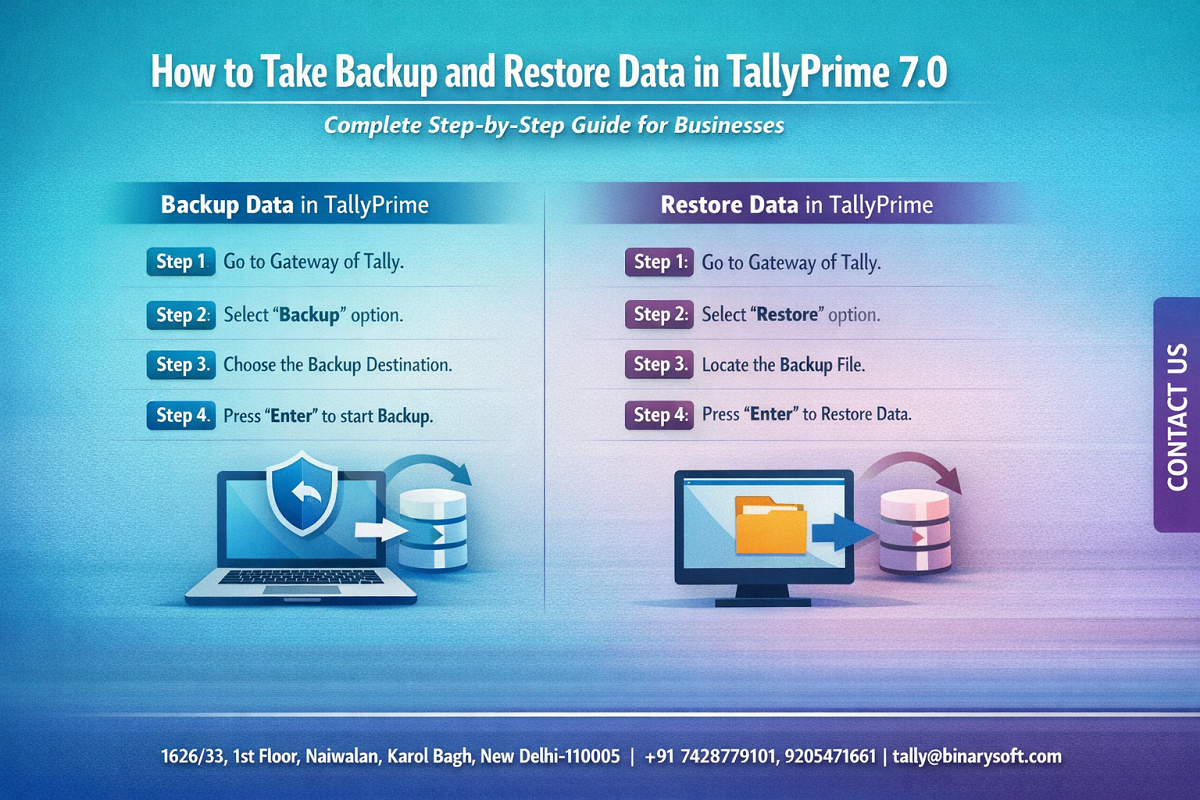
How to Take Backup in TallyPrime 7.0 (Step-by-Step Guide)
Taking a backup in TallyPrime is simple and can be completed in just a few minutes.
Step 1: Open TallyPrime
Start TallyPrime and go to the Gateway of Tally.
This is the main dashboard where all company information is displayed.
Step 2: Select Data Backup Option
From the Gateway of Tally, navigate to the Company menuand choose the Backupoption.
This option allows users to create a copy of the company data.
Step 3: Select Source Folder
The source folder is the location where the original Tally data is stored.
Usually, the default location is:
C:\TallyPrime\Data
Select the folder that contains the company data.
Step 4: Select Destination Folder
Next, choose the destination where the backup file will be saved.
This can be:
External hard drive
USB drive
Network storage
Cloud-synced folder
Saving backups outside the primary computer is always recommended.
Step 5: Select Company
Choose the company whose data needs to be backed up.
If multiple companies exist in the system, users can select one or all companies.
Step 6: Confirm Backup
After confirming the details, start the backup process.
TallyPrime will create a secure backup of the selected company data in the destination folder.
Once completed, the backup file can be safely stored for future use.
How to Restore Data in TallyPrime 7.0
Restoring data means retrieving previously backed-up company data and loading it back into the Tally system.
This process is useful when:
Data is lost
Data becomes corrupted
A company needs to transfer data to a new computer
Old financial records need to be recovered
Step 1: Open TallyPrime
Launch TallyPrime on the system where the data needs to be restored.
Step 2: Select Restore Option
From the Company menu, choose the Restoreoption.
Step 3: Choose Backup Source
Select the folder where the backup files are stored.
This could be an external drive or backup location.
Step 4: Select Destination Folder
Choose the folder where the restored company data should be saved.
Typically, this is the default Tally data directory.
Step 5: Confirm Restoration
Once confirmed, TallyPrime will restore the data and make the company available in the system.
The company can then be opened normally for accounting operations.
Best Practices for TallyPrime Data Backup
To ensure maximum data safety, businesses should follow certain best practices.
Maintain Daily Backups
Businesses that record large volumes of transactions should take backups daily.
Store Multiple Backup Copies
Maintaining multiple backup copies protects against accidental loss or corruption.
Use External Storage
Always keep at least one backup outside the primary system.
Verify Backup Files
Occasionally test backup files to ensure they can be restored successfully.
Protect Backup Locations
Backup folders should be secured with proper access control to prevent unauthorized changes.
Common Problems During Data Backup and Restore
Although the process is simple, some users may face issues.
Incorrect Folder Selection
Choosing the wrong source or destination folder may cause backup errors.
Insufficient Storage Space
Backup processes may fail if the destination storage device does not have enough space.
Data Version Compatibility
Older Tally versions may require data migration before restoration.
Corrupted Backup Files
Improper shutdowns during backup creation may damage the file.
To avoid these issues, it is recommended to perform backups carefully and regularly.
Benefits of Regular TallyPrime Backup
Regular backups provide several advantages for businesses.
Protection against hardware failure
Recovery from accidental data deletion
Business continuity during system crashes
Compliance security for GST and audits
Protection from ransomware and cyber threats
Businesses that maintain structured backup systems rarely experience major accounting disruptions.
Contact Details
Powered by Binarysoft Technologies – Authorized Tally Partner
1626/33, 1st Floor, Naiwalan, Karol Bagh,
New Delhi – 110005, INDIA
Contact Us:
+91 7428779101
+91 9205471661
Email:
tally@binarysoft.com
Working Hours:
10:00 AM – 6:00 PM (Mon–Fri)
Conclusion
Accounting data forms the foundation of every business decision. Losing financial information can create operational disruptions, compliance risks, and financial losses.
TallyPrime 7.0 provides a reliable and simple system for backing up and restoring company data. By following proper backup procedures and maintaining multiple copies of important files, businesses can ensure that their financial records remain protected at all times.
Implementing a disciplined backup strategy not only protects accounting data but also strengthens the overall stability and security of business operations.
For companies that rely on digital accounting systems, regular TallyPrime data backups are not just recommended—they are essential for long-term business continuity.
Frequently Asked Questions
What is TallyPrime data backup?
TallyPrime data backup is the process of creating a copy of company accounting data so that it can be recovered in case of system failure or data loss.
How often should businesses take Tally backups?
Businesses should ideally take backups daily, especially if they record transactions frequently.
Can Tally data be restored on another computer?
Yes. Backup files can be transferred to another system and restored using the restore option in TallyPrime.
Where should Tally backups be stored?
Backups should be stored in multiple locations such as external drives, network storage, or secure cloud storage.
CA. Arvindh Khetwaani is a Chartered Accountant with experience in financial reporting, compliance management, and accounting software implementation. He has assisted businesses in adopting structured inventory and billing practices, and his articles focus on accuracy, controls, and sustainable business growth.