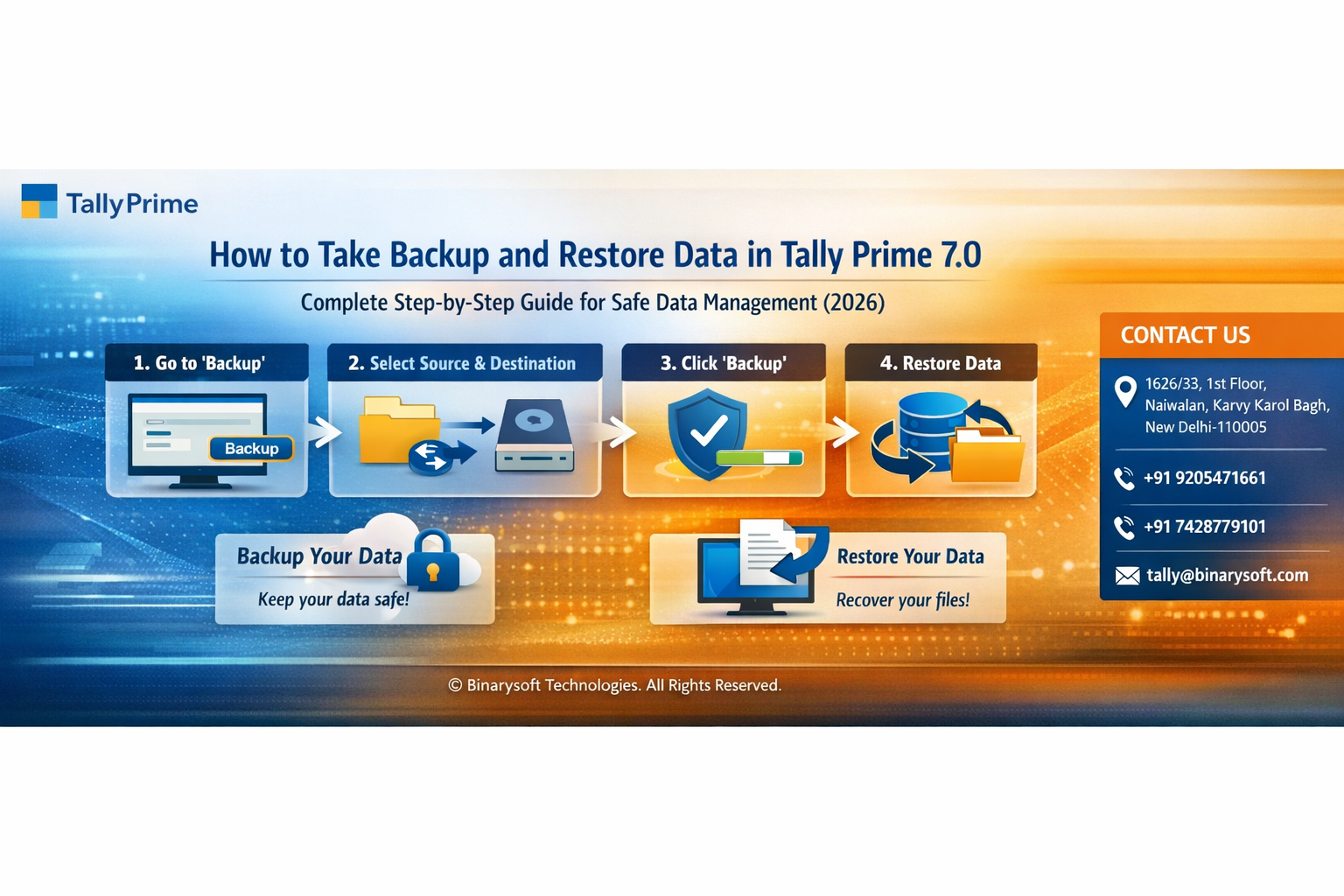
How to Take Backup and Restore Data in Tally Prime 7.0 – Complete Step-by-Step Guide for Safe Data Management (2026)

Call CA Tally HelpDesk +91 9205471661, 8368262875

How to Take Backup and Restore Data in Tally Prime 7.0 – Complete Step-by-Step Guide for Safe Data Management (2026)
By CA. Praneet Bansaal   |   Published on: 07-04-2026 | 10 min read

Businesses are more dependent on digital accounting than ever before—and that also means the risk of data loss has never been higher. With increasing cases of system crashes, ransomware attacks, accidental deletions, and compliance pressures, even a single day of lost accounting data can lead to financial confusion, GST issues, and operational delays. Many businesses still rely on manual or irregular backups, which is no longer safe in today’s fast-paced environment.

Tally Prime 7.0 introduces smarter, faster, and more reliable backup and restore mechanisms, allowing businesses to secure their data with minimal effort. The pressure is real—if your data is not backed up properly, your entire financial history is at risk. The benefit is simple: a structured backup strategy ensures business continuity, peace of mind, and quick recovery in emergencies—saving both time and money.


Introduction: Why Backup is Critical in Tally Prime

Your Tally data is the backbone of your business. It includes:

  • Financial transactions
  • GST records
  • Inventory details
  • Customer and vendor data

Losing this data can disrupt your operations completely. That’s why taking regular backups and knowing how to restore them is essential for every business using Tally Prime 7.0.


What is Backup in Tally Prime?

Backup means creating a secure copy of your company data that can be used to restore information in case of:

  • System failure
  • Data corruption
  • Accidental deletion
  • Virus or malware attack

Tally Prime allows you to create backups quickly and store them safely in different locations.


Real Story: A Lesson Learned the Hard Way

A Delhi-based trader, Amit, was running his business smoothly using Tally. One day, his system crashed due to a power issue. When he restarted, his Tally data was corrupted.

He had never taken a proper backup.

Days of transactions were lost. GST filings got delayed. Clients started calling for pending invoices. The stress was overwhelming.

Later, after consulting a Tally expert, he implemented a daily backup system. Months later, when another issue occurred, he restored his data within minutes—without panic, without loss.

That one habit changed everything.


Types of Backup You Should Maintain

1. Local Backup

Stored on your computer or external drive.

2. External Backup

Stored on USB drives or external hard disks.

3. Cloud Backup

Stored online for extra safety and remote access.


Step-by-Step Guide: How to Take Backup in Tally Prime 7.0

Method 1: Using Backup Option

  1. Open Tally Prime
  2. From Gateway of Tally, press Alt + Y (Data)
  3. Select Backup
  4. Choose the Source (Data Folder)
  5. Select the Destination Path (where backup will be stored)
  6. Select the Company you want to backup
  7. Press Enter to start backup

Backup will be created successfully in the selected location.


Method 2: Manual Backup (Folder Copy)

  1. Go to Tally Data Folder (usually in Tally installation directory)
  2. Copy the company data folder
  3. Paste it to another safe location (USB/Drive/Cloud)

This is useful for quick manual backups.


Step-by-Step Guide: How to Restore Data in Tally Prime 7.0

  1. Open Tally Prime
  2. Press Alt + Y (Data)
  3. Select Restore
  4. Choose the Source (Backup Location)
  5. Select the Destination Folder (Tally Data Path)
  6. Select the Company Backup File
  7. Press Enter to restore

Once completed, your company data will be available in Tally.


Best Practices for Safe Data Management

1. Take Daily Backups

Always backup your data at the end of the day.

2. Use Multiple Backup Locations

Keep at least 2–3 copies (local + external + cloud).

3. Verify Backup Files

Ensure backup files are not corrupted.

4. Automate Backup Process

Use scheduled backups to avoid manual errors.

5. Secure Your Backup

Protect files with passwords and restricted access.


Common Mistakes to Avoid

  • Not taking regular backups
  • Storing backups on the same system
  • Overwriting old backups
  • Not testing restore process
  • Ignoring data corruption warnings

Why Backup Strategy is Essential in 2026

With increasing compliance requirements and digital audits, businesses cannot afford data loss. Backup is not just a technical step—it is a business safeguard.

A strong backup system ensures:

  • Business continuity
  • Compliance readiness
  • Data security
  • Faster recovery

Conclusion

In today’s digital business environment, data is your most valuable asset. Tally Prime 7.0 makes it easy to backup and restore data, but the responsibility lies with businesses to use these features consistently.

A simple habit of regular backups can save you from major financial and operational disasters. Don’t wait for a crisis—secure your data today and ensure your business runs smoothly, no matter what happens.


About the Author

Written by CA. Praneet Bansaal 07-04-2026

CA. Praneet Bansaal is a Chartered Accountant with experience in taxation, accounting controls, and financial process reviews. He has advised businesses on aligning inventory movement with accounting and GST requirements. His content focuses on compliance, accuracy, and long-term sustainability.

Verified Content 10 min read Support: +91 9205471661, 8368262875
For Tally Discount Scheme and Inquiries,
Call us at +91 9205471661, 8368262875.

Tally Prime Auditor Renewal (One Year)

Applicable for CAs / Firms Using GOLD (Multi User ) Only

Renew your license now and upgrade from Tally ERP 9 to Tally Prime for Free!

₹ 6750 + 18% GST (₹ 1215)

Tally Prime Auditor Renewal (Two Years)

Applicable for CAs / Firms Using GOLD (Multi User ) Only

Renew your license now and upgrade from Tally ERP 9 to Tally Prime for Free!

₹ 12150 + 18% GST (₹ 2187)

Tally Prime Gold Renewal (One Year)

Unlimited Multi-User Edition For Multiple PCs on LAN Environment

Renew your license now and upgrade from Tally ERP 9 to Tally Prime for Free!

₹ 13500 + 18% GST (₹ 2430)

Tally Prime Gold Renewal (Two Years)

Unlimited Multi-User Edition For Multiple PCs on LAN Environment

Renew your license now and upgrade from Tally ERP 9 to Tally Prime for Free!

₹ 24300 + 18% GST (₹ 4374)

Tally Prime Silver Renewal  (One Year)

Single User Edition For Standalone PCs ( Not applicable for Rental License )

Renew your license now and upgrade from Tally ERP 9 to Tally Prime for Free!

₹ 4500 + 18% GST (₹ 810)

Tally Prime Silver Renewal  (Two Years)

Single User Edition For Standalone PCs ( Not applicable for Rental License )

Renew your license now and upgrade from Tally ERP 9 to Tally Prime for Free!

₹ 8100 + 18% GST (₹ 1458)

Tally On Cloud

Tally On Cloud ( Per User Annual)

Now access Tally Prime anytime from anywhere – Just Deploy your Tally License and Tally Data on our Cloud Solution.

₹ 7000 + 18% GST (₹ 1260)

Tally Prime Gold

Unlimited Multi-User Edition

For EMI options, please Call: +91 742 877 9101 or E-mail: tally@binarysoft.com (10:00 am – 6: 00 pm , Mon-Fri)

₹ 67500 + 18% GST (₹ 12150)

Tally Prime Silver to Tally Prime Gold

Unlimited Multi-User Edition For Multiple PCs on LAN Environment

Renew your license now and upgrade from Tally ERP 9 to Tally Prime for Free!

₹ 45000 + 18% GST (₹ 8100)

Tally Prime Silver

Single User Edition For Standalone PCs

For EMI options, please Call: +91 742 877 9101 or E-mail: tally@binarysoft.com (10:00 am – 6: 00 pm , Mon-Fri)

₹ 22500 + 18% GST (₹ 4050)

Tally On AWS Cloud Personal (For 1 user)

(Per User/One Year)

TallyPrime latest release pre-installed

₹ 7200 + 18% GST (₹ 1296)

Tally On AWS Cloud Regular (Upto 2 users)

(Two Users/One Year)

TallyPrime latest release pre-installed

₹ 14400 + 18% GST (₹ 2592)

Tally On AWS Cloud Regular Plus (Upto 4 users)

(Four Users/One Year)

TallyPrime latest release pre-installed

₹ 21600 + 18% GST (₹ 3888)

Tally On AWS Cloud Regular Pro (Upto 8 users)

(Eight Users/One Year )

TallyPrime latest release pre-installed

₹ 43200 + 18% GST (₹ 7776)

Tally On AWS Cloud Performance (Upto 12 users)

(Twelve Users/One Year)

TallyPrime latest release pre-installed

₹ 64800 + 18% GST (₹ 11664)

Tally On AWS Cloud Performance Plus (Upto 16 users)

(Sixteen Users/One Year)

TallyPrime latest release pre-installed

₹ 86400 + 18% GST (₹ 15552)

Latest Articles

AI-Driven Experiences: Intelligent AI Offerings Transforming Business Operations
In 2026, businesses are no longer just adopting technology—they are depending on intelligence-driven...
Read More →
Connected Services in Tally Prime: Increased Footprint of Connected Experiences (2026 Guide)
Businesses are moving rapidly toward connected ecosystems where accounting, banking, compliance, and...
Read More →
Inventory Management Software – Complete Guide to Stock Control, Real-Time Tracking & Business Automation
In 2026, businesses are facing intense pressure to manage inventory with precision, speed, and real-...
Read More →
Barcode Software for Inventory and Billing Management – Complete Guide to Barcode Generation, Scanning, Tracking & Business Automation
Businesses are under intense pressure to operate faster, reduce manual errors, and maintain real-tim...
Read More →
Simplified Invoicing and Outstanding Management – Faster Billing, Personalized Invoices & Better Payment Control (2026 Guide)
In 2026, businesses are facing tighter cash flow cycles, stricter GST compliance, and increasing pre...
Read More →
Inventory Management System vs Accounting Software – Key Differences Every Business Must Know
Businesses are facing increasing pressure to manage operations in real time. With GST compliance bec...
Read More →
Get How to Take Backup and Restore Data in Tally Prime 7.0 – Complete Step-by-Step Guide for Safe Data Management (2026)
Call us at +91 9205471661, 8368262875.

Tally Query | Discounted Tally New License | Discounted Tally Renewal