Call CA Tally HelpDesk
+91 9205471661,
7428779101
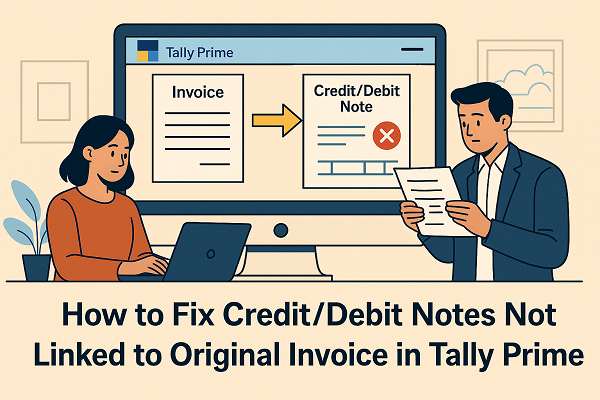
Managing Credit and Debit Notes accurately is a crucial part of GST-compliant accounting in Tally Prime. One of the common issues users face while filing GSTR-1 or reviewing reports is the error stating:
“Credit/Debit Note not linked with the original invoice.”
This problem typically occurs when the reference invoice number is missing or not properly associated with the note in Tally. As a result, the transaction may not appear correctly in the GSTR-1 or GSTR-3B summary. Let’s understand what causes this issue, how to fix it, and best practices to avoid it in the future.
1. What Causes the Error “Credit/Debit Note Not Linked to Original Invoice”
This error appears in Tally Prime when the Credit Note or Debit Note is recorded without connecting it to the original sales or purchase invoice. The linkage is essential for GST return filing because the government portal matches note references with invoice data.
Here are the most common causes:
- You created a Credit/Debit Note but did not select the original invoice reference.
- The invoice date or number is missing or doesn’t match the sales record.
- The party ledger used in the note differs from that in the original invoice.
- The note is recorded under a wrong voucher type or tax classification.
- Data was imported from Excel or other software without linking references.
When this happens, Tally cannot determine which transaction the note adjusts, leading to discrepancies in your GST return.
2. How to Identify Unlinked Credit/Debit Notes in Tally Prime
To check if your notes are not linked to invoices, follow these steps:
- Go to Gateway of Tally → Display More Reports → Statutory Reports → GST → GSTR-1.
- Press F5: Exceptions → Unlinked Credit/Debit Notes.
- Tally will list all notes that are missing reference links to their original invoices.
You can use this report to trace and correct each entry one by one.
3. How to Fix the Error – Step-by-Step Solution
Step 1: Open the Credit or Debit Note Voucher
- Navigate to Gateway of Tally → Display → Day Book or Alter → Voucher Type → Credit Note/Debit Note.
- Select the particular note you want to fix and open it.
Step 2: Enable Reference Linking
- Press F12: Configure → Use Voucher Reference for Linking Invoices → Yes.
- Ensure that the party name and GST details match the original invoice.
Step 3: Select Original Invoice Reference
- In the note entry screen, Tally will prompt:
“Provide Reference of Original Invoice?”
- Choose Yes, and then a list of related invoices for that party will appear.
- Select the correct invoice number that this note relates to.
- Tally automatically fetches the details such as GST rates and amounts.
Step 4: Validate and Save
- Review the details — especially invoice number, date, and tax ledgers.
- Press Ctrl + A to save the voucher.
- Tally will now link the note to the respective invoice.
Step 5: Recheck in GSTR-1 Report
- Go back to GSTR-1 → Exceptions → Unlinked Notes.
- Verify that the corrected notes no longer appear under exceptions.
4. How to Create Credit/Debit Notes Correctly in the Future
To prevent this error from reoccurring, follow these best practices:
- Always select the original invoice when creating a Credit/Debit Note.
- Ensure the party name and GSTIN are the same as in the invoice.
- Keep unique invoice numbers to avoid confusion.
- Regularly verify data using Exception Reports in Tally Prime.
- Use latest Tally Prime version to ensure smooth GST compliance.
By maintaining accurate links between invoices and notes, you ensure your GSTR-1 reflects adjustments properly and your Input Tax Credit (ITC) reconciliation remains error-free.
5. Why Linking Notes Is Important for GST Compliance
In GST, every Credit or Debit Note must correspond to an original invoice because:
- It adjusts tax liability or input tax credit.
- The GST portal uses invoice reference numbers to verify accuracy.
- If not linked, the adjustment may be rejected or misreported, leading to penalties.
Proper linking in Tally Prime ensures transparency, accurate filing, and smooth reconciliation with your supplier or customer.
Final Thoughts
Errors like “Credit/Debit Note not linked with original invoice” are easy to fix once you know where to look. Tally Prime offers built-in tools to help you identify, correct, and validate such mismatches. By following the above steps and best practices, you can maintain error-free GST returns and ensure your accounts stay fully compliant.
Powered by Binarysoft Technologies
Authorized Tally Partner
�� 1626/33, 1st Floor, Naiwala, Karol Bagh, New Delhi – 110005, INDIA
�� +91 7428779101, 9205471661
�� tally@binarysoft.com (10:00 AM – 6:00 PM, Mon–Fri)
CA. Anand Tirpathi is a Chartered Accountant with experience in statutory compliance, internal controls, and accounting process optimization. He has advised multiple businesses on improving operational efficiency through structured accounting and inventory systems. His writing focuses on clarity, compliance, and risk reduction for MSMEs.