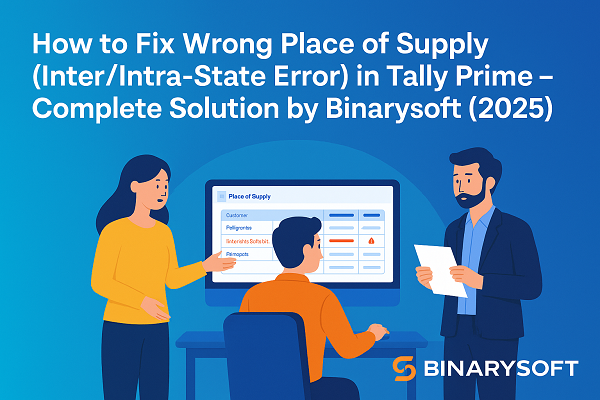
How to Fix Wrong Place of Supply (Inter/Intra-State Error) in Tally Prime – Step-by-Step Guide by Binarysoft (2025)

Call CA Tally HelpDesk +91 9205471661, 7428779101
How to Fix Wrong Place of Supply (Inter/Intra-State Error) in Tally Prime – Step-by-Step Guide by Binarysoft (2025)
By CA. Shivesh Khandelwaal   |   Published on: 09-10-2025 | 8 min read

How to Fix Wrong Place of Supply (Inter/Intra-State Error) in Tally Prime – Step-by-Step Guide by Binarysoft (2025)

While filing GSTR-1 or GSTR-3B in Tally Prime, many businesses face a common issue — the “Wrong Place of Supply” or Interstate/Intra-State error. This happens when the state of the seller and buyer is not identified correctly, leading to wrong GST tax types (CGST, SGST, or IGST) being applied on invoices.

Such mismatches not only affect the accuracy of your GST returns but may also result in rejection or notices from the GST department. This guide by Binarysoft, your trusted Tally Prime expert, explains the causes, corrections, and preventive steps to resolve this issue effectively.


1. What Does “Wrong Place of Supply” Mean in GST?

Under GST, the place of supply determines whether a transaction is intra-state (within the same state) or interstate (between different states):

  • Intra-State Supply: When seller and buyer are from the same state, CGST and SGST are applied.
  • Inter-State Supply: When seller and buyer are from different states, IGST is applied.

If these rules are not followed properly in Tally, the transaction appears under “Wrong Place of Supply” in GSTR-1, or shows incorrect tax breakup (e.g., CGST+SGST applied instead of IGST).


2. Common Reasons for Wrong Place of Supply Error

The error mainly occurs due to incorrect configuration or mismatch between Party Ledger, Voucher, and Company GST details.
Here are the most frequent causes:

  1. Wrong state selection in Party Ledger – The party’s registered state doesn’t match their GSTIN.
  2. Incorrect GSTIN prefix – The first two digits of the GSTIN do not correspond to the state code.
  3. Wrong Tax Ledger Mapping – IGST used for same-state sales or CGST+SGST used for interstate sales.
  4. Company State not configured correctly – The company address or GST details are not entered properly in Tally.
  5. Wrong Nature of Transaction – The transaction is recorded with an incorrect type (B2B, B2C, Exports, etc.).

Each of these mistakes causes Tally to misidentify whether the sale is interstate or intrastate, which leads to tax miscalculations.


3. How to Fix Wrong Place of Supply in Tally Prime

Here’s a simple step-by-step method to identify and fix the issue:

Step 1: Check Company GST Details

  1. Go to Gateway of Tally → F11 → Statutory Features.
  2. Ensure Enable Goods and Services Tax (GST) is set to Yes.
  3. Verify your Company GSTIN and State are entered correctly.
  4. If your GSTIN prefix (first two digits) does not match your state code, correct it immediately.

Step 2: Verify Party Ledger State and GSTIN

  1. Navigate to Gateway of Tally → Alter → Ledger → [Select Party].
  2. Check the following fields under GST Registration Details:
    • Registration Type: Regular/Composition/Unregistered.
    • GSTIN: Ensure it matches the official GSTIN format.
    • State: Must match the first two digits of the GSTIN.
  3. Save changes using Ctrl + A.

Step 3: Review Sales Voucher Tax Details

  1. Open the sales voucher with the error.
  2. Press F12 → Provide GST details → Yes.
  3. Under Place of Supply, choose the correct state:
    • If customer’s state = your company’s state → Intra-State (CGST + SGST).
    • If customer’s state ≠ your company’s state → Inter-State (IGST).
  4. Recalculate taxes and save the voucher.

Step 4: Correct Tax Ledger Mapping

  • Ensure that IGST ledger is used only for interstate sales.
  • Use CGST and SGST ledgers only for intra-state transactions.
  • If needed, create separate tax ledgers for clarity:
    • CGST @ 9%, SGST @ 9% for intra-state
    • IGST @ 18% for interstate

Step 5: Validate in GSTR-1 Report

  1. Go to Display → Statutory Reports → GST → GSTR-1.
  2. Press F5 → Exceptions → Wrong Place of Supply.
  3. Confirm that all corrected entries have moved to the correct section (B2B/B2C).
  4. Generate a new JSON file and validate it on the GST Portal.

4. How to Prevent This Error in Future

  • Always verify GSTINs using the GST portal before entering party data.
  • Train users to select the correct place of supply during voucher creation.
  • Periodically review the Exception Reports in Tally Prime.
  • Maintain updated Tally Prime version using TSS (Tally Software Services) for accurate GST compliance.
  • Get periodic system health checks from Binarysoft, experts in Tally customization and GST automation.

5. Final Thoughts

The “Wrong Place of Supply” error is one of the most frequent but easily avoidable issues while filing GST returns in Tally Prime. It mainly arises from incorrect GSTIN, state, or ledger setup.

By following the above corrections and preventive measures, you can ensure that your interstate and intrastate transactions are classified correctly, your tax reports remain accurate, and your GSTR-1 filing through Tally Prime is 100% error-free.

For expert assistance in configuring GST in Tally Prime, contact Binarysoft – Your Trusted Tally Partner, offering complete GST setup, troubleshooting, and automation support.
Powered by Binarysoft Technologies

Authorized Tally Partner
�� 1626/33, 1st Floor, Naiwala, Karol Bagh, New Delhi – 110005, INDIA
�� +91 7428779101, 9205471661, 8368262875
�� tally@binarysoft.com (10:00 AM – 6:00 PM, Mon–Fri)


About the Author

Written by CA. Shivesh Khandelwaal • 09-10-2025

CA. Shivesh Khandelwaal is a practicing Chartered Accountant experienced in accounting automation, compliance management, and audit support. He has worked with trading and distribution businesses to improve inventory visibility and financial reporting. His articles focus on real-world applicability.


Verified Content 8 min read Support: +91 9205471661, 7428779101

Need Quick Support for Tally Prime?

For Tally Prime discount schemes and product inquiries, connect with our team.

+91 9205471661 | +91 7428779101

Subscribe For Product Updates

Opt-in Subscription

Tally Prime Auditor Renewal (One Year)

Applicable for CAs / Firms Using GOLD (Multi User ) Only
Renew your license now and upgrade from Tally ERP 9 to Tally Prime for Free!
Rs 6750 + 18% GST (Rs 1215)
Continue Here >>

Tally Prime Auditor Renewal (Two Years)

Applicable for CAs / Firms Using GOLD (Multi User ) Only
Renew your license now and upgrade from Tally ERP 9 to Tally Prime for Free!
Rs 12150 + 18% GST (Rs 2187)
Offer Continue Here >>

Tally Prime Gold Renewal (One Year)

Unlimited Multi-User Edition For Multiple PCs on LAN Environment
Renew your license now and upgrade from Tally ERP 9 to Tally Prime for Free!
Rs 13500 + 18% GST (Rs 2430)
Continue Here >>

Tally Prime Gold Renewal (Two Years)

Unlimited Multi-User Edition For Multiple PCs on LAN Environment
Renew your license now and upgrade from Tally ERP 9 to Tally Prime for Free!
Rs 24300 + 18% GST (Rs 4374)
Offer Continue Here >>

Tally Prime Silver Renewal  (One Year)

Single User Edition For Standalone PCs ( Not applicable for Rental License )
Renew your license now and upgrade from Tally ERP 9 to Tally Prime for Free!
Rs 4500 + 18% GST (Rs 810)
Continue Here >>

Tally Prime Silver Renewal  (Two Years)

Single User Edition For Standalone PCs ( Not applicable for Rental License )
Renew your license now and upgrade from Tally ERP 9 to Tally Prime for Free!
Rs 8100 + 18% GST (Rs 1458)
Offer Continue Here >>

Tally On Cloud

Tally On Cloud ( Per User Annual)
Now access Tally Prime anytime from anywhere – Just Deploy your Tally License and Tally Data on our Cloud Solution.
Rs 7000 + 18% GST (Rs 1260)
Continue Here >>

Tally Prime Gold

Unlimited Multi-User Edition
For EMI options, please Call: +91 742 877 9101 or E-mail: tally@binarysoft.com (10:00 am – 6: 00 pm , Mon-Fri)
Rs 67500 + 18% GST (Rs 12150)
Continue Here >>

Tally Prime Silver to Tally Prime Gold

Unlimited Multi-User Edition For Multiple PCs on LAN Environment
Renew your license now and upgrade from Tally ERP 9 to Tally Prime for Free!
Rs 45000 + 18% GST (Rs 8100)
Continue Here >>

Tally Prime Silver

Single User Edition For Standalone PCs
For EMI options, please Call: +91 742 877 9101 or E-mail: tally@binarysoft.com (10:00 am – 6: 00 pm , Mon-Fri)
Rs 22500 + 18% GST (Rs 4050)
Continue Here >>

Tally On AWS Cloud Personal (For 1 user)

(Per User/One Year)
TallyPrime latest release pre-installed
Rs 7200 + 18% GST (Rs 1296)
Continue Here >>

Tally On AWS Cloud Regular (Upto 2 users)

(Two Users/One Year)
TallyPrime latest release pre-installed
Rs 14400 + 18% GST (Rs 2592)
Continue Here >>

Tally On AWS Cloud Regular Plus (Upto 4 users)

(Four Users/One Year)
TallyPrime latest release pre-installed
Rs 21600 + 18% GST (Rs 3888)
Continue Here >>

Tally On AWS Cloud Regular Pro (Upto 8 users)

(Eight Users/One Year )
TallyPrime latest release pre-installed
Rs 43200 + 18% GST (Rs 7776)
Continue Here >>

Tally On AWS Cloud Performance (Upto 12 users)

(Twelve Users/One Year)
TallyPrime latest release pre-installed
Rs 64800 + 18% GST (Rs 11664)
Continue Here >>

Tally On AWS Cloud Performance Plus (Upto 16 users)

(Sixteen Users/One Year)
TallyPrime latest release pre-installed
Rs 86400 + 18% GST (Rs 15552)
Continue Here >>

Latest Articles

Advanced Billing & Production Software for Manufacturers in Wazirpur Industrial Area & Lawrence Road Industrial Area – GST, BOM, Inventory & E-Invoice 2026
Manufacturing businesses in Wazirpur Industrial Area and Lawrence Road Industrial Area are entering...
Read More →
Schedule III Division I Corporate Reporting for Gandhi Nagar & Krishna Nagar Businesses – TallyPrime Data to Excel Financial Statements
In 2026, businesses operating from Gandhi Nagar and Krishna Nagar are increasingly expected to maint...
Read More →
Amazon B2B & B2C Sales Import into TallyPrime 2026 for Lajpat Nagar & Sarojini Nagar Businesses – GST, Returns & Settlement Accounting
In 2026, Amazon sellers are handling far more than simple online sales entries. B2B GST invoices, B2...
Read More →
Stop Manual Sales Entry with Excel to TallyPrime Import – Complete GST, Invoice & Inventory Migration Guide 2026 for Shahdara & Mayur Vihar Businesses
In 2026, businesses are handling more invoices, GST data, product SKUs, customer records and digital...
Read More →
From Raw Material to Final Invoice in Bhorgarh Industrial Area & Holambi Kalan Industrial Area – Complete Manufacturing, GST Billing, BOM, Inventory & Accounting Software 2026
In 2026, manufacturers in Bhorgarh Industrial Area and Holambi Kalan Industrial Area are under growi...
Read More →
FMCG Distribution ERP Software for Bawana Industrial Area & Kirti Nagar Market – GST Invoicing, Wholesale Billing, Inventory & Accounting 2026
In 2026, FMCG distributors in Bawana Industrial Area and Kirti Nagar Market are facing a business en...
Read More →
Get How to Fix Wrong Place of Supply (Inter/Intra-State Error) in Tally Prime – Step-by-Step Guide by Binarysoft (2025)
Call us at +91 7428779101, 8368262875.

Tally Query | Discounted Tally New License | Discounted Tally Renewal