Call CA Tally HelpDesk
+91 9205471661,
7428779101
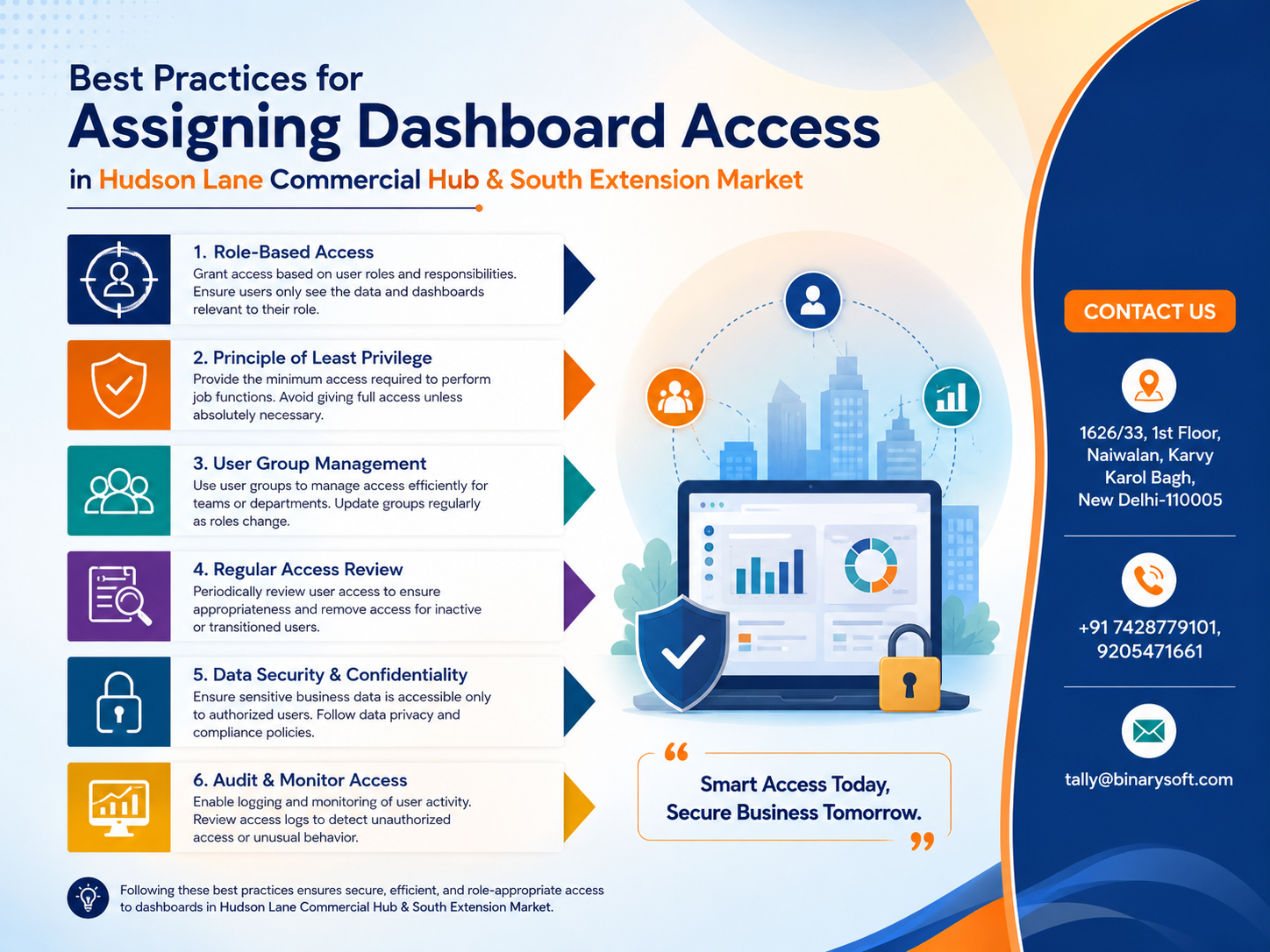
Business security has become a top priority in 2026 as companies increasingly rely on digital accounting, inventory management, and cloud-based business operations. Recent cybersecurity incidents, stricter compliance requirements, and the growing use of remote work have made unrestricted software access a serious business risk. Many businesses in Hudson Lane Commercial Hub and South Extension Market still allow multiple employees to use the same login or provide full administrative access to staff who only need limited features. This approach can lead to accidental data deletion, unauthorized financial changes, inventory manipulation, and compliance issues. Modern business software such as TallyPrime allows organizations to assign role-based dashboard access so every employee can view only the information necessary for their work. Proper dashboard security improves accountability, protects sensitive business data, reduces operational errors, and gives business owners complete confidence that their financial records remain accurate and secure.
Why Dashboard Access Control Matters More in 2026
As businesses grow, more employees become involved in daily operations. Accountants, sales executives, inventory managers, cashiers, warehouse staff, and business owners all require different levels of access.
Without proper dashboard permissions, businesses may experience:
- Unauthorized data modifications
- Financial fraud
- Accidental deletion of records
- Incorrect GST entries
- Inventory discrepancies
- Exposure of confidential financial reports
- Poor accountability
- Compliance risks
Role-based access minimizes these risks while improving operational efficiency.
Understanding Dashboard Access in TallyPrime
Dashboard access determines which features and reports a user can access after logging in.
Instead of giving every employee complete control, businesses can assign permissions based on responsibilities.
Common dashboard modules include:
- Accounting
- Sales
- Purchases
- Inventory
- Banking
- GST Reports
- Payroll
- Financial Reports
- Outstanding Receivables
- Outstanding Payables
- Cost Centres
- Voucher Entry
- User Management
Each employee only accesses the modules required for their role.
Why Businesses in Hudson Lane Commercial Hub Need Controlled Access
Hudson Lane Commercial Hub is home to cafés, restaurants, coaching institutes, bookstores, fashion outlets, technology businesses, and retail stores.
These businesses often have multiple employees handling different responsibilities throughout the day.
Examples include:
- Billing executives
- Inventory supervisors
- Purchase managers
- Accountants
- Branch managers
- Business owners
Providing unrestricted access to every employee increases operational risks.
Dashboard permissions create a safer working environment.
Why South Extension Market Businesses Require Secure Dashboards
South Extension Market includes premium fashion retailers, jewellery stores, electronics showrooms, lifestyle brands, boutiques, salons, and luxury businesses.
These businesses manage:
- High-value inventory
- Large customer databases
- Premium invoices
- Sensitive financial information
- Vendor agreements
- Employee records
Role-based access helps protect confidential business information while improving management control.
Follow the Principle of Least Privilege
One of the most effective security practices is granting employees only the permissions they genuinely need.
For example:
Cashier:
- Create sales invoices
- Accept payments
- Print bills
Should not access:
- Profit & Loss reports
- Payroll
- Company settings
- User management
Inventory Manager:
- Stock entries
- Stock transfers
- Purchase receipts
Should not modify:
- Financial reports
- Bank transactions
- Tax configuration
This approach significantly reduces security risks.
Create Separate User Accounts
Avoid sharing one login across multiple employees.
Each user should have:
- Individual username
- Strong password
- Assigned role
- Personal permissions
Benefits include:
- Better accountability
- Easier activity tracking
- Faster issue investigation
- Improved audit readiness
Restrict Access to Financial Reports
Sensitive reports should only be available to authorized personnel.
Examples include:
- Balance Sheet
- Profit & Loss
- Cash Flow
- Bank Reports
- Cost Centre Reports
- Capital Accounts
Restricting access prevents confidential financial information from being viewed unnecessarily.
Protect Company Masters
Company masters include critical business information.
Examples:
- Ledger Masters
- Stock Masters
- GST Configuration
- Tax Settings
- Voucher Types
- User Roles
Only senior administrators should modify these settings.
Assign Department-Specific Permissions
Different departments require different dashboards.
Sales Team
Access:
- Sales Entry
- Customer Outstanding
- Sales Reports
No access:
- Payroll
- Banking
- Company Configuration
Purchase Department
Access:
- Purchase Orders
- Purchase Vouchers
- Supplier Reports
Restricted:
- Sales Configuration
- User Management
Accounts Department
Access:
- Accounting
- GST
- Banking
- Reconciliation
- Financial Reports
Limited access:
- Company administration unless required
Warehouse Staff
Access:
- Stock Transfer
- Inventory
- Batch Details
- Godown Reports
Restricted:
- Financial records
- Payroll
- Banking
Monitor User Activities Regularly
Business owners should periodically review:
- Login history
- Voucher modifications
- Inventory adjustments
- Master changes
- Deleted entries
- User permissions
Regular reviews improve accountability and help identify unusual activity before it becomes a larger issue.
Enable Strong Password Policies
Every business should enforce:
- Unique passwords
- Regular password updates
- Password confidentiality
- Immediate deactivation of inactive users
Weak passwords remain one of the most common causes of unauthorized access.
Review Permissions After Employee Role Changes
Employees often receive promotions or move to different departments.
Whenever responsibilities change:
- Remove unnecessary permissions
- Grant only new required access
- Disable unused accounts
- Review dashboard visibility
Keeping permissions up to date prevents unnecessary exposure of sensitive information.
Train Employees on Dashboard Security
Technology alone cannot protect business data.
Employees should understand:
- Why permissions matter
- Safe password practices
- How to identify suspicious activity
- Importance of accurate data entry
- Confidentiality responsibilities
Regular training reduces operational mistakes and strengthens overall security.
A Story from Hudson Lane and South Extension
Priya owned a growing fashion boutique in South Extension Market while also supplying apparel to retailers near Hudson Lane Commercial Hub. As her business expanded, she hired additional staff for billing, inventory, and accounts. Wanting to keep operations simple, she allowed everyone to use the same administrator login.
Initially, everything worked smoothly. But one busy weekend, an employee unintentionally modified inventory records while trying to correct a billing mistake. Another staff member accidentally viewed confidential financial reports and shared sensitive sales figures during a vendor discussion. It took several days to identify what had changed because there was no individual accountability.
After consulting a TallyPrime expert, Priya implemented role-based dashboard access with separate user accounts and department-specific permissions. Billing staff could only create invoices, warehouse employees managed inventory, and financial reports were restricted to management. Within weeks, her operations became more organized, errors dropped significantly, and every employee understood their responsibilities. More importantly, Priya regained confidence that her growing business was protected without slowing daily operations.
Benefits of Proper Dashboard Access Management
Businesses experience several advantages:
- Improved data security
- Reduced operational errors
- Better employee accountability
- Faster audits
- Safer financial records
- Controlled inventory management
- Better compliance
- Simplified administration
- Improved business continuity
Common Mistakes to Avoid
Many businesses unintentionally create security risks by:
- Sharing administrator passwords
- Giving full access to all employees
- Never reviewing user permissions
- Ignoring password updates
- Allowing former employees to retain access
- Not monitoring user activities
- Failing to separate accounting and inventory responsibilities
Avoiding these mistakes significantly improves overall business security.
Dashboard Security Checklist for 2026
Before assigning access, ensure that your business:
- Creates unique user accounts for every employee.
- Defines clear roles and responsibilities.
- Applies the principle of least privilege.
- Restricts financial and administrative reports.
- Reviews permissions regularly.
- Uses strong password policies.
- Monitors user activity and audit logs.
- Removes access immediately when employees leave.
- Provides periodic security awareness training.
- Performs routine backups of business data.
Conclusion
In today's digital business environment, assigning dashboard access is about much more than convenience—it is a critical part of protecting your organization's financial health and operational integrity. Businesses in Hudson Lane Commercial Hub and South Extension Market handle valuable inventory, sensitive customer information, and important financial records every day. By implementing role-based dashboard access in TallyPrime, creating individual user accounts, and regularly reviewing permissions, businesses can minimize risks, improve accountability, and maintain a secure, efficient workplace. Strong access management not only safeguards your data but also supports sustainable growth and long-term business success.
Frequently Asked Questions
What is dashboard access in TallyPrime?
Dashboard access allows administrators to control which modules, reports, and features each user can access based on their job role.
Why should businesses avoid sharing administrator logins?
Shared administrator accounts reduce accountability, increase security risks, and make it difficult to track changes or identify the person responsible for modifications.
CA. Vishal Mehta is a Chartered Accountant specializing in accounting compliance, GST advisory, and business process optimization. He has assisted businesses in transitioning to structured accounting and inventory systems. His articles focus on accuracy, compliance, and sustainable business growth.







