Call CA Tally HelpDesk
+91 9205471661,
7428779101
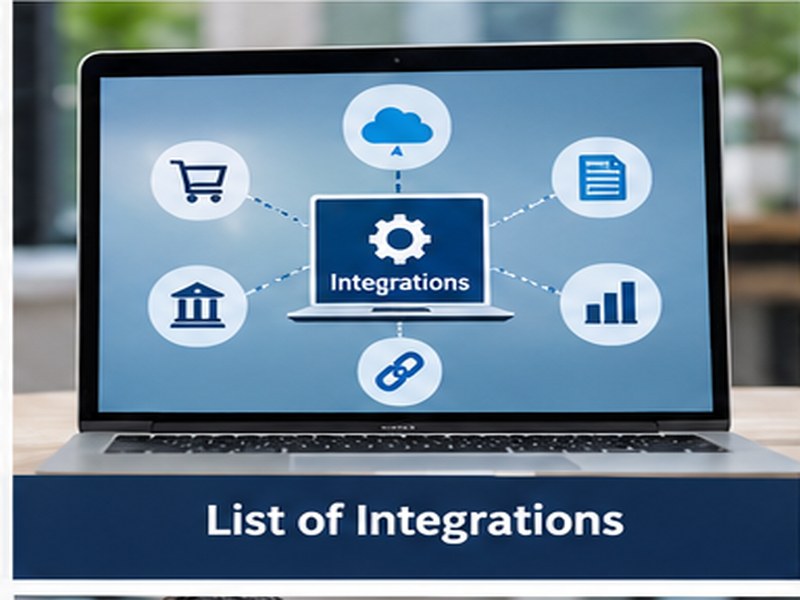
Introduction: Why Modern Businesses Need Connected Accounting Systems
Imagine running a growing business where sales orders arrive through an e-commerce website, customer information is stored in a CRM application, inventory is maintained in a warehouse system, and financial transactions are recorded in accounting software.
Every department is working hard, but information is scattered across different applications.
Employees repeatedly enter the same customer details, product information, invoice amounts, and payment references.
The sales team may confirm an order without knowing whether sufficient stock is available. The accounting department may receive payment information several hours after the customer has paid.
These disconnected processes can create delays, duplication, and accounting errors.
Tally Prime integrations can help businesses connect accounting workflows with other business applications through suitable integration tools and configurations.
Instead of treating accounting as an isolated activity, organizations can develop connected systems that exchange relevant business information.
Tally Prime provides integration capabilities that developers and solution providers can use to build workflows involving accounting, inventory, invoicing, reporting, and other business operations.
This guide explains how Tally Prime integrations work, their practical advantages, implementation considerations, and how businesses can use them to support digital transformation.
1. What Are Tally Prime Integrations?
Tally Prime integration refers to connecting Tally Prime with another software application or business system to exchange information or support coordinated workflows.
An integration may transfer information into Tally Prime, retrieve information from it, or perform both activities.
For example, an online store may generate customer orders while Tally Prime maintains the accounting records.
An appropriately developed integration can transfer validated order information into the accounting environment.
Similarly, a reporting application may retrieve selected accounting information to prepare business dashboards.
Integration requirements differ according to business size, software architecture, and operational needs.
Some organizations need simple data imports, while others require scheduled synchronization or more advanced application connections.
2. Why Integrating Tally Prime with Other Applications Matters
Reduces Repetitive Data Entry
When applications operate independently, employees may enter the same information multiple times.
Integration can reduce repetitive work by transferring information between systems.
Improves Data Consistency
Connected systems can use consistent customer references, product codes, invoice details, and transaction information.
Proper validation is still essential to prevent incorrect data from spreading between applications.
Supports Faster Business Decisions
Managers often need information from multiple departments.
Integration can help consolidate relevant data for operational reporting and financial analysis.
Improves Order Processing
Sales orders generated through websites or external applications can be transferred into accounting workflows using a suitable integration solution.
Strengthens Financial Visibility
Integrating business applications with accounting records can help organizations monitor sales, receivables, payments, and inventory more efficiently.
Supports Business Expansion
As transaction volumes increase, manual processes become harder to manage.
A properly designed integration can support higher workloads without requiring employees to repeat every administrative task.
3. Types of Business Applications That Can Integrate with Tally Prime
Tally Prime can be connected with different categories of software through compatible integration solutions.
|
Integration Category
|
Common Business Application
|
|---|
|
E-Commerce Platforms
|
Online orders, invoices and product information
|
|
CRM Software
|
Customer records and sales information
|
|
Inventory Systems
|
Stock movements and warehouse records
|
|
Banking Applications
|
Payment information and reconciliation workflows
|
|
Payroll and HR Systems
|
Salary-related accounting entries
|
|
POS Software
|
Retail billing and daily sales summaries
|
|
Business Intelligence
|
Financial dashboards and management reports
|
|
Logistics Software
|
Order fulfillment and delivery-related information
|
|
Custom ERP Systems
|
Departmental data exchange and accounting
|
|
Web Applications
|
Online forms, customer portals and transaction processing
|
These are potential integration categories, not a claim that every application has a ready-made or officially supported connector. Compatibility depends on the specific software, available interfaces, and integration provider.
4. How Tally Prime Integrations Work
Tally Prime supports technical mechanisms that developers can use to exchange data with external applications.
XML-Based Data Exchange
Tally Prime supports XML-based communication for various data exchange operations.
Developers can use supported XML requests and responses to work with accounting and business information.
For example, a custom application may prepare transaction data and send it to Tally Prime using the appropriate interface.
The integration must ensure that required ledgers, stock items, voucher types, and other information are correctly configured.
HTTP-Based Communication
Tally Prime can communicate through supported HTTP-based integration mechanisms.
A custom application can use these capabilities to exchange information with a properly configured Tally Prime environment.
Access must be secured through appropriate network and application controls.
Tally Definition Language (TDL)
Tally Definition Language allows developers to extend and customize supported Tally Prime functionality.
TDL can be useful when businesses require specialized reports, data structures, validations, or operational workflows.
Import and Export
Businesses can exchange certain information through supported import and export formats.
This approach may be suitable when continuous application connectivity is unnecessary.
Middleware Integration
Middleware acts as an intermediary between Tally Prime and another application.
For example, an online marketplace may expose a REST API while the accounting integration uses Tally Prime's supported XML interface.
Middleware can retrieve information, transform it into a compatible format, validate the data, and coordinate the exchange.
Tally Prime should not be assumed to provide a universal native REST API for every business operation.
5. E-Commerce Integration with Tally Prime
E-commerce businesses often manage orders, customer information, payments, returns, and inventory through online platforms.
When accounting records are maintained separately, employees may need to transfer transaction information manually.
A suitable integration can help coordinate these processes.
How It Works
Consider an online retailer receiving orders through its website.
The integration can be designed to:
-
Retrieve new orders from the online platform.
-
Validate customer and product information.
-
Map transactions to the appropriate accounting ledgers.
-
Create suitable sales or order records in Tally Prime.
-
Exchange stock information where required.
-
Record payment references and reconciliation information.
The exact workflow depends on the integration software and the business's accounting policy.
Business Benefits
An integrated e-commerce workflow can reduce manual order entry, improve transaction traceability, and make sales reporting more efficient.
Businesses should also establish procedures for handling cancelled orders, refunds, discounts, shipping charges, and marketplace commissions.
6. CRM Integration with Tally Prime
Customer Relationship Management software helps businesses organize leads, customer interactions, quotations, and sales opportunities.
Accounting software manages financial transactions and outstanding balances.
Connecting these systems can help sales and finance teams work with more consistent information.
For example, a CRM application may maintain customer contact information while Tally Prime records invoices and payments.
An integration can exchange selected customer details and financial information.
This may help sales teams understand whether a customer has outstanding invoices before approving additional credit.
However, customer information should only be exchanged where authorized and necessary.
Businesses must establish appropriate access controls and comply with applicable data protection requirements.
7. Inventory and Warehouse Management Integration
Inventory management becomes more complicated when a company operates multiple warehouses, retail outlets, or distribution centers.
External warehouse applications may manage barcode scanning, stock movements, picking, packing, and dispatch operations.
Tally Prime can maintain corresponding accounting and inventory information.
An integration can connect these activities through a carefully designed workflow.
For example, a warehouse system may record the dispatch of goods while the accounting system processes the corresponding sales transaction.
Integration rules should define which application is responsible for each type of record.
This helps prevent duplicate stock adjustments and inconsistent inventory balances.
8. POS Integration for Retail Businesses
Point-of-sale systems are widely used in supermarkets, restaurants, retail shops, and other customer-facing businesses.
These systems may generate numerous transactions throughout the day.
Manually transferring every sale into accounting software can be time-consuming.
A suitable POS integration can transfer individual transactions or validated daily summaries into Tally Prime.
For example, a retail store may process hundreds of transactions through its billing counters.
At the end of the day, the integration can transfer sales information according to the agreed accounting structure.
Businesses should carefully account for cash, cards, digital payments, discounts, taxes, returns, and settlement differences.
9. Banking and Payment Integration
Banking and payment-related workflows are important for maintaining accurate financial records.
Businesses receive payments through bank transfers, payment gateways, cards, and other channels.
A suitable integration can help exchange payment information and support reconciliation activities.
Tally Prime also provides banking and reconciliation capabilities, with additional connected services available for supported banks, regions, versions, and configurations.
External payment gateway integrations should be evaluated separately from built-in banking features.
Businesses should never assume that every bank or payment platform can connect directly without additional software.
10. Payroll and HR Integration
Payroll processing involves employee information, attendance, salary calculations, deductions, and payment records.
Some businesses use dedicated HR and payroll applications.
An integration can transfer approved payroll accounting summaries into Tally Prime.
For example, a payroll application may calculate monthly salary expenses and employer liabilities.
After review and approval, the corresponding accounting entries can be created in Tally Prime.
The integration must account for applicable payroll rules, confidentiality requirements, and financial controls.
Sensitive employee information should not be exchanged unnecessarily.
11. An Emotional Story: How Connected Accounting Helped a Family Business Grow
Sanjay had inherited a small distribution business from his father.
The business began with a modest warehouse, a few employees, and a loyal group of customers.
Over time, Sanjay expanded into online sales.
His products were now sold through a website, retail partners, and direct customer orders.
Although sales were increasing, the business was becoming difficult to manage.
His employees maintained online orders in one application, inventory in spreadsheets, and financial transactions in accounting software.
Every evening, Sanjay's accountant stayed late to reconcile records.
One Friday, an important customer placed a large order.
The website accepted the order, but the warehouse discovered that the available stock was lower than expected.
The customer was disappointed.
Sanjay felt responsible because he had promised reliable service.
That evening, he remembered how his father used to personally check every order before dispatch.
He realized that the business had grown beyond what manual coordination could reliably handle.
Sanjay discussed the problem with his accountant and technology consultant.
Together, they designed a workflow connecting the online order system with Tally Prime.
The team standardized product codes, verified opening stock, and established rules for synchronizing transactions.
Employees were trained to investigate synchronization errors rather than assuming every transferred record was correct.
Over time, the company developed a more organized process for handling orders, inventory, and accounting.
Sanjay could focus more attention on customers and business development.
For him, the improvement was not simply about technology.
It was about protecting the reputation his father had built and creating a business that could continue growing.
This is an illustrative story demonstrating the human impact of better business systems.
12. Case Study 1: E-Commerce Business Reduces Manual Accounting Work
Business Type: Online Electronics Retailer
Location: New Delhi, India
Challenge: Repetitive order entry and inconsistent inventory information.
A growing electronics retailer sold products through its website and online marketplaces.
The business maintained accounting records in Tally Prime but processed online orders through separate applications.
Employees manually entered sales information into the accounting system.
This created additional administrative work and increased the risk of data entry mistakes.
The Solution
The company introduced a custom integration workflow.
The integration was designed to retrieve approved order information, validate product codes, and prepare corresponding accounting transactions.
The business also standardized its customer and inventory masters.
Special attention was given to returns, discounts, payment gateway charges, and cancelled orders.
The Outcome
The company reduced its dependence on repetitive manual entry.
Accounting records became easier to reconcile with online order information.
Employees could spend more time reviewing exceptions and resolving customer queries.
Management also gained a clearer process for monitoring sales activities.
Key Learning: E-commerce integration can improve operational efficiency when transaction validation and reconciliation are properly implemented.
This case study is an illustrative business scenario rather than a verified customer implementation.
13. Case Study 2: Manufacturing Company Connects Inventory and Accounting
Business Type: Industrial Components Manufacturer
Location: Pune, Maharashtra
Challenge: Disconnected warehouse and accounting information.
A manufacturing business used a separate warehouse application to manage raw materials and finished goods.
Its accounting team maintained financial records in Tally Prime.
Employees regularly transferred information between the two systems.
Occasionally, delays in updating records created differences between warehouse information and accounting reports.
The Solution
The company developed an integration process connecting approved warehouse transactions with relevant accounting records.
The implementation included standardized stock codes, transaction mapping, data validation, and reconciliation procedures.
The business also established clear responsibilities for handling failed synchronization attempts.
The Outcome
The new workflow reduced repetitive administrative work and improved consistency between operational and accounting records.
Management could investigate inventory differences more systematically.
The organization also developed better procedures for monitoring transactions across departments.
Key Learning: Integration can support manufacturing businesses by improving coordination between inventory operations and financial accounting.
This is an illustrative case study. Actual results depend on integration design and business processes.
14. How to Implement Tally Prime Integration Successfully
Businesses should follow a structured implementation process.
Step 1: Identify Business Requirements
Determine which applications need to exchange information with Tally Prime.
Identify the data required and the purpose of each integration.
Step 2: Review Software Compatibility
Check the available interfaces, integration methods, software versions, and licensing requirements.
Confirm whether the integration is supported by a reliable solution provider.
Step 3: Define Data Mapping
Map customer records, ledgers, stock items, voucher types, taxes, and transaction fields between applications.
Step 4: Establish Validation Rules
Create checks for missing information, duplicate transactions, incorrect amounts, and invalid references.
Step 5: Test the Integration
Test the workflow using a controlled environment or suitable test company data.
Include scenarios involving refunds, cancellations, duplicate submissions, and connectivity failures.
Step 6: Implement Security Controls
Restrict access to integration services and protect sensitive business information.
Use appropriate authentication, network restrictions, and secure handling of credentials.
Step 7: Monitor Synchronization
Maintain logs showing which transactions were processed successfully and which require investigation.
Step 8: Reconcile Financial Records
Regularly compare source application data with accounting records.
Integration reduces manual effort, but reconciliation remains essential.
15. Common Challenges in Tally Prime Integration
Data Format Differences
Different applications may use different formats for dates, customer identifiers, taxes, and transaction information.
Data mapping and transformation are often necessary.
Duplicate Transactions
An integration that retries failed requests without proper controls may create duplicate entries.
Businesses should use unique transaction references and duplicate-detection procedures.
Connectivity Issues
Network interruptions or application downtime may delay data exchange.
A reliable integration should include appropriate retry and error-handling mechanisms.
Incorrect Ledger Mapping
Transactions may be recorded incorrectly when source information is mapped to the wrong accounting ledger.
Mapping rules should be tested and reviewed.
Software Updates
Changes to applications or integration interfaces may affect existing workflows.
Businesses should test important integrations after relevant updates.
Data Security
Integration systems may process confidential financial and customer information.
Access permissions, monitoring, and secure network configurations are essential.
16. Best Practices for Tally Prime Business Automation
A successful integration should be designed around business processes rather than technology alone.
Businesses should maintain consistent master data, document integration rules, and define responsibilities for resolving errors.
Financial transactions should be validated before they are accepted into accounting records.
Organizations should also maintain regular backups and retain appropriate transaction logs.
Where practical, integration systems should distinguish between new transactions, updates, cancellations, and corrections.
This helps prevent accidental duplication or inconsistent accounting records.
Periodic reconciliation is particularly important for high-volume businesses.
Even when information is exchanged automatically, financial accuracy depends on proper controls and regular review.
17. How Tally Prime Integrations Support Digital Transformation
Digital transformation is not simply about replacing paper records with software.
It involves improving how information moves between departments and how businesses use that information.
Tally Prime integrations can help organizations connect accounting with sales, inventory, customer management, and operational applications.
For example, a distribution company may use an external order management system while maintaining financial records in Tally Prime.
A connected workflow can reduce the time required to transfer approved transactions.
Similarly, a professional services company may exchange customer and invoice information between a CRM application and its accounting environment.
These improvements can help employees focus on analysis, customer service, and business development rather than repetitive administrative work.
However, automation should always be supported by clear business rules, appropriate security, and reliable financial controls.
18. How Binarysoft Technologies Can Help with Tally Prime Integrations
Businesses often need technical guidance when connecting accounting software with external applications.
Binarysoft Technologies, an Authorized Tally Partner, can assist organizations in evaluating their Tally Prime integration requirements.
Depending on the project scope, integration planning may involve accounting workflow analysis, data mapping, application compatibility assessment, configuration, testing, and user training.
Businesses can also seek guidance on organizing accounting masters and establishing procedures for data synchronization and reconciliation.
The objective is to help organizations develop reliable accounting workflows that support their operational requirements.
19. Conclusion: Build a More Connected Business with Tally Prime Integrations
As businesses grow, managing information across disconnected applications becomes increasingly challenging.
Sales orders, customer information, inventory movements, payments, and financial records must work together to support efficient operations.
Tally Prime integrations provide opportunities to connect accounting with external business applications through suitable technical solutions.
When implemented correctly, these connections can reduce repetitive data entry, improve information consistency, and support more efficient business workflows.
E-commerce retailers, manufacturers, wholesalers, professional services companies, and other organizations can benefit from integration strategies tailored to their requirements.
However, successful automation requires careful planning.
Businesses must evaluate compatibility, data quality, security, transaction validation, and reconciliation procedures before implementing integrations.
The greatest value of Tally Prime integration is not simply transferring data between applications. It is creating a more organized and dependable foundation for business operations.
With appropriate technology and financial controls, businesses can spend less time managing disconnected records and more time focusing on customers, growth, and long-term success.
Powered by Binarysoft Technologies
Authorized Tally Partner
Location: 1626/33, 1st Floor, Naiwalan, Karol Bagh, New Delhi – 110005, INDIA
Contact Us: +91 7428779101, 9205471661
Email: tally@binarysoft.com
Business Hours: 10:00 AM – 6:00 PM, Monday–Friday
Frequently Asked Questions
Does integration eliminate accounting errors?
No. Integration can reduce certain manual errors, but proper data validation, reconciliation, and accounting controls remain necessary.
Is Tally Prime integration suitable for small businesses?
Yes. Small businesses can benefit from integration when repetitive data entry or disconnected applications create operational difficulties.
Can Tally Prime integrate with payroll software?
Custom integrations can transfer suitable payroll accounting information from external HR or payroll applications.
Can Tally Prime integrate with banking applications?
Tally Prime provides banking-related features, and additional integrations may be developed for compatible systems. Availability depends on the bank, region, software version, and solution.
CA. Yashvardhan Kedia focuses on taxation, business accounting, and compliance management for MSMEs. He helps business owners understand financial information and establish practical processes for maintaining accurate books.