Call CA Tally HelpDesk
+91 9205471661,
7428779101

Introduction: Why Experience Accounting Software Before Buying?
Choosing accounting software is an important decision for every business. Whether managing a small retail shop, a wholesale distribution company, a manufacturing unit or a professional services firm, the right software can make daily operations more organized and efficient.
However, purchasing software without understanding its features can lead to confusion, unnecessary expenses and implementation difficulties.
A product demonstration provides an opportunity to explore how the software works before making a financial commitment.
With a Tally Prime free demo, businesses can understand how financial transactions, invoices, inventory records, customer payments and financial reports can be managed through one integrated application.
A demonstration is particularly valuable for organizations moving from manual bookkeeping, spreadsheets or older accounting applications.
Instead of relying only on product descriptions, business owners can see practical workflows and ask questions relevant to their operations.
For example, a wholesale trader may want to understand stock management, while a consultancy firm may be more interested in expense tracking, customer invoicing and financial reporting.
The objective is simple: choose accounting software that meets actual business requirements and supports future growth.
1. What Is a Tally Prime Free Demo?
A Tally Prime free demo is a guided introduction to the software's accounting and business management capabilities.
During a demonstration, businesses can explore relevant features and understand how the application may fit into their existing processes.
Depending on the demonstration provider and arrangement, the session may be conducted online or through an in-person presentation.
What Can Businesses Explore During a Demo?
-
Company creation and initial configuration
-
Financial accounting and ledger management
-
Sales and purchase invoicing
-
GST billing and taxation
-
Inventory and warehouse management
-
Customer outstanding balances
-
Supplier payment tracking
-
Banking and reconciliation
-
Financial statements and reporting
-
Multi-company accounting
-
Data security and access controls
-
Cloud-hosting and remote-access options
A personalized demonstration is particularly useful because different businesses have different operational priorities.
2. Why Should Businesses Request a Free Accounting Software Demo?
A software demonstration helps organizations evaluate functionality before committing resources.
Understand the Software Interface
Business owners can see how accounting information is entered, reviewed and managed.
This helps determine whether employees will be comfortable using the application.
Evaluate Business Requirements
A retailer may require fast billing and inventory tracking, while a manufacturer may need stock movement and production-related accounting.
A demonstration helps identify whether the required workflows are supported.
Reduce Implementation Uncertainty
Businesses can ask about data migration, employee training, licensing and technical support.
Compare Deployment Options
Organizations can discuss local installation, network-based usage and suitable cloud-hosting arrangements.
Make an Informed Purchase Decision
A demonstration helps management evaluate functionality, operational suitability and expected benefits rather than relying only on promotional claims.
3. An Emotional Story: The Business Owner Who Was Afraid of Changing His Accounting System
The following story is illustrative and reflects common challenges experienced by small-business owners.
Mahesh owned a family-run garment distribution business in Delhi.
His father had started the business with a small shop and a handwritten ledger.
Over time, the business expanded to serve retailers across several markets.
However, the accounting process remained largely unchanged.
Mahesh maintained customer balances through spreadsheets, while his employees recorded stock movement in separate registers.
Every month, his accountant spent several days reconciling transactions.
One evening, Mahesh discovered that a major customer had already made a payment, but the receipt had not been properly recorded.
The mistake created an uncomfortable conversation and damaged the customer's confidence.
Mahesh felt embarrassed.
He had worked for years to build a reputation for reliability, yet outdated recordkeeping was beginning to affect his relationships.
His daughter suggested exploring modern accounting software.
Mahesh hesitated because he feared losing existing records or struggling to learn a new system.
Eventually, he attended a Tally Prime demonstration.
During the session, he saw how customer ledgers, sales invoices and outstanding reports could be maintained together.
He also learned how inventory transactions could be connected with accounting records.
The demonstration did not solve every problem immediately, but it helped him understand what was possible.
With proper setup and employee training, Mahesh gradually introduced a more organized accounting process.
Several months later, he could review pending customer balances without searching through multiple files.
His employees spent less time reconciling paperwork, and he felt more confident discussing financial matters with customers.
The biggest change was not the software itself.
It was the confidence Mahesh regained in managing the business his father had built.
Sometimes, one informed decision can help protect years of hard work and create a stronger future for the next generation.
4. Financial Accounting Features to Explore During the Demo
Financial accounting is the foundation of every business.
Tally Prime provides tools for recording financial transactions and preparing reports that support everyday decision-making.
During the demonstration, businesses should explore how ledgers, vouchers and financial statements work together.
Ledger Management
Separate ledgers can be maintained for customers, suppliers, banks, income and expenses.
For example, a trading company can create individual customer ledgers to monitor sales, receipts and outstanding balances.
Accounting Vouchers
Tally Prime supports various voucher types, including payment, receipt, contra, journal, sales and purchase vouchers.
These help record transactions in an organized manner.
Financial Statements
Businesses can review balance sheets, profit and loss accounts, trial balances and cash flow information.
A demonstration should show how these reports reflect recorded transactions and how users can examine the underlying entries.
5. GST Billing and Taxation Demonstration
For businesses operating in India, GST-related accounting is an important requirement.
Tally Prime supports GST configuration, tax calculation, invoicing and related reporting.
During a demo, businesses can explore how taxable sales and purchases are recorded.
Example of GST Billing
Consider a business selling goods worth ₹75,000 with an applicable GST rate of 18%.
|
Particulars
|
Amount
|
|---|
|
Taxable value
|
₹75,000
|
|
GST at 18%
|
₹13,500
|
|
Total invoice value
|
₹88,500
|
The software can calculate configured taxes and record the related accounting entries.
Businesses should also review GST classification, tax ledgers, invoice formatting and available reporting features.
Connected GST services may vary according to the installed release, eligibility and configuration.
6. Inventory Management and Stock Tracking Demo
Inventory management is especially important for retail, wholesale, distribution and manufacturing businesses.
A Tally Prime demonstration can show how stock information is maintained and connected with business transactions.
Stock Groups and Categories
Products can be organized into groups based on type, brand or operational requirements.
Stock Items and Units
Businesses can maintain product descriptions, quantities and units such as pieces, kilograms, litres or boxes.
Warehouse Management
Organizations operating multiple storage locations can maintain godown-wise inventory information.
Stock Reports
Stock summaries help management review available quantities and inventory values.
Reorder Planning
Businesses can configure reorder information to support purchasing decisions.
These capabilities help reduce dependence on disconnected spreadsheets and improve stock visibility when transactions are recorded accurately.
7. Sales, Purchase and Customer Outstanding Management
Sales and purchase management directly influence business profitability and cash flow.
Tally Prime connects transaction recording with relevant accounting information.
During the demo, businesses should examine how sales invoices, purchase entries and customer payments are handled.
Sales Management
Users can create invoices, apply configured taxes, record discounts and maintain customer accounts.
Purchase Management
Supplier invoices can be recorded along with applicable inventory and accounting details.
Outstanding Reports
Businesses can review unpaid customer invoices and pending supplier liabilities.
For example, if a customer purchases goods worth ₹1,50,000 and pays ₹1,00,000, the remaining ₹50,000 can be tracked through bill-wise accounting.
This visibility helps management follow up on payments and plan working capital requirements.
8. Banking and Reconciliation Features
Businesses regularly receive payments, transfer funds and incur banking charges.
Maintaining accurate banking records is essential for financial control.
Tally Prime supports bank ledger management and reconciliation processes.
During the demonstration, businesses can explore how accounting entries are matched against bank statements.
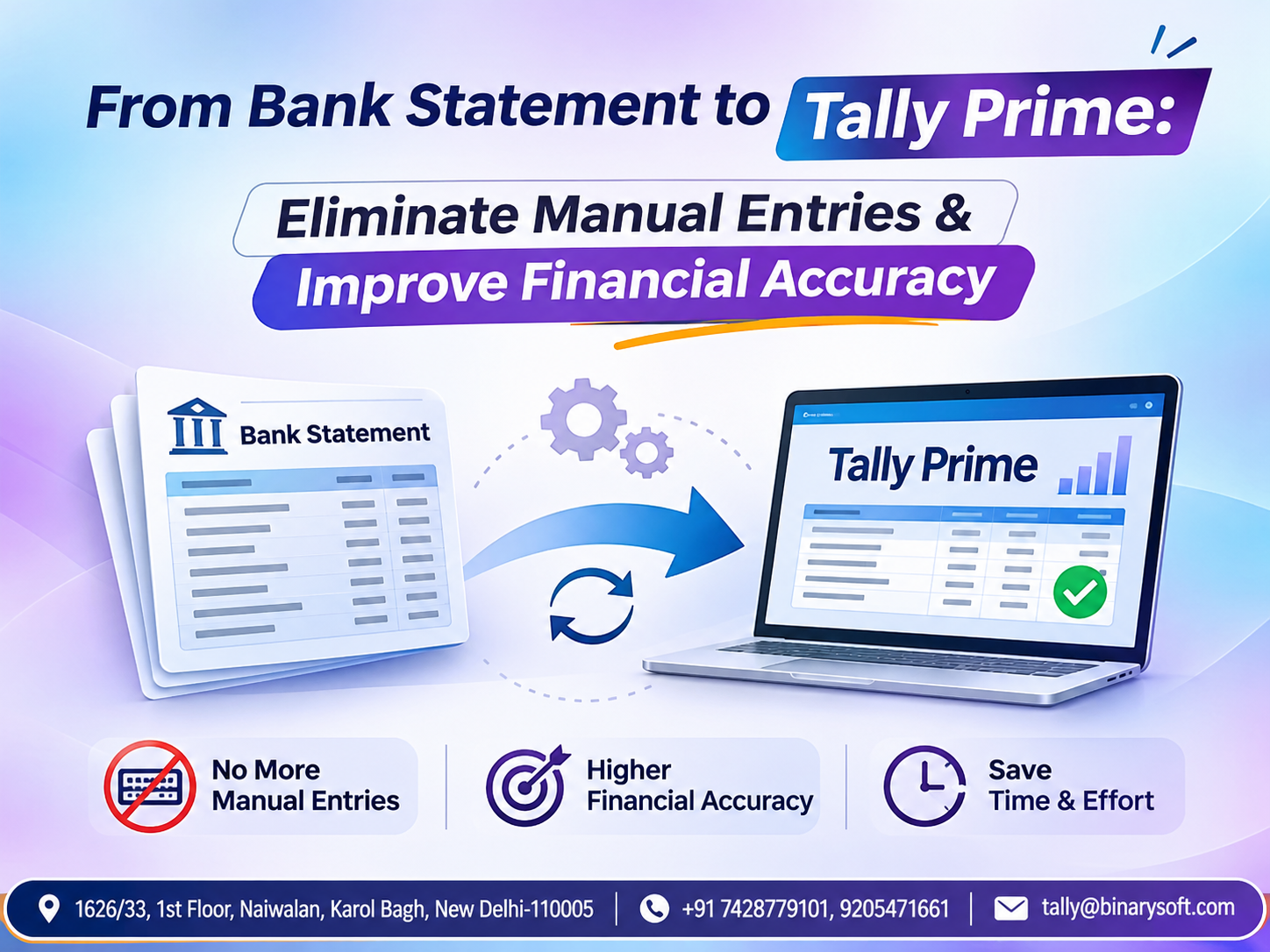
They can also examine available bank statement import and connected banking features, subject to bank support and software configuration.
Regular reconciliation helps identify missing entries, uncleared transactions and differences between recorded and actual bank balances.
9. Financial Reports and Business Performance Analysis
A useful accounting system should do more than record transactions.
It should help business owners understand financial performance.
Tally Prime offers reporting tools that support management decisions.
Important reports include:
For example, if monthly sales increase but profits decline, management can examine purchase costs, expenses and other financial information.
A demonstration should include practical report navigation rather than simply displaying report names.
10. Tally Prime Cloud Demo: Explore Remote Accounting
Many organizations now require accounting access beyond their physical office.
A suitable Tally Prime cloud-hosting arrangement can allow authorized users to access the hosted application remotely.
This can be useful for business owners who travel frequently or organizations with employees working from different locations.
What to Evaluate During a Cloud Demo
Remote access: Understand how authorized users connect to the hosted environment.
Multi-user working: Examine how multiple users can work within the applicable licensing and infrastructure limits.
Data security: Review authentication, access permissions and hosting security arrangements.
Backup management: Ask about backup frequency, retention and restoration procedures.
Performance: Evaluate the experience under realistic internet and workload conditions.
Cloud hosting is separate from the standard desktop installation. Its availability, performance and security depend on the selected provider and configuration.
11. Case Study One: Wholesale Business Improves Inventory and Customer Billing
Illustrative case study; the results below are hypothetical.
A wholesale electrical goods distributor in Delhi maintained approximately 2,000 stock items.
The company used spreadsheets for inventory and separate accounting records for customer transactions.
Employees frequently experienced difficulties identifying available stock and reconciling invoices.
The Demonstration
The business requested a Tally Prime demonstration focused on inventory, billing and outstanding reports.
During the session, employees explored stock groups, godown management, sales vouchers and customer ledgers.
Implementation
After evaluating the software, the company configured product masters, customer accounts and warehouse records.
Employees were trained to record daily transactions consistently.
Illustrative Operational Improvements
|
Activity
|
Previous process
|
Improved process
|
|---|
|
Stock verification
|
Multiple spreadsheets
|
Stock summary
|
|
Customer balances
|
Manual checking
|
Outstanding reports
|
|
Invoice preparation
|
Separate billing records
|
Integrated invoicing
|
|
Purchase tracking
|
Manual consolidation
|
Purchase registers
|
The main improvement was better organization of accounting and inventory information.
12. Case Study Two: Consultancy Firm Simplifies Financial Management
Illustrative case study.
A professional consultancy in Gurugram provided business advisory and compliance-related services.
Its accounting team maintained client invoices, expenses and payment information through several spreadsheets.
The firm wanted a more structured system for tracking receivables and reviewing financial performance.
The Demonstration
The company requested a demonstration focused on service invoicing, expense accounting, customer ledgers and financial statements.
Implementation
The firm introduced Tally Prime, configured client accounts and established standardized expense categories.
Monthly bank reconciliation and outstanding payment reviews became part of its accounting routine.
Results
The accounting team gained a centralized environment for maintaining transaction records.
Management could review customer outstanding amounts and financial statements more efficiently.
The example demonstrates that Tally Prime can support service-based businesses even when inventory management is not required.
13. How to Prepare for a Tally Prime Free Demo
Businesses can gain greater value from a demonstration by preparing their requirements beforehand.
Identify the most time-consuming accounting activities and the problems employees experience.
For example, a retail business may prioritize billing speed, while a distributor may focus on stock visibility.
Prepare sample transactions such as purchase invoices, customer sales, payment receipts and expense entries.
During the demonstration, ask how the software handles those transactions.
Also discuss existing data migration, employee training, software licensing, backups and support requirements.
A well-prepared session helps businesses evaluate whether Tally Prime is suitable for their actual operations.
14. Tally Prime Demo Versus Traditional Manual Accounting
|
Business activity
|
Manual accounting
|
Tally Prime
|
|---|
|
Invoice preparation
|
Handwritten or spreadsheets
|
Integrated billing
|
|
Ledger management
|
Separate registers
|
Centralized ledgers
|
|
Inventory tracking
|
Manual stock records
|
Inventory reports
|
|
Tax calculations
|
Manual or spreadsheet formulas
|
Configured tax calculations
|
|
Outstanding payments
|
Manual reconciliation
|
Bill-wise tracking
|
|
Financial statements
|
Manual consolidation
|
Generated reports
|
|
Business analysis
|
Separate calculations
|
Integrated reporting
|
Actual improvements depend on implementation quality, transaction accuracy and employee training.
15. Why Choose Binarysoft Technologies for a Tally Prime Demo?
Selecting the right accounting software requires an understanding of both technical capabilities and practical business requirements.
Binarysoft Technologies, an Authorized Tally Partner, helps organizations evaluate Tally Prime for accounting, inventory, invoicing and business management.
Businesses can contact the team to discuss a suitable product demonstration and their implementation requirements.
Depending on the agreed service scope, assistance may include product guidance, software configuration, data migration planning, user training, cloud-hosting consultation and technical support.
The objective is to help businesses select an accounting solution that matches their operational needs.
16. How to Request a Tally Prime Free Demo
Requesting a demonstration is an effective way to understand how Tally Prime can support your business.
Begin by identifying your primary requirements, such as accounting, GST invoicing, inventory management or financial reporting.
Next, contact Binarysoft Technologies and explain your business type, number of users and current accounting challenges.
Discuss a convenient demonstration schedule and whether an online session would be suitable.
During the demonstration, review relevant features, ask questions and evaluate how the software could fit into your existing processes.
Afterward, consider the appropriate license, installation arrangement, training and support requirements.
A guided demonstration can make the software selection process clearer and more practical.
Conclusion
Choosing accounting software is an important investment in business efficiency and financial organization.
A Tally Prime free demo allows businesses to explore essential features before deciding whether the software meets their requirements.
From financial accounting and GST invoicing to inventory management, banking and business reporting, Tally Prime provides an integrated environment for managing important operations.
For retailers, wholesalers, manufacturers and service providers, a well-planned implementation can improve recordkeeping, reduce repetitive administrative work and support better financial decisions.
Businesses should evaluate the software using realistic transactions, discuss deployment options and understand their training and support needs.
The right accounting solution does more than organize financial records. It gives business owners greater confidence to make decisions, serve customers and focus on long-term growth.
Powered by Binarysoft Technologies
Authorized Tally Partner
Location: 1626/33, 1st Floor, Naiwalan, Karol Bagh, New Delhi – 110005, INDIA
Contact us: +91 7428779101, 9205471661
Email us: tally@binarysoft.com
Business Hours: 10:00 AM – 6:00 PM, Monday to Friday
Frequently Asked Questions
Can existing accounting data be migrated to Tally Prime?
Data migration may be possible depending on the source system, available data formats and quality of existing records. A technical assessment is recommended.
Can I see Tally Prime cloud features during a demo?
You can request a demonstration of suitable cloud-hosting arrangements, subject to service availability and technical requirements.
Is Tally Prime suitable for small businesses?
Yes. Tally Prime supports accounting and business management requirements for small businesses as well as larger organizations.
Is the Tally Prime demonstration free?
The purpose of a free demo is to explore the software before purchase. Confirm the demonstration arrangements and any associated service conditions with the provider.
CA. Yuvan Rajagopal specializes in accounting advisory, statutory compliance, and financial consulting. He writes extensively on business automation, inventory management, and accounting best practices.