Call CA Tally HelpDesk
+91 9205471661,
7428779101
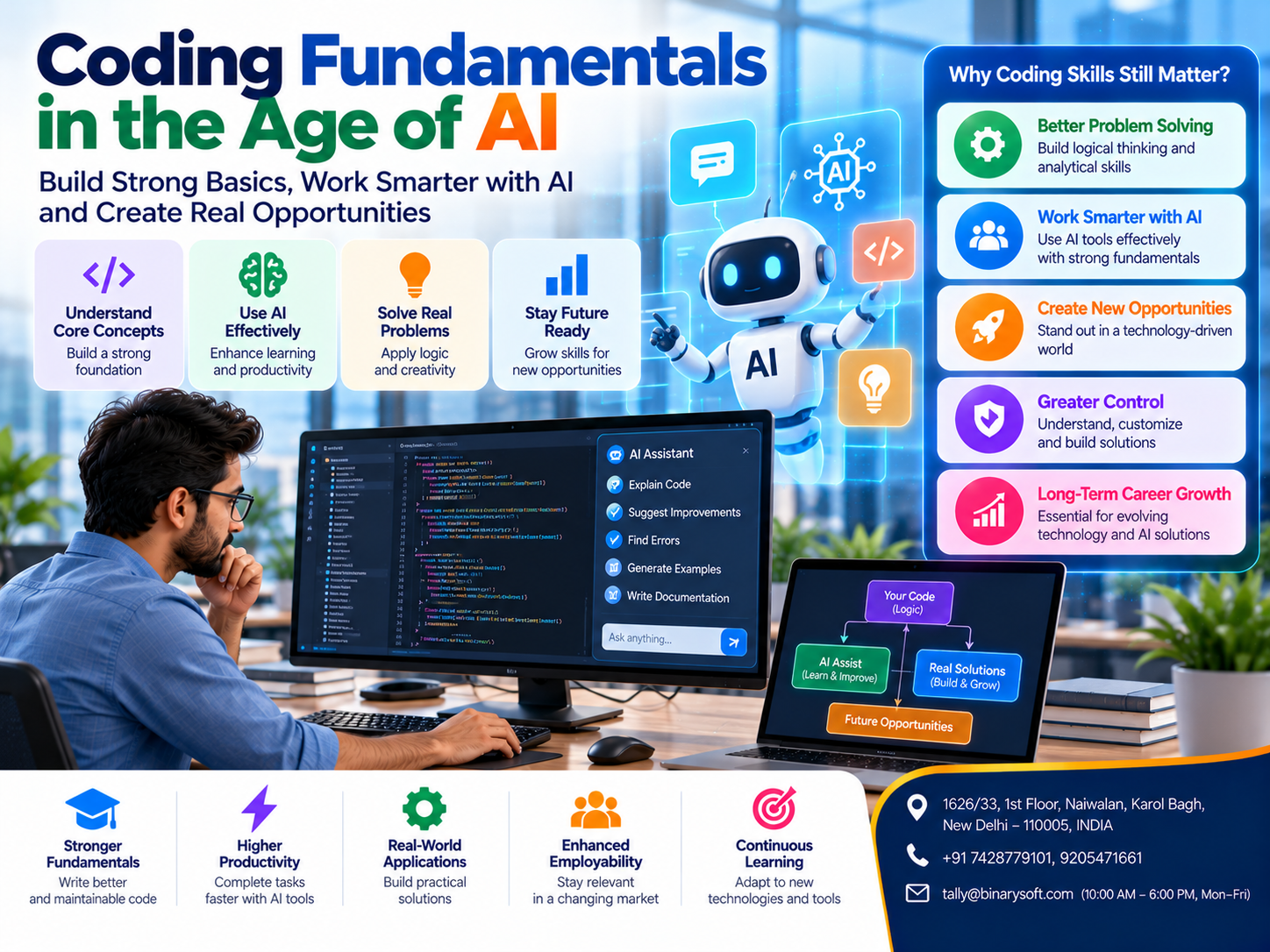
Introduction: Is Learning to Code Still Important When AI Can Write Programs?
Artificial intelligence is changing software development.
Tasks that previously required developers to write many lines of code manually can now be assisted by AI-powered programming tools.
Developers can describe requirements in natural language and receive suggested functions, application structures, database queries and debugging recommendations.
For students and aspiring software engineers, this creates an important question:
If artificial intelligence can generate code, why should anyone spend time learning programming fundamentals?
The answer lies in understanding the difference between generating code and developing reliable software.
AI tools can produce useful suggestions, but generated code may contain logical mistakes, security vulnerabilities, inefficient algorithms or incorrect assumptions.
A program that appears to work during a demonstration may fail when processing unexpected information or handling real business transactions.
Developers must understand how software works to identify these problems.
Programming fundamentals provide the foundation for evaluating AI-generated solutions, debugging errors, improving performance and designing maintainable applications.
For businesses, these skills are especially important when developing accounting integrations, inventory systems, customer portals and financial applications.
The future of software development is not simply about writing code faster.
It is about combining technical understanding, critical thinking and AI assistance to build dependable solutions.
A Developer's Story: When AI-Generated Code Almost Destroyed Months of Work
Rahul was a young software developer working for a small technology company in Noida.
He had recently completed his programming training and was excited about building real business applications.
His company assigned him a project involving an inventory management dashboard.
The application needed to calculate available stock, track product movements and generate reports.
Rahul discovered that an AI coding assistant could generate much of the required code.
Within a few days, he created an attractive dashboard with tables, filters and reports.
His manager was impressed by the speed.
Rahul felt confident that he had found a shortcut to becoming a successful developer.
However, problems appeared when the application was tested with real inventory data.
Some stock balances were incorrect.
Certain transactions were counted twice.
When multiple users updated inventory records simultaneously, the system occasionally displayed inconsistent quantities.
Rahul asked the AI assistant to fix the problems.
It suggested several changes, but each correction introduced new complications.
For the first time, Rahul realized that he did not fully understand the application he had created.
He could explain what the software was supposed to do, but not how its underlying logic worked.
His senior developer, Meera, reviewed the application.
She explained the importance of database transactions, validation, data structures and concurrency.
Together, they examined the code and identified the underlying problems.
Rahul spent the following weeks strengthening his programming fundamentals.
He learned to trace program execution, inspect database queries and write tests for important business rules.
Eventually, the application became more reliable.
Rahul continued using AI tools, but his approach changed.
Instead of accepting every generated solution, he began reviewing and testing it.
He understood that AI could accelerate development, but technical knowledge was necessary to maintain control.
The lesson: AI can help developers write code, but understanding programming fundamentals helps them determine whether that code is correct, secure and suitable for real-world use.
This is an illustrative story created to demonstrate the importance of programming knowledge in AI-assisted development.
What Are Coding Fundamentals?
Coding fundamentals are the essential concepts used to create computer programs.
These principles apply across programming languages, including Python, JavaScript, Java, PHP, C++ and others.
Although programming languages have different syntax, they share many underlying concepts.
For example, most languages provide ways to store information, make decisions, repeat operations and organize reusable functionality.
Understanding these principles allows developers to learn new languages more easily.
It also helps them evaluate code generated by artificial intelligence.
A developer who understands programming logic can identify incorrect conditions even when unfamiliar with some syntax.
Coding fundamentals are therefore not limited to memorizing commands.
They involve understanding how information moves through a program and how instructions produce results.
Why Coding Fundamentals Still Matter in the Age of AI
AI coding assistants can accelerate many development activities.
They may generate repetitive code, explain unfamiliar functions, suggest tests and help identify potential errors.
However, these tools do not eliminate the need for technical understanding.
1. AI-Generated Code Can Be Incorrect
AI tools generate responses based on patterns and available context.
They may misunderstand requirements or produce solutions that fail under certain conditions.
Developers need programming knowledge to identify these mistakes.
2. Real Applications Require Business Logic
Business applications often contain detailed rules.
For example, an inventory system must handle purchases, sales, returns and adjustments correctly.
An AI assistant may generate code for these operations, but developers must verify that the logic matches actual business requirements.
3. Debugging Requires Understanding
When an application fails, developers must investigate the cause.
This involves examining variables, conditions, database queries and system behavior.
AI can suggest possible explanations, but reliable debugging requires evidence.
4. Security Cannot Be Ignored
Generated code may contain insecure database queries, weak access controls or improper handling of sensitive information.
Developers must understand secure programming practices.
5. Software Needs Long-Term Maintenance
Business applications evolve.
New features, regulations and customer requirements may require changes.
Maintainable code depends on good design and clear structure.
6. Performance Matters
An application may work correctly with ten records but become slow with thousands.
Developers need to understand algorithms, data structures and database performance.
7. Human Judgment Remains Essential
AI tools can propose solutions.
Developers remain responsible for evaluating whether those solutions meet business requirements.
10 Essential Coding Fundamentals Every Developer Should Learn
1. Variables and Data Types
Variables store information used by a program.
For example, an accounting application may store invoice numbers, customer names, quantities and amounts.
Data types determine how information is represented and processed.
Developers should understand numbers, strings, Boolean values and other common types.
Choosing appropriate data types is particularly important for financial applications.
Currency calculations should use suitable fixed-precision or decimal representations rather than assuming ordinary floating-point calculations are always appropriate.
2. Conditional Statements
Conditional statements allow programs to make decisions.
For example, an application may check whether an invoice amount exceeds an approved credit limit.
If the condition is satisfied, the system may require additional authorization.
Understanding conditional logic helps developers identify incorrect business rules.
3. Loops and Iteration
Loops allow programs to repeat operations.
An inventory application may process multiple product records to calculate stock values.
Developers should understand how loops work and when they may create unnecessary processing overhead.
4. Functions and Modular Programming
Functions organize code into reusable units.
For example, an application may contain separate functions for calculating taxes, validating invoices and generating reports.
Well-designed functions improve readability and testing.
5. Data Structures
Data structures organize information.
Common examples include arrays, lists, dictionaries, sets and trees.
Selecting suitable data structures can improve application efficiency.
6. Algorithms
Algorithms describe the steps required to solve problems.
Sorting, searching and calculating values are common algorithmic tasks.
Understanding algorithmic complexity helps developers evaluate performance.
7. Object-Oriented Programming
Object-oriented programming organizes software around objects and related behavior.
Concepts such as encapsulation, inheritance and polymorphism can help structure complex applications.
However, developers should use these concepts where they improve clarity rather than adding unnecessary complexity.
8. Database Fundamentals
Business applications frequently depend on databases.
Developers should understand tables, relationships, indexes, transactions and query optimization.
Database knowledge is essential for maintaining reliable financial and operational information.
9. Error Handling and Debugging
Applications must handle unexpected situations.
Examples include missing information, failed network requests and invalid input.
Good error handling prevents minor problems from becoming major failures.
10. Testing and Version Control
Testing helps developers verify application behavior.
Version control helps teams track changes and collaborate.
Both are essential for maintaining reliable software.
How AI Is Changing Software Development
Artificial intelligence is influencing several stages of software development.
Code Generation
AI assistants can suggest functions, classes and application structures.
Code Explanation
Developers can use AI to understand unfamiliar code.
Debugging Assistance
AI tools may suggest possible causes of errors.
Test Generation
AI can help create test cases for expected and unexpected inputs.
Documentation
Developers can use AI to prepare initial documentation drafts.
Refactoring
AI may suggest ways to simplify existing code.
Learning Support
Students can ask AI tools to explain programming concepts and provide practice exercises.
However, generated results should be reviewed rather than accepted automatically.
AI-Assisted Coding vs Traditional Programming
| Area | Traditional Programming | AI-Assisted Programming |
|---|
| Code Creation |
Primarily written manually |
AI suggests or generates code |
| Learning |
Documentation and practice |
Documentation, practice and AI explanations |
| Debugging |
Developer-led investigation |
Developer investigation with AI assistance |
| Testing |
Tests written and maintained by developers |
AI may suggest tests for developer review |
| Software Design |
Human architectural decisions |
AI may propose alternatives |
| Security |
Requires developer expertise |
Still requires developer expertise |
| Accountability |
Development team |
Development team |
AI changes how code is produced, but it does not remove the need to understand the resulting software.
How to Learn Coding Effectively with AI Tools
Beginners can use AI as a learning assistant without becoming dependent on it.
Step 1: Learn Basic Syntax
Choose one programming language.
Understand variables, operators, conditions and loops.
Step 2: Practice Without AI
Write small programs independently.
This strengthens problem-solving skills.
Step 3: Use AI for Explanations
Ask AI to explain unfamiliar concepts.
Compare explanations with documentation and practical results.
Step 4: Review Generated Code
Read each function carefully.
Identify its inputs, outputs and possible failure conditions.
Step 5: Write Tests
Verify expected behavior and unusual situations.
Step 6: Debug Independently
Attempt to identify the cause of errors before requesting an AI-generated solution.
Step 7: Build Practical Projects
Develop applications involving forms, databases, authentication and reports.
Step 8: Study Security
Learn input validation, authentication, authorization and safe data handling.
Step 9: Use Version Control
Track changes and learn how to review differences.
Step 10: Continue Learning
Programming tools evolve, but fundamental concepts remain useful.
Why Problem-Solving Skills Are More Valuable Than Memorizing Syntax
Programming is fundamentally a problem-solving activity.
Consider a business that wants to calculate overdue customer payments.
A developer must first understand the requirements.
Which invoices should be included?
How should partial payments be handled?
What happens when an invoice is disputed?
How should due dates be calculated?
These questions require business understanding and logical reasoning.
AI can help implement a solution after the requirements are defined.
However, unclear requirements may produce incorrect results regardless of how quickly code is generated.
Strong developers learn to break complex problems into smaller parts.
They identify assumptions, evaluate alternatives and test results.
These abilities remain valuable across programming languages and technologies.
The Importance of Data Structures and Algorithms in AI Development
Data structures and algorithms influence software performance.
For example, a business application may need to search thousands of customer records.
A poorly designed approach may repeatedly scan unnecessary information.
A better approach may use appropriate indexing or efficient data structures.
AI can suggest optimization techniques, but developers must understand whether they are appropriate.
Performance improvements should be supported by measurements.
An algorithm that is theoretically efficient may still perform poorly because of database access, network delays or application architecture.
Understanding these interactions helps developers build reliable systems.
Why Debugging Skills Matter More Than Ever
AI-generated code can appear convincing even when it contains mistakes.
Developers should learn systematic debugging.
First, reproduce the problem.
Next, identify the conditions under which it occurs.
Then examine logs, inputs and program behavior.
Form a hypothesis about the cause.
Test the hypothesis and apply a focused correction.
Finally, verify that the correction does not break existing functionality.
This process is more reliable than repeatedly asking an AI assistant to rewrite large portions of an application.
For financial software, careful debugging is particularly important because incorrect calculations can affect business records.
Coding Fundamentals and Cybersecurity
Security should be part of programming education.
Developers need to understand common risks such as SQL injection, cross-site scripting, insecure authentication and improper access control.
AI-generated code may not automatically satisfy an organization's security requirements.
For example, an application that displays customer invoices must ensure that users cannot access another customer's documents without authorization.
Developers should validate inputs, enforce permissions and protect sensitive information.
Security testing and code review remain necessary even when AI tools assist with implementation.
Organizations should also avoid sharing confidential source code, credentials or customer data with external AI services without appropriate authorization and safeguards.
How Coding Fundamentals Support Business Software Development
Businesses depend on software for accounting, invoicing, inventory management and customer services.
These applications often require accurate calculations and reliable transaction processing.
Developers working on business systems should understand:
-
Financial calculations and precision
-
Database consistency
-
User authentication and authorization
-
Transaction processing
-
Data validation
-
Auditability
-
Error handling
-
Backup and recovery requirements
AI can assist with development tasks, but business rules must be verified carefully.
For example, an incorrect tax calculation may create problems even if the application interface looks professional.
This is why strong programming fundamentals are essential for business software engineering.
How Coding Fundamentals and AI Relate to Tally Prime
Tally Prime is a business management application that supports accounting, invoicing, inventory management and financial reporting.
Organizations may use supported customization and integration capabilities to connect Tally Prime with other business processes.
Developers involved in these projects need a sound understanding of programming and business requirements.
1. Understanding Business Data
Developers must understand customer records, ledgers, vouchers and inventory information.
This helps them design appropriate integrations.
2. Working with TDL
Tally Definition Language (TDL) is used for supported Tally customization.
Developers need to understand its concepts and the relevant product capabilities.
AI may assist with explaining or drafting code, but generated TDL should be reviewed and tested.
3. Developing Integrations
Some projects involve exchanging information between Tally Prime and external applications through supported interfaces.
Developers must understand data formats, validation and error handling.
4. Improving Reporting Workflows
Businesses may require specialized reports or external dashboards.
Programming knowledge helps developers implement appropriate data processing.
5. Protecting Financial Information
Accounting information is sensitive.
Developers must establish suitable authentication, authorization and data protection controls.
6. Testing Business Logic
Customization should be tested against realistic accounting scenarios.
7. Supporting Cloud-Access Environments
Tally Prime is primarily a Windows-based application.
Third-party cloud hosting can provide remote access where properly configured.
Developers working with related infrastructure must understand networking, security and application compatibility.
AI tools can support Tally-related development, but they do not replace the need for product knowledge, accounting understanding and careful testing.
Practical Example: Using AI to Build an Inventory Reporting Application
Imagine a developer creating a dashboard for a wholesale distributor.
The dashboard must display product quantities, purchase activity and sales information.
An AI assistant generates an initial application structure.
The developer reviews the code and identifies several issues.
Some database queries retrieve unnecessary records.
A stock calculation does not handle returns correctly.
Certain users can access reports outside their assigned permissions.
Using programming fundamentals, the developer corrects these problems.
Database queries are optimized.
Business rules are clarified.
Authorization checks are added.
Tests are written for important scenarios.
The final application becomes more dependable because AI assistance is combined with human technical judgment.
Case Study 1: Software Startup Improves Development Quality with AI
Business: Illustrative software development startup
Location: Bengaluru, Karnataka
Challenge: Delivering applications quickly without compromising code quality
A technology startup adopted AI coding tools to accelerate development.
Initially, developers accepted generated code with limited review.
As projects became more complex, the team encountered maintenance and debugging difficulties.
Solution
Management introduced structured code reviews and programming workshops.
Developers strengthened their knowledge of algorithms, databases and testing.
AI continued supporting repetitive development tasks.
However, important business logic required explicit review and verification.
Illustrative Results
The company developed:
-
Better code review practices
-
Improved debugging procedures
-
More consistent testing
-
Clearer software architecture
-
Greater confidence in AI-assisted development
Key Lesson
AI productivity is more valuable when supported by strong engineering practices.
This case study is hypothetical and does not represent verified customer results.
Case Study 2: Accounting Software Team Strengthens Business Application Reliability
Business: Illustrative business software services company
Location: New Delhi
Challenge: Maintaining accuracy in accounting-related integrations
A software services company developed reporting tools for businesses using accounting applications.
Its developers began using AI assistants to generate database queries and integration code.
During testing, the team discovered that some generated calculations did not handle unusual transaction scenarios correctly.
Solution
The company established a review process for financial calculations.
Developers documented business rules before generating code.
They tested partial payments, adjustments, duplicate records and invalid inputs.
The team also improved access controls and error handling.
Illustrative Results
The organization achieved:
-
More structured development procedures
-
Better validation of financial calculations
-
Improved awareness of security requirements
-
Stronger testing practices
-
More reliable maintenance processes
Key Lesson
Financial applications require both programming expertise and a clear understanding of business rules.
This case study is illustrative.
Common Mistakes Developers Make When Using AI Coding Tools
Copying Code Without Understanding It
Generated code should be reviewed before use.
Ignoring Edge Cases
Applications must handle unusual but valid situations.
Skipping Testing
Code that appears correct may fail under different conditions.
Overcomplicating Simple Solutions
AI may generate unnecessary abstractions or dependencies.
Neglecting Security
Authentication, authorization and input validation require deliberate attention.
Relying Entirely on AI for Debugging
Developers should investigate evidence rather than repeatedly regenerate code.
Sharing Sensitive Information
Confidential business information should not be submitted to external tools without appropriate controls.
Avoiding these mistakes can improve development quality.
Best Practices for AI-Assisted Software Development
Developers should define requirements clearly before requesting code.
Large problems should be divided into manageable tasks.
Generated code should be reviewed line by line when it affects important functionality.
Automated tests should cover expected behavior and edge cases.
Security-sensitive changes should receive additional review.
Developers should maintain version control and documentation.
Performance improvements should be measured.
AI-generated dependencies should be checked for suitability and maintenance.
Teams should establish policies governing the use of confidential information.
Most importantly, developers should remain accountable for the software they deliver.
Career Opportunities for Developers in the Age of AI
AI is changing software development roles, but the future of employment remains uncertain.
Some routine programming tasks may require less manual effort.
At the same time, organizations continue to need professionals who can understand requirements, design systems, investigate failures and maintain applications.
Relevant areas of expertise include software engineering, cybersecurity, cloud infrastructure, database engineering, application integration and quality assurance.
Developers who understand programming fundamentals may find it easier to adapt to new tools.
AI literacy is also becoming useful.
However, familiarity with AI tools alone does not guarantee employment or career advancement.
A strong portfolio, practical experience, communication skills and continuous learning remain important.
A Practical Learning Roadmap for Beginners
| Learning Stage | Main Topics | Suggested Practice |
|---|
| Beginner |
Variables, data types, conditions |
Build a calculator |
| Foundation |
Loops, functions, arrays |
Create a simple expense tracker |
| Intermediate |
Data structures, algorithms |
Build a searchable product list |
| Database |
SQL, relationships, transactions |
Develop a customer records application |
| Web Development |
Forms, APIs, authentication |
Create a basic business portal |
| Testing |
Unit tests, debugging |
Test invoice calculations |
| Security |
Validation, access control |
Secure a reporting application |
| AI-Assisted Development |
Prompting, review, verification |
Improve an existing project using AI |
| Advanced |
Architecture, performance |
Build and optimize a complete application |
Beginners should focus on understanding concepts rather than completing projects as quickly as possible.
The Future of Coding: Human Intelligence and Artificial Intelligence Working Together
Software development is likely to continue evolving as AI tools become more capable.
Developers may spend less time writing repetitive code and more time defining requirements, reviewing solutions and designing systems.
However, this transition will vary across organizations and projects.
Complex software requires attention to correctness, reliability, performance and security.
AI-generated code must operate within real business environments.
This means developers need both foundational programming knowledge and the ability to use modern tools effectively.
The most valuable skill is not simply knowing how to prompt an AI assistant.
It is knowing how to evaluate the result.
Conclusion: Coding Fundamentals Remain the Foundation of Reliable Software
Artificial intelligence is transforming software development by helping developers generate code, investigate errors and accelerate routine tasks.
However, AI assistance does not eliminate the need for programming fundamentals.
Understanding variables, data structures, algorithms, databases, debugging, testing and security remains essential.
These skills allow developers to identify mistakes, evaluate generated solutions and maintain reliable applications.
For businesses developing accounting integrations, inventory systems and customer portals, strong technical foundations are particularly important.
Tally Prime-related customization and integration projects also require careful attention to accounting rules, data accuracy and supported development methods.
The future belongs not simply to developers who can generate code quickly, but to those who can understand, verify and improve the software they create.
AI can accelerate the development process.
Programming fundamentals provide the knowledge needed to use that acceleration responsibly.
Together, they can help developers create practical, secure and maintainable solutions.
Improve Business Efficiency with Tally Prime and Modern Technology Solutions
Simplify accounting, GST-related recordkeeping, invoicing, inventory management and financial reporting with professional Tally Prime assistance.
Explore suitable customization, integration and cloud-access arrangements for your business requirements.
Powered by Binarysoft Technologies
Authorized Tally Partner
Location: 1626/33, 1st Floor, Naiwalan, Karol Bagh, New Delhi – 110005, INDIA
Contact Us: +91 7428779101, 9205471661
Email: tally@binarysoft.com
Business Hours: 10:00 AM – 6:00 PM, Monday to Friday
Frequently Asked Questions
How are coding fundamentals related to Tally Prime?
Developers working on supported Tally Prime customizations and integrations need programming knowledge, business logic understanding and testing skills.
Can AI generate TDL code for Tally Prime?
AI tools may suggest TDL code, but developers should verify syntax, compatibility, business logic and security before using it.
What skills should future software engineers develop?
Useful skills include programming fundamentals, problem-solving, database design, cybersecurity, testing, software architecture and responsible AI-assisted development.
What is the best way to become a better programmer in the AI era?
Build practical projects, understand the underlying code, practice debugging, write tests and use AI as an assistant rather than a substitute for learning.
CA. Nivaan Agrawal works with MSMEs on bookkeeping, GST reporting, receivable management, and accounting automation. His professional focus is on making financial information easier for business owners to understand and manage.