Call CA Tally HelpDesk
+91 9205471661,
7428779101
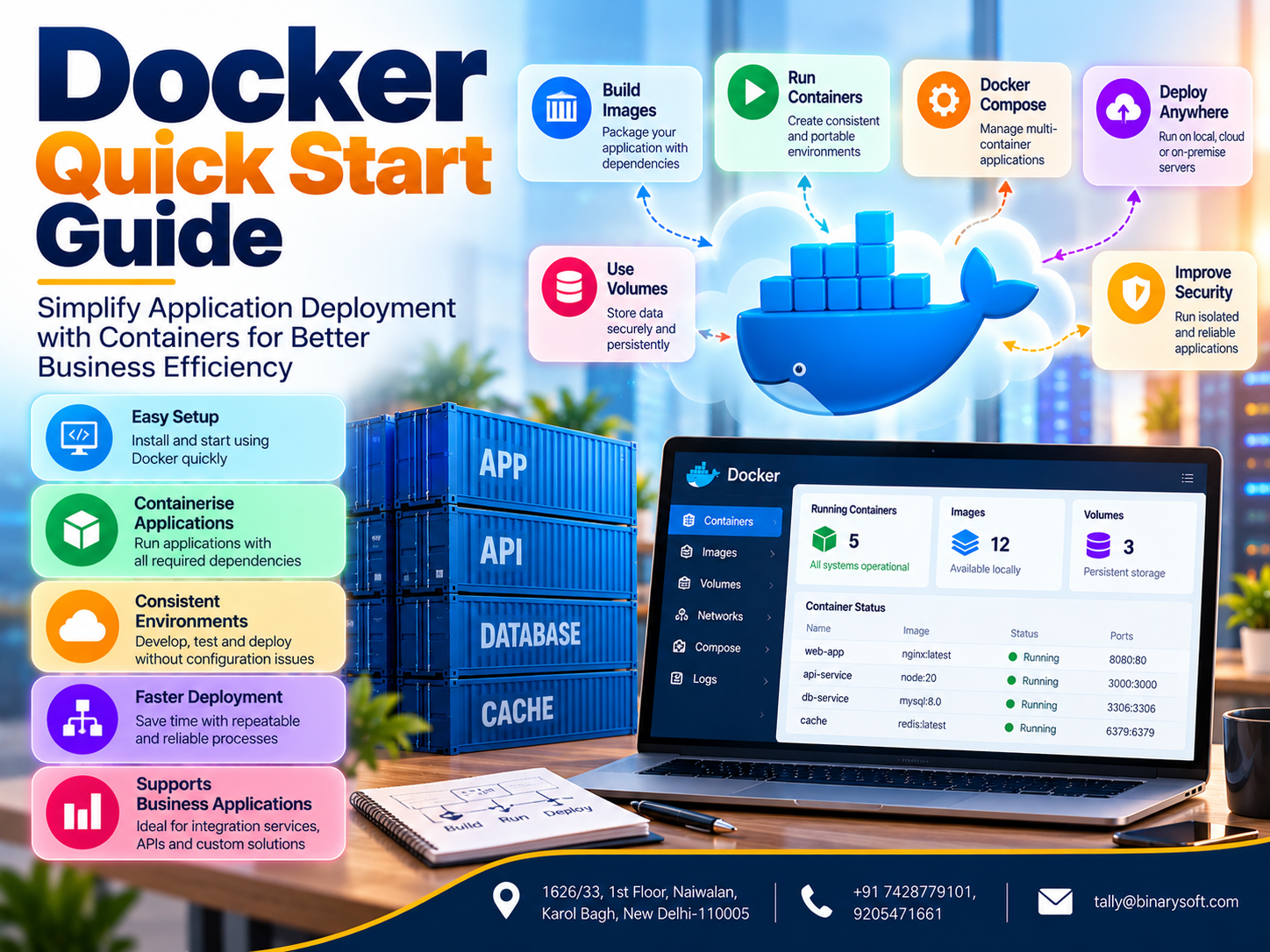
Introduction: Why Docker Has Become Important in Modern Software Development
Imagine developing an application that works perfectly on your computer.
You test every feature, verify database connections and confirm that users can access the system.
Everything appears ready.
However, when the application is transferred to another computer or production server, unexpected problems begin.
A required software library is missing.
The server uses a different programming language version.
A configuration setting behaves differently.
A database connection fails.
Developers spend hours investigating problems that did not exist in their original environment.
These challenges are common in software development.
Modern applications depend on programming languages, libraries, databases, operating system packages and configuration settings.
Maintaining consistent environments across development, testing and production can become difficult.
Docker helps address this problem through containerisation.
Docker enables developers to package applications and their required dependencies into portable container images.
These images can run as containers on compatible systems.
The result is a more consistent and repeatable application environment.
For businesses, Docker can support faster development, structured testing and more dependable deployment processes.
It can also help organisations build external integration services connecting accounting applications, customer management platforms and reporting systems.
This guide explains Docker from the beginning, including practical commands, architecture, deployment considerations and real-world business applications.
1. An Emotional Story: The Software Failure That Almost Cost a Business Its Biggest Customer
Arjun was a software developer working for a growing distribution company in Delhi.
The company had recently invested in a new customer portal.
The application allowed customers to submit enquiries, check order status and communicate with the sales department.
Arjun had spent several months developing the system.
He tested it repeatedly on his development computer.
Everything worked correctly.
The company's management scheduled a demonstration for an important corporate customer.
The customer represented a major opportunity for business expansion.
On the morning of the presentation, Arjun deployed the application to the demonstration server.
Unexpectedly, the application stopped working.
The server had a different runtime version.
Several required packages were unavailable.
A configuration file contained environment-specific settings.
Arjun tried desperately to resolve the problems.
His manager repeatedly asked whether the system would be ready.
The customer was already waiting.
Arjun felt that months of hard work might be judged by a single failed demonstration.
Although the team eventually restored the application, the incident revealed serious weaknesses in its deployment process.
Arjun began researching ways to make application environments more consistent.
He learned about Docker.
Instead of manually configuring every server, he began packaging applications and their dependencies into container images.
He also introduced repeatable testing and deployment procedures.
Future releases became easier to prepare and verify.
The company still needed proper monitoring, backups and security controls, but environment-related problems became more manageable.
Arjun learned an important lesson:
Reliable software development is not only about writing good code. It is also about ensuring that applications can run consistently wherever they are deployed.
This fictional story illustrates the practical value of containerisation.
2. What Is Docker?
Docker is a platform for developing, packaging, distributing and running applications using containers.
A container is an isolated process environment that runs an application with its required dependencies.
Unlike a traditional virtual machine, a container generally shares the host operating system's kernel rather than running a complete guest operating system.
This architecture can make containers comparatively lightweight.
Important Docker Concepts
Docker Engine: The software responsible for building and running containers.
Docker Image: A packaged application environment containing files, dependencies and configuration.
Docker Container: A running or stopped instance created from an image.
Dockerfile: A file containing instructions for building an image.
Docker Registry: A service used to store and distribute images.
Docker Compose: A tool for defining and running multi-container applications.
Understanding these components provides the foundation for working with Docker.
3. Why Businesses and Developers Use Docker
Docker offers several advantages when used appropriately.
Consistent Environments
Applications can run with the dependencies included in their images.
Faster Environment Setup
Developers can start predefined application environments without manually installing every dependency.
Simplified Deployment
Teams can deploy tested images to compatible infrastructure.
Application Isolation
Containers provide process and filesystem isolation, subject to host configuration and security controls.
Easier Testing
Different application versions can be tested in separate containers.
Efficient Resource Usage
Containers can require fewer resources than running a separate full virtual machine for every application.
Support for Automation
Docker integrates with many development, testing and deployment workflows.
These benefits depend on sound configuration and operational practices.
Containers do not automatically guarantee application reliability or security.
4. Docker Containers vs Virtual Machines
Docker containers and virtual machines provide different forms of isolation.
| Feature | Docker Containers | Virtual Machines |
|---|
| Operating System |
Generally share the host kernel |
Run a guest operating system |
| Startup |
Often starts quickly |
Usually requires a full OS startup |
| Resource Usage |
Typically lighter |
Typically heavier |
| Isolation |
Process and namespace isolation |
Hypervisor-based isolation |
| Portability |
Requires compatible container runtime and platform |
Depends on virtualisation compatibility |
| Typical Use |
Application packaging and deployment |
Full operating system environments |
Neither technology is universally better.
Virtual machines remain useful when applications require separate operating systems or stronger isolation boundaries.
Containers are particularly useful for packaging and running application services.
Many production environments use both technologies together.
5. Understanding Docker Images
A Docker image is a packaged template used to create containers.
It includes the application and the files required for its execution.
For example, a Python application image may contain a Python runtime, application code and required libraries.
An image can be reused to create multiple containers.
Image Layers
Docker images commonly consist of layers.
Layers can improve build efficiency and reduce repeated storage when shared content is reused.
Image Tags
Tags help identify image versions.
For example:
my-business-app:1.0
my-business-app:2.0
Using explicit versions can make deployments more predictable.
For stricter reproducibility, production environments can pin images by immutable digest.
Image Registries
Registries store container images.
Development teams can use public or private registries according to their requirements.
6. Understanding Docker Containers
A Docker container is an instance created from an image.
It runs an application within an isolated environment.
For example, a business application might use separate containers for a web server, application service and database.
Each container can have its own configuration.
Containers can communicate through appropriately configured networks.
Important Container Characteristics
Containers are generally designed to be replaceable.
Application code should be packaged into images.
Persistent business information should be stored separately from the container's temporary writable filesystem.
This distinction is especially important for databases and uploaded documents.
Deleting a container should not unintentionally destroy important business information.
7. How to Install Docker
Docker installation depends on the operating system.
Docker on Windows
Windows users commonly use Docker Desktop.
Docker Desktop supports container development and can use WSL 2 for Linux containers.
Hardware virtualisation and appropriate system requirements must be satisfied.
Docker on Ubuntu
Ubuntu users can install Docker Engine using the appropriate supported package repository.
After installation, developers should verify that the Docker service is running.
Docker on macOS
Docker Desktop provides a container development environment for supported Mac systems.
Verify Installation
Open a terminal and run:
docker --version
To display additional information:
docker info
To test whether Docker can run a container:
docker run hello-world
The test downloads the image if necessary and runs a simple verification container.
Installation procedures and supported operating system versions should be checked against current official documentation.
8. Essential Docker Commands for Beginners
Docker provides command-line tools for managing images and containers.
Download an Image
docker pull nginx:stable
This downloads the specified Nginx image.
Run a Container
docker run -d --name web-demo -p 8080:80 nginx:stable
This starts a container and publishes its web service on port 8080.
List Running Containers
docker ps
List All Containers
docker ps -a
View Container Logs
docker logs web-demo
Stop a Container
docker stop web-demo
Start a Stopped Container
docker start web-demo
Remove a Container
docker rm web-demo
List Images
docker images
Remove an Unused Image
docker image rm IMAGE_NAME
These commands provide a practical starting point for Docker administration.
9. Creating Your First Docker Application
A useful way to understand Docker is to containerise a small application.
Consider a basic Python web service.
Create a project folder containing an application file and a Dockerfile.
Example Python Application
Create app.py:
from http.server import BaseHTTPRequestHandler, HTTPServer

class Handler(BaseHTTPRequestHandler):
    def do_GET(self):
        self.send_response(200)
        self.send_header("Content-Type", "text/plain")
        self.end_headers()
        self.wfile.write(b"Hello from Docker!")

HTTPServer(("0.0.0.0", 8000), Handler).serve_forever()
Create a Dockerfile
FROM python:3.13-slim

WORKDIR /app

COPY app.py .

EXPOSE 8000

CMD ["python", "app.py"]
Build the Image
docker build -t python-demo:1.0 .
Run the Application
docker run -d --name python-demo -p 8000:8000 python-demo:1.0
The application should now respond through the published port.
This simple example demonstrates how Docker packages application code and its runtime.
Production applications require additional security, monitoring and configuration practices.
10. Understanding Dockerfiles
A Dockerfile contains instructions for building an image.
Common instructions include:
FROM: Selects the base image.
WORKDIR: Defines the working directory.
COPY: Copies files into the image.
RUN: Executes commands during the image build.
ENV: Defines environment variables.
EXPOSE: Documents the intended application port.
CMD: Defines a default command for the container.
Dockerfile Best Practices
Use suitable official or trusted base images.
Choose explicit image versions.
Avoid installing unnecessary packages.
Keep images as small as practical.
Use .dockerignore to exclude unnecessary files.
Avoid embedding passwords or API credentials.
Run applications as non-root users where feasible.
Regularly rebuild images to include security updates.
These practices help improve maintainability and security.
11. What Is Docker Compose?
Many business applications require more than one service.
A web application may depend on a database, cache and background worker.
Docker Compose allows developers to define multiple services in a YAML configuration file.
Example Docker Compose Configuration
services:
  web:
    image: nginx:stable
    ports:
      - "8080:80"
    restart: unless-stopped
Save the file as compose.yaml.
Start the application:
docker compose up -d
View running services:
docker compose ps
Stop and remove the application containers:
docker compose down
Docker Compose is particularly useful for local development, testing and relatively straightforward multi-container deployments.
Production requirements may call for additional infrastructure and orchestration capabilities.
12. Docker Networking Explained
Containers often need to communicate with other services.
For example, a web application may need to access a database.
Docker provides networking capabilities that allow containers to communicate according to configured rules.
Bridge Networks
Bridge networks are commonly used for containers running on the same Docker host.
Published Ports
Port publishing allows external clients to access a container service through the host.
Internal Communication
Containers on the same suitable Docker network can communicate using service names.
Network Security
Businesses should avoid unnecessarily exposing database ports to external networks.
Only required services should be accessible.
Proper networking helps maintain application connectivity while limiting unnecessary exposure.
13. Docker Volumes and Persistent Data
Containers are often temporary.
They may be stopped, replaced or recreated during application updates.
Important business data should therefore be stored using suitable persistent storage.
Docker volumes provide a mechanism for maintaining data independently of a container's writable layer.
Example
docker volume create business-data
A container can mount the volume:
docker run -d \
  --name data-demo \
  -v business-data:/data \
  alpine sleep infinity
The volume remains available independently of the container lifecycle unless explicitly removed.
However, a volume is not a backup.
Businesses must implement separate backup, recovery and data protection procedures.
14. Case Study One: A Software Company Reduces Deployment Problems
Illustrative case study
A software development company maintained several applications for business customers.
Different developers used different local environments.
The Challenge
Applications occasionally behaved differently between development and production.
Teams spent considerable time resolving dependency and configuration problems.
The Solution
The company introduced Docker-based development environments.
Application dependencies were defined in Dockerfiles.
Development teams used consistent images and automated build procedures.
Illustrative Results
During a three-month evaluation, management estimated a 40% reduction in environment-related troubleshooting time.
New developers also required less manual configuration.
Key Learning
Consistent application environments can reduce avoidable development and deployment problems.
15. Case Study Two: A Distribution Company Improves Business Integration Reliability
Illustrative case study
A distribution company used Tally Prime for accounting and a separate customer portal for order enquiries.
The company required a controlled method for exchanging selected business information.
The Challenge
Its integration service depended on manual server configuration.
Software updates occasionally caused unexpected failures.
The Solution
The company packaged its custom integration application into a Docker image.
The service communicated with Tally Prime through supported integration interfaces.
The team introduced structured configuration management, monitoring and deployment procedures.
Illustrative Results
During the evaluation period, management estimated a 30% reduction in time spent preparing integration-service deployments.
The company also improved its ability to test updates before production release.
Key Learning
Docker can simplify deployment of external integration services, but it does not replace proper accounting controls or application testing.
16. How Docker Can Support Tally Prime-Related Business Applications
Tally Prime is primarily a Windows-based business management application.
Docker does not automatically make Tally Prime a Linux-native or container-supported application.
Businesses should not assume that Tally Prime itself can be deployed inside a Docker container as a supported production configuration.
However, Docker can be useful for external services that work alongside Tally Prime.
Custom Integration Services
A Docker container can host a custom application that exchanges approved information through supported Tally Prime interfaces.
Reporting Applications
A containerised reporting service can process authorised accounting exports and prepare management reports.
Customer Portals
Web applications may display selected business information obtained through a controlled integration layer.
API Middleware
Middleware can validate, transform and route information between business applications.
Background Processing
Containerised workers can process approved integration tasks.
Monitoring Services
External monitoring applications can help track integration availability and errors.
These capabilities require separate development, testing and security controls.
They are not automatic features of Tally Prime.
17. Docker Security Best Practices
Container security is essential when applications handle customer or financial information.
Use Trusted Images
Download images from reputable sources.
Update Regularly
Rebuild images to incorporate relevant security patches.
Avoid Running as Root
Use non-root application users where practical.
Protect Credentials
Store passwords and API secrets using appropriate secret-management methods.
Limit Network Exposure
Publish only required ports.
Apply Resource Limits
Configure suitable memory and CPU restrictions.
Scan Images
Use appropriate vulnerability scanning tools.
Monitor Activity
Review application logs and security events.
Restrict Docker Access
Access to the Docker daemon must be carefully controlled because it can provide extensive host-level privileges.
Maintain Backups
Protect persistent data through tested backup and recovery procedures.
Docker provides isolation features, but containers share important host resources.
They should not be treated as an automatic security boundary equivalent to a fully isolated virtual machine.
18. Common Docker Problems and Troubleshooting
Container Exits Immediately
Check whether the main application process has stopped.
Review logs:
docker logs CONTAINER_NAME
Port Already in Use
Check whether another service is using the published host port.
Image Build Failure
Review Dockerfile instructions and build output.
Application Cannot Reach Database
Verify network configuration, service names and database credentials.
Permission Errors
Check file ownership, mounted directory permissions and container user settings.
Data Disappears After Recreation
Verify that important data is stored using suitable persistent volumes or external storage.
Container Uses Too Many Resources
Review application behaviour and configure appropriate resource limits.
Structured troubleshooting helps teams resolve problems more efficiently.
19. Docker and Modern DevOps Practices
Docker is frequently used as part of broader DevOps workflows.
DevOps encourages collaboration between development and operations teams.
It also promotes automation, repeatable processes and continuous improvement.
Continuous Integration
Application code can be tested and packaged automatically.
Continuous Delivery
Validated images can be prepared for deployment.
Version Control
Dockerfiles and configuration files can be maintained alongside application code.
Automated Testing
Containers can provide consistent environments for testing.
Deployment Automation
Teams can deploy approved application versions through controlled workflows.
Monitoring
Operational tools can help identify failures and performance problems.
Docker supports these activities but does not replace the need for suitable development and operational processes.
20. Docker vs Kubernetes: Understanding the Difference
Docker and Kubernetes are related technologies, but they serve different purposes.
Docker provides tools for building and running containers.
Kubernetes is a container orchestration platform used to manage containerised workloads across infrastructure.
Docker
Docker is useful for building images, running containers and managing local development environments.
Kubernetes
Kubernetes supports deployment management, service discovery, scaling and recovery of containerised workloads.
Which Should Businesses Choose?
Small applications may operate effectively using Docker and Docker Compose.
Larger distributed systems may benefit from orchestration platforms.
The choice depends on application complexity, availability requirements, infrastructure and operational expertise.
Businesses should avoid adopting complicated infrastructure when simpler solutions meet their needs.
21. The Future of Docker and Containerised Business Applications
Containerisation has become an important part of modern software infrastructure.
Businesses increasingly use containers for web applications, APIs, background services and development environments.
Cloud platforms provide managed services for running containerised workloads.
Automated deployment pipelines can help teams release tested applications more consistently.
Security tools can examine container images and runtime activity.
Observability platforms can provide information about application performance.
Artificial intelligence applications may also use containers to package supporting services and processing environments.
However, the fundamental requirements remain unchanged.
Applications need accurate data, appropriate security, reliable backups and well-defined operational procedures.
For businesses using Tally Prime, containerisation may be particularly useful when developing external reporting applications, integration services and customer-facing platforms.
The greatest benefit comes from using Docker where it genuinely simplifies development and operations.
Conclusion
Docker provides a practical approach to packaging and running applications through containerisation.
It helps developers maintain more consistent environments, simplify testing and improve deployment repeatability.
By understanding images, containers, Dockerfiles, Docker Compose, networking and persistent storage, beginners can establish a strong foundation for modern application development.
Businesses can also use Docker to support external integration services, reporting applications and customer portals.
However, Docker does not automatically guarantee security, reliability or compatibility with every application.
Successful implementation requires proper configuration, monitoring, backups and maintenance.
For organisations working with Tally Prime, Docker can support separately developed business applications that exchange information through appropriate integration methods.
The real value of Docker is not simply that it runs applications inside containers. It helps development teams create more predictable environments, reduce unnecessary technical problems and focus on delivering reliable business solutions.
Powered by Binarysoft Technologies
Authorized Tally Partner
Location: 1626/33, 1st Floor, Naiwalan, Karol Bagh, New Delhi – 110005, INDIA
Contact Us: +91 7428779101, 9205471661
Email: tally@binarysoft.com
Business Hours: 10:00 AM – 6:00 PM, Monday to Friday
Binarysoft Technologies helps businesses implement Tally Prime, improve accounting workflows and evaluate suitable business technology solutions for greater operational efficiency.
Frequently Asked Questions
Is Docker secure for business applications?
Docker can be used securely when organisations apply appropriate image management, access controls, monitoring, patching and data protection practices.
What is the difference between Docker and Kubernetes?
Docker provides container development and runtime tools, while Kubernetes manages containerised workloads across infrastructure.
How should beginners start learning Docker?
Beginners can start by installing Docker, running a simple container, learning essential commands, creating a Dockerfile and experimenting with Docker Compose.
Can Docker help with Tally Prime integration?
Yes. Docker can host separately developed integration services that communicate with Tally Prime through supported interfaces.
CA. Anand Tirpathi is a Chartered Accountant with experience in statutory compliance, internal controls, and accounting process optimization. He has advised multiple businesses on improving operational efficiency through structured accounting and inventory systems. His writing focuses on clarity, compliance, and risk reduction for MSMEs.