Call CA Tally HelpDesk
+91 9205471661,
7428779101
Introduction: Why Reliable Accounting Software Support Matters More Than Ever
Running a business in 2026 requires more than recording sales, purchases and expenses. Business owners must manage GST compliance, monitor inventory, reconcile banking transactions, control outstanding payments and make financial decisions without unnecessary delays.
For many Indian businesses, TallyPrime has become an important part of everyday financial operations. However, purchasing accounting software is only the beginning. Regular updates, subscription management, technical assistance, secure data handling and dependable implementation support are equally important for long-term success.
Imagine preparing an important GST report when your accountant discovers that the software requires an update. Or consider a business owner travelling outside the office who urgently needs to review outstanding customer payments.
These situations highlight the importance of a dependable accounting software ecosystem.
With TallyPrime customer services, Tally Software Services (TSS), software upgrades and suitable cloud-hosting solutions, businesses can establish more connected and efficient accounting operations.
This guide explains how businesses can manage their TallyPrime licenses, understand renewal benefits, improve financial workflows and receive professional assistance from Binarysoft Technologies.
1. Understanding the TallyPrime Customer Services Ecosystem
TallyPrime customer services cover several important aspects of accounting software ownership, including licensing, subscription renewal, software upgrades, implementation and ongoing support.
Businesses may require different services depending on their size, operational structure and accounting requirements.
A small retail store might need single-user accounting software, while a growing distributor may require multiple users, inventory tracking, remote access and detailed financial reporting.
The main service areas include:
-
TallyPrime software purchase and license activation.
-
TSS subscription renewal and management.
-
Software installation, configuration and upgrades.
-
GST accounting and statutory reporting assistance.
-
Inventory, banking and financial management.
-
Data migration, backup and restoration.
-
Multi-user access and cloud-hosting solutions.
-
Customization, integration and employee training.
Choosing the right combination helps businesses avoid unnecessary expenditure while maintaining essential accounting capabilities.
2. TallyPrime Silver and Gold: Choosing the Right License
TallyPrime is available in different licensing configurations designed to accommodate varying business requirements.
TallyPrime Silver: Suitable for Smaller Businesses
TallyPrime Silver is generally suitable for businesses requiring one user to operate the software at a time.
It is useful for independent retailers, consultants, small trading businesses, professional offices and entrepreneurs.
Important capabilities include financial accounting, GST invoicing, inventory tracking, banking records, customer outstanding management and business reporting.
For example, a stationery retailer operating from one location may use TallyPrime Silver to generate invoices, monitor daily collections and prepare monthly financial statements.
TallyPrime Gold: Designed for Multi-User Operations
TallyPrime Gold supports concurrent access by multiple users within an appropriately configured environment.
It is suitable for wholesalers, distributors, manufacturers, accounting departments and growing enterprises.
Different employees can perform accounting-related tasks simultaneously according to their assigned permissions.
For example, a distributor may allow one employee to record purchases, another to generate invoices and an accountant to monitor financial reports.
This helps reduce operational bottlenecks and improves coordination.
Silver vs Gold Comparison
|
Feature
|
Silver
|
Gold
|
|---|
|
Concurrent users
|
Single user
|
Multiple users
|
|
GST accounting
|
Yes
|
Yes
|
|
Inventory management
|
Yes
|
Yes
|
|
Banking and reports
|
Yes
|
Yes
|
|
Suitable for
|
Smaller teams
|
Growing teams
|
|
Cloud hosting
|
With compatible setup
|
With compatible setup
|
The appropriate license depends primarily on concurrent-user requirements, infrastructure and expected business growth.
3. What Is Tally Software Services (TSS)?
Tally Software Services, commonly known as TSS, is a subscription-based service associated with eligible TallyPrime licenses.
It helps businesses access supported software updates and connected capabilities during the subscription period.
TSS is particularly valuable for organizations that want to keep their accounting software current as business and statutory requirements evolve.
Important Benefits of TSS Renewal
Software updates: Active subscriptions provide access to eligible product releases, improvements and supported statutory updates.
Connected services: Depending on the software release, configuration and eligibility, connected capabilities may support online business workflows.
Remote business reporting: Eligible connected access features can help authorized users review important business information outside their primary workplace.
Data synchronization: Businesses operating multiple locations may use supported synchronization capabilities to exchange accounting information.
Operational continuity: Timely renewal helps prevent interruptions to subscription-dependent services.
It is important to distinguish between software ownership and subscription benefits. Expiry of TSS does not automatically mean that a valid perpetual TallyPrime license stops functioning. However, services and updates requiring an active subscription may become unavailable.
4. Why Timely TSS Renewal Is Important
Many businesses focus on software renewal only when an accountant encounters a problem.
A better approach is to treat renewal as part of regular financial-system maintenance.
Timely renewal can help organizations plan software updates, review connected-service eligibility and prepare for statutory changes.
It also creates an opportunity to assess whether the existing software configuration still meets business requirements.
Before renewing, businesses should review their current license type, subscription expiry date, number of users, software release and any additional service requirements.
Organizations should also verify applicable renewal pricing and eligibility before making payment.
How to Plan a Renewal
-
Check the existing TallyPrime license and subscription details.
-
Identify the TSS expiry date.
-
Review the features and services currently used.
-
Confirm the correct renewal category.
-
Obtain the applicable renewal quotation.
-
Complete the renewal through an authorized channel.
-
Verify the updated subscription status.
-
Back up accounting data before installing software upgrades.
This process reduces confusion and makes software maintenance more predictable.
5. An Emotional Story: The Business Owner Who Almost Missed an Important Deadline
Rajesh operated a family-owned electrical goods distribution business in Delhi.
His father had started the business with a small rented shop, handwritten invoices and a notebook containing customer balances.
Over the years, Rajesh expanded the business, hired employees and adopted computerized accounting.
But as sales increased, the accounting workload became more demanding.
One evening, just before an important reporting deadline, his accountant informed him that several transactions needed reconciliation and their accounting setup required attention.
Rajesh was worried.
He had promised his father that the business would become more organized, but he now faced the possibility of delayed reporting and difficult conversations with customers.
His team contacted an accounting software service provider to review the situation.
After taking a secure backup, they reviewed the software version, subscription status, bank entries and pending transactions.
They established a more disciplined workflow for bank reconciliation, invoice verification and software maintenance.
Over the following weeks, Rajesh began receiving clearer financial information.
He could identify overdue payments, monitor inventory and review business performance without waiting for several disconnected spreadsheets.
One evening, his father asked whether the business accounts were finally under control.
Rajesh smiled and replied, "Now we know where our money is, what our customers owe and what we need to do tomorrow."
The improvement was not simply technological. It restored his confidence in the business his family had built.
This is an illustrative story showing how organized accounting processes and dependable technical assistance can support a growing business.
6. How TallyPrime Helps Businesses Manage Everyday Accounting
TallyPrime combines several essential financial and operational activities within one accounting environment.
GST Billing and Accounting
Businesses can configure GST details, maintain tax-related masters, record taxable transactions and generate relevant reports.
Depending on the release and applicable requirements, supported features can assist with GST return preparation, e-invoicing and e-way bill workflows.
Accurate master data, tax classification and regular reconciliation remain essential.
Sales and Purchase Management
TallyPrime helps record sales invoices, purchase vouchers, debit notes, credit notes and other accounting transactions.
Businesses can maintain party-wise balances and review transaction histories.
Inventory Monitoring
Stock items, units, stock groups, godowns and inventory vouchers help businesses maintain structured stock records.
Organizations can monitor stock movement, identify shortages and review inventory valuation.
Banking and Reconciliation
TallyPrime supports banking entries and reconciliation activities, with additional capabilities depending on the release and supported banking formats.
Regular reconciliation helps identify unrecorded payments, bank charges and transaction differences.
Financial Reporting
Business owners can review reports such as:
-
Balance Sheet and Profit & Loss Account.
-
Trial Balance and Ledger Statements.
-
Cash and Bank Books.
-
Receivables and Payables.
-
Stock Summary and Inventory Reports.
-
Sales and Purchase Registers.
-
Cost Centre and Budget Reports.
These reports help transform accounting records into information that supports better business decisions.
7. TallyPrime on Cloud: Access Your Business Accounts from Different Locations
Modern businesses are no longer restricted to one office.
Owners travel for meetings, accountants work from different locations and management teams need timely access to financial information.
TallyPrime on Cloud provides a hosting-based approach in which TallyPrime operates on a remotely accessible computing environment.
With suitable infrastructure, licensing and security arrangements, authorized users can access their accounting environment through an internet connection.
Benefits of TallyPrime Cloud Hosting
Location flexibility: Authorized employees can access accounting software from supported devices and locations.
Team collaboration: Multi-user configurations can help accountants, billing teams and management coordinate activities.
Centralized infrastructure: A properly managed cloud environment can reduce dependence on an individual office computer.
Backup planning: Hosting services may provide scheduled backups, although businesses should verify backup frequency, retention and restoration arrangements.
Business continuity: Cloud hosting can help maintain access when employees cannot work from their regular office.
Scalability: Businesses may adjust hosting resources as their user count and operational requirements change.
Cloud hosting does not automatically include every TallyPrime license or subscription benefit. Hosting charges, software licensing, user permissions, security controls and backup arrangements should be evaluated separately.
8. TallyPrime Software Upgrades and Data Migration
Software upgrades help businesses adopt supported improvements and maintain compatibility with changing operational requirements.
However, upgrades should follow a planned procedure rather than being performed without preparation.
Recommended Upgrade Process
Before upgrading, businesses should create a verified backup of company data and review the software release requirements.
They should also check compatibility with existing customizations, integrations and third-party applications.
After installation, important reports and transactions should be reviewed to confirm that the upgraded environment operates correctly.
Businesses moving from older accounting systems may require additional migration planning.
This can involve checking ledger balances, stock quantities, GST details, outstanding bills and historical financial reports.
Professional assistance is particularly useful when a company maintains several years of accounting records or uses specialized configurations.
9. Case Study One: A Wholesale Distributor Improves Financial Visibility
Illustrative case study based on common wholesale accounting challenges.
Business Background
A wholesale electrical equipment distributor in Karol Bagh managed hundreds of inventory items and supplied goods to retailers across Delhi NCR.
The business used accounting software but relied heavily on manual spreadsheets to monitor customer outstanding balances and inventory requirements.
Challenges
The company experienced frequent delays in identifying overdue customer payments.
Its purchase team also struggled to determine which products required replenishment.
Bank reconciliation was performed irregularly, and the owner often received financial information several days after requesting it.
Solution Implemented
The business reorganized its accounting workflow using TallyPrime.
Customer ledgers were reviewed, bill-wise outstanding tracking was strengthened and inventory masters were standardized.
Employees received training on sales invoicing, purchase entries, banking records and financial reports.
The company also established a regular process for checking software updates and subscription status.
Business Outcome
The distributor gained better visibility into customer dues, stock availability and daily collections.
The owner could review reports more consistently and discuss purchasing decisions using recorded inventory information.
Accounting employees spent less time preparing separate summaries.
The key lesson was that structured accounting practices, supported by appropriate software and training, can improve operational control without requiring an entirely new business system.
10. Case Study Two: A Multi-Location Business Adopts Cloud Accounting
Illustrative case study demonstrating a cloud-hosting implementation.
Business Background
A growing garment trading company operated from Delhi and maintained additional business activities in Jaipur.
Its management team needed coordinated access to accounting information across locations.
Challenges
Employees regularly exchanged reports through email, creating confusion over which version contained the latest figures.
Management faced delays in reviewing purchases, customer balances and branch-related expenses.
The company also depended heavily on the availability of its office computer.
Solution Implemented
After reviewing licensing and infrastructure requirements, the company adopted a compatible TallyPrime Gold environment hosted on a managed cloud server.
Authorized employees received individual access permissions.
The implementation included backup procedures, security configuration, user training and periodic checks of accounting data.
Business Outcome
The company established a more consistent accounting workflow across its locations.
Management could review financial information without depending on emailed spreadsheet copies.
Employees coordinated accounting activities through the configured shared environment.
The business also developed clearer responsibilities for data backup, access control and system maintenance.
The case demonstrates how cloud hosting and properly configured multi-user accounting can support businesses expanding beyond a single office.
11. Managing Business Cash Flow with TallyPrime
Cash flow is one of the most important indicators of financial stability.
A company may report healthy sales but still experience difficulties paying suppliers or meeting operational expenses if customer collections are delayed.
TallyPrime helps businesses maintain records needed to monitor receivables, payables and cash movements.
Customer Outstanding Management
Bill-wise accounting allows businesses to track unpaid invoices against individual customers.
Credit periods and credit limits can support more disciplined sales decisions.
Regular outstanding reviews help identify customers requiring follow-up.
Supplier Payment Planning
Businesses can review supplier balances and payment obligations to plan upcoming expenses.
This helps management coordinate collections and payments more effectively.
Cash and Bank Monitoring
Cash and Bank Books provide visibility into recorded financial movements.
When combined with timely reconciliation, these reports help owners understand their available financial position.
Better Financial Decisions
A business can use accounting reports to evaluate whether it should purchase additional stock, extend customer credit or reduce unnecessary expenses.
The quality of these decisions depends on accurate and timely accounting entries.
12. Data Security, Backup and User Access Management
Financial records contain confidential information about customers, suppliers, transactions and business performance.
Protecting these records should be an essential part of every accounting software implementation.
Businesses should establish a documented security policy covering passwords, authorized users, backups and data restoration.
Important Security Practices
Role-based access: Provide employees with permissions appropriate to their responsibilities.
Strong authentication: Protect operating systems, hosting accounts and remote access using secure credentials and available additional authentication controls.
Regular backups: Maintain scheduled backups and periodically test whether data can be restored.
Software maintenance: Install supported security and software updates after appropriate testing.
Access reviews: Remove unnecessary permissions when employees change roles or leave the organization.
Secure cloud connections: Use trusted hosting infrastructure and protected remote-access methods.
Cloud services should be evaluated for security arrangements, uptime commitments, data location, backup retention and disaster recovery capabilities.
13. Professional TallyPrime Support from Binarysoft Technologies
Selecting accounting software is only one part of building a dependable financial management system.
Businesses also need assistance with installation, configuration, employee training and ongoing operational requirements.
Binarysoft Technologies, an Authorized Tally Partner in New Delhi, helps businesses evaluate and implement suitable TallyPrime solutions.
Support requirements may include software licensing, TSS renewal assistance, cloud-hosting consultation, GST configuration, data migration and accounting workflow improvements.
Areas Where Professional Assistance Can Help
Software implementation: Configuring company information, ledgers, inventory masters and applicable accounting features.
License consultation: Helping businesses understand single-user and multi-user requirements.
Subscription assistance: Reviewing TSS renewal requirements and available service options.
Cloud setup: Evaluating hosting requirements, authorized access, security and backup arrangements.
Data management: Assisting with migration planning, backup procedures and restoration testing.
Training: Helping accounting teams use invoicing, inventory, banking and reporting features more effectively.
Customization: Reviewing specialized reporting or integration requirements where standard functionality is insufficient.
The objective is to help businesses establish an accounting environment appropriate to their size, processes and future growth.
14. How to Choose the Right TallyPrime Service Package
Every business has different requirements.
A small service provider may prioritize GST invoicing and expense tracking, while a distributor may need advanced stock management, multiple users and remote access.
Before selecting a solution, consider the following factors.
|
Business requirement
|
Suggested approach
|
|---|
|
One concurrent accounting user
|
Evaluate TallyPrime Silver
|
|
Multiple concurrent users
|
Evaluate TallyPrime Gold
|
|
Software updates and connected services
|
Review TSS eligibility
|
|
Remote accounting access
|
Evaluate compatible cloud hosting
|
|
Larger concurrent-user workloads
|
Assess TallyPrime Server
|
|
Customized business reports
|
Review customization requirements
|
|
GST and banking workflows
|
Configure supported TallyPrime features
|
|
Business continuity
|
Implement backups and recovery planning
|
A structured assessment helps prevent unnecessary purchases and supports more effective implementation.
15. Best Practices for Long-Term Accounting Efficiency
Businesses can improve the value of their accounting software by adopting consistent operating practices.
First, establish a daily transaction-entry process so that sales, purchases, receipts and payments are recorded promptly.
Second, reconcile bank transactions regularly rather than postponing reconciliation until the end of a reporting period.
Third, review customer outstanding balances every week to identify delayed collections.
Fourth, maintain accurate inventory masters and verify physical stock periodically.
Fifth, establish responsibility for checking software releases, subscriptions and backups.
Finally, provide periodic employee training whenever accounting procedures or software functionality change.
These practices help reduce avoidable errors and improve confidence in financial information.
16. The Future of Business Accounting: Connected, Secure and Accessible
Business accounting continues to move toward more integrated workflows.
Organizations increasingly expect accounting software to support faster reporting, digital invoicing, improved reconciliation and easier access to financial information.
However, technology delivers the greatest benefit when supported by accurate data, appropriate internal controls and trained employees.
TallyPrime can serve as a central accounting platform for businesses seeking to coordinate financial records, inventory, banking and statutory reporting.
When combined with suitable support services and infrastructure, it can help businesses establish a more dependable foundation for growth.
The goal is not simply to digitize bookkeeping. It is to make financial information more useful for everyday business decisions.
Conclusion
TallyPrime customer support, TSS renewal, software upgrades and cloud-hosting services are important considerations for businesses seeking efficient and dependable accounting operations.
A properly configured accounting system can help organizations manage GST invoices, monitor inventory, reconcile banking transactions, track outstanding payments and review financial performance.
Choosing between Silver and Gold, maintaining eligible subscriptions and adopting appropriate security practices can further strengthen business operations.
For growing organizations, cloud hosting may provide additional flexibility, while professional implementation and training can improve day-to-day software usage.
Binarysoft Technologies helps businesses evaluate TallyPrime solutions and establish accounting workflows suited to their operational requirements.
With the right combination of software, maintenance, support and financial discipline, businesses can spend less time resolving accounting difficulties and more time focusing on customers, growth and long-term stability.
Get Expert TallyPrime Assistance
Powered by Binarysoft Technologies
Authorized Tally Partner
Location: 1626/33, 1st Floor, Naiwalan, Karol Bagh, New Delhi – 110005, INDIA
Contact: +91 7428779101, 9205471661
Email: tally@binarysoft.com
Business Hours: 10:00 AM – 6:00 PM, Monday to Friday
Frequently Asked Questions
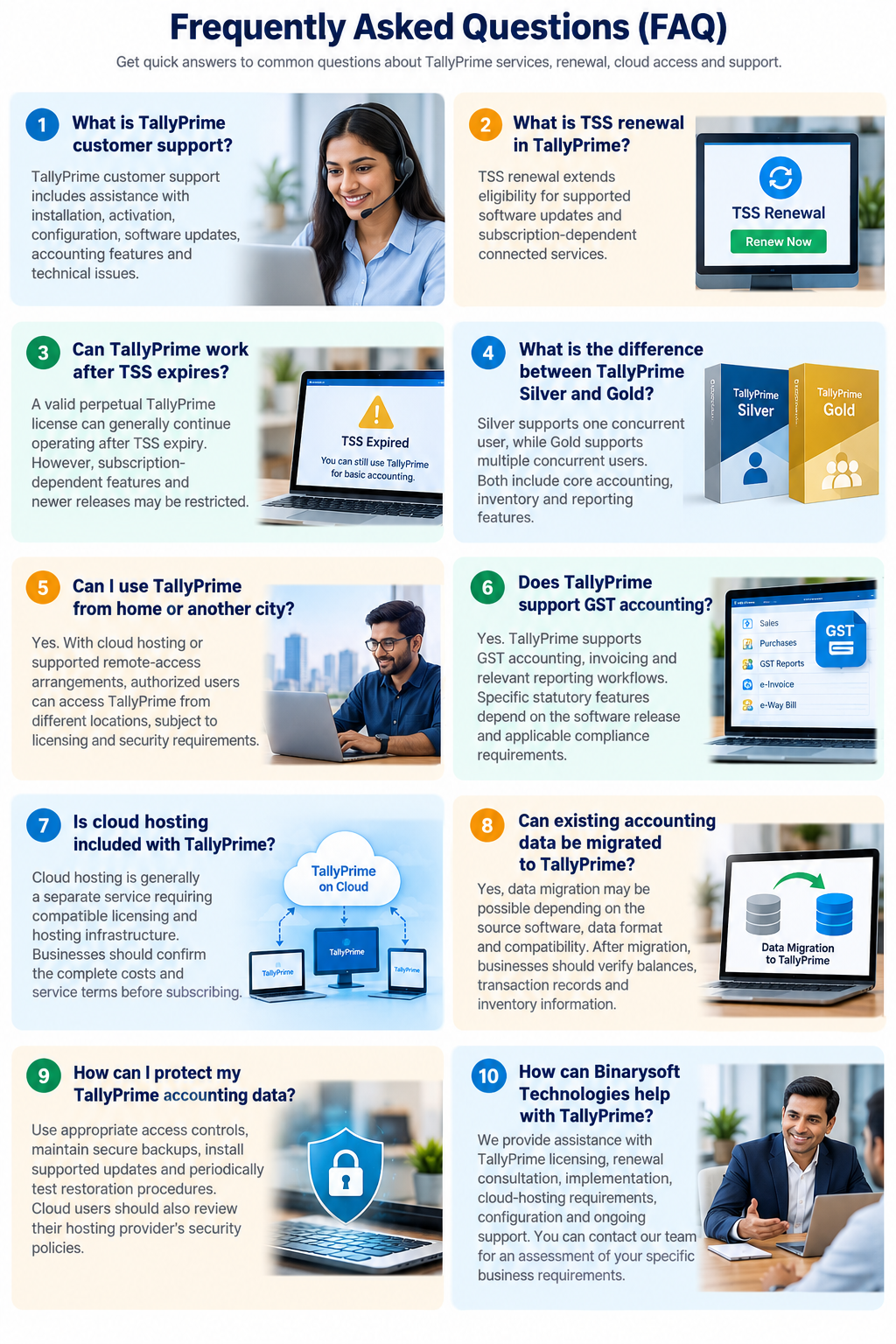
How can Binarysoft Technologies help with TallyPrime?
Binarysoft Technologies provides assistance with TallyPrime licensing, renewal consultation, implementation, cloud-hosting requirements, configuration and accounting software support. Businesses can contact the team for an assessment of their specific requirements.
How can I protect my TallyPrime accounting data?
Use appropriate access controls, maintain secure backups, install supported updates and periodically test restoration procedures. Cloud users should also review their hosting provider's security policies.
Can I use TallyPrime from home or another city?
Yes. Suitable cloud hosting or supported remote-access arrangements can allow authorized users to access TallyPrime from other locations, subject to licensing, connectivity and security requirements.
Does TallyPrime support GST accounting?
Yes. TallyPrime supports GST accounting, invoicing and relevant reporting workflows. Specific statutory features depend on the software release, configuration and applicable compliance requirements.
CA. Krishiv Bansode works closely with startups and MSMEs on accounting, taxation, and compliance matters. He regularly writes about cloud accounting, automation, and financial management strategies.









