Call CA Tally HelpDesk
+91 9205471661,
7428779101
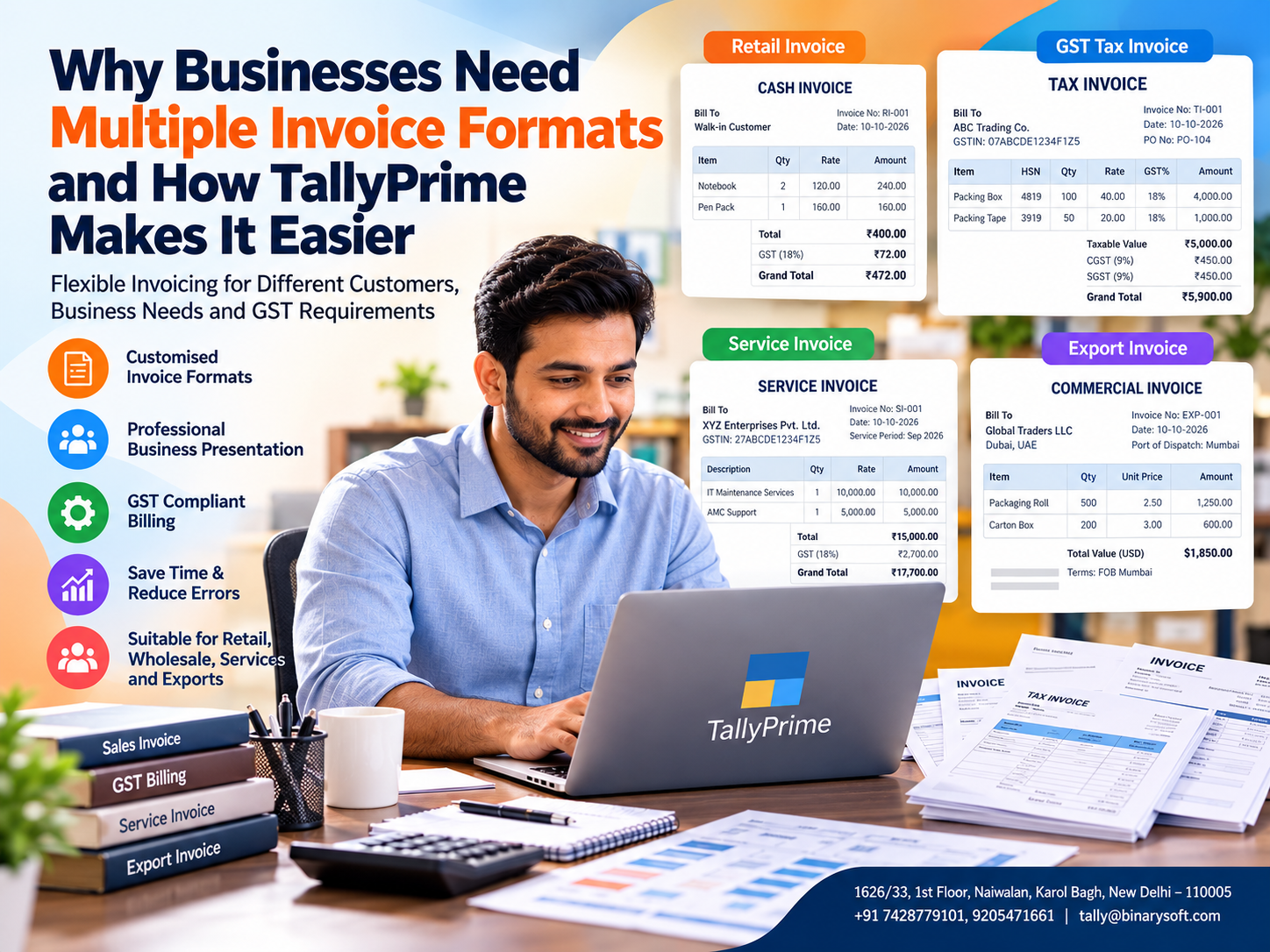
Introduction: One Business, Different Customers, Different Invoice Requirements
Imagine running a successful business where every customer expects something different from your invoice.
A retail customer wants a simple bill showing product names, quantities, prices and the final amount. A corporate customer requires a detailed GST tax invoice with GSTIN, HSN or SAC information, tax breakup and purchase order references.
A distributor may require delivery information, transport details and payment terms, while a service provider may need to display project descriptions, service periods and professional charges.
Using one rigid invoice layout for every transaction can create unnecessary complications.
Employees may spend additional time adjusting documents, customers may request revised invoices, and accounts departments may struggle to process incomplete billing information.
This is why flexible invoice formatting has become important for modern businesses.
Multiple invoice formats allow organisations to present relevant information according to customer expectations, transaction requirements and business operations.
With TallyPrime, businesses can use configurable invoice printing and accounting features to create professional invoices while maintaining consistency in financial records.
The objective is not merely to make invoices attractive. It is to improve accuracy, reduce administrative work, support GST compliance and create a smoother customer experience.
1. What Are Multiple Invoice Formats?
Multiple invoice formats refer to different layouts or presentations used to communicate billing information to customers.
Although invoices may share common accounting information, their appearance and supporting details can vary according to transaction type, customer category or business requirements.
For example, a business may require separate formats for retail sales, wholesale transactions, service billing and export transactions.
The underlying accounting entries may remain consistent, while the printed or exported invoice displays information appropriate to the transaction.
Common information included in invoices
-
Supplier name, address and applicable GSTIN.
-
Invoice number and issue date.
-
Customer name and billing information.
-
Product or service description.
-
Quantity, rate, discount and taxable value, where applicable.
-
GST rates and tax amounts.
-
Total invoice value.
-
Payment terms and relevant references.
-
Additional statutory or transaction-specific details.
The exact information required depends on the type of document and applicable regulations.
A customised invoice format should never omit legally mandatory information merely to achieve a simpler appearance.
2. Why Businesses Need Different Invoice Formats
Different customer expectations
Retail customers usually prefer concise invoices that are easy to read.
Corporate customers may require detailed information for purchase verification, input tax credit assessment and internal accounting.
Providing appropriate invoice information can reduce clarification requests and payment delays.
Different business models
A manufacturer, retailer, wholesaler and service provider may have different billing requirements.
Manufacturers may require product specifications, while service providers may need detailed descriptions of professional work.
Better business presentation
Professional invoices help create a consistent business identity.
Clear headings, organised tables, contact information and suitable terms make documents easier to understand.
Reduced manual editing
When invoice presentation is configured appropriately, employees spend less time manually preparing billing documents.
Improved payment communication
Displaying payment terms, bank details and due dates can help customers understand payment expectations.
Support for regulatory requirements
Invoice layouts can be designed to display information required for applicable GST, e-invoicing, export and other transaction-specific requirements.
However, invoice formatting alone does not establish compliance; the underlying transaction data and statutory processes must also be correct.
3. Types of Invoice Formats Used by Indian Businesses
|
Invoice Type
|
Common Business Use
|
Important Information
|
|---|
|
Retail invoice
|
Retail stores and shops
|
Items, quantities, prices and total
|
|
GST tax invoice
|
Taxable supplies
|
GSTIN, tax details and prescribed particulars
|
|
Bill of supply
|
Applicable exempt or composition supplies
|
Prescribed bill-of-supply information
|
|
Wholesale invoice
|
Distributors and traders
|
Product details, discounts and payment terms
|
|
Service invoice
|
Consultants and service providers
|
Service description, fees and tax details
|
|
Export invoice
|
Export transactions
|
Export-related particulars and applicable declarations
|
|
Commercial invoice
|
International trade documentation
|
Buyer, seller, goods, values and shipment information
|
Businesses should distinguish between an invoice's legal document type and its visual layout.
For example, a bill of supply is not simply a tax invoice with a different design. It is a distinct document used in specified circumstances.
4. An Emotional Business Story: The Invoice That Almost Cost a Small Business Its Biggest Customer
Amit operated a small packaging-material distribution business in Delhi.
For years, he had managed invoices using a basic billing process.
His regular customers were local retailers who accepted simple invoices without requesting extensive documentation.
One day, Amit received an opportunity to supply packaging materials to a large corporate customer.
The order was significantly larger than his usual transactions.
For Amit, it represented an opportunity to expand the business his father had established with years of hard work.
He delivered the products on time and proudly submitted his invoice.
A few days later, the customer's accounts department requested clarification because the invoice did not display certain purchase order references and required billing details in the expected manner.
Amit manually revised the document and sent it again.
Another clarification followed.
As the payment process slowed, Amit became worried.
He had already paid his suppliers, employee salaries were approaching, and the business had limited available cash.
That evening, his father asked why he looked so concerned.
Amit replied, “We completed our biggest order, but I am still waiting for the payment.”
The experience made him realise that professional invoicing was an essential part of business operations.
He began organising customer-specific billing requirements, improving invoice presentation and maintaining more consistent accounting records.
Gradually, his billing process became easier to manage.
His employees spent less time correcting invoices, and customers received clearer documents.
The lesson was simple: an invoice is more than a request for payment. It is an important connection between a business, its customers and its financial stability.
This is an illustrative story created to demonstrate the emotional and operational challenges associated with invoicing.
5. How TallyPrime Simplifies Multiple Invoice Formats
TallyPrime provides invoicing and accounting capabilities that help businesses prepare invoices, configure printing details and manage billing information.
Its integrated approach reduces the need to maintain separate accounting records for different invoice presentations.
5.1 Configurable invoice printing
TallyPrime allows businesses to configure several invoice printing options according to their requirements.
Depending on the installed release, voucher type and available configuration, businesses can adjust the information displayed in invoices.
These options may include company details, customer information, item descriptions, tax details and other relevant fields.
5.2 Professional invoice presentation
A clearly organised invoice can improve communication with customers.
Businesses can use appropriate headings, item tables, tax summaries and payment information to make invoices easier to understand.
Advanced visual layouts or customer-specific designs may require additional customisation.
5.3 GST billing integration
TallyPrime supports GST-related invoicing and accounting features.
Businesses can maintain relevant tax information, record taxable transactions and generate invoices using the applicable GST details.
Correct GST configuration helps reduce errors in tax calculations and billing records.
5.4 Item-wise billing
Retailers, wholesalers and distributors can record invoices containing multiple stock items.
Relevant details may include product descriptions, quantities, rates, discounts and applicable taxes.
This is particularly useful for businesses handling large product catalogues.
5.5 Service invoicing
Service providers can prepare invoices for consulting, maintenance, installation, professional services and other activities.
Proper ledger configuration and service descriptions help ensure that charges are recorded accurately.
5.6 Invoice printing and digital sharing
TallyPrime supports invoice printing and export options, including PDF output.
Businesses can share exported invoices through suitable communication channels.
Available direct sharing and messaging features depend on the installed version, subscription and service configuration.
5.7 Customisation through TDL
Tally Definition Language (TDL) provides additional customisation possibilities for businesses requiring specialised invoice layouts.
With suitable development and testing, businesses may implement customer-specific invoice designs, additional fields or specialised printing requirements.
Such customisations should be maintained carefully and reviewed when upgrading software.
6. Practical Example: One Business Using Different Invoice Presentations
Consider a trading company that supplies products to retail customers, wholesale dealers and corporate organisations.
The company wants to maintain consistent accounting records while providing appropriate invoice details to each customer category.
Example invoice format comparison
DEMO TRADING COMPANY
Illustrative invoice preview
INVOICE
RETAIL SALES INVOICE
|
Item
|
Qty
|
Rate
|
Amount
|
|
Office Notebook
|
2
|
₹120
|
₹240
|
|
Pen Pack
|
1
|
₹160
|
₹160
|
Illustrative GST (18%)
₹72
Simple customer-facing invoice with item and payment details. These are simplified design examples, not statutory-complete GST invoices or actual TallyPrime screenshots. Actual tax treatment depends on the transaction.
The company can adopt different invoice presentations while maintaining appropriate accounting and inventory records.
The exact implementation may use standard printing configurations, distinct voucher configurations or customised layouts, depending on the business requirements.
7. Step-by-Step Guide to Configuring Invoice Printing in TallyPrime
Businesses can begin with the standard invoice configuration features available in TallyPrime.
Step 1: Open the company
Launch TallyPrime and select the relevant company.
Verify that the company details, GST registration information and accounting settings are accurate.
Step 2: Create or open a sales voucher
Navigate to the sales voucher using the available voucher menu or shortcut.
Enter the customer, sales ledger, stock items or services, quantities, rates and applicable taxes.
Step 3: Verify invoice information
Check the invoice date, customer details, taxable value, tax calculations and other required particulars.
Step 4: Open the printing options
Use the Print option for the invoice and open the available print configuration settings.
Step 5: Configure invoice details
Select the available options for displaying relevant company, customer, product, tax and payment information.
The exact settings and labels may vary by TallyPrime release.
Step 6: Preview the invoice
Review the printed layout before issuing it to the customer.
Check readability, alignment, page breaks and mandatory particulars.
Step 7: Print or export
Print the invoice or export it to a suitable format, such as PDF.
Step 8: Consider additional customisation
If the standard configuration cannot produce the required layout, evaluate whether a suitable TDL customisation is necessary.
Test customised invoices thoroughly before using them in live business operations.
8. Case Study One: Wholesale Distributor Reduces Invoice Preparation Time
Illustrative case study using hypothetical operational figures.
A wholesale distributor operating in Sadar Bazaar supplied household products to retail shops, institutional buyers and corporate customers.
The company processed approximately 100 invoices daily.
Its employees frequently adjusted invoice documents manually because different customers requested different information.
Challenges
The company faced inconsistent invoice presentation, repeated document corrections and additional administrative work.
Corporate customers required purchase order references and payment terms, while local retailers preferred simpler invoices.
Proposed solution
Management standardised customer categories and documented their invoicing requirements.
It introduced appropriate invoice printing configurations and evaluated additional customisation for specialised customers.
Employees were trained to verify invoice information before printing or exporting documents.
Illustrative operational improvement
|
Performance Metric
|
Before
|
After
|
|---|
|
Average preparation time
|
6 minutes
|
3 minutes
|
|
Daily invoice volume
|
100
|
100
|
|
Daily preparation time
|
600 minutes
|
300 minutes
|
|
Daily time saved
|
—
|
300 minutes
|
The hypothetical improvement represents five hours of invoice preparation time saved each working day.
These figures demonstrate potential efficiency gains, not guaranteed results.
Role of TallyPrime
TallyPrime's integrated invoicing and accounting features can help maintain consistent transaction records while supporting configurable invoice presentation.
The business can reduce repeated data entry and improve the accuracy of documents shared with customers.
9. Case Study Two: Service Company Improves Corporate Billing
Illustrative case study based on a hypothetical professional services company.
An IT maintenance company in Nehru Place provided technical support, software maintenance and annual service contracts.
Its customers included small businesses, educational institutions and corporate organisations.
The company initially used a basic invoice layout for every transaction.
However, corporate customers frequently requested service descriptions, contract references and detailed billing information.
Business challenges
Invoice clarification requests increased administrative workload.
Accounts staff spent additional time locating supporting information.
Some invoices required revisions before customers could complete their internal verification.
Improvement strategy
The company established clearer service descriptions, organised customer billing requirements and configured its invoice presentation accordingly.
For specialised layouts, management evaluated suitable customisation options.
Illustrative results
Suppose the company reduced average invoice clarification cases from 20 to 6 per month.
That would represent a 70% reduction in clarification cases.
The company could use the time saved to focus on customer support, contract renewals and business development.
Role of TallyPrime
TallyPrime can help service businesses maintain customer ledgers, record service income, apply relevant GST information and review outstanding receivables.
Appropriate invoice formatting complements these accounting capabilities by improving the clarity of customer-facing documents.
10. How Multiple Invoice Formats Support GST Compliance
GST compliance requires accurate transaction recording and the inclusion of prescribed information in applicable documents.
Businesses should consider the requirements relevant to their registration, supply type and transaction.
Important invoice information may include supplier and recipient particulars, invoice identification, description of goods or services, taxable value and applicable tax details.
Certain transactions may also require additional information relating to place of supply, reverse charge, exports or other statutory requirements.
Where e-invoicing applies, eligible taxpayers must follow the prescribed Invoice Registration Portal process and related requirements.
TallyPrime supports GST-related transaction recording and connected compliance functionality in supported releases and configurations.
However, changing the visual format of an invoice does not replace statutory compliance obligations.
Businesses should review invoice templates when applicable legal requirements change.
11. Common Invoice Formatting Mistakes Businesses Should Avoid
Missing mandatory information
A visually attractive invoice is not useful if it omits legally required particulars.
Inconsistent invoice numbering
Invoice identification should follow the applicable statutory requirements and the organisation's accounting controls.
Excessive customisation
Overly complicated layouts can make invoices difficult to read and maintain.
Incorrect customer information
Wrong GSTIN, billing address or transaction details can create accounting and compliance difficulties.
Unclear payment terms
Missing due dates or payment instructions can result in avoidable customer enquiries.
Inadequate testing
Custom invoice layouts should be tested for different transaction scenarios, including discounts, multiple tax rates, returns and multi-page invoices.
12. Best Practices for Professional Invoice Management
Businesses should establish a consistent invoice preparation process.
Start by identifying the information required by different customer categories.
Maintain accurate customer and product masters, and avoid entering important details manually on every invoice.
Use clear descriptions and appropriate tax classifications.
Keep invoice layouts readable and avoid unnecessary decorative elements.
Review print configurations periodically and test invoices after software upgrades or customisation changes.
Businesses using specialised invoice formats should maintain documentation of the customisations and ensure that authorised employees understand the correct workflow.
Finally, invoice management should be connected with receivables monitoring so that issued invoices can be tracked through payment collection.
13. Benefits of Using TallyPrime for Growing Businesses
As a business expands, the number of customers, transactions and billing requirements often increases.
TallyPrime can help businesses manage this growth through integrated accounting, inventory and invoicing capabilities.
Its benefits include reduced duplication of transaction entry, more organised financial records, configurable invoice printing and access to relevant business reports.
Businesses can also review customer balances, outstanding receivables, sales information and applicable GST records.
For organisations requiring highly specialised invoice presentations, TDL-based customisation can provide additional flexibility.
The most effective implementation is one that balances professional presentation, regulatory requirements, operational simplicity and maintainability.
14. Conclusion: Flexible Invoicing Creates Better Business Opportunities
Multiple invoice formats are an important requirement for businesses serving different customer categories, industries and transaction types.
A well-designed invoice improves communication, reduces avoidable clarification requests and supports a professional customer experience.
For growing Indian businesses, flexible invoice presentation can also help simplify billing operations and strengthen internal accounting processes.
TallyPrime offers configurable invoicing, integrated GST accounting, inventory management and financial reporting capabilities. Businesses requiring specialised invoice designs can explore additional customisation options based on their requirements.
By combining accurate transaction records with suitable invoice formats, organisations can improve billing efficiency and support long-term business growth.
The objective is simple: Create the right invoice for the right customer without compromising accounting accuracy or compliance.
Powered by Binarysoft Technologies Authorized Tally Partner
Location: 1626/33, 1st Floor, Naiwalan, Karol Bagh, New Delhi – 110005, INDIA
Contact us: +91 7428779101, 9205471661
Email us: tally@binarysoft.com
Business Hours: 10:00 AM – 6:00 PM, Monday–Friday
Frequently Asked Questions
Why do businesses need multiple invoice formats?
Businesses serve different customer categories with different billing requirements. Multiple invoice formats help present relevant transaction information clearly while supporting professional communication and operational efficiency.
Does TallyPrime support retail and wholesale invoicing?
Yes. TallyPrime supports sales invoicing for different business operations, including retail and wholesale transactions, with relevant accounting and inventory functionality.
Is TDL required for every invoice format change?
No. Many invoice printing requirements can be handled using standard configuration settings. TDL is generally considered when the required layout or functionality goes beyond standard options.
Do multiple invoice formats improve payment collection?
Clear invoice information can reduce customer confusion and support smoother payment processing. However, actual collection performance also depends on credit terms, customer behaviour and follow-up procedures.
CA. Anand Tirpathi is a Chartered Accountant with experience in statutory compliance, internal controls, and accounting process optimization. He has advised multiple businesses on improving operational efficiency through structured accounting and inventory systems. His writing focuses on clarity, compliance, and risk reduction for MSMEs.









