Call CA Tally HelpDesk
+91 9205471661,
7428779101
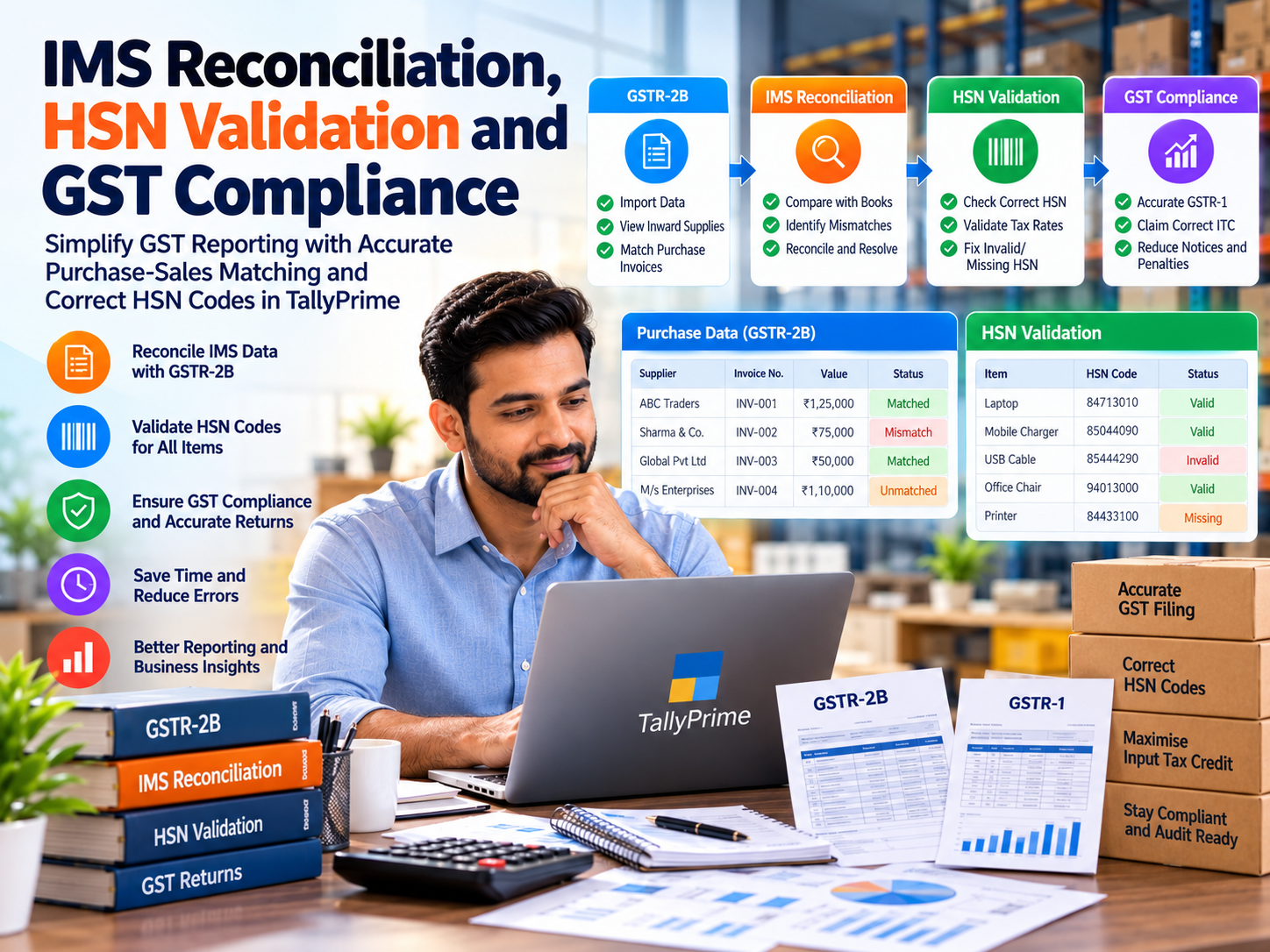
Introduction: Why IMS Reconciliation and HSN Validation Matter for Indian Businesses
For many Indian businesses, GST compliance is no longer limited to preparing sales invoices and filing returns before their due dates.
Companies must also ensure that purchase invoices are correctly recorded, supplier-reported transactions are reviewed, input tax credit claims are supported by eligible documents, and products or services are classified under appropriate HSN or SAC codes.
A small mismatch can create significant administrative work.
Imagine a wholesale trader who purchases goods worth ₹15 lakh during a month. The purchase invoices are entered correctly in the accounting system, but some suppliers have not reported the corresponding invoices accurately.
When the accountant reviews GSTR-2B, differences appear.
The business may need to contact suppliers, investigate incorrect invoice details and reassess the input tax credit available for the tax period.
At the same time, an incorrect HSN classification on a sales invoice may create reporting inconsistencies or tax-rate errors.
The GST Invoice Management System (IMS), systematic reconciliation and HSN validation help businesses manage these challenges more effectively.
With TallyPrime, businesses can maintain organised GST records, reconcile purchase transactions and identify reporting differences through supported connected GST and accounting features.
The objective is to move from last-minute GST corrections to a more controlled and reliable compliance process.
1. What Is the Invoice Management System (IMS) Under GST?
The Invoice Management System is a facility available through the GST portal that helps recipients review eligible supplier-reported invoice and related document information.
IMS provides recipients with mechanisms to accept, reject or keep certain records pending, subject to the rules and functionality applicable to the document and tax period.
It improves visibility over supplier-reported transactions and supports the determination of information reflected in GSTR-2B.
Why IMS is important
Before reviewing purchase-related tax information, businesses need to understand whether suppliers have reported transactions correctly.
IMS provides an additional opportunity to examine supplier-reported records and take appropriate action.
Its important purposes include:
-
Reviewing eligible supplier-reported invoices and related documents.
-
Identifying transactions requiring clarification.
-
Supporting communication with suppliers.
-
Improving purchase reconciliation.
-
Helping businesses assess input tax credit information.
-
Reducing avoidable differences between accounting records and GST portal data.
However, IMS acceptance alone does not establish input tax credit eligibility. Businesses must also satisfy the applicable conditions under GST law.
2. Understanding IMS Actions: Accept, Reject and Pending
IMS provides different actions for eligible records.
|
IMS Action
|
General Meaning
|
Practical Use
|
|---|
|
Accept
|
Confirm acceptance of a supplier-reported record
|
Where the document is appropriate for acceptance
|
|
Reject
|
Reject a record under the applicable IMS workflow
|
Where the reported document should not be accepted
|
|
Pending
|
Keep an eligible record for later action
|
Where clarification or verification is required
|
The effect of each action depends on the document type, applicable portal rules and timing.
Certain records may have default treatment when no action is taken, and pending may not be available for every document category.
Businesses should therefore review the applicable IMS instructions before taking action.
3. What Is GST Reconciliation?
GST reconciliation is the process of comparing accounting records with relevant information available through GST returns, statements and other supporting documents.
It helps businesses identify differences before finalising tax reporting or input tax credit decisions.
Common GST reconciliation activities
Purchase reconciliation: Compare purchase invoices recorded in the books with supplier-reported information reflected in GSTR-2B.
Sales reconciliation: Compare sales records with information prepared or reported in GSTR-1.
Tax liability reconciliation: Review relevant outward tax liability information against GSTR-3B.
Input tax credit reconciliation: Examine eligible ITC in accounting records against applicable GST information and legal requirements.
Credit note and debit note reconciliation: Verify adjustments and their treatment in the relevant records.
These checks help businesses improve the accuracy of GST reporting and reduce unnecessary disputes.
4. An Emotional Story: The GST Mismatch That Put a Family Business Under Pressure
Rohit managed a small electrical goods distribution business in Delhi.
His father had established the company with limited savings and years of dedication.
As the business expanded, Rohit began supplying products to retailers, contractors and small manufacturing companies.
One month, the business purchased a substantial quantity of electrical materials from several suppliers.
The purchase invoices were entered into the accounting system, and Rohit expected the associated input tax credit to support his GST liability.
However, during reconciliation, his accountant discovered that several invoices did not appear correctly in GSTR-2B.
Some suppliers had delayed reporting their transactions. Others had entered incorrect invoice information.
Rohit became concerned because the business had already paid its suppliers.
He worried about the additional cash required if the expected ITC could not be claimed in the relevant period.
That evening, he sat in the office reviewing invoices while his father waited for him at home.
His father called and asked, “Everything is fine with the business, isn't it?”
Rohit replied, “The sales are fine, but some purchase invoices are not matching. I need to resolve them before filing.”
Instead of continuing with an unorganised process, Rohit decided to improve the company's GST controls.
He began reviewing supplier invoices regularly, checking GSTR-2B information and following up on discrepancies before the return-filing deadline.
He also ensured that product masters contained appropriate HSN information.
With organised accounting records and a disciplined reconciliation process, the company reduced repeated errors and improved its visibility over purchase-related GST information.
Rohit learned an important lesson: successful business management requires more than generating sales. It also requires accurate records, timely verification and financial discipline.
This is an illustrative story created to demonstrate the financial and emotional challenges associated with GST mismatches.
5. What Is HSN Validation Under GST?
HSN stands for Harmonised System of Nomenclature. It is a classification system used to identify goods for customs and taxation purposes.
For services, India uses Service Accounting Codes (SAC).
Correct HSN or SAC classification helps businesses report supplies accurately and apply the appropriate GST treatment.
Why HSN validation is important
HSN validation helps businesses identify incorrect, missing or outdated classification information.
A product may have been assigned an inappropriate code during master creation, or a code may have been entered incorrectly.
Such mistakes can affect invoice information, return reporting and tax classification.
Common HSN validation problems
|
Error Type
|
Possible Consequence
|
|---|
|
Missing HSN code
|
Incomplete invoice or return information
|
|
Incorrect classification
|
Wrong tax treatment or reporting
|
|
Invalid code
|
Validation or filing difficulties
|
|
Insufficient code digits
|
Failure to meet applicable reporting requirements
|
|
Incorrect GST rate
|
Underpayment or overpayment of tax
|
|
Inconsistent product master
|
Repeated errors across invoices
|
HSN code requirements vary according to the applicable GST provisions, turnover thresholds, document type and reporting period.
Businesses should verify current classification requirements rather than assuming that the same code length applies to every taxpayer.
6. How TallyPrime Helps with IMS Reconciliation and GST Compliance
TallyPrime provides integrated accounting and GST-related features that help businesses maintain transaction records and perform reconciliation activities.
The availability of specific connected GST and IMS-related functionality depends on the installed TallyPrime release and service configuration.
6.1 GST purchase invoice management
Businesses can record purchase invoices with supplier information, taxable values and applicable tax details.
Accurate purchase records provide the foundation for reconciling accounting data with GSTR-2B.
6.2 GSTR-2B reconciliation
Supported connected GST functionality allows businesses to obtain or work with GSTR-2B information and compare it against purchase records.
This helps identify invoices that match and those requiring further investigation.
6.3 Identification of mismatches
Reconciliation reports can help highlight differences involving invoice numbers, dates, values, GSTINs and tax amounts.
These differences can then be reviewed against supporting documents.
6.4 GSTIN information
Correct supplier and customer GSTIN information is important for accurate reporting.
Maintaining GSTIN details in the relevant ledgers helps reduce repeated data-entry errors.
6.5 HSN and SAC information
Businesses can maintain appropriate HSN or SAC details for stock items, services and relevant transaction configurations.
Correct master information helps improve consistency across invoices and GST reports.
6.6 GST return preparation
TallyPrime provides GST reporting features that help businesses review relevant transaction information and prepare returns.
Supported connected services may also provide additional return-related capabilities.
6.7 GST exception reporting
GST-related reports and validation information can help identify transactions requiring correction.
The specific checks available depend on the software release, configuration and transaction type.
6.8 Audit and transaction review
Maintaining organised voucher records helps accountants investigate differences and review the accounting treatment of transactions.
The objective is to establish a reliable connection between business records and the information reported under GST.
7. Step-by-Step Guide to GST Reconciliation in TallyPrime
Businesses can follow a structured process to improve purchase reconciliation.
Step 1: Verify GST configuration
Open the relevant company in TallyPrime and verify the GST registration and applicable tax settings.
Step 2: Review supplier ledgers
Ensure that supplier names, GSTINs and other relevant information are accurate.
Step 3: Record purchase transactions
Enter purchase invoices with correct document references, taxable values and tax amounts.
Step 4: Obtain GSTR-2B information
Use the available supported connected GST functionality or relevant import workflow to obtain the required GSTR-2B data.
Step 5: Open the reconciliation report
Compare purchase records with the downloaded or available GST information.
Step 6: Review mismatches
Identify differences involving invoice numbers, supplier GSTINs, taxable values and tax amounts.
Step 7: Investigate discrepancies
Check original invoices, accounting entries and supplier-reported information.
Contact suppliers where corrections are required.
Step 8: Review IMS status separately
Where IMS actions are applicable, verify the relevant supplier-reported records and take appropriate action through the supported workflow.
Do not assume that reconciliation status and IMS acceptance are identical.
Step 9: Validate HSN and SAC information
Review product and service classifications and verify applicable tax rates.
Step 10: Finalise GST reporting
Reassess eligible ITC and return information after resolving discrepancies and completing necessary reviews.
The precise menu paths and available operations may vary between TallyPrime releases.
8. Practical Example of Purchase Reconciliation
Consider a trading company that records five purchase invoices during a tax period.
|
Supplier
|
Purchase Books
|
GSTR-2B
|
Status
|
|---|
|
ABC Traders
|
₹1,25,000
|
₹1,25,000
|
Matched
|
|
Sharma & Co.
|
₹75,000
|
₹70,000
|
Value Difference
|
|
Global Suppliers
|
₹50,000
|
₹50,000
|
Matched
|
|
M Enterprises
|
₹1,10,000
|
Not Reflected
|
Missing
|
|
National Traders
|
₹90,000
|
₹90,000
|
Matched
|
The company identifies two records requiring investigation.
One invoice contains a value difference, while another is not reflected in the relevant GSTR-2B.
The accountant should investigate these discrepancies before determining the appropriate ITC treatment.
A mismatch does not automatically establish fraud or permanently disallow credit. The outcome depends on the facts, applicable law and available corrective procedures.
9. Case Study One: Electrical Wholesaler Improves Purchase Reconciliation
Illustrative case study using hypothetical business figures.
A wholesale electrical distributor operating in Bhagirath Palace handled purchases from approximately 80 suppliers.
Its monthly purchase invoices were recorded in the accounting system, but reconciliation was performed only shortly before GST filing.
Initial challenges
The company frequently discovered missing supplier invoices and incorrect document references.
The accounts team spent considerable time contacting suppliers and comparing spreadsheets.
Improvement strategy
Management introduced regular purchase reconciliation and standardised supplier master information.
Accounting records were maintained in TallyPrime, and GSTR-2B information was reviewed systematically.
Illustrative results
|
Performance Metric
|
Before
|
After
|
|---|
|
Monthly purchase invoices
|
500
|
500
|
|
Records needing investigation
|
65
|
20
|
|
Reconciliation effort
|
20 hours
|
9 hours
|
|
Supplier follow-up process
|
Irregular
|
Scheduled
|
Illustrative reduction in reconciliation issues
Number of purchase records requiring investigation before and after process improvement.
The hypothetical improvement reduced records requiring investigation by approximately 69%.
Role of TallyPrime
TallyPrime helped organise purchase transactions and provided information for reconciliation.
The improved results came from combining accounting software with regular verification and supplier follow-up.
10. Case Study Two: Manufacturing Company Improves HSN Accuracy
Illustrative case study based on a hypothetical manufacturing company.
A manufacturing business operating in Okhla Industrial Area supplied electrical components and industrial accessories.
The company maintained hundreds of stock items, and some product masters contained outdated or inconsistent HSN information.
Challenges
Incorrect classification information created additional work during invoice verification and GST return preparation.
Employees occasionally selected unsuitable product codes while creating new stock items.
Corrective measures
Management reviewed the product master database and verified HSN classifications against the applicable tariff and GST requirements.
The accounts team standardised stock item creation and introduced periodic classification reviews.
Illustrative results
Suppose the company initially identified 40 stock items requiring classification correction.
After reviewing its product masters and introducing controls, the number of newly detected classification issues in the following comparable review period decreased to 6.
This represents an illustrative 85% reduction in identified issues.
Role of TallyPrime
TallyPrime supported the maintenance of stock item information and consistent use of the configured tax details.
However, determining the legally correct HSN classification remained the responsibility of the business and its qualified tax advisers.
The case demonstrates that reliable product master information is an important foundation for GST compliance.
11. Common IMS Reconciliation Challenges
Businesses may encounter several difficulties when reconciling supplier-reported records.
Missing supplier invoices
A supplier may not have reported a transaction for the relevant period, or it may not appear in the expected statement.
Incorrect GSTIN
An incorrect recipient GSTIN can prevent the transaction from appearing in the intended recipient's records.
Invoice number differences
Differences in invoice references can complicate matching, even where other transaction information appears similar.
Taxable value differences
Differences may arise because of incorrect reporting, discounts, adjustments or data-entry errors.
Credit note and debit note discrepancies
Adjustments require careful verification to ensure that their accounting and GST treatment is appropriate.
Incorrect IMS actions
Accepting or rejecting records without proper verification can create additional reconciliation work.
Businesses should establish internal review procedures before taking consequential actions.
12. Best Practices for IMS Reconciliation and HSN Validation
Businesses should maintain a disciplined GST compliance process throughout the reporting period.
Purchase invoices should be recorded promptly and checked against original documents.
Supplier GSTIN information should be verified, and discrepancies should be communicated before return deadlines wherever possible.
IMS records should be reviewed according to their applicable status and treatment.
Product and service masters should contain accurate HSN or SAC classifications.
Businesses should also review tax-rate information when relevant statutory changes occur.
Regular reconciliation can help identify issues earlier and reduce pressure during return preparation.
Finally, significant discrepancies and uncertain tax classifications should be reviewed by qualified GST professionals.
13. Why Integrated GST Accounting Is Important for Growing Businesses
As businesses expand, the number of invoices, suppliers, products and tax-related transactions generally increases.
Manual reconciliation becomes more time-consuming when accounting records are maintained across disconnected systems.
Integrated accounting software helps maintain consistent transaction information and provides structured reports for review.
TallyPrime can support GST compliance through purchase and sales accounting, GST reporting, relevant reconciliation capabilities and inventory-related tax information.
These capabilities can reduce repetitive work and improve visibility over transaction records.
However, software does not replace statutory interpretation, supplier coordination or professional judgement.
Effective GST compliance requires accurate source information, regular review and responsible decision-making.
14. Conclusion
IMS reconciliation and HSN validation are important components of modern GST compliance.
The Invoice Management System helps businesses review eligible supplier-reported records, while reconciliation supports the comparison of accounting information with GST statements.
Correct HSN and SAC classification helps maintain consistent product and service reporting.
TallyPrime provides integrated accounting and GST-related capabilities that can help businesses organise records, identify discrepancies and prepare relevant reports.
For retailers, wholesalers, manufacturers and service providers, the greatest benefit comes from combining suitable technology with regular verification and strong accounting controls.
Accurate GST compliance begins with correct transactions, continues through disciplined reconciliation and ends with well-reviewed return information.
Powered by Binarysoft Technologies Authorized Tally Partner
Location: 1626/33, 1st Floor, Naiwalan, Karol Bagh, New Delhi – 110005, INDIA
Contact us: +91 7428779101, 9205471661
Email us: tally@binarysoft.com
Business Hours: 10:00 AM – 6:00 PM, Monday–Friday
Frequently Asked Questions
What is IMS under GST?
The Invoice Management System is a GST portal facility that allows recipients to review eligible supplier-reported invoice and related document information and take applicable actions.
What is the difference between IMS and GSTR-2B?
IMS provides a workflow for reviewing and acting on eligible supplier-reported records. GSTR-2B is a tax-period-specific statement containing input tax credit information under the applicable GST framework.
Why is IMS reconciliation important?
IMS reconciliation helps businesses review supplier-reported information, identify discrepancies and support more accurate input tax credit assessment.
Can TallyPrime help reconcile purchase invoices with GSTR-2B?
Yes. Supported TallyPrime GST reconciliation features can help businesses compare purchase records with GSTR-2B information and identify differences.
CA. Rohin Mehtaal is a Chartered Accountant with experience in accounting systems, audit support, and GST compliance. He has assisted businesses in adopting structured financial processes and improving inventory accuracy. His writing emphasizes clarity, control, and data-driven decision making.









