Call CA Tally HelpDesk
+91 9205471661,
7428779101
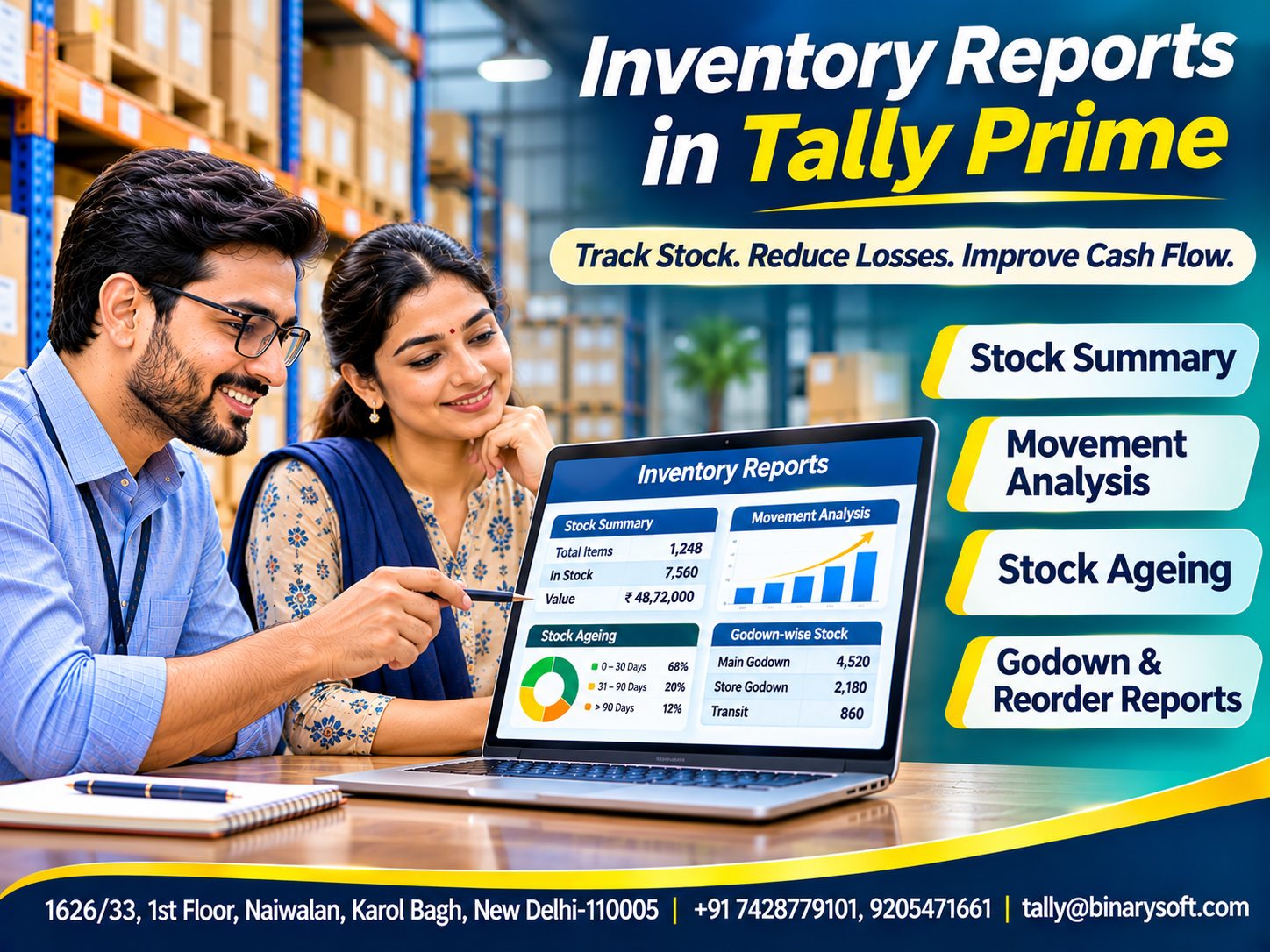
Introduction: Your Inventory Is Telling a Story. Are You Listening?
Imagine owning a growing wholesale business where sales are increasing, employees are busy and suppliers regularly deliver new products.
Everything appears successful.
Yet, at the end of the month, you discover that cash is running short.
Some products have remained unsold for months, while popular items frequently go out of stock. Warehouse employees struggle to locate goods, and purchasing decisions are based on assumptions.
The problem is not necessarily poor sales.
It may be a lack of reliable inventory information.
Inventory reports transform everyday stock transactions into meaningful information that helps businesses make better decisions.
For manufacturers, wholesalers, retailers and startups, inventory reporting is essential for understanding stock availability, movement, valuation and replenishment requirements.
Tally Prime provides inventory reports that help businesses monitor quantities, analyse product movement and review stock across multiple godowns.
This guide explains the most important inventory reports, their business benefits and practical ways to use them.
1. What Are Inventory Reports?
Inventory reports are structured statements that provide information about the quantities, values, locations and movements of goods maintained by a business.
They help management understand current inventory conditions and identify potential problems.
For example, an electrical distributor may use inventory reports to determine how many switches are available, which products sell frequently and which items require replenishment.
A manufacturer may examine raw material consumption and finished goods availability.
Inventory reports are generated from recorded transactions, including purchases, sales, stock transfers and adjustments.
Their accuracy therefore depends on proper data entry and periodic physical verification.
2. Why Inventory Reports Are Important
Inventory often represents a significant investment.
Without reliable reporting, businesses may purchase unnecessary goods or fail to replenish important products.
Effective inventory reporting helps businesses:
-
Monitor stock availability.
-
Identify fast-moving and slow-moving products.
-
Reduce unnecessary inventory investment.
-
Improve purchasing decisions.
-
Track warehouse-wise stock.
-
Support inventory valuation.
-
Identify replenishment requirements.
-
Improve financial planning.
The objective is not simply to generate reports.
It is to use the information to improve business performance.
3. Stock Summary Report
The Stock Summary is one of the most important inventory reports.
It provides an overview of stock quantities and values based on recorded transactions.
Businesses can review opening balances, inward movements, outward movements and closing stock.
Practical Example
Suppose a distributor begins the month with 500 LED bulbs.
During the month:
Purchases: 300 units.
Sales: 450 units.
Closing Stock:
500 + 300 − 450 = 350 units.
Assuming no other inventory movements, the recorded closing quantity is 350 units.
Business Benefits
The Stock Summary helps management review available inventory and understand stock movements.
It also supports purchasing and sales planning.
In Tally Prime, users can drill down from stock groups to individual items and related transactions.
4. Stock Group Summary
Businesses often manage hundreds or thousands of products.
Reviewing every item individually may be time-consuming.
Stock groups help organise similar products.
For example, an electrical distributor may create groups for lighting products, cables, switches and electrical accessories.
The Stock Group Summary provides consolidated information about products belonging to a particular group.
Management can identify which categories represent larger inventory investments.
This helps businesses prioritise stock reviews and purchasing decisions.
Well-structured stock groups also make reports easier to understand.
5. Stock Category Summary
Stock categories provide another way to classify products.
Unlike stock groups, categories can organise items according to attributes that cross normal product classifications.
For example, a clothing business may maintain groups for shirts, trousers and jackets.
It may also classify products by brand.
Stock Category Summary helps management review inventory across these additional classifications.
This can support product comparison and purchasing analysis.
Businesses should create meaningful categories rather than introducing unnecessary complexity.
6. Movement Analysis Report
Movement Analysis helps businesses understand how inventory moves through purchasing, sales, production and other transactions.
It provides information about inward and outward quantities and values.
This is particularly useful for identifying frequently moving products.
Practical Example
Suppose a hardware distributor sells:
Product A: 800 units monthly.
Product B: 150 units monthly.
Product C: 20 units monthly.
The movement information suggests that Product A requires closer replenishment monitoring.
Product C may need further investigation.
However, low movement does not automatically mean a product is unnecessary.
Some critical spare parts sell infrequently but remain essential.
Tally Prime Application
Tally Prime provides movement analysis for stock items, groups and categories.
Businesses can examine transactions and effective rates to understand inventory activity.
7. Stock Ageing Analysis Report
Stock Ageing Analysis helps businesses identify how long inventory has remained in stock.
This is important because older inventory may become obsolete, damaged or less desirable.
Businesses can examine stock across ageing periods.
For example:
0–30 days.
31–60 days.
61–90 days.
More than 90 days.
These periods are illustrative; suitable ageing intervals depend on business requirements.
Practical Benefits
A garment retailer may identify older seasonal products.
An electronics distributor may discover ageing accessories.
A food business may need to examine batch and expiry information.
Tally Prime supports Stock Ageing Analysis and relevant batch-wise tracking.
The report helps management investigate older inventory before it becomes a significant financial burden.
8. Godown Summary Report
Businesses operating multiple warehouses need accurate location-wise inventory information.
The Godown Summary helps identify where stock is recorded.
For example, a distributor may operate:
Main Warehouse.
Retail Store.
Regional Warehouse.
External Storage Location.
Management can review quantities and values across these locations.
If one godown has excess stock while another faces shortages, an internal transfer may be appropriate.
Tally Prime supports godown-wise inventory tracking and Stock Journal vouchers for recording transfers.
This improves visibility across storage locations.
9. Reorder Status Report
The Reorder Status report helps businesses identify products requiring replenishment.
Reorder planning considers expected demand, supplier lead times and suitable inventory buffers.
A basic formula is:
Reorder Point = Average Daily Demand × Supplier Lead Time + Safety Stock
Suppose:
Daily Demand: 20 units.
Supplier Lead Time: 5 days.
Safety Stock: 40 units.
Reorder Point:
20 × 5 + 40 = 140 units.
Management should consider replenishment when the relevant inventory position approaches this threshold.
Tally Prime's Reorder Status report can consider recorded stock and outstanding purchase and sales orders.
This helps businesses identify shortfalls and evaluate order quantities.
10. Batch Summary Report
Some businesses require batch-wise inventory tracking.
Examples include food products, pharmaceuticals, chemicals and other goods requiring traceability.
Batch Summary helps users examine inventory associated with individual batches.
Where configured, batch details may include manufacturing and expiry dates.
For example, a packaged food distributor can identify stock belonging to different production batches.
This supports inventory rotation and traceability.
However, businesses must configure batch tracking correctly and record relevant information consistently.
Batch reports are most useful when employees follow suitable receiving and dispatch procedures.
11. Stock Valuation Reports and Analysis
Inventory valuation affects financial reporting and profitability.
Businesses need to understand the value of closing inventory.
Depending on the configured valuation method, inventory values may differ.
For example, purchasing the same product at different prices creates valuation considerations.
Businesses should apply an appropriate and consistent inventory valuation policy.
Tally Prime provides stock valuation information and options for comparing valuation methods.
Management should review unusual changes and investigate discrepancies.
Accurate inventory valuation supports meaningful financial statements and business decisions.
12. An Emotional Story: The Report That Saved a Family Business
For eighteen years, Rajiv operated a small electrical distribution business in Delhi.
He began with a rented shop and gradually expanded into wholesale trading.
His wife managed accounts, while his son helped with warehouse operations.
Rajiv believed that maintaining large quantities of stock would protect the business from shortages.
Whenever suppliers offered discounts, he purchased additional products.
Over time, the warehouse became overcrowded.
Some products remained unsold for months.
Meanwhile, popular items frequently became unavailable.
One afternoon, a major customer requested an urgent shipment.
Rajiv confidently accepted the order.
However, employees discovered that the required stock was insufficient.
The customer cancelled the order.
That evening, Rajiv reviewed unpaid supplier bills and upcoming salary payments.
His son entered the office and noticed his disappointment.
Rajiv said, “I have spent my life building this business. I don't understand why we have so much stock but so little money.”
His son suggested reviewing inventory reports rather than purchasing more products.
They examined stock movement, ageing and available quantities.
The reports revealed that substantial capital was invested in slow-moving items.
The family introduced better purchasing controls and established reorder levels for important products.
They also began reviewing inventory reports every week.
The improvements took time.
Gradually, unnecessary purchases declined and frequently requested products became easier to maintain.
Several months later, Rajiv received another large customer order.
This time, his team checked stock availability before confirming delivery.
The shipment was completed successfully.
When Rajiv returned home, his wife asked whether the day had gone well.
He smiled and replied, “Today, we made decisions using facts instead of fear.”
For Rajiv, inventory reports became more than business statements. They became a way to protect his employees, his family's future and the trust he had spent years building.
This story is fictional and illustrates a common business challenge.
13. Case Study One: Retail Distributor Reduces Slow-Moving Inventory
Business Background
A hypothetical household goods distributor maintains approximately 1,200 stock items.
The Challenge
Purchasing decisions are based on supplier discounts rather than actual product movement.
Slow-moving inventory occupies substantial warehouse space.
The Solution
The business introduces monthly Stock Ageing and Movement Analysis reviews.
Purchasing quantities are adjusted based on recorded demand.
Illustrative Financial Outcome
Initial Slow-Moving Inventory Value: ₹8,00,000.
Revised Value: ₹5,60,000.
Reduction:
₹8,00,000 − ₹5,60,000 = ₹2,40,000.
Percentage Reduction:
₹2,40,000 ÷ ₹8,00,000 × 100 = 30%.
The figures are hypothetical and assume suitable inventory disposal or sales arrangements.
Business Lesson
Inventory reporting can help identify unnecessary stock investment and support better purchasing decisions.
14. Case Study Two: Manufacturer Improves Material Availability
Business Background
A hypothetical furniture manufacturer maintains separate storage locations for wood, fittings and finished goods.
The Challenge
Production is occasionally delayed because essential materials are unavailable.
The Solution
The company introduces regular Reorder Status reviews and godown-wise inventory monitoring.
Purchasing teams also review pending supplier orders.
Illustrative Operational Outcome
Previous Material Shortages: 15 per quarter.
Revised Shortages: 6 per quarter.
Reduction:
15 − 6 = 9 shortages.
Percentage Reduction:
9 ÷ 15 × 100 = 60%.
These figures are illustrative and depend on operational conditions.
Business Lesson
Reorder reporting and location-wise stock visibility can support more dependable production planning.
Both case studies are hypothetical.
15. How to Open Stock Summary in Tally Prime
Tally Prime provides a straightforward way to review inventory.
Step 1: Open the relevant company.
Step 2: Press Alt+G (Go To).
Step 3: Search for Stock Summary.
Step 4: Select the report.
Step 5: Review stock groups, items, quantities and values.
Step 6: Select an item and press Enter to examine additional details.
Step 7: Adjust the reporting period when necessary.
Businesses can also compare information across selected periods.
This helps management understand changes in stock availability and value.
16. How to View Movement Analysis in Tally Prime
Movement Analysis helps businesses examine inventory activity.
Step 1: Press Alt+G.
Step 2: Search for Stock Item Movement Analysis.
Step 3: Select the required stock item.
Step 4: Review inward and outward movements.
Step 5: Drill down into relevant transactions.
Users can also examine movement by stock group or category.
The report helps identify purchasing and sales patterns.
Management should compare movement information across suitable periods rather than relying on a single month's activity.
17. How to View Stock Ageing Analysis
To examine older inventory:
Step 1: Press Alt+G.
Step 2: Search for Ageing Analysis.
Step 3: Select the relevant stock group.
Step 4: Review quantities across ageing periods.
Step 5: Drill down into relevant items.
Step 6: Configure ageing intervals where required.
Businesses using batch tracking can review additional batch-related information where supported.
Ageing reports should be reviewed alongside demand and product characteristics.
Older inventory may require discounts, redistribution or purchasing changes.
18. How to Review Godown-Wise Inventory
To examine stock across locations:
Step 1: Press Alt+G.
Step 2: Search for Godown Summary.
Step 3: Select the relevant godown.
Step 4: Review available stock quantities and values.
Step 5: Drill down into item details and transactions.
Management can use this information to identify stock imbalances.
For example, if Warehouse A has excess inventory and Warehouse B has insufficient stock, the business can evaluate a transfer.
Physical movements should be recorded using appropriate vouchers.
19. How to Use Reorder Status for Purchasing Decisions
Businesses can use Reorder Status to review replenishment requirements.
Step 1: Configure reorder levels for relevant stock items.
Step 2: Press Alt+G.
Step 3: Search for Reorder Status.
Step 4: Select the appropriate stock group or category.
Step 5: Review available quantities, shortfalls and suggested order quantities.
Step 6: Examine outstanding purchase and sales orders.
Step 7: Verify supplier lead times before finalising purchases.
Reorder reports support decision-making but do not replace management judgment.
Seasonal demand and supplier reliability should also be considered.
20. How Inventory Reports Improve Cash Flow
Inventory represents money invested in products.
When businesses maintain unnecessary stock, working capital becomes tied up.
Inventory reports help identify products that are not moving as expected.
For example, management may discover that ₹3 lakh is invested in items with very limited recent sales.
This information can influence future purchasing and sales strategies.
Similarly, Reorder Status can help avoid unnecessary emergency purchases.
Better inventory decisions may reduce holding costs and improve liquidity.
However, financial improvements depend on the actions taken after reviewing the reports.
21. Inventory Reports for Different Businesses
Retailers
Retailers can monitor product availability, seasonal movement and ageing stock.
Wholesalers
Wholesalers can review large inventory volumes and replenishment requirements.
Manufacturers
Manufacturers can analyse raw material consumption and finished goods availability.
Distributors
Distributors can monitor stock across multiple godowns.
Startups
Startups can use inventory reports to protect limited working capital and establish purchasing discipline.
The most valuable reports depend on the business model.
Management should focus on information that supports practical decisions.
22. Common Inventory Reporting Mistakes
Inventory reports are only as reliable as the underlying records.
Common mistakes include inaccurate opening balances, missing purchase entries and unrecorded stock transfers.
Businesses may also fail to record returns, damage or physical stock adjustments.
Another mistake is reviewing reports without investigating unusual figures.
For example, negative stock balances may indicate transaction timing or recording problems.
Employees should receive training in accurate data entry.
Periodic physical verification and management review help improve reporting reliability.
23. Best Practices for Using Inventory Reports
Businesses should establish a consistent reporting routine.
Review important stock balances regularly.
Monitor fast-moving and slow-moving products.
Investigate ageing inventory.
Compare stock across godowns.
Review reorder requirements before purchasing.
Verify physical quantities periodically.
Investigate negative stock and unusual valuation changes.
Maintain accurate stock masters and transaction records.
Most importantly, use report findings to improve purchasing, storage and sales decisions.
Inventory reporting creates value when information leads to action.
Conclusion
Inventory reports are essential tools for businesses seeking better stock control, stronger cash flow and improved profitability.
Stock Summary provides visibility into available inventory.
Movement Analysis helps identify purchasing and sales patterns.
Stock Ageing highlights older inventory.
Godown Summary supports location-wise tracking.
Reorder Status helps businesses evaluate replenishment requirements.
Tally Prime brings these reporting capabilities together within a structured inventory and accounting environment.
For retailers, inventory reports support product availability.
For manufacturers, they improve material planning.
For wholesalers and distributors, they help control inventory investment and warehouse operations.
The greatest advantage of inventory reporting is not knowing how much stock a business owns. It is understanding what that stock means for future sales, customer satisfaction and financial growth.
Powered by Binarysoft Technologies
Authorized Tally Partner
Binarysoft Technologies helps businesses implement and use Tally Prime for accounting, inventory management, stock reporting, warehouse tracking, purchasing and financial analysis.
Businesses seeking to improve stock visibility, inventory planning and financial decision-making can benefit from appropriate Tally Prime configuration and employee training.
Location:
1626/33, 1st Floor, Naiwalan, Karol Bagh, New Delhi – 110005, INDIA
Contact Us:
+91 7428779101, 9205471661
Email:
tally@binarysoft.com
Business Hours:
10:00 AM – 6:00 PM, Monday to Friday
Frequently Asked Questions
What is Godown Summary?
Godown Summary provides location-wise inventory information for businesses maintaining multiple storage locations.
Can Tally Prime generate inventory reports?
Yes. Tally Prime provides Stock Summary, Movement Analysis, Stock Ageing, Godown Summary, Reorder Status and other inventory reports.
How can inventory reports improve cash flow?
They help identify unnecessary stock investment, support better purchasing decisions and reduce avoidable inventory costs.
How can Binarysoft Technologies help with inventory reporting?
Binarysoft Technologies can assist with Tally Prime implementation, inventory configuration, stock reporting, godown management and employee training.
CA. Praneet Bansaal is a Chartered Accountant with experience in taxation, accounting controls, and financial process reviews. He has advised businesses on aligning inventory movement with accounting and GST requirements. His content focuses on compliance, accuracy, and long-term sustainability.









