Call CA Tally HelpDesk
+91 9205471661,
7428779101
Introduction: Why Barcode Inventory Management Matters
Imagine running a busy retail shop during the festive season. Customers are waiting at the billing counter, employees are searching for product names, and invoices are taking longer than expected.
One incorrect product selection can create a billing mistake, affect inventory records and disappoint a customer.
For businesses handling hundreds or thousands of products, manual inventory identification becomes increasingly difficult.
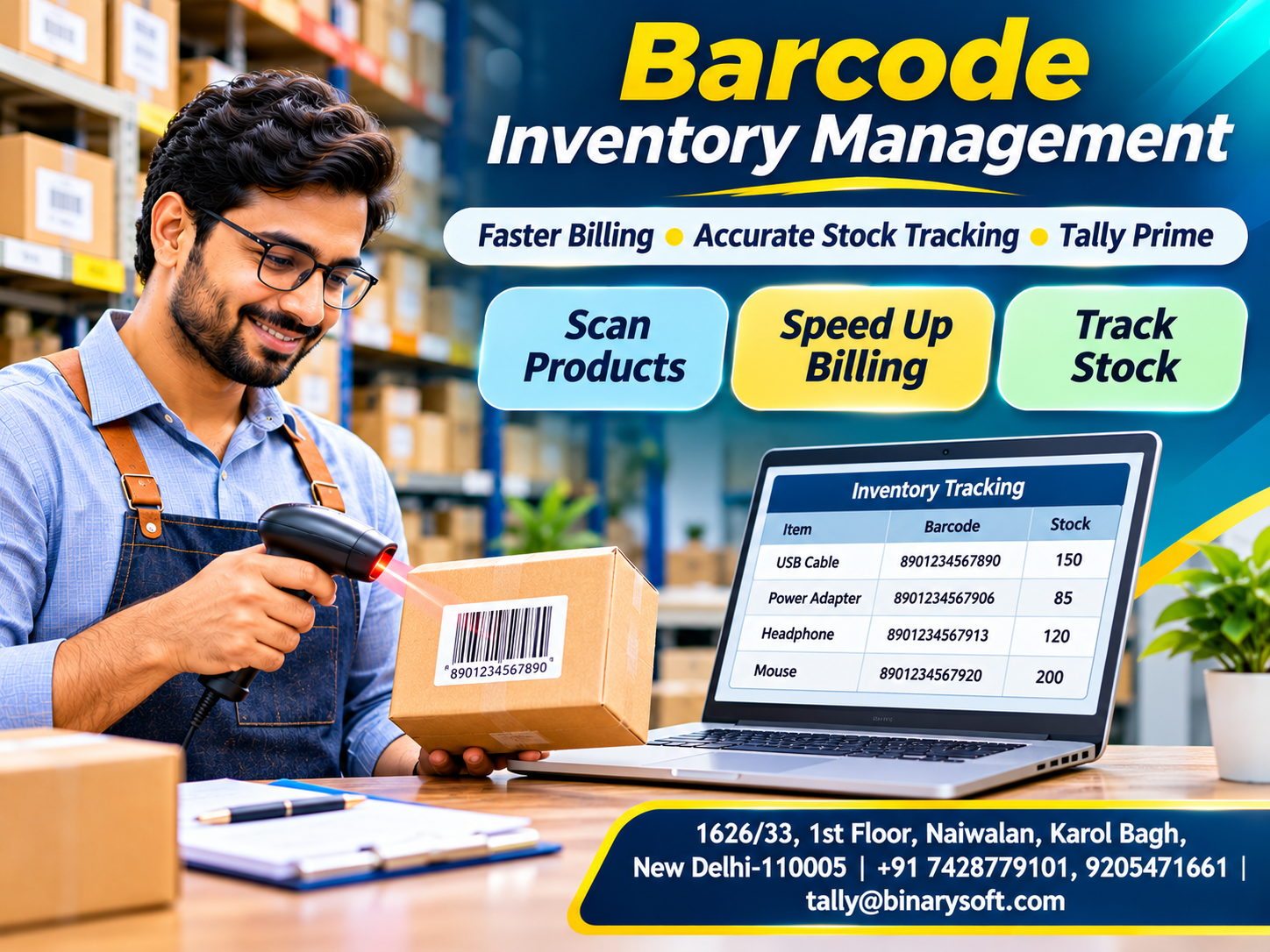
Barcode inventory management provides a practical solution by allowing businesses to identify products through machine-readable codes.
Instead of typing long product names, employees can scan a barcode to retrieve the corresponding stock item.
This helps reduce repetitive data entry, improve billing efficiency and maintain more consistent inventory records.
Tally Prime supports barcode-based stock item selection through the stock item alias field. Businesses can use compatible barcode scanners to identify products while recording supported transactions.
This guide explains how barcode inventory management works, its benefits, practical applications and how businesses can use barcodes with Tally Prime.
1. What Is Barcode Inventory Management?
Barcode inventory management is a method of identifying and processing inventory items using machine-readable codes.
A barcode usually contains information represented through lines, spaces or a two-dimensional pattern.
A barcode scanner reads the symbol and sends the encoded value to a connected system.
The software uses that value to identify the corresponding product.
For example, an electronics retailer may maintain a stock item named:
USB Type-C Charging Cable – 1 Metre
Instead of searching for the full product name during billing, the employee scans its barcode.
If the barcode has been correctly mapped to the stock item, the corresponding product can be selected.
Barcode technology is particularly useful for businesses handling frequent inventory transactions.
However, scanning alone does not guarantee accurate stock records. Transactions must still be completed correctly.
2. How Does a Barcode Inventory System Work?
A basic barcode inventory workflow involves five stages.
Product Identification: Each relevant product is assigned a barcode value.
Barcode Registration: The barcode value is associated with the correct stock item in the accounting or inventory system.
Barcode Scanning: A compatible scanner reads the code.
Product Selection: The system identifies the matching stock item.
Transaction Recording: The employee completes the relevant purchase, sales or inventory transaction.
For example, a customer purchases three packaged products.
The cashier scans the products and verifies the quantities, rates and applicable taxes.
After the sales voucher is saved, the recorded transaction contributes to the business's inventory and accounting information.
This process can reduce manual product searching and make checkout operations more efficient.
3. Different Types of Barcodes Used in Business
Businesses use different barcode formats depending on their products and operational requirements.
EAN Barcodes
European Article Number barcodes are widely used on retail products.
EAN-13 is a common format for consumer goods.
UPC Barcodes
Universal Product Codes are commonly associated with retail products, particularly in North American markets.
Code 128
Code 128 supports alphanumeric information and is often used in logistics, warehousing and internal identification.
Code 39
Code 39 is another format used for industrial and internal identification applications.
QR Codes
QR codes are two-dimensional codes capable of storing different kinds of information.
Not every QR-code workflow is equivalent to conventional retail barcode scanning.
Businesses should choose barcode formats according to their scanner capabilities, software requirements and identification standards.
4. What Equipment Is Required for Barcode Inventory Management?
A basic barcode-enabled inventory workflow may require:
-
A computer running the accounting software.
-
A compatible barcode scanner.
-
Stock items with properly mapped barcode values.
-
Existing manufacturer barcodes or a suitable label-printing process.
-
A printer for invoices or labels, where required.
Many standard barcode scanners function as keyboard-input devices.
When a barcode is scanned, the scanner transmits its value to the active input field.
For example, scanning a code may enter a numeric or alphanumeric string.
The accounting software then uses that value to locate the matching product.
Before purchasing equipment, businesses should verify compatibility with their operating system, barcode formats and workflow.
5. Benefits of Barcode Inventory Management
Faster Billing
Employees can identify products without repeatedly typing or searching for names.
Reduced Manual Errors
Scanning can reduce mistakes caused by entering incorrect product codes.
Improved Product Identification
Consistent barcode mappings make it easier to distinguish similar items.
Better Customer Experience
Faster product selection can reduce delays at checkout counters.
Improved Employee Productivity
Staff can spend less time on repetitive product searches.
More Consistent Inventory Records
Accurate product selection supports more dependable transaction records.
Easier Business Expansion
Standardized product identification becomes increasingly valuable as product ranges grow.
These benefits depend on correct barcode mapping, suitable equipment and disciplined transaction procedures.
6. How Tally Prime Supports Barcode-Based Inventory Management
Tally Prime allows businesses to associate barcode values with stock items.
One practical method is to store the barcode value in the stock item's Alias field.
When recording a supported voucher, the user can scan that barcode in the stock item selection field.
Tally Prime then identifies the corresponding stock item.
This approach can support retail billing and other suitable voucher-entry workflows.
Tally Prime also provides inventory features such as stock groups, stock categories, units of measurement, stock summaries and godown management.
Together, these features help businesses organize products and review stock information.
It is important to understand that barcode scanning primarily simplifies product identification and data entry.
Advanced warehouse automation, automatic label generation or specialized scanning workflows may require additional tools or customization.
7. Step-by-Step: How to Add Barcodes to Stock Items in Tally Prime
Businesses can follow this general procedure.
Step 1: Open Tally Prime
Select the company in which inventory records are maintained.
Step 2: Create a Stock Item
Open the stock item creation screen.
One commonly available route is:
Gateway of Tally → Create → Stock Item
Step 3: Enter the Product Name
Provide a clear and recognizable product name.
For example:
Wireless Optical Mouse – Black
Step 4: Locate the Alias Field
The Alias field can be used to maintain an additional identifier for the stock item.
Step 5: Scan the Barcode
Place the cursor in the Alias field and scan the product barcode.
The scanner enters the barcode value.
If scanning is unavailable, the value may be entered manually.
Step 6: Complete Other Details
Enter the relevant stock group, unit of measurement and other required information.
Step 7: Save the Stock Item
Press Ctrl+A to accept the stock item.
Repeat the process for other products.
Ensure barcode values are mapped correctly and avoid duplicate identifiers that could create confusion.
8. How to Use Barcode Scanning During Billing
After configuring the stock items, businesses can use their barcode scanner during supported sales transactions.
Step 1: Open a Sales Voucher
Navigate to the sales voucher screen.
Step 2: Select the Customer
Choose the relevant party or billing details.
Step 3: Position the Cursor
Move to the stock item's Name of Item field.
Step 4: Scan the Product
Scan the barcode attached to the product.
The corresponding stock item should be selected when the barcode mapping is correct.
Step 5: Verify Transaction Details
Check the quantity, rate, discount and applicable tax information.
Step 6: Complete the Invoice
Enter the remaining details and save the voucher.
Step 7: Print or Share the Invoice
Use the available invoice output options.
The exact workflow may differ according to voucher type, configuration and software release.
9. Barcode-Based POS Billing in Tally Prime
Point of Sale, or POS, billing is particularly useful for businesses serving customers directly at a counter.
Examples include supermarkets, stationery shops, garment stores and electronics retailers.
A POS workflow may include product selection, quantity entry, payment recording and invoice printing.
Barcode scanning can simplify product selection within this process.
For example, a customer purchases five different products.
The cashier scans each product, checks the invoice and records the payment.
This reduces the need to search manually through long stock item lists.
However, businesses should not assume that scanning automatically completes every billing activity.
Rates, quantities, taxes and payment details must still be reviewed as required.
10. An Emotional Story: The Shopkeeper Who Nearly Lost His Most Loyal Customer
Ravi owned a family-run electronics accessories shop in Karol Bagh, Delhi.
His father had opened the shop almost twenty-five years earlier.
Over time, Ravi expanded the business from a small counter to a store offering hundreds of products.
However, the billing process remained largely manual.
Employees searched for product names and sometimes selected similar-looking items incorrectly.
During the Diwali shopping season, the store became extremely busy.
One afternoon, a long-time customer arrived to purchase accessories for his office.
The customer had supported Ravi's family business for many years.
Unfortunately, the billing process took much longer than expected.
An employee selected the wrong product twice, forcing the invoice to be corrected.
The customer became frustrated.
Before leaving, he told Ravi that he might begin purchasing from another supplier.
Ravi felt deeply disappointed.
He remembered how his father had built the business through trust and dependable service.
That evening, after closing the shop, Ravi reviewed the billing process with his accountant.
They identified the need for clearer stock item records and faster product identification.
Ravi introduced barcode-based product selection for suitable items.
His team carefully mapped product barcodes, tested the scanner and received training.
During the following weeks, billing became more organized.
Employees spent less time searching for product names.
One month later, the same customer returned.
This time, the products were identified quickly, and the invoice was completed without unnecessary delays.
The customer smiled and complimented the improved service.
That evening, Ravi called his father.
He proudly explained how the shop had modernized its operations while preserving the personal attention customers valued.
For Ravi, barcode inventory management was not simply a technology upgrade. It was a way to protect customer relationships and honour the business his father had built.
This fictional story illustrates the human impact of reliable business processes.
11. Barcode Inventory Management for Retail Businesses
Retail businesses often handle numerous products with similar descriptions.
A garment shop may stock the same shirt in several sizes and colours.
An electronics store may sell multiple versions of a charging cable.
A supermarket may maintain hundreds of packaged goods.
Barcode-based product identification helps employees distinguish these items during billing.
However, each distinct product variant should be mapped appropriately.
For example, a medium-sized blue shirt and a large-sized blue shirt may require different stock items or identification arrangements.
Clear product classification is essential for accurate reporting.
12. Barcode Management for Wholesalers and Distributors
Wholesalers frequently process large customer orders.
Manually identifying every product can be time-consuming.
Barcode scanning can help employees select stock items during suitable transaction-entry workflows.
Distributors may also use stock groups and categories to organize products.
For example, an electrical distributor may classify inventory into cables, switches, lighting products and accessories.
Tally Prime's inventory reports can then support stock analysis.
Businesses requiring mobile warehouse picking, scanner-driven dispatch verification or automated shipment tracking may need additional software or integration.
13. Case Study One: Barcode Billing for a Retail Electronics Store
Illustrative Case Study
Business Background
A retail electronics store sells chargers, cables, headphones and computer accessories.
The Challenge
Employees frequently search through similar product names during billing.
Incorrect selections occasionally require invoice corrections.
The Approach
The business standardizes stock item names in Tally Prime.
Existing product barcodes are mapped to the appropriate stock item aliases.
A compatible scanner is tested at the billing counter.
Employees receive training on barcode scanning and invoice verification.
Expected Outcome
The store can reduce manual product searching and improve consistency in billing.
Business Lesson
Barcode technology works best when product masters are accurate and employees follow clear procedures.
14. Case Study Two: Barcode Inventory Management for a Garment Wholesaler
Illustrative Case Study
Business Background
A garment wholesaler supplies different clothing styles, sizes and colours.
The Challenge
Similar product descriptions create confusion during order processing.
The Approach
Management reviews its product identification system.
Distinct stock items are maintained for relevant product variants.
Barcode values are mapped consistently.
Tally Prime is used to record sales and review inventory reports.
The company establishes additional checks for packing and dispatch.
Expected Outcome
The business can improve product identification and reduce avoidable selection errors.
Business Lesson
Barcode scanning should be supported by clear product classifications and proper dispatch verification.
Both case studies are illustrative rather than verified customer results.
15. How Barcodes Help Improve Inventory Accuracy
Inventory accuracy depends on recording the correct item, quantity and transaction.
Barcode scanning can reduce one important source of error: selecting the wrong stock item.
However, barcode scanning does not automatically verify the physical quantity available.
Businesses must still record purchases, sales, returns and adjustments correctly.
Periodic stock verification remains important.
Tally Prime provides inventory reports and physical stock adjustment workflows that can support reconciliation.
Businesses should compare recorded stock with actual quantities and investigate discrepancies.
16. Common Barcode Inventory Management Mistakes
Several mistakes can reduce the effectiveness of barcode-based processes.
Duplicate Barcode Mapping: The same identifier may be associated with different products.
Incorrect Stock Item Selection: Product masters may be configured incorrectly.
Unreadable Labels: Damaged or poorly printed barcodes can cause scanning failures.
Scanner Compatibility Problems: The scanner may not support the required barcode format.
Wrong Cursor Position: Scanned values may enter an unintended field.
Unverified Quantities: Employees may assume that scanning automatically confirms quantity.
Missing Employee Training: Staff may not understand how to correct scanning errors.
Poor Inventory Reconciliation: Recorded stock may differ from physical inventory.
Testing and periodic reviews help prevent these problems.
17. Best Practices for Implementing Barcode Inventory Management
Businesses should begin with a small pilot rather than changing every product at once.
First, review existing stock item masters.
Identify duplicate or inconsistent product descriptions.
Choose appropriate barcode formats and scanners.
Map barcode values carefully.
Test scanning during actual transaction-entry workflows.
Train employees to verify quantities, rates and product descriptions.
Document procedures for unreadable or missing labels.
Maintain appropriate access controls.
Review stock reports regularly.
Expand the process after the initial workflow becomes reliable.
A disciplined implementation approach reduces operational disruption.
18. Can Tally Prime Generate and Print Barcode Labels?
Businesses should distinguish between using barcodes for stock item selection and generating barcode labels.
Tally Prime supports associating barcode values with stock items and using those values during supported voucher entry.
However, standard invoice printing should not be assumed to provide a complete barcode-label generation system.
Businesses that need to design and print barcode labels may use dedicated label-printing software, suitable hardware or compatible customization.
The barcode value must match the identifier maintained for the corresponding stock item.
For retail products that already carry manufacturer barcodes, businesses may not need to print additional labels.
The correct approach depends on the products and operational requirements.
19. Barcode Inventory Management and GST Billing
Barcode scanning can simplify stock item selection during invoice preparation.
However, a barcode does not automatically establish the correct GST treatment.
Businesses must maintain accurate tax-related information and appropriate accounting configurations.
For example, two products may have similar descriptions but different applicable classifications or tax treatment.
The correct stock item must be selected, and the invoice should be reviewed before saving.
Barcode-based billing should therefore be combined with appropriate GST configuration and verification.
Businesses should seek professional guidance when uncertain about tax classification or compliance requirements.
20. The Future of Barcode-Based Inventory Management
Barcode technology continues to support retail, distribution and warehouse operations.
Businesses are increasingly exploring handheld devices, integrated POS systems, mobile scanning and automated inventory workflows.
These technologies can reduce repetitive work when implemented appropriately.
However, reliable results still depend on accurate product identification and transaction records.
For Tally Prime users, barcode-enabled stock item selection offers a practical starting point.
Businesses with more complex requirements can evaluate suitable integrations and specialized warehouse solutions.
The goal is not simply to scan products faster.
It is to maintain reliable inventory information while improving operational efficiency and customer service.
Conclusion
Barcode inventory management is a practical way to improve product identification, billing efficiency and inventory transaction accuracy.
By using machine-readable codes, businesses can reduce manual stock item searching and simplify supported transaction-entry workflows.
Tally Prime allows barcode values to be associated with stock items through aliases and used for product selection during billing.
Retailers, wholesalers and distributors can combine these capabilities with stock groups, inventory reports and suitable accounting procedures.
However, successful implementation requires accurate product masters, compatible scanners, employee training and regular inventory reconciliation.
Barcode technology creates the greatest value when it helps businesses serve customers more efficiently while maintaining dependable stock and accounting records.
Powered by Binarysoft Technologies
Authorized Tally Partner
Binarysoft Technologies helps businesses improve accounting, billing and inventory management through Tally Prime implementation, configuration, customization, technical support and cloud-based accounting solutions.
Our services support retailers, wholesalers, manufacturers and distributors seeking efficient billing processes, better inventory visibility and reliable financial records.
Location:
1626/33, 1st Floor, Naiwalan, Karol Bagh, New Delhi – 110005, INDIA
Contact Us:
+91 7428779101, 9205471661
Email:
tally@binarysoft.com
Business Hours:
10:00 AM – 6:00 PM, Monday to Friday
Frequently Asked Questions
Does barcode scanning automatically update inventory?
Inventory records are updated through the relevant saved transactions. Scanning itself primarily helps identify and select the stock item.
Can Tally Prime print barcode labels?
Standard barcode-based stock item selection should not be confused with a dedicated barcode-label printing solution. Additional tools or customization may be required.
Which businesses benefit from barcode inventory management?
Retail stores, supermarkets, garment shops, electronics businesses, wholesalers and distributors can benefit from barcode-based product identification.
Does barcode scanning reduce billing errors?
It can reduce manual product-selection errors when barcode mappings and stock item masters are maintained correctly.
CA. Praneet Bansaal is a Chartered Accountant with experience in taxation, accounting controls, and financial process reviews. He has advised businesses on aligning inventory movement with accounting and GST requirements. His content focuses on compliance, accuracy, and long-term sustainability.









