Call CA Tally HelpDesk
+91 9205471661,
7428779101
Introduction: Why Business Software Has Become Essential for Indian Businesses
A business can have excellent products, loyal customers and growing sales yet still struggle because its daily operations are not properly organized. Missed payments, inaccurate inventory records, delayed invoices and incomplete financial reports can quietly reduce profitability.
In 2026, Indian businesses face increasing pressure to operate efficiently, manage digital transactions, maintain accurate GST records and respond quickly to customer expectations.
Whether running a retail shop in Karol Bagh, a wholesale business in Sadar Bazar, a manufacturing unit in Bawana or a growing service company, owners need dependable information to make decisions.
Traditional registers and disconnected spreadsheets may work during the early stages of business. However, as transactions increase, manual processes become harder to manage.
Business software helps organizations organize information, automate repetitive activities and connect important business functions.
From accounting and inventory to customer management, payroll and financial reporting, different applications solve different operational problems.
TallyPrime is particularly useful for Indian businesses seeking integrated accounting, invoicing, inventory management and financial reporting.
This guide explains what business software means, its major types, practical benefits, selection criteria and how TallyPrime can support business growth.
1. What Is Business Software?
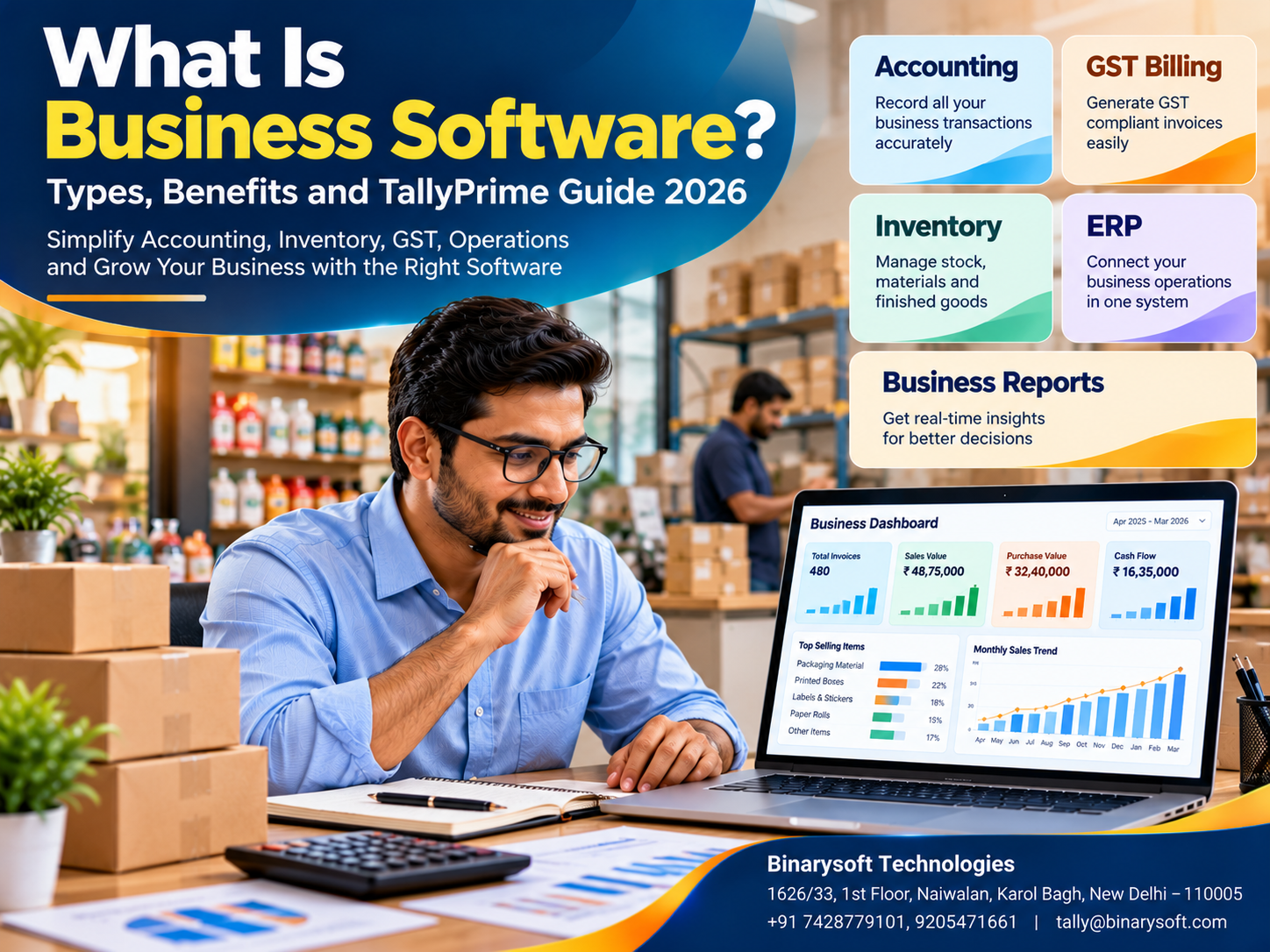
Business software refers to computer applications designed to help organizations perform, manage and improve commercial activities.
These applications may automate tasks, maintain business records, process transactions, generate reports or support communication between departments.
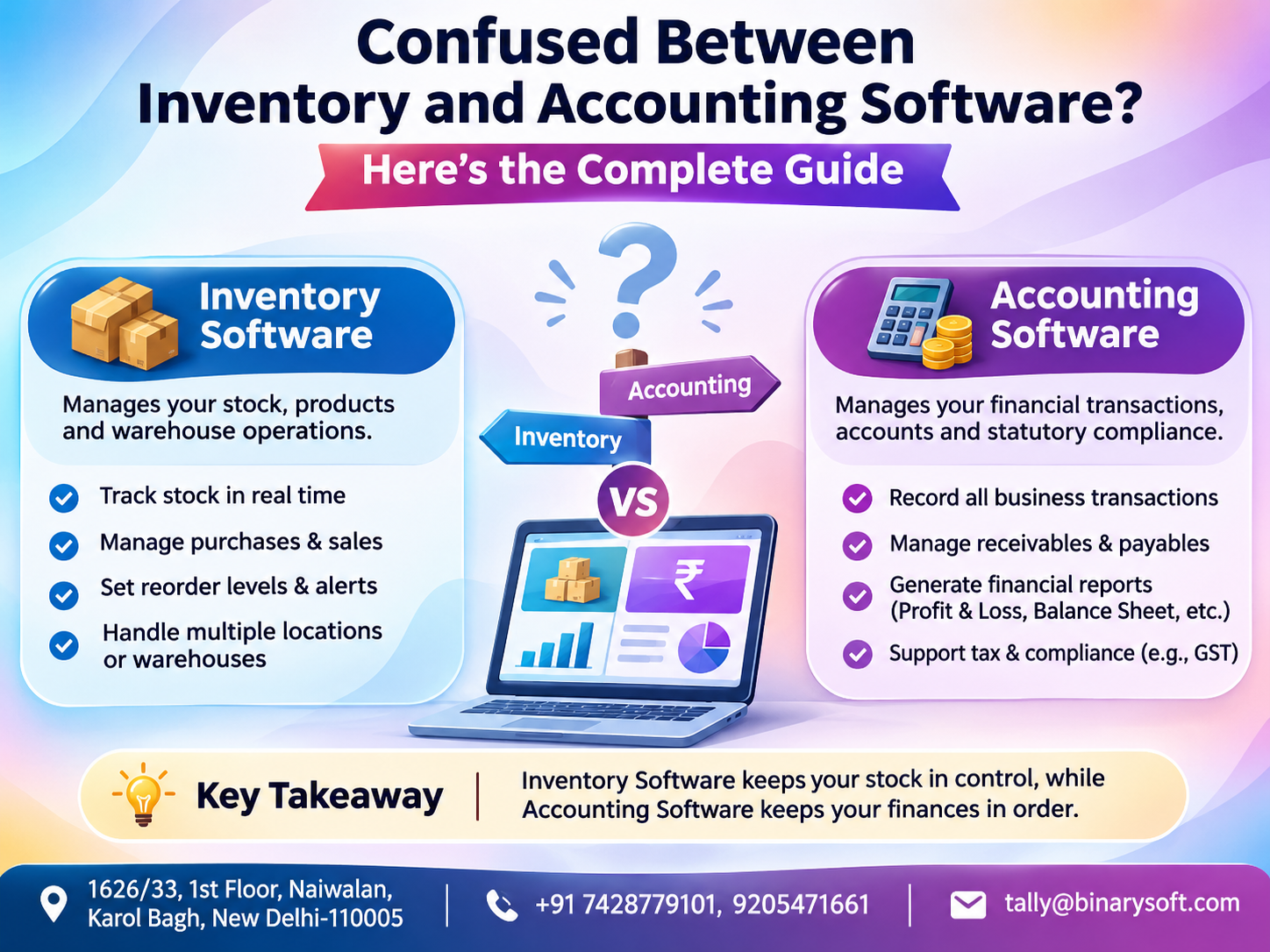
For example, an accounting application records sales, purchases, expenses and payments.
Inventory software tracks products and stock movements.
Customer Relationship Management software maintains customer interactions and sales opportunities.
Enterprise Resource Planning software connects multiple business processes within a coordinated system.
The main purpose of business software is to reduce unnecessary manual work while improving accuracy, productivity and visibility.
A small business may require only accounting and billing software, while a larger enterprise may need several integrated applications.
2. Why Do Businesses Need Software?
Businesses generate information continuously.
Every purchase, customer order, stock movement, employee payment and bank transaction creates records that must be maintained.
Without suitable software, these records may become scattered across registers, spreadsheets and individual employees' computers.
This creates several operational risks.
Employees may enter the same information repeatedly. Business owners may receive outdated reports. Customer payments may be overlooked, and inventory shortages may remain unnoticed until orders are delayed.
Business software addresses these challenges by providing structured processes and accessible information.
For example, when a sales invoice is recorded in an integrated accounting and inventory system, the transaction can update relevant financial and stock records according to its configuration.
This reduces duplicate work and helps management understand business performance.
3. Major Types of Business Software
Different categories of business software address different organizational requirements.
|
Software category
|
Primary purpose
|
Common users
|
|---|
|
Accounting software
|
Bookkeeping and financial reporting
|
Accountants and owners
|
|
Billing software
|
Invoices and payment records
|
Retailers and distributors
|
|
Inventory software
|
Stock tracking and valuation
|
Traders and manufacturers
|
|
ERP software
|
Integrated business processes
|
Growing enterprises
|
|
CRM software
|
Customer relationships and sales
|
Sales teams
|
|
Payroll software
|
Employee salary administration
|
HR and payroll teams
|
|
HR management software
|
Employee records and attendance
|
HR departments
|
|
Project management software
|
Tasks, deadlines and resources
|
Service organizations
|
|
POS software
|
Retail checkout and sales
|
Shops and retail chains
|
|
Business analytics software
|
Performance analysis and reporting
|
Managers and executives
|
The right combination depends on business size, industry, transaction volume and operational complexity.
4. Accounting Software: The Foundation of Financial Management
Accounting software helps businesses record and organize financial transactions.
Its primary functions include maintaining ledgers, recording income and expenses, tracking receivables and payables and preparing financial statements.
Practical Example
A wholesale distributor purchases goods worth ₹2,00,000 on credit and sells products worth ₹3,00,000.
Accounting software records the purchase, supplier liability, sales revenue and customer balances.
Management can then review outstanding payments and profitability.
How TallyPrime Helps
TallyPrime supports double-entry bookkeeping, sales and purchase vouchers, ledger management, banking and financial reporting.
Businesses can review their Balance Sheet, Profit & Loss Account, Trial Balance and outstanding receivables.
These features help maintain organized financial information.
5. Billing and Invoicing Software
Billing software creates invoices and maintains records of sales transactions.
Modern billing applications may support tax calculations, discounts, multiple payment methods and customer information.
For Indian businesses, GST-related invoicing is an important consideration.
Practical Example
A retailer sells products worth ₹50,000 before GST.
The billing system calculates applicable taxes according to the product classification and configured tax rates.
The invoice records the sale and customer payment details.
TallyPrime Application
TallyPrime supports GST invoicing, sales vouchers, credit notes and debit notes.
Businesses can configure relevant invoice details and maintain sales accounting records.
Correct GST rates and classifications must still be verified by the business.
6. Inventory Management Software
Inventory software tracks goods purchased, stored, transferred and sold.
It helps businesses understand available stock and identify shortages.
For manufacturers, inventory management may also include raw materials, work-in-progress and finished goods.
Practical Example
An electronics distributor maintains 500 units of a particular product.
After selling 120 units, the recorded available quantity should reflect the transaction, subject to other stock movements.
Inventory reports help management decide when additional purchases are necessary.
TallyPrime Application
TallyPrime supports stock groups, stock items, units, godowns and inventory reports.
Businesses can monitor stock quantities and values while maintaining connected accounting records.
7. Enterprise Resource Planning Software
Enterprise Resource Planning, or ERP, refers to software that integrates multiple business processes.
An ERP system may connect accounting, procurement, inventory, production, sales and other operational functions.
The objective is to improve coordination and reduce disconnected information.
Practical Example
A manufacturing company receives a customer order.
Its ERP workflow may check material availability, create purchase requirements, support production planning and record dispatch and billing.
TallyPrime supports several core business functions, including accounting, inventory, order processing and manufacturing-related records.
However, advanced production scheduling, customer relationship management and industry-specific automation may require specialized systems or integrations.
8. Customer Relationship Management Software
CRM software helps businesses manage customer information, enquiries, follow-ups and sales opportunities.
For example, a service company may receive 100 customer enquiries every month.
A CRM system can help the sales team assign enquiries, record interactions and monitor conversion progress.
TallyPrime maintains customer accounting information and outstanding balances, but it is not a complete replacement for a dedicated sales CRM.
Businesses requiring lead pipelines, automated follow-ups or marketing campaigns may benefit from connecting specialized CRM software with their accounting processes.
9. Payroll and Human Resource Software
Payroll software helps businesses calculate employee salaries, deductions and related payments.
HR software may additionally manage attendance, leave, employee records and performance information.
TallyPrime offers payroll-related functionality subject to the relevant edition, configuration and operational requirements.
Businesses should verify whether their payroll needs, statutory obligations and attendance workflows are supported before implementation.
10. An Emotional Story: The Shopkeeper Who Nearly Lost His Father's Business
For twenty years, Rajiv operated a family-owned electrical goods shop in Chandni Chowk, Delhi.
His father had started the business with a small amount of savings and a determination to provide a better future for his children.
Rajiv inherited the shop after his father retired.
He worked long hours, developed supplier relationships and gradually expanded the customer base.
But the business continued using handwritten registers and spreadsheets.
Customer payments were sometimes recorded late, and inventory quantities were not updated consistently.
Rajiv believed the business was profitable because sales were increasing.
One afternoon, a supplier called to request payment for several overdue invoices.
Rajiv checked his records and discovered that he had underestimated outstanding liabilities.
At the same time, customers were waiting for products that the stock register incorrectly showed as available.
That evening, Rajiv sat alone in the shop.
He looked at the wooden counter his father had built and remembered how carefully his father had managed every rupee.
He worried that years of hard work might be weakened by poor financial organization.
His daughter, who had recently completed her commerce studies, suggested adopting proper business software.
Together, they reviewed the company's accounting and inventory processes.
With professional assistance, they introduced TallyPrime and established structured ledgers, stock records and customer outstanding reports.
Employees received training on invoicing, purchase entries and payment recording.
Within a few months, Rajiv gained clearer visibility into stock, supplier balances and customer payments.
He began reviewing financial reports regularly instead of waiting until year-end.
One evening, he told his daughter, "Your grandfather built this shop with discipline. Now we are giving that discipline a better system."
The business still faced competition and market uncertainty, but Rajiv felt more confident about its future.
This fictional story illustrates how organized business records can protect financial stability and preserve a family's hard work.
11. Key Benefits of Business Software
Business software offers several important advantages.
Improved Accuracy: Structured data entry and automated calculations can reduce manual errors.
Time Savings: Repetitive tasks such as invoice preparation and report generation become more efficient.
Better Inventory Control: Stock reports help businesses monitor product availability and movement.
Financial Visibility: Owners can review income, expenses, receivables and liabilities.
Improved Customer Service: Accurate information supports faster responses and more dependable transactions.
Scalability: Suitable software can support increasing transaction volumes as a business grows.
Stronger Decision-Making: Reliable reports help management identify problems and evaluate opportunities.
These benefits depend on correct implementation, accurate data and regular employee training.
12. Business Software vs ERP Software
Business software is a broad category covering applications used for commercial activities.
ERP software is a more integrated approach that connects multiple business processes.
|
Basis
|
Business software
|
ERP software
|
|---|
|
Scope
|
May perform one or several functions
|
Integrates multiple business functions
|
|
Examples
|
Accounting, payroll, CRM
|
Integrated finance, inventory and operations
|
|
Implementation
|
Can be relatively simple
|
May require broader planning
|
|
Data integration
|
Depends on application
|
Central objective
|
|
Best suited for
|
Businesses of different sizes
|
Businesses needing coordinated processes
|
Not every business requires a complex ERP implementation.
A smaller organization may achieve excellent results using suitable accounting and inventory software.
13. How TallyPrime Supports Business Management
TallyPrime combines several important business functions within an accounting-focused environment.
Businesses can record purchases, sales, receipts, payments and journal entries.
Inventory features support stock management and valuation.
Bill-wise accounting helps track customer and supplier outstanding balances.
GST-related features assist with invoicing and tax records.
Banking features support transaction recording and reconciliation.
Financial reports help owners understand profitability and financial position.
TallyPrime can also support order processing, cost centres and selected manufacturing workflows.
For advanced CRM, e-commerce operations, project management or specialized production processes, additional applications may be necessary.
14. Step-by-Step Guide to Implementing TallyPrime
Step 1: Assess business requirements. Identify the most important accounting and operational problems.
Step 2: Create the company. Configure company details, financial year and relevant statutory settings.
Step 3: Establish ledgers. Organize assets, liabilities, capital, income and expenses.
Step 4: Configure inventory. Create stock groups, stock items, units and godowns where required.
Step 5: Set up GST. Configure applicable tax information and verify product classifications.
Step 6: Record opening balances. Enter verified ledger and inventory balances.
Step 7: Train employees. Explain the correct use of vouchers, invoices and reports.
Step 8: Review financial information. Monitor outstanding balances, inventory and profitability.
Step 9: Establish security procedures. Maintain suitable user permissions, backups and recovery arrangements.
Step 10: Evaluate improvements. Review whether the implementation has reduced errors and improved efficiency.
15. Case Study One: A Delhi Wholesale Business Improves Inventory and Accounting
Illustrative case study based on common wholesale business challenges.
Business Background
A wholesale electrical goods distributor in Sadar Bazar, Delhi, supplied products to retailers across North India.
The company maintained hundreds of stock items and handled substantial credit sales.
Challenges
Inventory information was maintained in spreadsheets, while customer payments were tracked separately.
Management frequently struggled to identify slow-moving stock and overdue customer balances.
Solution
The business introduced structured inventory and accounting procedures using TallyPrime.
Stock items, customer ledgers and supplier accounts were configured systematically.
Employees received training on purchase entries, sales invoicing and outstanding reports.
Business Outcome
Management gained clearer visibility into stock and receivables.
Accounting discrepancies became easier to identify, and employees spent less time reconciling disconnected records.
Key lesson: Integrated accounting and inventory software can improve financial control in wholesale businesses.
16. Case Study Two: A Manufacturing Company Simplifies Financial Reporting
Illustrative case study demonstrating business software implementation.
Business Background
A manufacturing company in Faridabad produced industrial components for customers across India.
The business maintained raw materials, finished goods, machinery and multiple expense categories.
Challenges
Purchase records, inventory information and financial statements were maintained using separate systems.
This created delays during monthly reporting and year-end accounting.
Solution
The company established standardized accounting procedures and configured TallyPrime for inventory and financial records.
Relevant manufacturing-related transactions were recorded through suitable vouchers.
The accounting team introduced monthly reconciliation and reporting reviews.
Business Outcome
The company improved consistency in financial records.
Management gained better visibility into inventory values, operating expenses and outstanding liabilities.
Financial reviews became more organized.
Key lesson: Business software is most effective when supported by clear procedures and accurate transaction recording.
17. How to Choose the Right Business Software
Businesses should begin by identifying their operational requirements.
A retail shop may prioritize billing, stock management and GST invoicing.
A wholesale distributor may require customer credit monitoring and inventory reporting.
A manufacturer may need production records and cost analysis.
A service company may focus on invoicing, receivables and project-related expenses.
Before purchasing software, evaluate usability, functionality, security, scalability, implementation support and total ownership costs.
Businesses should also verify integration compatibility and data export capabilities.
Choosing software based only on the lowest price can lead to additional expenses if important features are missing.
18. Common Mistakes When Adopting Business Software
One common mistake is implementing software without reviewing existing business processes.
Another is transferring inaccurate opening balances into the new system.
Businesses may also overlook employee training, backups and access controls.
Some organizations purchase complex software with features they do not need, increasing implementation difficulty.
Others expect software to correct inaccurate transactions automatically.
A successful implementation requires accurate data, clearly assigned responsibilities and regular review.
19. Cloud-Based Business Software and Remote Access
Cloud-based business software allows authorized users to access applications or data through suitable internet-connected environments.
Potential benefits include remote collaboration, centralized access and business continuity support.
TallyPrime may be deployed in a compatible hosted environment, subject to appropriate licensing and infrastructure.
This can help owners and accountants work from different locations.
However, businesses should evaluate hosting security, backup arrangements, user permissions, connectivity and recovery procedures.
Cloud hosting does not automatically guarantee data security or accounting compliance.
20. How Binarysoft Technologies Helps Businesses Adopt TallyPrime
Binarysoft Technologies, an Authorized Tally Partner based in New Delhi, assists businesses with TallyPrime licensing, implementation, accounting configuration and financial reporting.
Businesses can seek support for inventory setup, GST invoicing, ledger management, software upgrades and employee training.
Organizations may also explore cloud-hosting arrangements and suitable customization requirements.
Professional implementation helps align software configuration with actual business workflows.
Conclusion
Business software has become an important tool for organizations seeking greater efficiency, accuracy and financial control.
Different applications support accounting, billing, inventory, customer management, payroll and other business activities.
The right software depends on the organization's size, industry and operational requirements.
TallyPrime provides an integrated foundation for accounting, GST billing, inventory management, banking and financial reporting.
However, successful implementation requires accurate data, appropriate configuration, employee training and regular financial reviews.
By adopting suitable business software, organizations can reduce avoidable manual work, improve information quality and make more confident decisions.
The real value of business software is not simply automation. It is giving business owners the clarity and control needed to build a stronger future.
Powered by Binarysoft Technologies
Authorized Tally Partner
Location: 1626/33, 1st Floor, Naiwalan, Karol Bagh, New Delhi – 110005, INDIA
Contact Us: +91 7428779101, 9205471661
Email: tally@binarysoft.com
Business Hours: 10:00 AM – 6:00 PM, Monday to Friday
Frequently Asked Questions
What are the main types of business software?
Common types include accounting software, billing software, inventory management software, ERP, CRM, payroll, HR management and project management applications.
Why is business software important?
It helps reduce manual work, improve record accuracy, organize business information and support better decisions.
What is the difference between business software and ERP?
Business software may perform individual functions, while ERP software integrates multiple business processes into a coordinated system.
Is TallyPrime suitable for small businesses?
Yes. TallyPrime provides accounting, invoicing, inventory and financial reporting features useful for many small and medium-sized businesses.
CA. Yashvardhan Kedia focuses on taxation, business accounting, and compliance management for MSMEs. He helps business owners understand financial information and establish practical processes for maintaining accurate books.