Call CA Tally HelpDesk
+91 9205471661,
7428779101
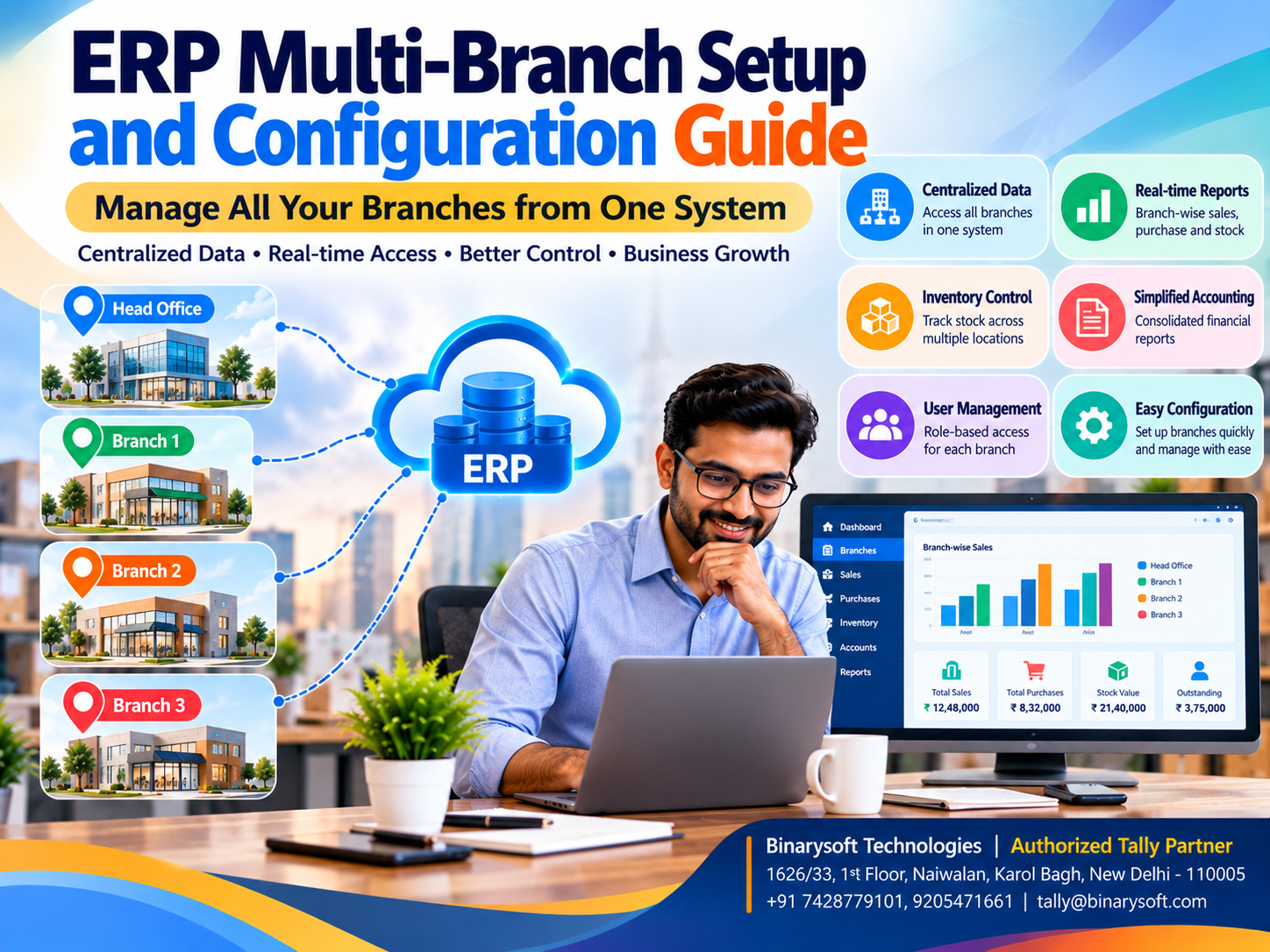
ERP Multi-Branch Setup and Configuration Guide: How to Manage Multiple Business Locations with Tally Prime
Introduction: Why Managing Multiple Business Branches Requires a Smarter Approach
Expanding a business from one location to multiple branches is an important achievement for any entrepreneur. It represents growing customer demand, stronger market presence and new opportunities for revenue generation.
However, expansion also introduces operational challenges.
A business operating from a single location may find it relatively easy to monitor daily sales, inventory, expenses and customer payments. Once the same organization opens additional branches, managing these activities becomes more complicated.
Each location may maintain separate stock records, issue invoices, purchase goods, collect payments and incur operational expenses.
Without a coordinated system, business owners may struggle to understand the financial performance of individual branches.
Inventory shortages at one location may occur while another branch holds excess stock. Accounting teams may spend hours consolidating reports, while management decisions depend on outdated information.
An appropriately configured Enterprise Resource Planning (ERP) system can help organizations coordinate multiple business locations.
A multi-branch ERP environment supports centralized visibility, structured accounting, inventory tracking and controlled access to business information.
For Indian businesses, Tally Prime provides accounting, inventory, cost centre, godown and reporting capabilities that can support several multi-location management requirements.
However, the correct configuration depends on whether branches operate under the same GST registration, different GST registrations or separate legal entities.
This guide explains how to plan and configure a multi-branch business management system, avoid common mistakes and improve operational control.
A Business Owner's Story: Three Branches, One Growing Problem
Rajiv operated an electrical equipment distribution business in Karol Bagh, New Delhi.
His father had started the business more than twenty years earlier.
After several successful years, Rajiv expanded operations by opening branches in Rohini and Noida.
The expansion initially appeared successful.
Sales increased, new customers joined the business and employees became responsible for managing different locations.
However, Rajiv soon discovered that managing three branches was significantly more difficult than operating one shop.
Each branch maintained its own inventory spreadsheets.
Accountants prepared separate reports.
Customer outstanding balances were difficult to consolidate.
Sometimes, products remained unsold in one branch while another location faced shortages.
One afternoon, a major customer requested an urgent delivery of electrical components.
The Rohini branch reported insufficient stock.
The customer cancelled the order.
Later that evening, Rajiv discovered that the Karol Bagh warehouse had sufficient inventory to fulfill the requirement.
The business had lost an important opportunity because employees lacked visibility into stock availability across locations.
Rajiv felt frustrated.
He had worked for years to expand the family business, yet the new branches were creating confusion instead of operational efficiency.
He decided to review the company's accounting and inventory processes.
With professional assistance, the organization introduced structured location-wise inventory records, consistent transaction procedures and consolidated management reporting.
Employees began following clear rules for stock transfers, branch expenses and financial reconciliation.
The business did not eliminate every operational challenge, but Rajiv gained better visibility into its activities.
He could review branch performance and make decisions with greater confidence.
This illustrative story highlights an important lesson:
Opening new branches creates opportunities for growth, but connecting those branches through reliable information is what makes expansion manageable.
What Is a Multi-Branch ERP System?
A multi-branch ERP system is a business management solution configured to support operations across multiple locations.
These locations may include retail outlets, wholesale branches, warehouses, manufacturing units, service centres and regional offices.
The system helps businesses maintain information about individual locations while providing management with an organization-wide view.
Depending on the software and configuration, a multi-branch ERP system may support:
-
Branch-wise sales and purchase records
-
Location-specific inventory management
-
Stock transfers between warehouses
-
Branch expenses and profitability analysis
-
Customer and supplier accounting
-
User permissions and access controls
-
GST-related transaction management
-
Consolidated financial reporting
-
Centralized monitoring of business activities
A multi-branch configuration does not necessarily require every location to use the same company data.
Some organizations operate through one accounting company with multiple locations, while others require separate company records and consolidation procedures.
The appropriate structure depends on legal, operational and taxation requirements.
Why Businesses Need Multi-Branch ERP Software
1. Centralized Business Visibility
Business owners need reliable information about activities occurring at different locations.
An integrated system can make branch-related transactions easier to review.
2. Better Inventory Coordination
Location-wise inventory records help organizations identify where products are available.
This can improve stock allocation and purchasing decisions.
3. Improved Financial Control
Businesses can monitor branch expenses, revenues and outstanding balances through appropriately structured accounting records.
4. Faster Reporting
Standardized accounting processes reduce the effort required to prepare management reports.
5. Better Employee Accountability
User permissions and transaction controls help organizations define employee responsibilities.
6. Support for Expansion
A consistent operating structure makes it easier to introduce additional branches without redesigning every business process.
Step 1: Understand Your Business Structure
Before configuring ERP software, determine how the organization operates legally and financially.
This is particularly important for Indian businesses.
Branches Under the Same GST Registration
Businesses may operate multiple locations within the same state under one GST registration, subject to applicable registration requirements.
In such cases, location-wise inventory and management reporting may be maintained within an appropriately configured accounting environment.
Branches Under Different GST Registrations
A business operating across states may have separate GST registrations.
These registrations can be treated as distinct persons for GST purposes, even when they belong to the same legal entity.
Transactions between such registrations may have GST implications.
Businesses must ensure that the accounting structure supports accurate registration-wise records and compliance.
Separate Legal Entities
Some business groups operate through different companies or legal entities.
These organizations may require separate accounting records and formal consolidation procedures.
Important: A warehouse, accounting branch, GST registration and legal entity are not interchangeable concepts. The ERP structure must reflect their actual differences.
Step 2: Choose the Right Multi-Branch ERP Architecture
There are several approaches to managing multiple locations.
Centralized ERP Architecture
In a centralized model, authorized employees access a shared business application or database.
This can support consistent information and reduce duplicate records.
However, performance, connectivity and user access must be planned carefully.
Decentralized ERP Architecture
Each branch maintains its own operational environment.
Information is transferred or consolidated according to defined procedures.
This approach may be necessary where internet connectivity is unreliable or business units require independent operations.
However, delayed synchronization can affect reporting accuracy.
Hybrid ERP Architecture
A hybrid arrangement combines centralized management with selected local processes.
Businesses may use this approach when different locations have varying operational requirements.
The correct architecture depends on transaction volumes, connectivity, software capabilities and management needs.
Step 3: Configure Company and Branch Records
The first practical configuration decision concerns the accounting company structure.
For a business operating multiple locations under one suitable accounting company, branch-level information may be maintained using godowns, cost centres and relevant transaction classifications.
For organizations requiring separate accounting companies, individual company records may be necessary.
Tally Prime Configuration Considerations
Businesses should review:
-
Company details and statutory information.
-
Applicable GST registrations.
-
Chart of accounts and ledger structure.
-
Inventory groups and stock items.
-
Godown or location masters.
-
Cost centres for management reporting.
-
User access requirements.
-
Financial reporting and consolidation procedures.
These decisions should be finalized before large-scale transaction entry begins.
A poorly designed company structure can make future reporting and reconciliation difficult.
Step 4: Set Up Branch-Wise Inventory Management
Inventory is one of the most important elements of multi-branch operations.
A business may maintain products at several warehouses, shops and distribution centres.
Without location-wise records, employees may struggle to identify available stock.
Using Godowns in Tally Prime
Tally Prime supports godown or location-based inventory management.
Businesses can create separate godowns representing physical storage locations.
For example:
Head Office Warehouse: Karol Bagh
Branch Warehouse 1: Rohini
Branch Warehouse 2: Noida
Distribution Centre: Faridabad
Stock transactions can be recorded against the relevant locations.
Management can then review inventory information according to the configured godown structure.
Benefits of Location-Wise Inventory
Location-wise records help businesses monitor stock quantities, identify shortages and review inventory movements.
They also support more informed decisions about purchasing and stock allocation.
However, a godown represents an inventory location; it does not automatically provide independent branch accounting, GST registration or profitability reporting.
Step 5: Configure Stock Transfers Between Branches
Stock transfers occur when products move from one business location to another.
For example, a wholesaler may transfer 200 units from its central warehouse to a retail branch.
Such movements should be recorded systematically.
Stock Transfers Within the Same Registration
Where appropriate, Tally Prime's inventory voucher capabilities can be used to record stock movements between godowns.
The transaction should identify the source and destination locations.
Stock Transfers Between Different GST Registrations
Transfers between distinct GST registrations may be treated as taxable supplies under applicable GST provisions.
These transactions may require tax invoices and appropriate accounting entries.
A simple internal inventory transfer should not automatically be used for every inter-branch movement.
Businesses should verify the correct treatment with their tax professionals.
Why Accurate Transfer Records Matter
Proper documentation helps prevent inventory discrepancies and supports financial reconciliation.
It also improves accountability for products moving between locations.
Step 6: Configure Branch-Wise Accounting
Multi-branch businesses need to understand the financial activities of individual locations.
Common requirements include monitoring branch expenses, revenues and operational performance.
Using Cost Centres in Tally Prime
Cost centres can help businesses allocate selected accounting transactions to departments, branches or business units.
For example, a company may create cost centres for Karol Bagh, Rohini, Noida and Faridabad.
Relevant expenses can then be allocated according to the configured accounting process.
This may help management compare expenditure across locations.
Branch Profitability
Branch profitability analysis requires more than simply recording expenses.
Businesses must establish consistent rules for allocating revenue, direct costs, shared expenses and inventory-related costs.
Cost centre reports can support this analysis, but they do not automatically produce a complete branch profit and loss statement in every configuration.
Businesses requiring advanced branch profitability reporting may need additional configuration or reporting tools.
Step 7: Configure GST for Multiple Branches
GST configuration requires particular attention when businesses operate across different states.
A company with separate GST registrations must maintain appropriate registration-wise records.
Important GST Considerations
Businesses should verify the GSTIN applicable to each transaction.
They must also determine the correct place of supply, tax type and documentation requirements.
Interstate and intrastate transactions may have different tax implications.
Transactions between distinct registrations can require special treatment.
Tally Prime Support
Tally Prime provides GST-related accounting and invoicing capabilities.
The exact configuration depends on the software release, company structure and applicable registrations.
Businesses should confirm whether their chosen setup supports all required GSTIN-wise transactions and reports.
Tax compliance should never be based solely on the assumption that multiple branches belong to the same organization.
Step 8: Configure Multi-User Access and Permissions
Different employees require different levels of access.
A sales employee may need to prepare invoices.
A warehouse employee may need to record stock movements.
An accountant may need to maintain financial transactions.
Management may require access to reports across multiple locations.
User Access Planning
Businesses should establish permissions according to employee responsibilities.
Access should be limited to the information and activities necessary for each role.
Tally Prime User Management
Tally Prime provides security and user access features that can help organizations control authorized activities.
However, organizations should verify whether their configuration can restrict access at the precise branch or transaction level they require.
Where necessary, separate company data, custom controls or additional solutions may be appropriate.
Step 9: Enable Remote Access Through Suitable Infrastructure
Businesses operating multiple branches may benefit from centralized remote access.
A suitable cloud-hosting environment can allow authorized users to access business software from different locations.
Benefits of Cloud-Hosted Tally Prime
Cloud hosting can reduce dependence on a single office computer.
It may also support distributed teams and centralized infrastructure management.
However, cloud hosting does not automatically provide real-time synchronization between separate Tally companies.
If branches maintain independent datasets, additional data exchange or consolidation procedures may be required.
Important Hosting Considerations
Businesses should evaluate server capacity, internet reliability, security, backups, licensing and technical support.
The selected environment should be tested before regular operations begin.
Step 10: Set Up Branch-Wise Reporting
Management reporting is essential for monitoring multiple locations.
Businesses may want to review sales performance, inventory availability, expenses, customer dues and overall profitability.
Inventory Reports
Godown-wise stock summaries help organizations understand recorded inventory quantities across locations.
Financial Reports
Profit and loss statements, balance sheets and other financial reports support overall business analysis.
Cost Centre Reports
Where configured appropriately, cost centre information can help management review selected branch-related income and expenses.
Consolidated Reporting
Businesses operating separate accounting companies may require formal consolidation procedures.
The availability of automated consolidation depends on the software and implementation.
Management should verify that the chosen approach produces accurate and complete results.
Step 11: Establish Standard Operating Procedures
Software configuration alone cannot ensure successful multi-branch management.
Employees must follow consistent procedures.
For example, every branch should use approved methods for preparing invoices, recording purchases, transferring inventory and reconciling cash collections.
The organization should establish clear responsibilities for daily transaction entry and periodic verification.
Branch managers should review stock differences and outstanding transactions regularly.
Consistent procedures improve data reliability and make reporting more meaningful.
Step 12: Test the Multi-Branch ERP Setup
Before full implementation, businesses should conduct practical testing.
Create sample sales and purchase transactions.
Record inventory movements between locations.
Review branch-related accounting entries.
Verify applicable GST treatment.
Test user permissions and remote connectivity.
Compare reports against expected results.
Any discrepancies should be corrected before transferring regular operations to the new configuration.
Case Study 1: Multi-Branch Electronics Distributor in Delhi NCR
Business Type: Electronics wholesale distribution
Locations: Nehru Place, Rohini and Noida
Primary Challenges: Disconnected stock records, delayed reporting and inconsistent branch coordination.
Business Background
Consider an electronics distributor operating three locations across Delhi NCR.
Each branch manages sales transactions and maintains inventory records.
Initially, the organization relies on spreadsheets to exchange stock information.
Employees frequently contact other branches to confirm product availability.
Implementation Strategy
The business reviews its legal and GST registration structure.
Appropriate accounting company records are established.
Inventory locations are configured using suitable godown structures.
Transaction procedures are standardized.
Management introduces regular branch-level reconciliation and reporting.
Authorized employees access the required records through a suitable infrastructure arrangement.
Illustrative Outcomes
The company gains better visibility into recorded inventory movements.
Employees can review stock information more efficiently.
Management receives more consistent operational reports.
Branch coordination improves through standardized processes.
Key Learning
Multi-branch ERP success depends on combining appropriate software configuration with clear operational procedures.
This is an illustrative example rather than a verified customer implementation.
Case Study 2: Retail Chain Expanding Across North India
Business Type: Consumer products retail
Locations: Delhi, Jaipur, Chandigarh and Lucknow
Primary Challenges: Multiple GST registrations, inventory allocation and consolidated financial reporting.
Business Background
Consider a growing retail chain operating stores in four cities.
Each location handles customer sales, supplier purchases and local operating expenses.
Management wants to compare branch performance and understand overall profitability.
Implementation Strategy
The organization reviews registration-wise accounting requirements.
Separate records are maintained where necessary.
Inventory and financial classifications are standardized.
Appropriate GST treatment is established for transactions between locations.
Management introduces periodic reconciliation and consolidation procedures.
Illustrative Outcomes
The company improves the consistency of branch accounting records.
Management can compare operational information more systematically.
Inventory transfers receive greater attention.
Financial reporting becomes more organized.
Key Learning
Businesses operating across states need to design ERP configurations around both operational requirements and GST obligations.
Common Multi-Branch ERP Configuration Mistakes
Treating Every Branch as a Godown
Godowns support inventory tracking but do not automatically provide complete branch accounting.
Ignoring GST Registration Differences
Transactions between separate GST registrations may require appropriate tax documentation.
Using Inconsistent Ledger Structures
Different accounting classifications can make branch comparisons difficult.
Failing to Record Stock Transfers
Unrecorded movements create inventory discrepancies.
Providing Excessive User Access
Employees should receive permissions appropriate to their responsibilities.
Ignoring Backup Procedures
Centralized access does not eliminate the need for reliable backups.
Assuming Cloud Hosting Means Automatic Consolidation
Hosting and accounting consolidation are different capabilities.
Skipping Employee Training
Employees must understand the configured workflows to maintain accurate records.
How Much Does Multi-Branch ERP Implementation Cost?
Implementation costs depend on several factors.
These include the number of branches, users, software licences, hosting infrastructure, GST registrations and reporting requirements.
Data migration and integration requirements can also affect costs.
Businesses requiring customized branch-level reporting may need additional development or professional services.
A useful cost evaluation should include initial implementation expenses and ongoing operational costs.
Organizations should request a detailed proposal based on their actual branch structure rather than relying on a generic price estimate.
How Tally Prime Supports Growing Multi-Location Businesses
Tally Prime provides practical tools for several multi-location business requirements.
Its accounting features help organizations maintain financial records.
Godown management supports location-wise inventory tracking.
Cost centres can help allocate selected income and expenses.
Sales and purchase features support routine commercial transactions.
GST capabilities help maintain applicable tax records.
Financial and inventory reports provide useful management information.
With appropriate licensing and infrastructure, authorized users can access company data through suitable remote-hosting arrangements.
Nevertheless, businesses should evaluate whether they require advanced branch synchronization, automated intercompany accounting, specialized access restrictions or enterprise-wide consolidation.
These requirements may need additional applications, integrations or configuration.
Future of Multi-Branch ERP Management
As Indian businesses expand into new cities and regions, coordinated financial and operational management becomes increasingly important.
Cloud infrastructure, connected applications and digital reporting are creating additional opportunities for distributed organizations.
Advanced analytical tools may also help businesses compare branch performance and identify inventory trends.
However, the foundation of successful multi-branch management remains accurate accounting, consistent transaction procedures and reliable reporting.
Technology is most valuable when it helps employees work with dependable information.
Conclusion
Managing multiple branches requires more than opening additional offices, shops or warehouses.
Businesses must coordinate inventory, accounting, taxation, employees and financial reporting across locations.
An appropriately configured ERP system can help organizations improve visibility, standardize processes and support expansion.
For Indian businesses, Tally Prime provides useful accounting, inventory, cost centre, GST-related and reporting capabilities.
Godown management can support location-wise stock tracking, while cost centres can assist with selected branch-level financial analysis.
Businesses operating under multiple GST registrations or separate legal entities must carefully design their accounting structure.
Cloud-hosted access may improve convenience, but it should not be confused with automatic branch consolidation or synchronization.
With proper planning, professional configuration, employee training and regular reconciliation, organizations can build a more coordinated multi-branch operating environment.
The ultimate goal is to ensure that every branch contributes to the success of the entire business.
Powered by Binarysoft Technologies
Authorized Tally Partner
Location: 1626/33, 1st Floor, Naiwalan, Karol Bagh, New Delhi – 110005, INDIA
Contact: +91 7428779101, 9205471661
Email: tally@binarysoft.com
Business Hours: 10:00 AM – 6:00 PM, Monday to Friday
Frequently Asked Questions
How can Binarysoft Technologies help with multi-branch Tally Prime setup?
Binarysoft Technologies, an Authorized Tally Partner, can assist businesses with evaluating multi-branch requirements, configuring Tally Prime, planning inventory structures, reviewing reporting needs and arranging suitable implementation support.
How can businesses improve branch-wise reporting?
Businesses should standardize accounting structures, inventory classifications, transaction procedures and reporting practices.
Can multiple users access Tally Prime remotely?
Appropriate licensing and infrastructure arrangements can support access by authorized users from different locations.
Can Tally Prime provide branch-wise profit and loss reports?
Cost centres and suitable accounting classifications can support branch-level financial analysis. Complete branch profitability reporting may require additional configuration.
CA. Arinav Chakraborty advises businesses on taxation, accounting systems, and financial planning. His professional interests include digital transformation, compliance management, and improving business efficiency through technology.









