Call CA Tally HelpDesk
+91 9205471661,
7428779101
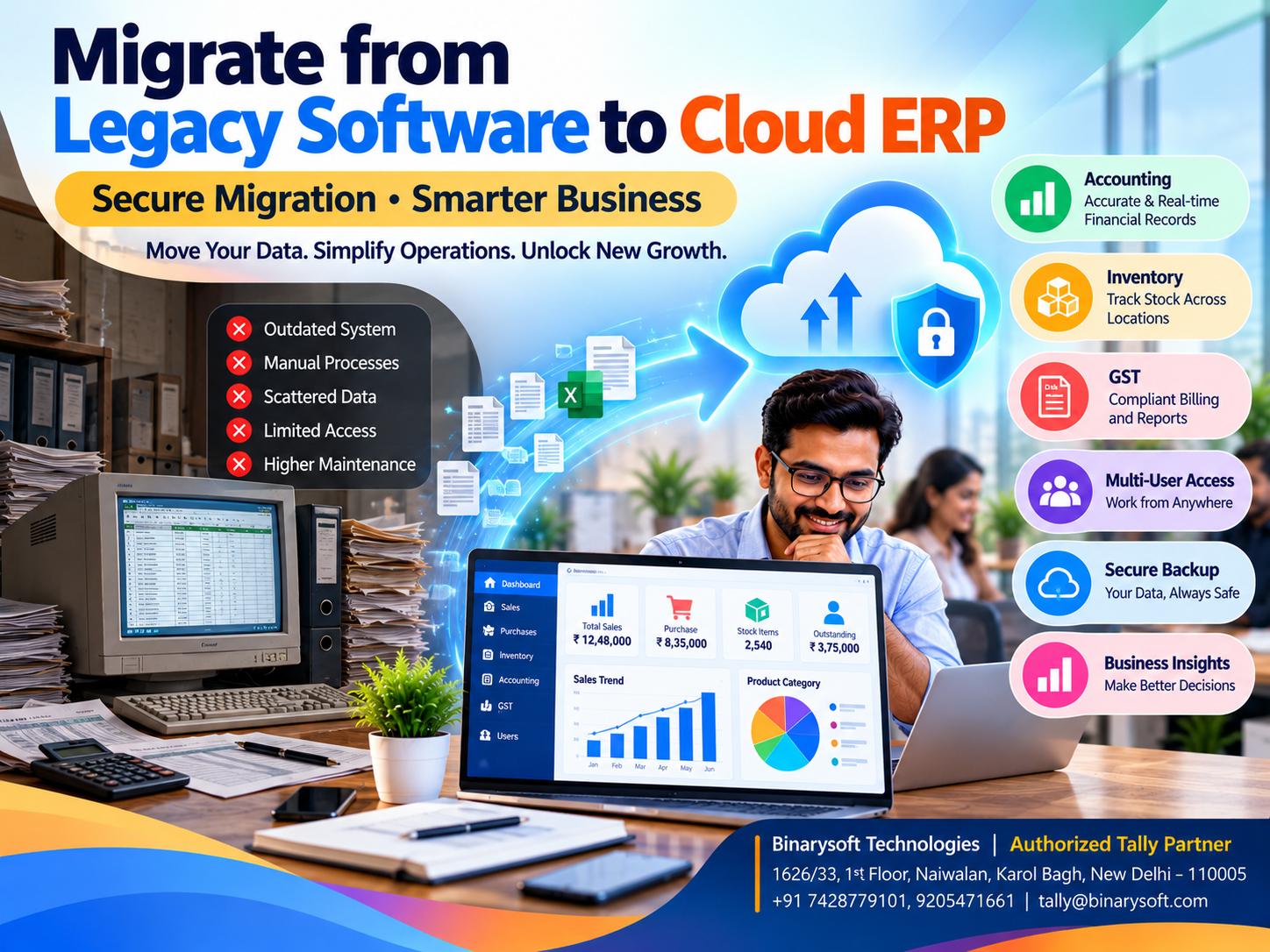
How to Migrate from Legacy Software to Cloud ERP: Step-by-Step Guide for Small and Medium Businesses
Introduction: Why Outdated Business Software Can Hold Back Growth
A business may have excellent products, loyal customers and experienced employees, yet still struggle because its technology has not kept pace with its growth.
Across India, many small and medium enterprises continue using outdated accounting applications, disconnected spreadsheets and locally installed business software.
These systems may have supported operations successfully for years. However, increasing transaction volumes, multiple business locations, changing compliance requirements and the need for remote access can expose their limitations.
Imagine a wholesale distributor whose accounting records are stored on one office computer. Whenever the owner travels, financial information must be shared manually.
If the computer stops working, employees may struggle to access important records.
Meanwhile, inventory updates, customer outstanding balances and financial reports may remain scattered across different systems.
Migrating from legacy software to a modern Cloud ERP environment can help businesses address these challenges.
Cloud ERP migration involves transferring business information, configuring new processes, verifying records and preparing employees to use the new environment.
For Indian SMEs, Tally Prime combined with an appropriate cloud-hosting arrangement can provide a practical way to modernize accounting, inventory and financial management.
However, successful migration requires careful planning. Moving incorrect records to a new system will not automatically improve their accuracy.
This guide explains how businesses can prepare for migration, protect their information and adopt cloud-enabled operations with greater confidence.
A Business Owner's Story: The Computer Failure That Almost Stopped Everything
Sanjay operated a wholesale electrical equipment business in Bhagirath Palace, Delhi.
His father had established the company more than twenty years earlier.
Over time, the business expanded from a small shop into a distribution operation supplying retailers and contractors across North India.
Sanjay managed thousands of inventory items, hundreds of customer accounts and substantial monthly transactions.
Despite this growth, the company continued using an old accounting application installed on a single office computer.
Employees maintained additional stock information in spreadsheets.
The arrangement appeared manageable until one Monday morning.
When the accountant switched on the computer, the system failed to start.
The company's latest backup was several weeks old.
Employees could not immediately retrieve important transaction records.
Customer invoices were delayed, supplier balances became difficult to verify, and Sanjay struggled to answer questions about outstanding payments.
For the first time, he realized how dependent his entire business had become on one machine.
He spent the day contacting technicians and searching for recoverable data.
The incident caused financial uncertainty and considerable stress.
Although much of the information was eventually recovered, Sanjay decided that the business needed a more reliable operating environment.
He worked with a technology partner to review existing records, establish backup procedures and plan a transition to modern accounting software hosted on suitable infrastructure.
Employees received training, historical balances were verified, and the new system was tested before regular operations were transferred.
The transition required effort, but it gave Sanjay greater confidence in his business processes.
This illustrative story highlights a critical lesson:
Business continuity should never depend entirely on one computer, one employee or one unverified backup.
What Is Legacy Software?
Legacy software refers to older applications or technology systems that organizations continue using despite changes in business requirements.
Legacy systems are not necessarily unreliable or unsuitable simply because they are old.
Some businesses operate successfully with mature applications that meet their needs.
Problems arise when software becomes difficult to maintain, lacks essential functionality or depends on unsupported infrastructure.
Common limitations include restricted remote access, outdated integrations, limited reporting, compatibility problems and increasing maintenance costs.
Businesses should evaluate these limitations objectively before deciding whether migration is necessary.
What Is Cloud ERP?
Cloud Enterprise Resource Planning refers to ERP software delivered through cloud-hosted infrastructure.
It helps organizations manage business processes using systems that can be accessed through supported network connections.
Depending on the software, cloud ERP may support accounting, inventory, sales, purchases, manufacturing, taxation and financial reporting.
Cloud ERP is not a single deployment model.
Some solutions are delivered as browser-based software services.
Others involve hosting a desktop application on a remote virtual computer or server.
These differences matter when evaluating functionality, internet requirements, licensing and security.
For example, Tally Prime is an accounting and business management application that can be used through suitable cloud-hosted arrangements.
Hosting Tally Prime remotely does not automatically transform it into a complete enterprise ERP suite.
Nevertheless, cloud deployment can help businesses access familiar accounting and inventory functions from different locations.
Why Indian SMEs Are Moving Away from Legacy Systems
1. Growing Transaction Volumes
As businesses expand, they handle more invoices, stock items, customers and suppliers.
Older applications may struggle with increased workloads or complex reporting requirements.
2. Multiple Business Locations
Businesses operating warehouses, branches or remote offices need reliable access to relevant information.
Cloud-hosted systems can support distributed operations when properly configured.
3. Business Continuity Requirements
Local hardware failures can interrupt operations.
Cloud infrastructure combined with tested backups and recovery procedures can reduce dependence on individual office computers.
4. Changing Compliance Needs
Indian businesses must manage applicable GST, invoicing and other statutory requirements.
Maintained software can help support current compliance workflows.
However, cloud hosting alone does not guarantee regulatory compliance.
5. Improved Financial Visibility
Business owners increasingly need timely information about sales, expenses, customer dues and inventory.
Integrated software can make this information easier to review.
6. Future Expansion
Organizations may require additional users, storage capacity or infrastructure as operations grow.
Cloud environments can offer flexibility, depending on the service provider and commercial arrangement.
Step-by-Step Process for Migrating from Legacy Software to Cloud ERP
Step 1: Evaluate Your Existing Software
Begin by understanding the current business environment.
Identify which applications employees use for accounting, inventory, billing, purchases and reporting.
Determine whether important information is stored in spreadsheets, databases or proprietary software formats.
Review recurring operational problems.
For example, employees may experience delays preparing reports, difficulty sharing information or repeated data-entry errors.
The objective is to establish clear reasons for migration.
Businesses should document the functionality they want to preserve and the improvements they expect.
Step 2: Identify Business Requirements
Every organization has different priorities.
A wholesale distributor may require inventory tracking, customer outstanding management and multi-user accounting.
A manufacturer may need material consumption records and production-related inventory processes.
A service provider may prioritize invoicing, expense management and financial reporting.
Prepare a requirements document covering essential functions, expected users, reporting needs and compliance requirements.
This helps prevent unnecessary software purchases.
Step 3: Choose the Right Cloud ERP Solution
Selecting suitable software is one of the most important migration decisions.
Businesses should examine accounting capabilities, inventory functions, GST-related features, user access, reporting and integration requirements.
They should also evaluate hosting performance, data ownership, security and backup arrangements.
For businesses already familiar with Tally, Tally Prime may provide continuity in accounting workflows while offering modern business management capabilities.
However, the suitability of any solution depends on actual requirements.
Step 4: Prepare a Complete Data Backup
Before modifying or transferring existing records, create a verified backup.
Important information may include customer ledgers, supplier accounts, inventory masters, outstanding balances, invoices and financial transactions.
Backups should be stored securely and protected from unauthorized access.
Businesses should also test whether the information can be restored successfully.
A backup that has never been tested may not provide reliable protection during an emergency.
Step 5: Clean Existing Business Data
Data cleaning is essential for accurate migration.
Older systems often contain duplicate customer records, inactive suppliers, incorrect inventory descriptions and outdated account details.
Transferring these problems into a new system can affect financial reporting from the beginning.
Review customer and supplier records carefully.
Verify inventory quantities, units of measurement, tax classifications and opening balances.
Obsolete records should be handled according to business and legal retention requirements rather than deleted indiscriminately.
Step 6: Map Data Between Systems
Data mapping identifies how information from the existing application corresponds to fields in the new software.
For example, an old application may use a customer code while the new system identifies customers through ledger records.
Stock item categories, tax details and transaction types may also differ.
A mapping document helps maintain consistency during import.
Businesses should verify that required fields are available and that information is transferred to the correct destination.
Step 7: Test the Migration
Avoid transferring all business operations without first conducting a trial.
Select a representative sample of customer accounts, stock items and transactions.
Import the information into a test environment.
Compare the results with the original system.
Important checks include ledger balances, inventory quantities, transaction dates, tax information and voucher totals.
Any differences should be investigated before full migration.
Step 8: Configure Cloud Infrastructure
The hosting environment should match the organization's requirements.
Important considerations include user capacity, storage, processing resources, network performance and security controls.
Businesses should establish appropriate access permissions and authentication procedures.
Backup frequency, recovery arrangements and technical support responsibilities must be documented.
Remote access should be tested from the locations and devices employees will actually use.
Step 9: Train Employees
Successful migration depends on employee readiness.
Accounting staff should understand transaction recording, financial reports and reconciliation procedures.
Sales employees should understand relevant invoicing workflows.
Warehouse personnel should be trained on applicable inventory processes.
Practical training reduces confusion and improves adoption.
Step 10: Run Both Systems During Verification
For some businesses, operating the old and new systems in parallel for a limited period can reduce migration risk.
Employees can compare transaction records and reports.
This helps identify differences before the new environment becomes the primary system.
Parallel operation requires clear responsibility for data entry to prevent duplicate or inconsistent records.
Step 11: Complete the Final Migration
Once testing is successful, establish a final migration date.
Confirm the closing balances in the old system and corresponding opening balances in the new system.
Transfer the approved information and verify the results.
Businesses should preserve historical records according to applicable retention requirements.
The old system should not be decommissioned until the new environment has passed essential operational checks.
Step 12: Monitor Performance After Migration
Migration does not end when employees begin using the new software.
Management should monitor transaction accuracy, system performance, user access and backup completion.
Accounting teams should reconcile financial balances and review important reports.
Early identification of problems helps prevent larger operational disruptions.
How Tally Prime Can Help During Migration
Tally Prime provides several capabilities relevant to businesses modernizing their accounting systems.
Migration from Older Tally Versions
Businesses using supported earlier Tally releases can migrate company data to compatible Tally Prime versions.
The required procedure depends on the original software version.
Some very old versions require an intermediate migration stage rather than direct conversion.
Backups and post-migration verification remain essential.
Importing Accounting Masters
Tally Prime supports data import capabilities that can help businesses transfer suitable ledger and master information.
Supported formats and mapping requirements depend on the software release and import method.
Importing Inventory Records
Businesses can prepare stock item information for import through supported methods.
Product names, units, categories and opening quantities should be verified.
Importing Transactions
Compatible transaction data may be imported using supported formats and procedures.
Businesses should validate voucher dates, account allocations and financial totals.
Financial Reporting
After migration, Tally Prime can help businesses review balance sheets, profit and loss statements, outstanding reports and inventory summaries.
GST-Related Records
Businesses can maintain applicable GST information and use supported compliance reporting features.
Tax data should be reconciled carefully against previously filed returns and verified records.
Cloud-Hosted Operations
Tally Prime can operate through suitable remote-hosting arrangements.
Businesses should confirm licensing, hosting compatibility, connectivity and security requirements before deployment.
Case Study 1: Wholesale Electrical Distributor in Bhagirath Palace
Business Type: Electrical goods wholesale distribution
Location: Bhagirath Palace, New Delhi
Business Challenge: Outdated accounting software, disconnected inventory records and limited remote access.
Background
Consider a wholesale distributor managing approximately 4,000 stock items and serving several hundred customers.
Its accounting software operates on an aging office computer.
Inventory information is maintained partly in spreadsheets.
The business owner cannot easily review updated financial information while travelling.
Migration Strategy
The company decides to modernize its accounting environment.
Existing records are backed up and reviewed.
Customer ledgers, supplier balances and inventory masters are cleaned.
A trial migration is completed before transferring regular operations.
Employees receive training on Tally Prime.
The company then deploys the application through an appropriate cloud-hosting arrangement.
Illustrative Outcomes
Management gains more convenient access to accounting information.
Inventory and financial records become easier to coordinate.
Employees follow standardized transaction procedures.
Backup and recovery responsibilities become more clearly defined.
Key Learning
A successful migration requires more than changing software. It requires accurate data, employee training and reliable infrastructure.
This is an illustrative case study rather than a verified customer implementation.
Case Study 2: Manufacturing Business in Faridabad
Business Type: Industrial components manufacturing
Location: Faridabad, Haryana
Business Challenge: Disconnected production-related records, delayed financial reporting and dependence on local infrastructure.
Background
Consider a manufacturing company producing machine components for industrial customers.
The business uses an older accounting application and separate spreadsheets for raw material tracking.
Management struggles to obtain consistent information about inventory and financial performance.
Migration Strategy
The company reviews its existing accounting and inventory processes.
Raw materials and finished goods are classified into appropriate categories.
Opening balances and stock quantities are verified.
Tally Prime is configured for accounting and relevant inventory processes.
Applicable manufacturing-related inventory features are enabled.
The business tests its records before moving regular operations to the new environment.
Illustrative Outcomes
The company gains clearer visibility into recorded material movements.
Accounting staff can prepare reports with less manual consolidation.
Management can review financial information more consistently.
Remote access becomes possible through the selected hosting arrangement.
Key Learning
Structured migration can improve operational coordination, but advanced manufacturing automation may still require specialized systems.
Cloud ERP vs Legacy Software: Key Differences
| Feature | Legacy Software | Modern Cloud ERP |
|---|
| Accessibility |
Often restricted to local systems |
Remote access where supported |
| Infrastructure |
Usually locally maintained |
Provider-hosted or managed infrastructure |
| Scalability |
May require hardware upgrades |
May offer flexible resources |
| Backup |
Often managed locally |
Can support managed backup services |
| Collaboration |
May have limited remote connectivity |
Can support distributed users |
| Maintenance |
May depend on older technology |
Depends on vendor and hosting support |
| Integration |
May have compatibility limitations |
Varies by product and available interfaces |
| Security |
Depends on local controls |
Depends on provider and customer controls |
| Reporting |
May be limited by older features |
Depends on the selected ERP application |
Cloud hosting is not automatically more secure or more reliable than every local installation. Actual outcomes depend on system design and operational practices.
Common Mistakes to Avoid During ERP Migration
Migrating Incorrect Data
Incorrect balances and duplicate records can create problems in the new system.
Review and reconcile data before migration.
Ignoring Backup Verification
Creating a backup is insufficient unless recovery has been tested.
Choosing Software Without Evaluating Requirements
An unsuitable application may create additional complexity.
Inadequate Employee Training
Employees need practical experience before relying on the new system.
Ignoring Security Configuration
Access permissions, authentication and data protection measures require attention.
Rushing the Final Transition
A rushed migration can interrupt billing, accounting and customer service.
Failing to Reconcile Reports
Financial balances and inventory records must be checked after migration.
Overlooking Historical Records
Businesses should retain required historical information even when only selected records are transferred into the new application.
How Much Does Cloud ERP Migration Cost?
Migration costs depend on several factors.
These include software licensing, hosting infrastructure, data volume, conversion complexity, implementation services, employee training and technical support.
A business migrating from a compatible older Tally version may face different requirements from an organization transferring records from unrelated proprietary software.
Some migrations require custom data conversion or integration development.
Businesses should request a detailed implementation proposal covering one-time and recurring costs.
The total cost of ownership is more useful than comparing software subscription charges alone.
Security Considerations During Cloud Migration
Financial data requires strong protection.
Businesses should evaluate how information is transferred, stored, accessed and backed up.
Appropriate security measures may include encryption, access controls, strong authentication, secure network connections and monitoring.
Hosting providers should clearly explain backup retention and recovery procedures.
Organizations should also understand where their data is stored and how it can be retrieved if they change providers.
Security is a shared responsibility involving the software, hosting environment, employees and management.
The Future of Cloud ERP for Indian SMEs
Indian SMEs increasingly need flexible business management systems that support changing operational requirements.
Cloud infrastructure can help businesses reduce dependence on individual office computers and support remote working arrangements.
Modern accounting applications also provide opportunities for connected workflows, digital documentation and improved reporting.
Artificial intelligence and advanced analytics may become more accessible through compatible business applications and integrations.
However, businesses should prioritize reliable accounting, accurate inventory records and secure access before introducing complex automation.
A successful technology strategy begins with solving practical business problems.
Conclusion
Migrating from legacy software to Cloud ERP is an important business decision.
It can help organizations modernize accounting, improve operational visibility and reduce dependence on outdated infrastructure.
However, migration should be treated as a structured business project rather than a simple software installation.
Accurate backups, data cleaning, mapping, testing, employee training and financial reconciliation are essential.
For Indian businesses using older accounting systems, Tally Prime combined with a suitable cloud-hosting arrangement can provide a practical modernization option.
Its accounting, inventory, taxation and reporting capabilities can support many everyday requirements of small and medium enterprises.
With careful planning and appropriate technical assistance, businesses can transition toward more organized and accessible financial management.
The objective is not merely to replace old software.
It is to create a reliable foundation for business continuity, financial control and sustainable growth.
Powered by Binarysoft Technologies
Authorized Tally Partner
Location: 1626/33, 1st Floor, Naiwalan, Karol Bagh, New Delhi – 110005, INDIA
Contact: +91 7428779101, 9205471661
Email: tally@binarysoft.com
Business Hours: 10:00 AM – 6:00 PM, Monday to Friday
Frequently Asked Questions
How can Binarysoft Technologies help with Tally Prime migration?
Binarysoft Technologies, an Authorized Tally Partner, can assist businesses with migration planning, Tally Prime configuration, data preparation, cloud-hosting evaluation, employee training and related support.
What should businesses verify after migration?
Important checks include ledger balances, inventory quantities, voucher counts, customer dues, supplier balances, GST information and user permissions.
Can multiple employees access Tally Prime through cloud hosting?
Suitable licensing and infrastructure arrangements can support concurrent access for authorized users.
Can businesses continue operating during migration?
Some migrations support phased implementation or parallel operation. The appropriate approach depends on business requirements and technical constraints.
Is cloud-hosted accounting software secure?
It can be secure when supported by appropriate infrastructure, access controls, backup procedures and data protection practices.
CA. Anand Tirpathi is a Chartered Accountant with experience in statutory compliance, internal controls, and accounting process optimization. He has advised multiple businesses on improving operational efficiency through structured accounting and inventory systems. His writing focuses on clarity, compliance, and risk reduction for MSMEs.









