Call CA Tally HelpDesk
+91 9205471661,
7428779101
Introduction: Why Understanding the ERP Life Cycle Matters in 2026
A growing business often reaches a stage when spreadsheets, manual registers and disconnected applications are no longer sufficient.
Sales teams maintain customer records separately. Accountants prepare financial statements using different files. Warehouse employees update inventory manually, while management struggles to obtain accurate business reports.
These problems may appear manageable initially, but they become more expensive as transaction volumes increase.
In 2026, Indian businesses face increasing expectations for faster financial reporting, reliable inventory information, efficient GST-related processes and better coordination between departments.
Enterprise Resource Planning, commonly known as ERP, helps businesses organize important operations through integrated systems and standardized processes.
However, implementing ERP software without proper planning can lead to incorrect data, employee resistance, unexpected expenses and operational disruption.
Understanding the ERP life cycle helps entrepreneurs reduce these risks.
This article explores eight practical stages of ERP implementation, explains common challenges and shows how Tally Prime can provide an effective accounting and business management foundation for many small and medium enterprises.
An Emotional Story: The Business Owner Who Nearly Lost Control of His Growing Company
Rajesh started a small electrical equipment distribution business in Delhi with just three employees.
During the early years, he personally managed purchasing, sales and customer payments.
His business gradually expanded. New customers placed larger orders, suppliers offered better rates and his team grew to twenty employees.
Rajesh felt proud of what he had achieved.
But the company's systems had not grown alongside its sales.
The warehouse maintained stock records in spreadsheets. Sales employees prepared invoices separately, and accountants frequently requested missing documents.
One afternoon, an important customer complained that an urgent order had not been delivered.
The sales team believed the products were available, but the warehouse had already dispatched them against another order.
The customer cancelled the purchase.
That evening, Rajesh returned home exhausted.
His daughter asked why he had missed her school performance.
He quietly replied, "I am working harder than ever, but somehow I am losing control of the business."
The incident made him reconsider his approach.
Instead of immediately purchasing expensive software, he consulted an implementation specialist who reviewed the company's existing processes.
The team standardized product records, introduced structured accounting procedures, trained employees and implemented a suitable business management system in stages.
Over time, Rajesh gained clearer visibility into inventory, outstanding payments and daily transactions.
He discovered that successful digital transformation was not about replacing people with software.
It was about giving people better systems to perform their work.
This fictional story illustrates common challenges faced by growing Indian businesses.
The lesson is simple: business growth becomes sustainable when technology, employees and operational processes improve together.
1. What Is the ERP Life Cycle?
The ERP life cycle describes the stages involved in adopting, operating, maintaining and eventually upgrading or replacing an ERP system.
ERP software helps businesses coordinate activities such as finance, purchasing, inventory, sales, manufacturing and reporting.
The life cycle begins before software installation and continues throughout the system's useful life.
A structured approach helps businesses identify requirements, control implementation costs, protect data quality and encourage employee adoption.
Different implementation methodologies divide the process differently. The following eight-stage model provides a practical framework for small and medium businesses.
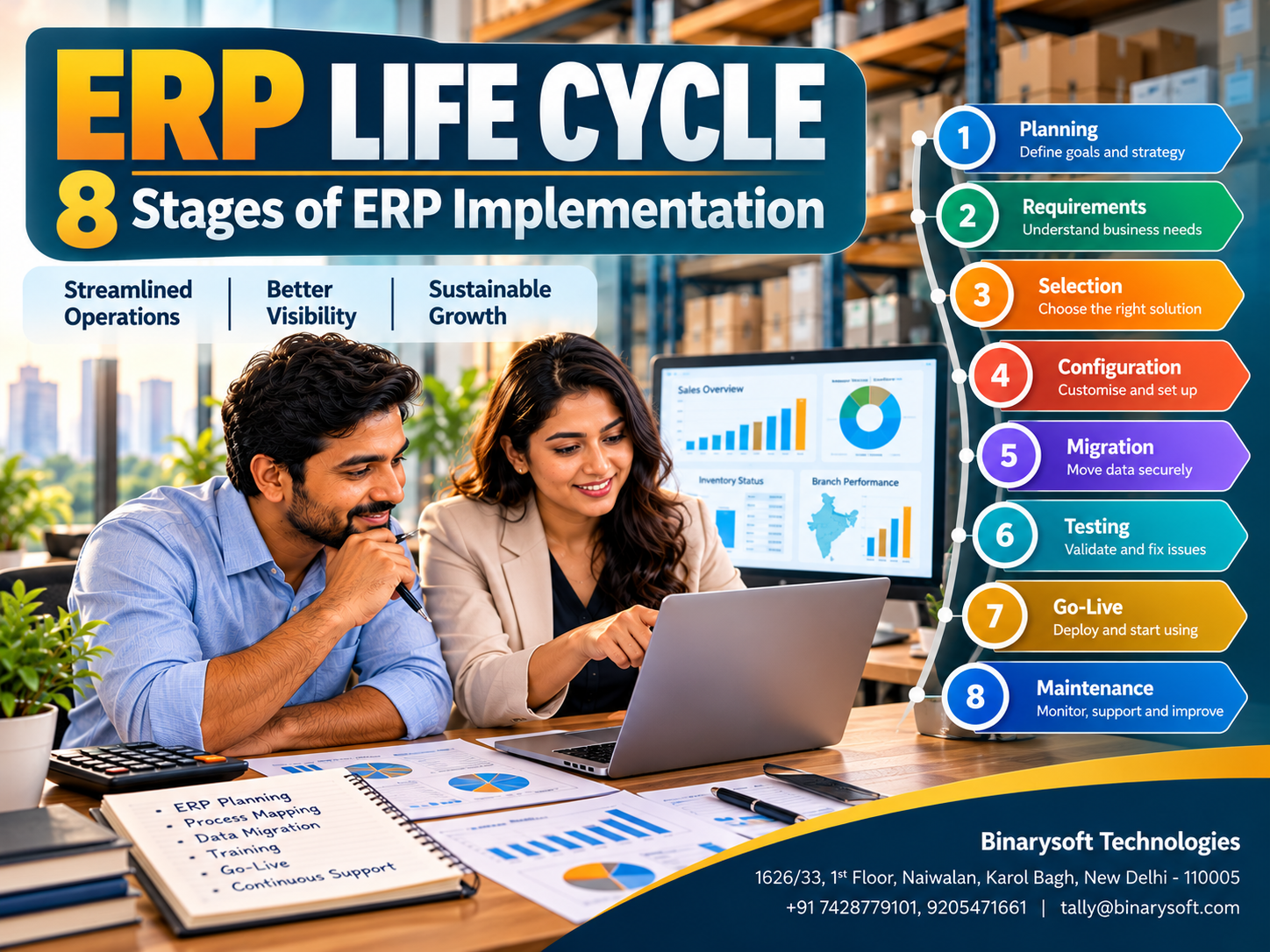
2. The Eight Stages of ERP Implementation
ERP implementation life cycle
01
Planning
Define objectives
02
Requirement Analysis
Map processes
03
Software Selection
Choose the solution
04
System Design
Configure workflows
05
Data Migration
Prepare and transfer
06
Testing
Validate operations
07
Deployment & Training
Go live confidently
08
Maintenance
Improve continuously
Stages may overlap or repeat as business requirements change.
Stage 1: ERP Planning and Business Assessment
The first stage involves understanding why the business needs an ERP system.
Management should identify operational problems, define measurable objectives and establish an implementation budget.
For example, a distributor may want to reduce inventory discrepancies, accelerate invoice processing or improve receivables tracking.
A project team should be appointed to coordinate the implementation.
Planning should also consider employee availability, infrastructure, data security and expected business disruption.
A realistic project schedule helps prevent rushed implementation.
How Tally Prime helps: Businesses can identify accounting, GST, inventory and reporting requirements before deciding which features and configurations are necessary.
Stage 2: Requirement Analysis and Process Mapping
The second stage focuses on understanding existing business workflows.
Implementation teams examine how transactions move through sales, purchasing, inventory, accounting and reporting.
They identify manual tasks, duplicate entries, approval requirements and missing controls.
For example, a manufacturing company may discover that purchase orders are not consistently linked to material receipts.
Process mapping helps determine what the new system must support.
Requirements should be categorized into essential features, desirable capabilities and future enhancements.
This prevents businesses from paying for unnecessary complexity.
How Tally Prime helps: Existing accounting processes can be mapped to ledger management, voucher workflows, inventory features, cost centres and statutory reporting requirements.
Stage 3: ERP Software Evaluation and Selection
Once requirements are documented, the business can evaluate suitable software.
Important considerations include functionality, licensing, implementation cost, scalability, technical support and ease of use.
Businesses should request demonstrations based on actual operational scenarios.
A retailer may test stock transfers and sales returns, while a manufacturer may evaluate material consumption and production reporting.
Software should be selected according to business needs rather than promotional claims.
Tally Prime may be suitable for organizations prioritizing accounting, inventory, taxation and connected financial workflows.
Businesses requiring highly specialized production scheduling or enterprise-wide resource optimization should evaluate whether additional software or integrations are necessary.
Stage 4: System Design and Configuration
The fourth stage involves configuring the selected software according to approved business processes.
Activities may include creating ledgers, defining stock groups, establishing user permissions and configuring transaction workflows.
For a multi-branch company, the implementation may require cost centres, multiple stock locations and standardized reporting structures.
Security controls should be configured before employees begin using live data.
Businesses should minimize unnecessary customization because complex modifications can increase maintenance costs.
How Tally Prime helps: Features such as cost centres, inventory locations, voucher types, GST settings and user security can support structured business operations.
Stage 5: Data Preparation and Migration
Data migration involves transferring relevant information from existing systems into the new environment.
Businesses may need to migrate customer records, supplier balances, stock details, opening balances and outstanding invoices.
Before migration, duplicate records should be removed and inaccurate information corrected.
Opening balances must be reconciled against approved financial records.
A backup of the original data should be retained.
How Tally Prime helps: Supported import facilities and appropriate migration procedures can help businesses bring eligible accounting and inventory information into the system. Import formats and validation requirements should be checked before migration.
Stage 6: ERP Testing and Quality Assurance
Testing helps confirm that the configured system works correctly before full deployment.
Employees should test common transactions, including purchases, sales, payments, stock transfers and returns.
GST calculations, financial statements and inventory balances should also be reviewed.
Testing should include unusual situations, such as cancelled orders, duplicate entries and insufficient stock.
Problems should be documented and resolved before go-live.
How Tally Prime helps: A test company can be used to validate accounting workflows, reports and configurations without affecting live business records.
Stage 7: Deployment, Go-Live and Employee Training
Deployment is the stage when the business begins using the new system for actual operations.
Some organizations move all departments simultaneously, while others adopt a phased approach.
Employee training is essential.
Accounts teams should understand voucher entry, sales employees should learn order procedures, and warehouse staff should understand inventory transactions.
Management should establish support arrangements for the initial operating period.
How Tally Prime helps: Role-specific training can focus on invoicing, accounting, inventory, banking, GST-related workflows and financial reports.
Stage 8: Maintenance, Monitoring and Continuous Improvement
ERP implementation does not end after go-live.
Businesses must monitor system performance, resolve operational problems and review changing requirements.
Regular backups, security reviews, software updates and user training are important.
Management should compare actual results against the objectives established during planning.
As the business expands, additional workflows or integrations may become necessary.
How Tally Prime helps: Ongoing configuration reviews, software updates, data maintenance and user support can help businesses keep accounting processes aligned with operational requirements.
3. Benefits of Following a Structured ERP Life Cycle
A structured implementation process provides several advantages.
It reduces the risk of selecting unsuitable software and helps control project costs.
Clear requirements improve communication between management, employees and implementation specialists.
Testing helps identify problems before they disrupt daily operations.
Employee training improves confidence and encourages adoption.
Most importantly, the life cycle establishes measurable objectives so businesses can evaluate whether their technology investment is producing meaningful results.
4. Common ERP Implementation Challenges
ERP projects can encounter difficulties even when the software is capable.
Typical challenges include unclear requirements, inaccurate data, insufficient training and resistance to new processes.
Unexpected customization requests can increase implementation time and cost.
Poor communication between departments may also delay decisions.
Businesses should assign clear responsibilities, maintain a project schedule and review progress regularly.
A phased approach can reduce disruption where appropriate.
5. How Long Does ERP Implementation Take?
Implementation time depends on business size, data quality, required integrations and process complexity.
A small business adopting core accounting and inventory workflows may complete a straightforward implementation relatively quickly.
A larger organization with multiple branches, extensive historical data and specialized integrations may require several months or longer.
The schedule should include planning, migration, testing, training and post-launch support.
Businesses should avoid setting unrealistic deadlines merely to accelerate software adoption.
6. ERP Implementation Cost: What Should Businesses Budget?
The total cost of ERP implementation extends beyond software licensing.
Expenses may include hardware, cloud hosting, data migration, customization, employee training and ongoing support.
Businesses should also consider the cost of temporary operational disruption.
|
Cost component
|
What it covers
|
|---|
|
Software licensing
|
Access to required software features
|
|
Implementation
|
Configuration and setup
|
|
Data migration
|
Cleaning and transferring records
|
|
Training
|
Employee learning and adoption
|
|
Infrastructure
|
Computers, servers or hosting
|
|
Integration
|
Connecting other applications
|
|
Maintenance
|
Updates, support and improvements
|
A realistic budget should include a contingency allowance for unforeseen requirements.
7. Case Study One: A Wholesale Distributor Improves Inventory Accuracy
Illustrative case study — fictional business and figures
A Delhi electrical goods distributor managed approximately 2,500 stock items.
Its employees used spreadsheets for inventory and separate software for accounting.
Stock discrepancies frequently delayed customer orders.
The company followed a structured implementation plan, beginning with process mapping and inventory data cleanup.
It configured Tally Prime for accounting, stock management and outstanding tracking.
Employees tested purchase, sales and inventory transactions before the system went live.
Over several months, the business observed fewer stock discrepancies and faster preparation of management reports.
Key lesson: Data preparation and employee training are as important as software selection.
8. Case Study Two: A Manufacturing Business Strengthens Financial Control
Illustrative case study — fictional business and figures
A packaging manufacturer in Faridabad struggled to coordinate purchasing, production-related stock records and financial reporting.
Management wanted better visibility into raw material consumption and operating expenses.
The company documented its requirements, standardized item masters and introduced suitable accounting and inventory workflows.
Tally Prime was configured to maintain purchase records, inventory movements and financial statements.
The team also established monthly reconciliation procedures.
The result was more organized financial information and better coordination between accounts and operations.
Key lesson: ERP implementation should improve business processes rather than simply reproduce inefficient manual practices.
9. How Tally Prime Supports ERP-Related Business Management
Tally Prime provides several capabilities relevant to businesses implementing integrated accounting and operational workflows.
Accounting management: Record sales, purchases, receipts, payments and expenses within structured books.
Inventory management: Maintain stock items, units, locations and inventory movements.
GST-related workflows: Support GST-enabled accounting and reporting through suitable configurations.
Receivables and payables: Monitor customer collections and supplier obligations.
Cost centres: Allocate relevant financial activity across departments, projects or branches.
Manufacturing-related inventory: Use supported stock and production-related voucher workflows where suitable.
Financial reporting: Review Profit & Loss Accounts, Balance Sheets and other management reports.
Banking: Maintain banking transactions and perform applicable reconciliation activities.
Tally Prime can serve as an integrated accounting and inventory foundation for many businesses. It should not automatically be assumed to replace every specialized ERP function, such as advanced manufacturing planning or enterprise human resource management.
10. Tally on Cloud and ERP Accessibility
Cloud hosting can help authorized employees access a centrally maintained Tally Prime environment from different locations.
This may be useful for businesses with remote accountants, multiple offices or distributed management teams.
A suitable deployment should include secure authentication, appropriate permissions, backups and reliable connectivity.
Cloud hosting improves accessibility but does not automatically integrate disconnected business applications.
Implementation planning should still address data consistency and workflow requirements.
11. How to Measure ERP Implementation Success
Businesses should establish measurable performance indicators before deployment.
Useful indicators include inventory discrepancies, invoice processing time, reporting delays, overdue receivables and employee adoption.
Management can compare performance before and after implementation.
For example, a distributor might aim to reduce monthly stock reconciliation time from three days to one day.
However, improvements should be evaluated over a reasonable period.
Successful implementation means the system supports business objectives, not merely that employees have started entering transactions.
12. Best Practices for a Successful ERP Project
Business owners should remain actively involved throughout implementation.
Department representatives must participate in requirement discussions and testing.
Data quality should be reviewed before migration.
Employees should receive practical training using real business scenarios.
A documented backup and recovery process should be established.
After go-live, management should review results and address problems promptly.
These practices help transform ERP implementation from a software installation exercise into a long-term business improvement initiative.
Conclusion: ERP Success Depends on Planning, People and Continuous Improvement
The ERP life cycle provides a practical roadmap for businesses adopting integrated management software.
Its eight stages—planning, requirement analysis, software selection, configuration, data migration, testing, deployment and maintenance—help organizations manage implementation systematically.
Skipping important stages can create avoidable risks, while a structured approach supports data accuracy, employee adoption and operational efficiency.
Tally Prime can help Indian businesses organize accounting, inventory, GST-related workflows and financial reporting as part of this transformation.
With the right implementation strategy, technology can help business owners spend less time resolving operational confusion and more time planning sustainable growth.
Powered by Binarysoft Technologies
Authorized Tally Partner
Location: 1626/33, 1st Floor, Naiwalan, Karol Bagh, New Delhi – 110005, INDIA
Contact Us: +91 7428779101, 9205471661
Email: tally@binarysoft.com
Business Hours: 10:00 AM – 6:00 PM, Monday to Friday
Frequently Asked Questions
What is the ERP life cycle?
The ERP life cycle is the structured process of planning, implementing, operating, maintaining and improving an Enterprise Resource Planning system.
What are the eight stages of ERP implementation?
The eight stages are planning, requirement analysis, software selection, system configuration, data migration, testing, deployment and training, and ongoing maintenance.
Why is ERP planning important?
Planning helps businesses define objectives, estimate costs, identify operational requirements and reduce implementation risks.
How long does ERP implementation take?
Implementation duration varies according to business size, data complexity, customization and training requirements.
What is the most challenging stage of ERP implementation?
Challenges differ between organizations, but data migration, process changes and employee adoption frequently require substantial attention.
CA. Naksh Bafna works on bookkeeping, financial controls, and taxation for small and growing enterprises. His focus is on making accounting processes systematic, understandable, and easier to manage throughout the financial year.









