Call CA Tally HelpDesk
+91 9205471661,
7428779101
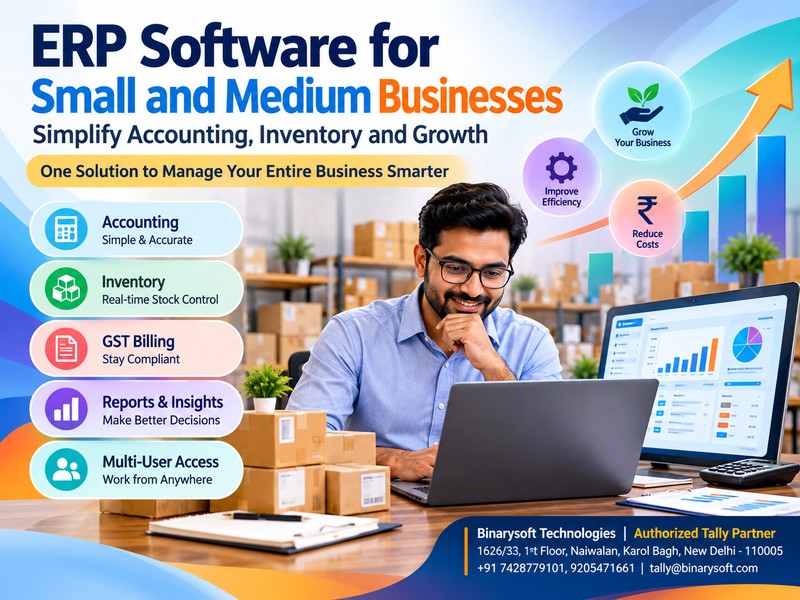
ERP Software for Small and Medium Businesses: A Smarter Way to Manage Accounting, Inventory and Business Growth
Introduction: Why Growing Businesses Need Smarter Management
Running a small or medium-sized business in India is becoming increasingly challenging. Business owners must manage accounting, inventory, customer payments, GST compliance, purchases, sales and financial reporting while maintaining profitability.
Many businesses begin their journey with handwritten registers, spreadsheets and separate billing applications. These methods may work during the early stages, but as transactions increase, managing operations becomes complicated.
Imagine a wholesale trader receiving hundreds of orders every week. The sales team maintains invoices in one application, inventory records are updated in Excel, and the accountant prepares financial reports separately.
One incorrect entry can create confusion across the business.
This is where Enterprise Resource Planning (ERP) software becomes valuable.
ERP software connects essential business functions through a coordinated system, helping organizations improve accuracy, reduce repetitive work and make informed decisions.
For Indian small and medium enterprises, Tally Prime provides practical accounting, inventory, taxation and business reporting capabilities that support everyday operations.
Understanding how ERP software works can help business owners choose a solution that supports both their present requirements and future expansion.
A Business Owner's Story: From Daily Confusion to Financial Confidence
Rajesh operated a small electrical goods distribution business in Delhi.
When he started, his business had only three employees and approximately 50 regular customers.
Managing transactions was simple.
However, within five years, his business expanded to hundreds of customers, multiple suppliers and thousands of inventory items.
Despite increasing sales, Rajesh frequently struggled with cash shortages.
His employees could not immediately confirm product availability. Customer payments remained pending because outstanding invoices were not monitored regularly.
At the end of every month, Rajesh spent several evenings checking registers and spreadsheets.
One evening, his largest customer requested an urgent delivery.
The sales team confirmed availability, but the warehouse discovered that the required products were already sold.
The customer cancelled the order.
For Rajesh, the incident was more than a financial loss. It threatened a business he had spent years building.
He realized that increasing sales alone would not guarantee success.
His business needed better coordination.
After implementing an integrated accounting and inventory management system, Rajesh began maintaining stock movements, sales invoices, customer balances and financial records in a structured manner.
He could review outstanding payments, monitor stock availability and examine profitability without manually combining information from multiple registers.
The experience changed his approach to business management.
Instead of spending most of his time correcting operational mistakes, he could focus on customers, employees and expansion.
This illustrative story reflects a common challenge faced by growing Indian businesses: business growth becomes difficult when information remains disconnected.
What Is ERP Software?
Enterprise Resource Planning software is a business management system designed to coordinate important organizational activities.
These activities may include:
-
Financial accounting and bookkeeping
-
Sales and purchase management
-
Inventory and warehouse management
-
Customer and supplier transactions
-
Taxation and statutory compliance
-
Payroll and employee administration
-
Business reporting and analysis
-
Manufacturing and production operations
-
Cash flow and credit management
-
Operational planning
ERP systems aim to reduce duplication by connecting business information across departments.
For example, when a sales invoice is recorded in an integrated system, the corresponding accounting and inventory records can be updated according to the configured transaction.
This reduces the need to enter identical information repeatedly.
However, ERP products differ considerably in their capabilities. Some provide comprehensive manufacturing, human resources and supply chain modules, while others focus primarily on accounting and inventory.
Businesses should evaluate their actual requirements rather than assuming every ERP product includes every function.
Why Small and Medium Businesses Need ERP Software
1. Increasing Business Complexity
As organizations expand, the number of transactions, employees, customers and suppliers increases.
Manual processes become difficult to maintain.
ERP software helps establish standardized procedures and organized records.
2. Better Financial Visibility
Business owners need accurate information about revenue, expenses, profitability and liabilities.
An integrated accounting system makes it easier to review financial performance.
3. Improved Inventory Accuracy
Incorrect inventory records can cause stock shortages, unnecessary purchases and delayed deliveries.
Inventory management features help businesses monitor available quantities and stock movements.
4. Reduced Administrative Work
Repeatedly entering information into different systems consumes valuable employee time.
Integrated business software can reduce duplication and simplify routine operations.
5. Stronger Customer Relationships
Accurate invoices, timely deliveries and systematic payment tracking contribute to customer satisfaction.
Businesses can respond more confidently when reliable information is readily available.
6. Better Expansion Planning
Growing organizations need structured processes that can accommodate additional transactions, employees and locations.
ERP software provides a foundation for managing increasing operational requirements.
Important Features of ERP Software for SMEs
1. Financial Accounting Management
Financial accounting is one of the most important functions of business management software.
Businesses must record income, expenses, purchases, sales, assets and liabilities accurately.
Accounting features commonly include:
Tally Prime supports these core accounting activities through an integrated financial management environment.
Business owners can review accounting reports and understand their financial position without relying entirely on manually prepared statements.
2. Inventory and Stock Management
Inventory represents a significant investment for manufacturers, wholesalers, distributors and retailers.
Poor stock management can create financial pressure.
An effective inventory management system helps businesses:
-
Maintain stock item records
-
Track purchases and sales
-
Monitor stock quantities
-
Organize inventory by categories
-
Maintain godown-wise stock information
-
Review stock valuation
-
Track batch information where applicable
-
Identify slow-moving products
Tally Prime provides inventory management capabilities that help businesses maintain stock records alongside accounting transactions.
This is particularly useful for businesses dealing with multiple product categories.
3. GST Billing and Tax Compliance
Indian businesses must manage applicable GST requirements carefully.
Incorrect invoices and inconsistent transaction records can create reconciliation difficulties.
Business software can assist with GST-related activities such as:
-
Creating GST invoices
-
Recording taxable purchases
-
Maintaining tax ledgers
-
Applying appropriate tax classifications
-
Reviewing GST reports
-
Supporting return preparation
-
Identifying transaction discrepancies
Tally Prime offers GST-related accounting and reporting features.
However, businesses must configure tax details correctly and verify applicable rules, rates and filing requirements before submitting returns.
4. Sales and Purchase Management
Sales and purchase transactions influence inventory, cash flow and profitability.
ERP software helps businesses maintain structured transaction records.
Common activities include recording purchase orders, sales orders, invoices, debit notes, credit notes and supplier transactions.
Tally Prime supports several of these processes, depending on the features enabled and the business configuration.
Integrated records help reduce inconsistencies between commercial transactions and financial accounts.
5. Customer Outstanding Management
One of the biggest challenges for small businesses is delayed customer payments.
A company may generate strong sales but still struggle to pay suppliers because customers have not cleared their invoices.
Outstanding management features help businesses monitor:
-
Customer balances
-
Pending invoices
-
Payment due dates
-
Overdue amounts
-
Supplier liabilities
-
Bill-wise settlements
Tally Prime supports bill-wise accounting and receivables reporting.
These features help business owners identify overdue accounts and organize collection activities.
6. Financial Reports and Business Analysis
Reliable reports help business owners understand performance.
Important financial reports include:
Tally Prime provides financial and operational reports that help users examine recorded transactions.
Business owners can use these reports to identify trends, review expenses and support decisions.
7. Multi-User Business Operations
Growing businesses often require several employees to work with accounting and inventory information.
For example, one employee may prepare sales invoices while another records purchases and an accountant reviews financial transactions.
Tally Prime supports concurrent access through appropriate multi-user licensing and deployment arrangements.
Businesses should configure user permissions and operational responsibilities carefully.
8. Data Security and Backup
Financial information is among the most valuable assets of a business.
Data loss can interrupt operations and create serious administrative problems.
Businesses should implement suitable backup schedules, access controls and recovery procedures.
Tally Prime provides data management and security-related capabilities, while backup protection also depends on the chosen infrastructure and operational practices.
Organizations using cloud-hosted environments should verify the hosting provider's backup, access control and disaster recovery arrangements.
How Tally Prime Helps Small and Medium Businesses
Tally Prime is particularly useful for organizations seeking an integrated approach to accounting, inventory and taxation.
Its practical advantages include the following.
Simplified Daily Accounting
Businesses can record routine transactions through accounting vouchers.
This supports systematic bookkeeping and reduces dependence on scattered records.
Integrated Inventory and Accounts
Stock-related transactions can be maintained alongside financial records.
This helps businesses understand the relationship between inventory movements and accounting activity.
Faster Business Reporting
Owners can access reports based on recorded transactions without manually compiling information from separate spreadsheets.
Better Credit Monitoring
Customer and supplier outstanding reports help businesses monitor receivables and liabilities.
GST-Related Record Management
Businesses can maintain relevant tax information and review GST reports as part of their compliance processes.
Support for Different Business Types
Tally Prime can be configured for many trading, distribution, retail, service and manufacturing-related accounting requirements.
Its suitability depends on the complexity of the organization's workflows.
Case Study 1: Wholesale Electronics Distributor in Karol Bagh
Business Type: Electronics wholesale distribution
Location: Karol Bagh, New Delhi
Business Challenge: Inventory mismatches and delayed customer payments
Background
Consider an electronics distributor supplying mobile accessories and electronic components to retail shops.
The business maintains approximately 2,500 stock items and serves more than 300 customers.
Its employees initially manage inventory in spreadsheets while accounting transactions are recorded separately.
This creates frequent differences between physical stock and recorded quantities.
Customer payments are also difficult to monitor.
Implementation
The distributor introduces Tally Prime to organize accounting and inventory records.
Stock items are categorized according to product types.
Sales and purchase transactions are recorded systematically.
Customer accounts are maintained with bill-wise details.
The accountant reviews receivables and stock reports regularly.
Illustrative Results
After improving its processes, the business experiences fewer manual reconciliation tasks.
Employees can review recorded stock balances before confirming orders.
The owner gains better visibility into outstanding payments.
Monthly financial reporting becomes more organized.
These are illustrative operational improvements, not independently measured results.
Key Learning
Integrated inventory and accounting records can improve coordination between sales, warehouse and finance teams.
Case Study 2: Small Manufacturing Business in Faridabad
Business Type: Industrial components manufacturing
Location: Faridabad, Haryana
Business Challenge: Production material tracking and financial visibility
Background
Consider a manufacturing company producing industrial components for machinery suppliers.
The business purchases raw materials, processes them into finished products and supplies customers across several states.
Previously, material consumption records were maintained separately from accounting records.
Management struggled to understand production-related inventory movements and overall profitability.
Implementation
The company configures Tally Prime for its accounting and relevant inventory processes.
Raw materials and finished goods are maintained as separate stock categories.
Applicable manufacturing inventory features, such as bills of materials and manufacturing vouchers, are configured according to operational requirements.
Purchases, sales and expenses are recorded systematically.
Management reviews stock summaries and financial statements regularly.
Illustrative Results
The company gains better visibility into recorded material consumption and stock balances.
Accounting staff spend less time combining disconnected information.
Management can review costs and financial performance more consistently.
Key Learning
Structured inventory and financial records can support better production planning and financial control.
Manufacturers requiring advanced production scheduling, machine monitoring or shop-floor automation may need additional specialized systems.
ERP Software for Different Business Industries
ERP requirements vary depending on the industry.
Retail Businesses
Retailers need efficient billing, stock tracking, purchase records and financial reporting.
Integrated accounting and inventory software can help them manage daily transactions.
Wholesale Traders
Wholesalers handle bulk purchases, multiple customers, credit sales and substantial inventory quantities.
They benefit from stock visibility, receivables management and sales analysis.
Manufacturing Businesses
Manufacturers require material tracking, inventory valuation, production-related records and financial accounting.
Some businesses may also need advanced manufacturing modules beyond core accounting software.
Distribution Companies
Distributors need organized customer accounts, supplier records, inventory information and outstanding management.
Service Providers
Service businesses generally focus on invoicing, expenses, customer balances, taxation and profitability.
Their inventory requirements may be limited.
Cloud ERP vs Traditional Desktop ERP
Businesses increasingly evaluate cloud-hosted systems alongside traditional desktop installations.
Both approaches offer advantages.
Desktop ERP
Desktop installations generally operate on computers or local networks.
They can provide direct control over local infrastructure.
However, businesses must manage hardware, networking, backups and maintenance appropriately.
Cloud-Hosted ERP
Cloud-hosted environments allow authorized users to access supported applications through suitable remote connectivity arrangements.
Potential advantages include:
-
Access from different business locations
-
Reduced dependence on a single office computer
-
Support for distributed teams
-
Centralized hosting arrangements
-
Infrastructure management by a service provider
Cloud access is not automatically included with every desktop software license.
For Tally Prime, remote or cloud-hosted usage depends on the chosen licensing, hosting setup and connectivity arrangements.
Businesses should also examine security, performance, data ownership and backup responsibilities.
How to Choose ERP Software for a Small Business
Selecting ERP software requires careful evaluation.
Step 1: Identify Business Requirements
Determine which activities need improvement.
These may include accounting, inventory, billing, compliance or reporting.
Step 2: Evaluate Existing Problems
Identify repetitive work, inaccurate records and operational delays.
This helps establish implementation priorities.
Step 3: Examine Essential Features
Choose software that supports the organization's actual requirements.
Avoid purchasing unnecessary complexity.
Step 4: Consider Employee Training
Software adoption depends on employees understanding the system.
Training should cover routine transactions, reporting and internal procedures.
Step 5: Evaluate Security
Review access controls, backup procedures and recovery arrangements.
Step 6: Calculate Total Cost
Consider licensing, implementation, training, hosting, support and ongoing maintenance.
Step 7: Plan Future Growth
Select a solution capable of supporting foreseeable increases in transaction volume and operational complexity.
Common Mistakes Businesses Should Avoid During ERP Implementation
ERP implementation requires more than installing software.
One common mistake is transferring inaccurate records into a new system.
Businesses should review opening balances, customer accounts, supplier details and inventory information before migration.
Another mistake is providing insufficient employee training.
Even capable software may deliver disappointing results when users do not follow consistent procedures.
Businesses should also avoid granting unnecessary access permissions.
Different employees should receive permissions appropriate to their responsibilities.
Finally, management should review reports regularly.
An ERP system creates value when reliable information is used to improve decisions.
Future of ERP Software for Indian SMEs
Business management technology continues to evolve.
Indian SMEs increasingly seek software that supports digital transactions, connected workflows, financial visibility and operational efficiency.
Important areas of development include improved reporting, automation, digital document handling, secure remote access and integration with external business systems.
Artificial intelligence may also support certain business analysis and administrative processes.
However, businesses should distinguish between currently available product features and capabilities that require additional applications, integrations or future development.
For small businesses, the most valuable technology is not necessarily the most complicated.
It is the technology that helps employees work accurately and enables owners to make timely decisions.
Conclusion
Small and medium businesses form an important part of India's commercial economy.
Their growth depends not only on increasing sales but also on maintaining accurate financial records, controlling inventory, managing customer payments and understanding business performance.
ERP software helps organizations bring greater structure to these activities.
By reducing disconnected processes and improving information availability, businesses can strengthen operational control.
Tally Prime offers practical accounting, inventory, GST-related reporting and financial management capabilities suitable for many Indian SMEs.
With appropriate configuration, employee training and reliable data management practices, businesses can use these capabilities to support more organized operations.
For business owners planning expansion, adopting integrated management software can be an important step toward sustainable growth.
Powered by Binarysoft Technologies
Authorized Tally Partner
Location: 1626/33, 1st Floor, Naiwalan, Karol Bagh, New Delhi – 110005, INDIA
Contact: +91 7428779101, 9205471661
Email: tally@binarysoft.com
Business Hours: 10:00 AM – 6:00 PM, Monday to Friday
Frequently Asked Questions
Can ERP software reduce inventory losses?
ERP software can improve stock visibility and transaction tracking, helping businesses identify discrepancies. However, physical verification and effective internal controls remain essential.
What should businesses consider before purchasing ERP software?
Businesses should evaluate functionality, implementation requirements, employee training, security, scalability, licensing and ongoing support costs.
How does ERP software improve cash flow management?
ERP software helps businesses monitor customer receivables, supplier liabilities, expenses and financial transactions. This information supports better collection planning and financial decisions.
Is ERP software useful for manufacturing companies?
Yes. ERP software can help manufacturing companies manage materials, inventory, financial records and selected production-related processes. Advanced manufacturing requirements may need specialized capabilities.
CA. Arinav Chakraborty advises businesses on taxation, accounting systems, and financial planning. His professional interests include digital transformation, compliance management, and improving business efficiency through technology.









