Call CA Tally HelpDesk
+91 9205471661,
7428779101
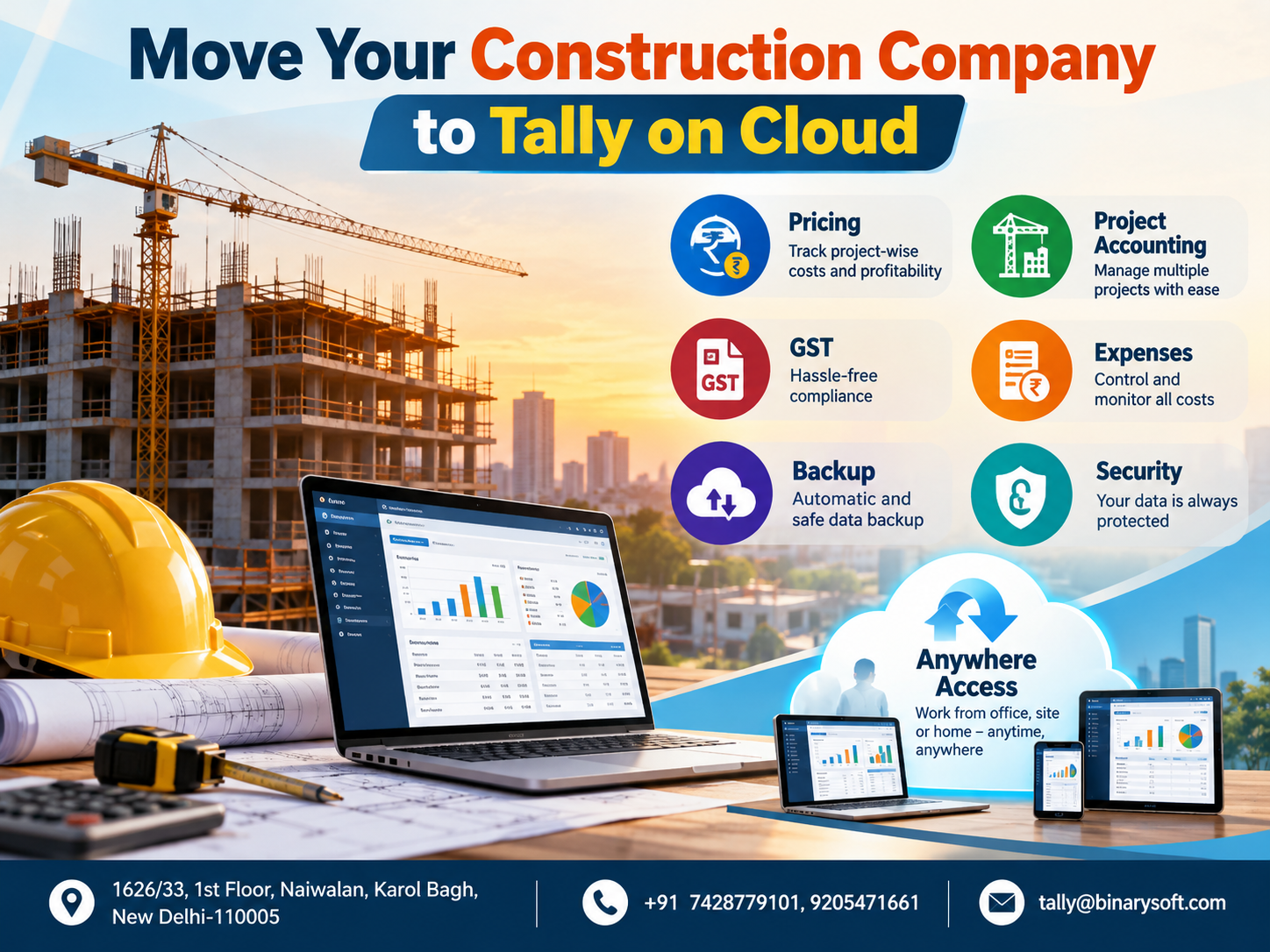
Manage Construction Projects, Control Costs, Track Payments and Access Your Business Accounts Anytime with TallyPrime on Cloud
Construction businesses operate in a demanding environment where every project involves multiple financial transactions, material purchases, contractor payments, labour expenses, GST compliance and strict completion deadlines. Whether you manage residential buildings, commercial complexes, infrastructure developments or renovation projects, maintaining accurate financial records is essential for profitability and sustainable business growth.
Traditional accounting methods often create challenges for construction companies. Financial information may remain scattered across different offices, spreadsheets and computers. Project managers struggle to obtain updated expense reports, accountants spend hours consolidating transactions, and business owners may discover cost overruns only after substantial money has already been spent.
TallyPrime on Cloud offers construction companies a practical way to centralize accounting, monitor project-wise expenses, manage GST records and access financial information securely from different locations.
Instead of depending on a single office computer, authorized users can work with their accounting system through a suitable cloud-hosted environment. Business owners can review reports while travelling, accountants can maintain financial records from the office, and project teams can share information required for timely decisions.
This guide explains how construction businesses can benefit from TallyPrime on Cloud, including pricing considerations, project accounting, expense management, GST compliance, inventory tracking, data backup, security and remote access.
It also includes two illustrative case studies and a story highlighting the financial pressures faced by construction entrepreneurs.
1. The Story of a Construction Business Owner Who Almost Lost Control of His Projects
When Growing Projects Created Unexpected Financial Problems
At 8:30 on a Monday morning, Rajesh stood outside an unfinished residential building in Delhi.
He had spent fifteen years building his construction company from a small contracting business into an organization managing several residential and commercial projects.
His dream was simple: provide a better future for his family while building a company known for completing quality projects on time.
But that morning, he was worried.
A cement supplier demanded payment for overdue invoices. A subcontractor threatened to stop work because previous bills remained unsettled. Meanwhile, Rajesh's accountant was struggling to reconcile payments recorded in different spreadsheets.
The company had multiple active projects, but Rajesh could not answer one important question:
Which projects were generating profits, and which were consuming more money than expected?
His accounting software was installed on a computer at the head office. Whenever he visited construction sites, he had to call the accountant for updated figures.
Sometimes reports arrived late. Sometimes expenses were missing. Occasionally, the same supplier invoice appeared in multiple records.
The situation became particularly stressful when Rajesh discovered that a project originally expected to generate a healthy profit had experienced significant material and labour cost overruns.
He realized that winning construction contracts was not enough. He also needed better financial visibility.
A Change in Financial Management
Rajesh decided to move his company's accounting environment to TallyPrime on Cloud.
His accountant began maintaining transactions centrally, with separate cost centres for individual projects. Site supervisors submitted purchase and expense information for timely recording.
Rajesh could now review project-related financial reports remotely through authorized access.
Instead of waiting until the end of the month, he could discuss unusual expenses with his accountant while corrective action was still possible.
Over time, the company improved its payment planning, expense classification and financial reporting discipline.
The most meaningful change was not simply technological.
Rajesh could finally spend more time managing construction quality and customer relationships instead of worrying about incomplete financial information.
This is an illustrative story representing common financial challenges faced by construction businesses.
2. Why Construction Companies Need Cloud-Based Accounting
Construction accounting differs from accounting in many other industries.
A trading business generally purchases and sells products, while a construction company manages long-duration projects involving multiple vendors, subcontractors, materials and payment milestones.
Every project may have a different budget, contract value, completion schedule and profitability level.
Common challenges include:
- Monitoring expenses across several construction sites.
- Recording labour and subcontractor payments.
- Managing cement, steel, bricks and other construction materials.
- Tracking customer advances and running account bills.
- Calculating GST on applicable transactions.
- Monitoring outstanding payments to suppliers.
- Comparing estimated project budgets with actual expenditure.
- Maintaining financial records across multiple offices.
When accounting information is maintained separately, management may struggle to understand the company's overall financial position.
TallyPrime on Cloud helps address these challenges by making a centrally hosted accounting environment accessible to authorized users.
However, effective project management also requires proper accounting configuration, timely data entry and consistent reporting practices.
3. What Is TallyPrime on Cloud?
TallyPrime on Cloud refers to using TallyPrime within a remotely hosted computing environment instead of relying exclusively on a computer located inside the company's office.
The accounting application and company data are maintained on a suitable hosted system, which authorized users access through a secure remote connection.
For construction companies, this arrangement can be especially useful because business activities frequently take place across multiple locations.
A typical implementation may include:
Head Office: Accountants record transactions, reconcile bank accounts and prepare financial statements.
Construction Sites: Authorized personnel communicate material purchases, labour expenses and supplier invoices for recording.
Business Owners: Directors and managers review financial information remotely.
External Accountants: Authorized professionals can access relevant accounting records when permitted.
The actual experience depends on the hosting infrastructure, internet connectivity, user permissions and cloud service configuration.
TallyPrime on Cloud is therefore not a separate construction accounting application. It is a cloud-hosted deployment of TallyPrime that can support a more flexible accounting workflow.
4. Key Benefits of TallyPrime on Cloud for Construction Companies
Centralized Financial Information
Construction companies often manage several projects simultaneously.
A centralized accounting system helps maintain financial records in one environment, reducing the need to exchange multiple copies of accounting data.
Improved Project Cost Visibility
Properly configured cost centres allow businesses to classify expenses according to individual projects.
Management can examine construction expenditure and identify projects requiring attention.
Remote Accessibility
Authorized users can access the hosted accounting environment from different locations, subject to connectivity and security requirements.
This is useful for directors frequently travelling between construction sites.
Better Team Coordination
Accountants, finance managers and authorized staff can work within a centrally managed environment.
Appropriate access controls help reduce unnecessary exposure of financial information.
Reduced Dependence on Office Computers
A cloud-hosted arrangement can reduce dependence on a particular office desktop.
Nevertheless, reliable internet connectivity, backup arrangements and suitable endpoint devices remain important.
Financial Reporting
TallyPrime provides accounting reports that help management review receivables, payables, expenses, inventory and overall financial performance.
5. Project-Wise Accounting with TallyPrime
Project accounting is one of the most important financial requirements for construction companies.
Without proper project-wise tracking, businesses may know their overall expenses but struggle to determine the profitability of individual contracts.
Using Cost Centres for Construction Projects
TallyPrime supports cost centre accounting, allowing businesses to allocate relevant transactions to specific projects.
For example, a construction company may create cost centres for:
- Green Valley Residential Project
- Metro Commercial Complex
- Sunrise Apartment Construction
- Highway Maintenance Contract
Expenses such as wages, transportation, equipment rentals and administrative charges can be allocated to appropriate projects.
This provides greater visibility into project expenditure.
Tracking Project Income
Construction companies can record customer invoices, contract receipts and other applicable income transactions.
By consistently allocating relevant income and expenses, management can analyze project-level financial performance.
For more detailed profitability calculations, companies may need additional reporting arrangements to account for work-in-progress, shared overheads and revenue recognition.
Monitoring Project Budgets
Construction projects frequently experience unexpected expenses.
Businesses can use TallyPrime's budgeting and cost-centre capabilities, where applicable, to support financial monitoring.
A properly designed reporting process helps management compare planned spending with actual costs and investigate significant differences.
Practical Example
A contractor estimates that a commercial building project will require ₹80 lakh in direct expenditure.
After several months, recorded expenses reach ₹62 lakh, while substantial work remains unfinished.
Project-wise financial reports help management recognize the situation and investigate whether material prices, labour costs or execution delays are responsible.
Early visibility creates an opportunity to control additional losses.
6. Construction Material and Inventory Management
Materials represent a major portion of construction expenditure.
Cement, steel, sand, bricks, electrical equipment and plumbing supplies must be purchased, transported, stored and consumed according to project requirements.
Poor material tracking can result in unnecessary purchases, wastage, shortages and financial losses.
How TallyPrime Helps
TallyPrime provides inventory management features that construction businesses can use to:
- Maintain records of construction materials.
- Track purchases and supplier invoices.
- Monitor available stock quantities.
- Record material transfers between locations.
- Maintain godown-wise inventory information.
- Review stock movement and valuation.
- Identify differences between recorded and physical stock.
Construction companies can configure separate godowns for warehouses and project sites.
For example, steel purchased for a residential project can be recorded in inventory and transferred to the relevant site location.
This improves visibility into where materials are stored.
However, physical material consumption must be recorded through an appropriate inventory process. Merely transferring materials to a site does not automatically establish that they have been consumed.
Regular stock verification remains necessary to identify damage, shortages and wastage.
7. Managing Labour, Contractor Payments and Daily Expenses
Labour expenses are another major financial responsibility for construction businesses.
Companies may employ permanent workers, daily-wage labourers, skilled technicians and independent subcontractors.
Each category may involve different payment arrangements.
Labour Expense Tracking
TallyPrime can help businesses record wages, salary expenses, contractor bills and other labour-related payments.
Appropriate ledgers and cost centres can be used to classify expenditure by project.
Subcontractor Management
Construction businesses frequently engage electricians, plumbers, painters, flooring specialists and structural contractors.
Maintaining separate supplier or contractor ledgers helps track outstanding bills, advances and payments.
Daily Site Expenses
Construction sites incur numerous smaller expenses, including transportation, equipment repairs, fuel, loading charges and miscellaneous purchases.
Recording these transactions promptly improves financial accuracy.
Expense Allocation
Where an expense benefits multiple projects, the company can allocate it according to a documented method.
For example, equipment rental costs may be divided between two construction projects based on actual usage.
Consistent expense allocation helps management evaluate project costs more accurately.
8. GST Accounting and Compliance for Construction Businesses
GST compliance is an important responsibility for construction companies operating in India.
Construction-related transactions may involve works contracts, construction services, material purchases, subcontractor invoices and other taxable supplies.
The applicable GST treatment depends on the nature of the transaction, contractual arrangements and relevant legal provisions.
GST Invoice Management
TallyPrime can help businesses prepare GST-compliant invoices using properly configured tax details.
Invoices may include customer information, GSTIN, taxable value, applicable tax rates and other required particulars.
Input Tax Credit Tracking
Construction companies purchase substantial quantities of goods and services.
Accurate purchase accounting helps maintain records required for evaluating eligible input tax credit.
However, input tax credit availability depends on statutory conditions and restrictions. Certain construction-related expenses may be subject to blocked-credit provisions.
GST Reconciliation
Businesses can use accounting records and available reconciliation capabilities to identify differences requiring investigation.
Regular reconciliation supports more accurate return preparation.
E-Invoicing and Other Requirements
Where statutory thresholds and transaction conditions apply, businesses may need to comply with e-invoicing requirements.
TallyPrime can support applicable e-invoicing workflows when appropriately configured.
Construction companies should also examine reverse-charge obligations, TDS requirements, retention arrangements and the GST treatment of advances where relevant.
Important: GST classification and compliance should be reviewed with a qualified tax professional because construction contracts can involve complex tax treatment.
9. Tally on Cloud Pricing for Construction Companies
One of the most common questions construction businesses ask is:
How much does TallyPrime on Cloud cost?
The total cost depends on the accounting license, cloud hosting arrangement, number of users, infrastructure requirements and support services.
There is no single universal price suitable for every construction company.
Factors Affecting Cloud Hosting Pricing
Number of Users: A small contractor requiring one authorized user may need a different configuration from a company with several accountants and finance managers.
Server Resources: Hosting requirements depend on company data size, workload, simultaneous users and performance expectations.
TallyPrime License: Applicable software licensing costs must be considered separately unless explicitly included in a quotation.
Backup Services: Backup frequency, storage retention and recovery requirements can influence pricing.
Security Requirements: Advanced security controls and additional administrative services may affect the hosting cost.
Technical Support: Migration assistance, troubleshooting and ongoing maintenance should be evaluated before selecting a plan.
How to Choose the Right Plan
A small construction business should prioritize affordability, reliable performance and secure access.
A medium-sized contractor may require simultaneous access for accounting staff and management.
A larger construction company may need additional server resources, stronger access controls and a formal disaster recovery arrangement.
Before purchasing, confirm the complete pricing structure, including setup charges, taxes, renewal terms and any additional service fees.
For a customized TallyPrime on Cloud quotation for your construction company, contact Binarysoft Technologies.
10. Cloud Backup and Data Protection
Accounting information is one of the most valuable assets of a construction company.
Losing financial records can disrupt supplier payments, GST reporting, customer billing and project profitability analysis.
A suitable cloud hosting solution should therefore include a clearly defined backup strategy.
Scheduled Data Backups
Regular backups help preserve accounting information and reduce the impact of accidental deletion, hardware failures or other disruptions.
Backup Retention
Construction businesses should understand how long backup copies are retained and whether earlier versions can be restored.
Disaster Recovery
A reliable recovery process should define how accounting services can be restored after an infrastructure failure.
Backup Verification
A backup is useful only when the data can be successfully recovered.
Periodic restoration testing helps confirm that backup arrangements are functioning correctly.
Cloud hosting does not automatically guarantee unlimited backups or complete protection against data loss.
Businesses should verify the provider's backup frequency, retention policy and recovery commitments.
11. Security Features for Construction Company Accounting
Construction businesses handle confidential financial information, including supplier rates, customer balances, payroll records and contract-related expenses.
Protecting this information is essential.
User Access Controls
TallyPrime supports user-level access controls that can help restrict accounting functions according to responsibilities.
Secure Remote Connections
Cloud hosting providers should use appropriate encrypted connections and secure remote access methods.
Strong Authentication
Unique user accounts, strong passwords and multifactor authentication, where supported, reduce unauthorized access risks.
Monitoring and Accountability
Appropriate activity monitoring and audit-related controls can help businesses investigate unusual changes.
Infrastructure Protection
The hosting environment should be maintained with security updates, endpoint protection, restricted administrative access and appropriate network controls.
No cloud solution can eliminate every cybersecurity risk. Security depends on the combined practices of the software provider, hosting provider and business users.
12. Anywhere Access for Construction Business Owners
Construction business owners rarely spend their entire working day inside an office.
They regularly visit construction sites, meet architects, negotiate with suppliers and attend customer meetings.
A suitable cloud-hosted TallyPrime environment allows authorized users to access the accounting application remotely.
For example, a business owner visiting a project in Jaipur may need to review supplier outstanding balances maintained by the accounting team in Delhi.
With appropriate remote access, the owner can obtain updated information without physically returning to the office.
Similarly, an accountant working from another authorized location may access the same centrally hosted company data.
This flexibility supports better communication and faster financial decisions.
The full accounting application generally requires a compatible device and remote-access arrangement. Mobile access to the complete desktop application should not be assumed without verifying the hosting solution.
13. Case Study 1: Residential Construction Company Improves Project Cost Control
Business Background
A medium-sized residential construction company managed four projects across Delhi NCR.
The company employed accounting staff at its head office while site supervisors maintained separate expense records.
Management struggled to compare actual construction expenditure with project budgets.
Major Challenges
Material invoices frequently reached the accounting department late.
Labour expenses were recorded without consistent project allocation.
Supplier payments were sometimes delayed because outstanding balances were difficult to reconcile.
The company also lacked a dependable monthly project cost review.
Implemented Solution
The business adopted a centrally hosted TallyPrime environment.
Separate cost centres were configured for each construction project.
Material purchases, subcontractor bills and other expenses were classified using a standardized accounting structure.
Management introduced weekly reviews of project expenditure and supplier outstanding balances.
Business Outcome
The revised process helped management identify unusual expenses earlier.
Accounting staff spent less time consolidating disconnected records.
Supplier payment planning improved because outstanding balances became easier to review.
The company also established clearer responsibility for recording project expenses.
Key Learning: Cloud access becomes more valuable when combined with disciplined project accounting and regular financial reviews.
This case study is illustrative and does not represent a verified customer engagement.
14. Case Study 2: Commercial Contractor Improves Financial Coordination Across Locations
Business Background
A commercial construction contractor operated from its head office in New Delhi while managing projects in Gurugram and Noida.
The company regularly worked with electrical contractors, equipment suppliers and specialized installation teams.
Financial information was maintained primarily on an office computer.
Major Challenges
The director frequently needed updated receivable and payable reports while visiting sites.
Accounting staff exchanged spreadsheets and supporting documents through separate communication channels.
Project-related invoices were sometimes recorded several days after receipt.
Management also wanted better control over user access and data backups.
Implemented Solution
The company moved its accounting environment to a suitable cloud-hosted TallyPrime setup.
Authorized users received access according to their responsibilities.
Separate contractor ledgers and project cost centres were maintained.
A defined backup schedule and periodic financial review process were introduced.
Business Outcome
The director gained more convenient access to financial information.
Accountants could work with centrally maintained records.
Contractor balances became easier to monitor, and the company reduced its dependence on a single office computer.
The improved process also supported more timely financial discussions between management and accounting staff.
Key Learning: Centralized accounting can improve coordination between construction sites and head-office teams.
This case study is illustrative. Actual outcomes depend on implementation quality and business practices.
15. How to Start Using TallyPrime on Cloud for Your Construction Company
Moving construction accounting to the cloud should follow a structured implementation process.
Step 1: Evaluate Your Accounting Requirements
Identify the number of users, active projects, accounting workload and reporting requirements.
Step 2: Select a Suitable Cloud Hosting Plan
Choose an arrangement that provides adequate performance, security, backup facilities and technical support.
Step 3: Review Existing Accounting Data
Check company records, outstanding balances, ledgers and inventory information before migration.
Step 4: Configure Project Accounting
Create appropriate project cost centres, expense ledgers and reporting structures.
Step 5: Establish User Permissions
Provide access according to employee responsibilities.
Step 6: Test the Environment
Verify application performance, voucher entry, reports, remote connectivity and backup restoration.
Step 7: Train Employees
Ensure accountants and relevant staff understand the revised accounting process.
Step 8: Review Performance Regularly
Monitor project costs, cash flow, outstanding payments and accounting accuracy.
A carefully planned implementation reduces operational disruption and helps employees adapt to the new environment.
16. Why Construction Companies Should Consider Binarysoft Technologies
Choosing a suitable implementation and hosting partner is important when moving business accounting to the cloud.
Binarysoft Technologies, an Authorized Tally Partner, assists businesses with Tally-related solutions and services.
Construction companies can discuss their requirements for TallyPrime licensing, cloud hosting, project accounting configuration and related support.
The objective is to identify an accounting environment suited to the company's operations, number of users and financial management requirements.
Before implementation, businesses should confirm the proposed hosting specifications, service coverage, security arrangements and commercial terms.
17. Conclusion: Build a Stronger Construction Business with Better Financial Control
Construction success depends on more than completing buildings and winning contracts.
Every project requires careful financial planning, accurate expense recording, material management, timely payments and dependable reporting.
When financial information is fragmented, business owners may struggle to identify risks before they become serious problems.
TallyPrime on Cloud can help construction companies establish a more accessible and centralized accounting environment while supporting project-wise cost tracking, inventory management, GST records and financial reporting.
Its effectiveness depends on proper configuration, consistent accounting practices and a reliable hosting arrangement.
For construction entrepreneurs, the greatest benefit is the ability to make better-informed financial decisions while concentrating on project execution and business growth.
A well-managed construction company does not simply build structures.
It builds financial stability, customer confidence and a stronger foundation for the future.
Get Started with TallyPrime on Cloud
Powered by Binarysoft Technologies
Authorized Tally Partner
Location: 1626/33, 1st Floor, Naiwalan, Karol Bagh, New Delhi – 110005, INDIA
Contact Us: +91 7428779101, 9205471661
Email: tally@binarysoft.com
Business Hours: 10:00 AM – 6:00 PM, Monday to Friday
Contact Binarysoft Technologies to discuss a suitable TallyPrime on Cloud solution for your construction business.
Frequently Asked Questions
Is TallyPrime suitable for construction companies?
Yes. TallyPrime supports accounting, cost centres, inventory records, GST accounting and financial reporting. These capabilities can help construction companies manage project-related transactions.
Can TallyPrime track expenses for multiple construction projects?
Yes. Businesses can create separate cost centres and allocate relevant income and expenses to individual projects. Additional reporting may be needed for complete project profitability calculations.
CA. Darshit Malhotraa has hands-on experience in GST compliance, accounting reviews, and MSME consulting. He regularly works with businesses transitioning from manual systems to digital accounting platforms. His content emphasizes real-world problem solving and operational efficiency.