Call CA Tally HelpDesk
+91 9205471661,
7428779101
Introduction: Why Import Businesses Need Smarter Cloud Accounting in 2026
Running an import business in India involves much more than purchasing products from international suppliers and selling them in domestic markets. Every shipment brings financial responsibilities, including foreign currency transactions, customs duties, freight charges, insurance, GST compliance, inventory valuation and supplier payments.
In 2026, importers face growing pressure to control landed costs, maintain accurate stock records and access financial information quickly. Even a small mistake in purchase accounting can affect profitability, product pricing and cash flow.
For businesses managing multiple shipments, warehouses and employees, traditional accounting systems can become restrictive.
TallyPrime on Cloud offers a practical way to centralize accounting operations while allowing authorized users to access business information remotely.
However, before adopting cloud accounting, business owners need to understand the actual cost, available features, security arrangements and potential return on investment.
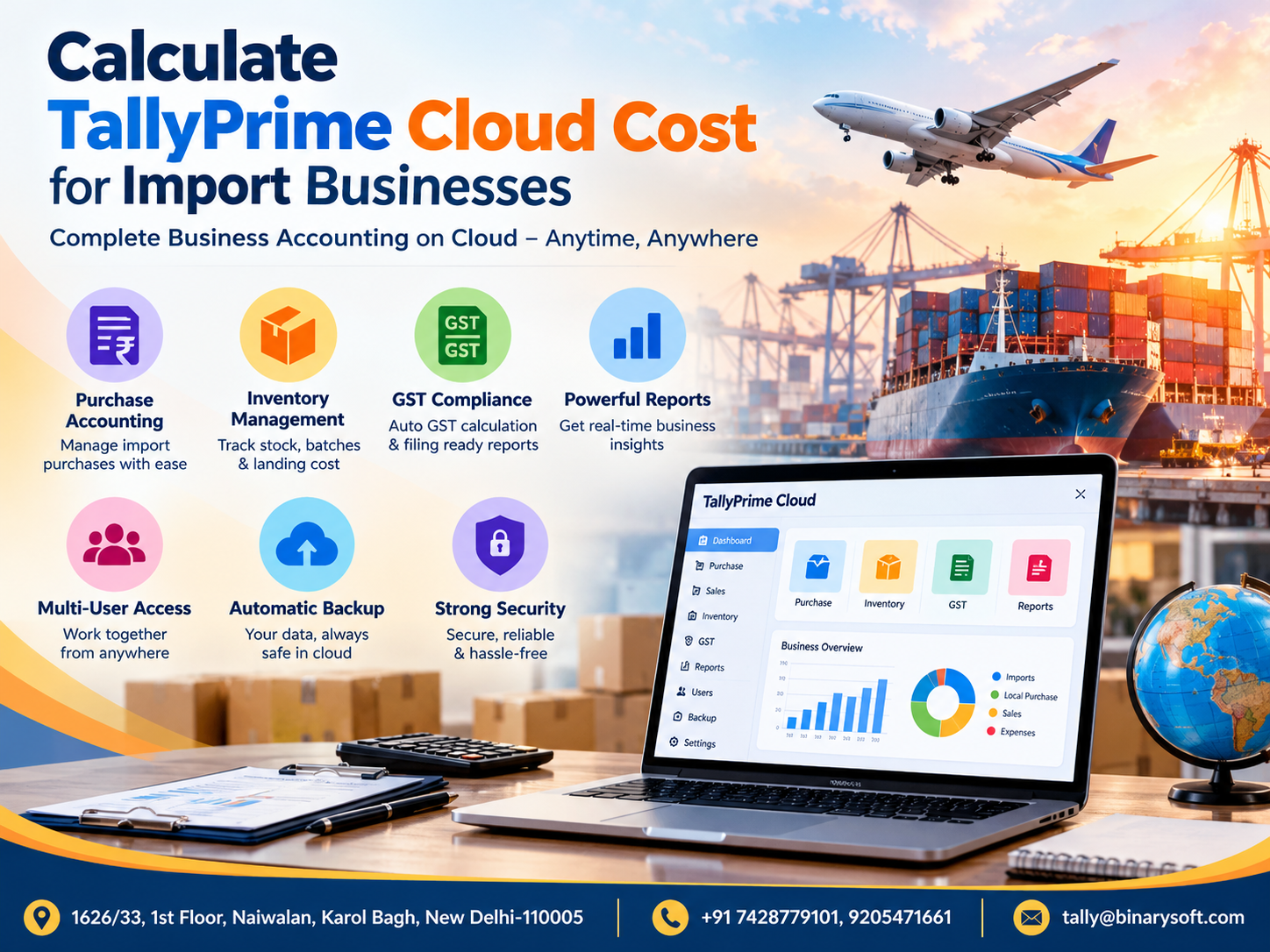
This guide explains how to calculate TallyPrime Cloud costs for import businesses and how the right cloud setup can improve purchase accounting, inventory control, GST management, financial reporting and business continuity.
1. The Hidden Accounting Challenges Behind Every Import Shipment
Imagine a Delhi-based electronics importer receiving shipments from China, Taiwan and Vietnam.
The business purchases electronic components in foreign currencies, pays customs duties at Indian ports, arranges transportation and distributes products to wholesalers across India.
Initially, the owner manages accounting through a single office computer.
As orders increase, several problems appear.
Purchase invoices arrive from different suppliers. Customs clearance documents remain with logistics agents. Warehouse employees maintain separate stock records, while the accounts department struggles to calculate accurate product costs.
The owner frequently calls employees to understand pending supplier payments and inventory availability.
One evening, an important customer requests a quotation for a large order. The owner cannot confidently confirm the available stock or actual landed cost.
The delay threatens a valuable business opportunity.
The business has sufficient inventory and strong customer demand, but disconnected information creates unnecessary uncertainty.
This situation demonstrates why growing import businesses increasingly need centralized accounting, reliable backups and controlled access to financial information.
With a properly configured TallyPrime Cloud environment, authorized employees can work with centralized accounting data while management reviews updated reports from permitted locations.
2. What Is TallyPrime on Cloud for Import Businesses?
TallyPrime on Cloud refers to hosting a licensed TallyPrime installation and its accounting data on a remotely accessible cloud server or managed virtual desktop.
Instead of depending entirely on a computer installed at the business premises, users connect to a hosted environment through an internet connection.
The accounting software continues to manage transactions, while the cloud infrastructure provides remote access, computing resources and centralized storage.
For import businesses, this arrangement can support purchase entries, supplier ledgers, customs-related expenses, inventory records, GST transactions, outstanding payments and financial reporting.
Employees working from different branches or warehouses can access the same business data, subject to user permissions and licensing requirements.
It is important to understand that cloud hosting does not automatically add every import accounting feature. Specialized workflows, integrations and configurations may be required.
3. How Much Does TallyPrime Cloud Cost for Import Businesses?
The monthly cost depends on the number of users, server configuration, storage requirements, backup arrangements, security controls and support services.
Businesses should evaluate the complete cost rather than comparing only advertised hosting prices.
Illustrative TallyPrime Cloud Cost Estimates
The following figures are hypothetical budgeting examples, not confirmed quotations or published service rates.
These estimates exclude TallyPrime software licensing, applicable taxes and any additional implementation or integration charges.
Key Factors Affecting Cloud Pricing
Number of users: More simultaneous users generally require additional server resources and appropriate software licensing.
Server performance: Businesses processing large inventory databases or extensive transaction volumes may require more RAM, CPU capacity and faster storage.
Data storage: Import companies maintaining years of accounting records, supporting documents and backups may require greater storage capacity.
Backup requirements: Backup frequency, retention periods and disaster recovery arrangements can affect pricing.
Security: Enhanced access controls, monitoring, VPN arrangements and managed security services may increase costs.
Technical support: Managed hosting with dedicated troubleshooting and maintenance may cost more than basic server access.
Additional software: Excel integrations, import utilities, reporting tools and custom modules may involve separate charges.
Example: Annual Cloud Cost Calculation
Consider an import company with five users.
This example helps businesses understand the budgeting process. Actual charges must be confirmed through a detailed quotation.
4. Managing Import Purchase Accounting with TallyPrime
Import purchase accounting requires careful recording of foreign supplier invoices, customs clearance expenses, taxes and inventory costs.
TallyPrime helps businesses organize these transactions through purchase vouchers, supplier ledgers, expense accounts and inventory records.
For example, an importer purchasing machinery components worth USD 10,000 can record the transaction using the applicable accounting exchange rate.
Additional expenses, including freight, customs duty, insurance and local transportation, can be recorded under appropriate ledgers.
Businesses can configure purchase workflows to allocate eligible expenses to inventory valuation.
Important Purchase Accounting Activities
-
Create separate ledgers for overseas suppliers.
-
Record foreign currency purchase invoices.
-
Maintain shipment and purchase references.
-
Record customs duties and clearing expenses.
-
Allocate eligible landed costs to inventory.
-
Track outstanding supplier payments.
-
Reconcile bank payments and foreign exchange differences.
These processes help maintain accurate purchase records and support better financial control.
5. Calculate Landed Cost of Imported Products
The landed cost represents the total cost of bringing imported products into a condition and location suitable for sale.
Understanding this amount is essential because international supplier prices alone do not represent the complete acquisition cost.
Example of Landed Cost Calculation
An electronics importer purchases 1,000 units from an overseas supplier.
The example assumes all listed expenses are eligible inventory costs and that recoverable import IGST is excluded from inventory valuation.
Actual customs calculations depend on the assessable value, product classification, applicable duties and statutory provisions. Import IGST must be calculated separately on the relevant taxable base.
TallyPrime can help allocate eligible additional purchase costs through appropriately configured inventory accounting workflows.
Businesses should verify the final valuation method with their accountant.
6. GST Accounting and Import Tax Compliance
GST compliance is particularly important for businesses importing products into India.
Import transactions may involve Basic Customs Duty, Social Welfare Surcharge, Integrated GST and other applicable duties or levies.
Businesses must correctly distinguish recoverable taxes from expenses forming part of inventory cost.
How TallyPrime Helps with GST Management
TallyPrime can support GST ledger maintenance, purchase accounting, tax classification, sales invoicing and reconciliation.
Importers can maintain separate records for import IGST, customs duties and related charges.
The Bill of Entry is an important supporting document for eligible import IGST input tax credit. Businesses should verify the relevant GSTIN, tax amounts, supporting documentation and applicable credit conditions.
A properly configured accounting system also helps identify differences between purchase records and available GST information.
However, cloud hosting does not automatically validate customs documents or guarantee input tax credit eligibility.
Accurate documentation and regular reconciliation remain essential.
7. Inventory Management for Importers with Multiple Warehouses
Import businesses frequently manage large quantities of products arriving through different shipments.
Some items sell quickly, while others remain in storage for months.
Without accurate inventory records, businesses may experience stock shortages, excess purchases or incorrect customer commitments.
TallyPrime provides inventory management capabilities that help businesses maintain stock groups, stock items, units of measurement and godown-wise stock records.
Useful Inventory Features
Godown management: Maintain stock records across warehouses and storage locations.
Batch tracking: Track applicable products through batch-wise inventory configurations.
Stock valuation: Review inventory values using supported valuation methods and appropriate accounting settings.
Stock movement: Record receipts, transfers and outward movement of products.
Reorder planning: Use stock information to support purchasing decisions and identify replenishment requirements.
Inventory reports: Review stock summaries, movement and valuation information.
For importers distributing products across Delhi, Mumbai, Bengaluru and other cities, centralized inventory information can improve coordination between purchase, sales and warehouse teams.
8. Multi-User Cloud Access for Import Business Teams
A growing import company may have separate employees handling purchases, accounts, warehouse operations and management reporting.
When accounting data remains accessible through only one office computer, employees often depend on manual information sharing.
A multi-user cloud environment helps overcome this limitation.
With suitable TallyPrime licensing and sufficient server resources, authorized employees can work in the hosted environment.
For example, the purchase department records supplier invoices while the accounts team manages payments.
Warehouse staff update inventory transactions, and management reviews financial reports.
Benefits of Multi-User Access
Multi-user access can reduce delays in information sharing, improve coordination and support remote working arrangements.
User-level permissions can restrict access to sensitive accounting functions.
However, the number of permitted concurrent users depends on the software licence and hosting configuration. Cloud hosting does not override licensing restrictions.
Businesses should also confirm the provider's simultaneous-session capacity before selecting a plan.
9. Financial Reports That Help Importers Make Better Decisions
Import businesses need financial information that goes beyond routine bookkeeping.
Management must understand whether shipments are profitable, how much money is tied up in inventory and which customers have pending payments.
TallyPrime provides accounting and inventory reports that can support these decisions.
Important reports include the Balance Sheet, Profit and Loss Account, cash flow information, outstanding receivables, supplier payables, stock summaries and purchase registers.
How Reports Improve Import Business Planning
A purchase manager can review inventory before placing another international order.
The accounts department can identify overdue supplier payments and prepare payment schedules.
Management can examine expenses, sales performance and working capital requirements.
For shipment-wise profitability, businesses may need cost centres, tracking references or customized reporting structures.
When correctly implemented, these reports can help importers reduce avoidable purchases and make better pricing decisions.
10. Cloud Backup and Data Security for Import Businesses
Accounting information is one of the most valuable assets of an import business.
Purchase invoices, supplier balances, customer records, inventory valuations and financial statements must remain protected.
Hardware failure, ransomware, accidental deletion or unauthorized access can interrupt operations.
A managed cloud environment may offer centralized backup, access management, server monitoring and recovery facilities.
However, these protections depend on the hosting provider and selected service plan.
Essential Security Measures
Businesses should evaluate encrypted connections, strong authentication, role-based permissions, endpoint security, backup schedules and disaster recovery arrangements.
Multi-factor authentication should be implemented wherever supported.
Backups should be stored separately from the production environment and tested regularly.
Importers should ask their provider about backup retention, recovery time objectives, recovery point objectives and responsibility for restoring data.
Cloud hosting improves operational flexibility, but security depends on correct configuration, reliable processes and ongoing monitoring.
11. Case Study 1: Delhi Electronics Importer Improves Inventory Visibility
Illustrative case study based on common import-business operations.
A medium-sized electronics importer in Delhi purchases components from overseas suppliers and distributes them to regional wholesalers.
The business employs six people responsible for purchases, inventory, sales and accounting.
Previously, employees relied on a single office-based accounting system and separate spreadsheets.
During busy periods, purchase invoices were recorded late, and warehouse employees frequently requested stock information from the accounts team.
Management decided to adopt a centralized TallyPrime Cloud setup.
The business configured supplier ledgers, stock groups, warehouse records and employee access permissions.
It also established a daily backup process and standardized purchase expense recording.
After implementation, employees could access the accounting environment according to their assigned responsibilities.
The purchase department obtained clearer stock information, while management could review outstanding balances without waiting for manually prepared reports.
The most valuable improvement was better coordination between accounting and inventory activities.
This example demonstrates how cloud accounting can support operational visibility, although actual results depend on implementation quality and business practices.
12. Case Study 2: Mumbai Machinery Importer Strengthens Financial Control
Illustrative case study; not a verified customer testimonial.
A Mumbai-based machinery importer purchases industrial equipment from European suppliers.
Its business involves large purchase values, foreign currency transactions, customs clearance expenses and extended customer payment periods.
As operations expanded, management found it difficult to monitor supplier liabilities and shipment-related expenses.
The company introduced a structured TallyPrime Cloud environment with multi-user access.
Separate ledgers were maintained for overseas suppliers, customs-related expenses, freight charges and other purchase costs.
The accounts department improved its transaction review procedures and introduced periodic reconciliation.
Management began reviewing supplier outstanding reports, inventory values and financial statements more frequently.
The business also implemented defined user permissions and scheduled backups.
These changes helped create a more organized accounting process and reduced dependence on individual office computers.
The case highlights the importance of combining accounting software with disciplined financial procedures.
13. How to Choose the Right TallyPrime Cloud Plan
Selecting the cheapest hosting plan may not provide the best long-term value.
An import business should first evaluate its operational requirements.
A small importer with two users and limited transaction volumes may require a modest server configuration.
A larger organization managing multiple warehouses, thousands of stock items and several simultaneous users may require more computing resources.
Before purchasing, businesses should assess user count, database size, expected growth, remote access requirements, backup policies, technical support and licensing.
It is also important to confirm whether the quoted amount includes server maintenance, operating system licensing, backup services and security management.
A transparent quotation helps prevent unexpected recurring expenses.
15. Why TallyPrime Cloud Can Support Future Import Business Growth
As an import business expands, transaction volumes, employee requirements and reporting complexity usually increase.
A suitable cloud environment can provide additional computing capacity and support authorized remote access.
Businesses can also evaluate integrations for purchase data imports, document management, reporting and other specialized requirements.
However, integrations must be compatible with the installed TallyPrime version and tested before production use.
Regular software maintenance, access reviews and database health checks remain important.
A scalable cloud arrangement allows businesses to plan infrastructure improvements without depending entirely on locally installed servers.
Conclusion
Import businesses need reliable accounting systems to manage international purchases, landed costs, customs-related expenses, GST, inventory and financial reporting.
TallyPrime on Cloud can help centralize these operations while supporting authorized access from different locations.
The actual cloud cost depends on user requirements, server resources, backup arrangements, security services and technical support.
Businesses should compare the complete annual cost, verify software licensing and evaluate the provider's recovery procedures before making a decision.
For importers handling growing shipment volumes and complex inventory operations, a carefully configured cloud accounting environment can improve visibility, coordination and financial control.
The objective is not simply to move accounting software to the cloud, but to create a dependable system that supports accurate decisions and sustainable business growth.
Powered by Binarysoft Technologies
Authorized Tally Partner
Binarysoft Technologies provides assistance with TallyPrime, Tally on Cloud, accounting configuration, inventory workflows and business software requirements.
For TallyPrime Cloud pricing, implementation guidance and technical assistance, contact our team.
Location: 1626/33, 1st Floor, Naiwalan, Karol Bagh, New Delhi – 110005, INDIA
Contact Us: +91 7428779101, 9205471661
Email: tally@binarysoft.com
Business Hours: 10:00 AM – 6:00 PM, Monday to Friday
Frequently Asked Questions
Can TallyPrime manage foreign supplier purchase accounting?
Yes. TallyPrime supports purchase accounting, supplier ledgers and foreign currency transactions. Import-specific expenses and landed costs require appropriate configuration and accounting treatment.
CA. Priya Tanvi specializes in accounting compliance, GST advisory, and business reporting for small and growing enterprises. She works with business owners to improve record-keeping and financial clarity. Her articles focus on practical compliance solutions and operational discipline.