Call CA Tally HelpDesk
+91 9205471661,
7428779101

TallyPrime 7-Day Free Trial 2026: Experience Smarter Accounting, GST Billing, Inventory and Business Management Before You Buy
Introduction: Why Pay for Accounting Software Before Understanding Its Value?
Every business owner wants to make the right investment.
Whether purchasing machinery, hiring employees or introducing new technology, the objective remains the same: improve efficiency without creating unnecessary expenses.
Accounting software is no exception.
Many small and medium-sized businesses continue using spreadsheets, manual registers or outdated accounting systems because they are uncertain whether modern software will meet their requirements.
Some business owners worry about complicated installation procedures. Others are concerned about employee training, data migration and software costs.
The TallyPrime 7-day free trial provides an opportunity to explore accounting and business management features before committing to a paid license.
During the trial, businesses can evaluate invoicing, financial accounting, GST management, inventory tracking, banking and reporting features.
Rather than relying entirely on demonstrations or promotional claims, users can test relevant workflows and understand how the software fits their daily operations.
This guide explains how to get started with the TallyPrime free trial, what features to explore, how to evaluate its usefulness and how to select the right license after testing.
A Business Owner's Story: Seven Days That Changed His Approach to Accounting
At 9:30 PM, Rohit was still reviewing invoices in his small office in Karol Bagh, Delhi.
He owned a wholesale garment business.
His company had grown steadily over the previous three years, but its accounting procedures had remained almost unchanged.
Sales invoices were prepared using spreadsheets.
Inventory quantities were maintained in separate files.
Customer payments were tracked manually.
Every month, Rohit spent several evenings checking whether the records matched.
One Friday, he discovered that a customer had already paid an invoice, but the payment had not been updated in the outstanding report.
The mistake created an uncomfortable conversation with a long-standing customer.
Later that evening, his wife asked why he continued working so late when the business was doing well.
Rohit had no convincing answer.
The next morning, he decided to evaluate accounting software.
Instead of purchasing immediately, he started a seven-day TallyPrime trial.
On the first day, he explored company creation and accounting ledgers.
On the second day, he created sample sales invoices.
By the third day, he had configured a few stock items and recorded purchase transactions.
During the following days, he reviewed customer outstanding reports, bank transactions and financial statements.
He discovered that recording transactions in one system could eliminate much of the repeated work his team performed.
At the end of the trial, Rohit had a clearer understanding of the software's capabilities and the training his employees would require.
He chose to proceed with a suitable paid license.
The biggest change was not simply purchasing accounting software.
It was learning how organized financial information could improve the way he managed his business.
This fictional story illustrates how a structured software trial can help business owners evaluate technology with greater confidence.
What Is the TallyPrime 7-Day Free Trial?
The TallyPrime 7-day free trial is a time-limited evaluation opportunity for businesses and individuals interested in exploring TallyPrime.
It allows prospective users to experience important accounting and business management capabilities before purchasing a license.
The trial is particularly useful for business owners, accountants, students and organizations considering a change from manual or existing accounting systems.
What Can You Explore?
Depending on the available trial version and applicable services, users can evaluate:
-
Financial accounting and bookkeeping
-
GST billing and invoicing
-
Sales and purchase transactions
-
Inventory management
-
Customer receivables and supplier payables
-
Banking and reconciliation
-
Financial reporting
-
Business dashboards
-
Supported connected services
-
Company creation and configuration
The trial helps users understand how TallyPrime can support their actual business requirements.
1. Why Should Businesses Try TallyPrime Before Buying?
Purchasing accounting software without testing it can create uncertainty.
A business may discover after purchasing that employees require additional training or that existing workflows need modification.
A free trial provides an opportunity to identify these requirements earlier.
Understand the User Interface
Employees can explore navigation, voucher entry and report generation.
Evaluate Business Compatibility
Organizations can test whether the software supports their accounting and inventory requirements.
Identify Training Needs
The trial helps management understand which employees require additional guidance.
Test Common Transactions
Users can create sample invoices, record payments and review accounting reports.
Make a More Informed Purchase Decision
Businesses can compare their existing procedures with the proposed software environment.
A structured evaluation helps reduce the risk of purchasing software without understanding its operational requirements.
2. How to Start Your TallyPrime 7-Day Free Trial
Getting started involves a registration and activation process.
Step 1: Register for the Trial
Provide the required details through the official trial registration process.
These may include your name, mobile number, email address and PIN code.
Step 2: Receive Trial Credentials
After successful registration, trial activation information is sent to the registered email address.
This includes the applicable serial number and activation key.
Step 3: Download TallyPrime
Download the appropriate installation package from an authorized source.
Step 4: Install the Software
Run the installer on a compatible Windows computer.
Follow the installation instructions.
Step 5: Activate the Trial License
Open TallyPrime and select the applicable license activation option.
Enter the serial number and activation key received during registration.
Step 6: Create a Company
Enter your business details and configure the required accounting information.
Step 7: Explore the Features
Begin testing accounting, billing, inventory and reporting workflows.
Important: The trial activation information should be used within the activation period specified during registration. Users should complete activation promptly rather than waiting until the final day.
3. Experience Professional GST Billing
GST invoicing is one of the most important requirements for registered Indian businesses.
During the TallyPrime trial, users can explore invoice creation and relevant tax configurations.
Create Sales Invoices
Businesses can enter customer details, products, quantities, rates and applicable tax information.
Configure GST Details
Users can explore GST registration settings, tax classifications and relevant ledger configurations.
Review Invoice Formats
TallyPrime supports invoice configuration and personalization.
Explore Tax Calculations
Users can test how applicable GST amounts are calculated based on transaction details.
Review GST Reports
Relevant GST reports help businesses understand how tax information is organized.
Practical Example
Suppose a business sells goods worth ₹25,000 before GST.
The accountant can create a sample sales invoice with the applicable tax classification.
TallyPrime calculates the relevant tax amount according to the configured transaction.
The user can then review the accounting impact and related reports.
This exercise helps businesses understand the connection between billing and financial accounting.
4. Test Financial Accounting Features
Financial accounting is the foundation of business management.
TallyPrime provides standard accounting vouchers that businesses can explore during the trial.
Sales Voucher
Records sales transactions.
Purchase Voucher
Records supplier purchases.
Receipt Voucher
Records money received.
Payment Voucher
Records payments made.
Contra Voucher
Records relevant cash and bank transfers.
Journal Voucher
Records accounting adjustments.
Why Testing Matters
Users can understand how individual transactions affect ledger balances and financial statements.
For example, recording a customer payment through a receipt voucher updates the relevant accounts.
This reduces the need to maintain separate records for the same transaction.
5. Explore Inventory Management
Inventory management is essential for trading, retail and manufacturing businesses.
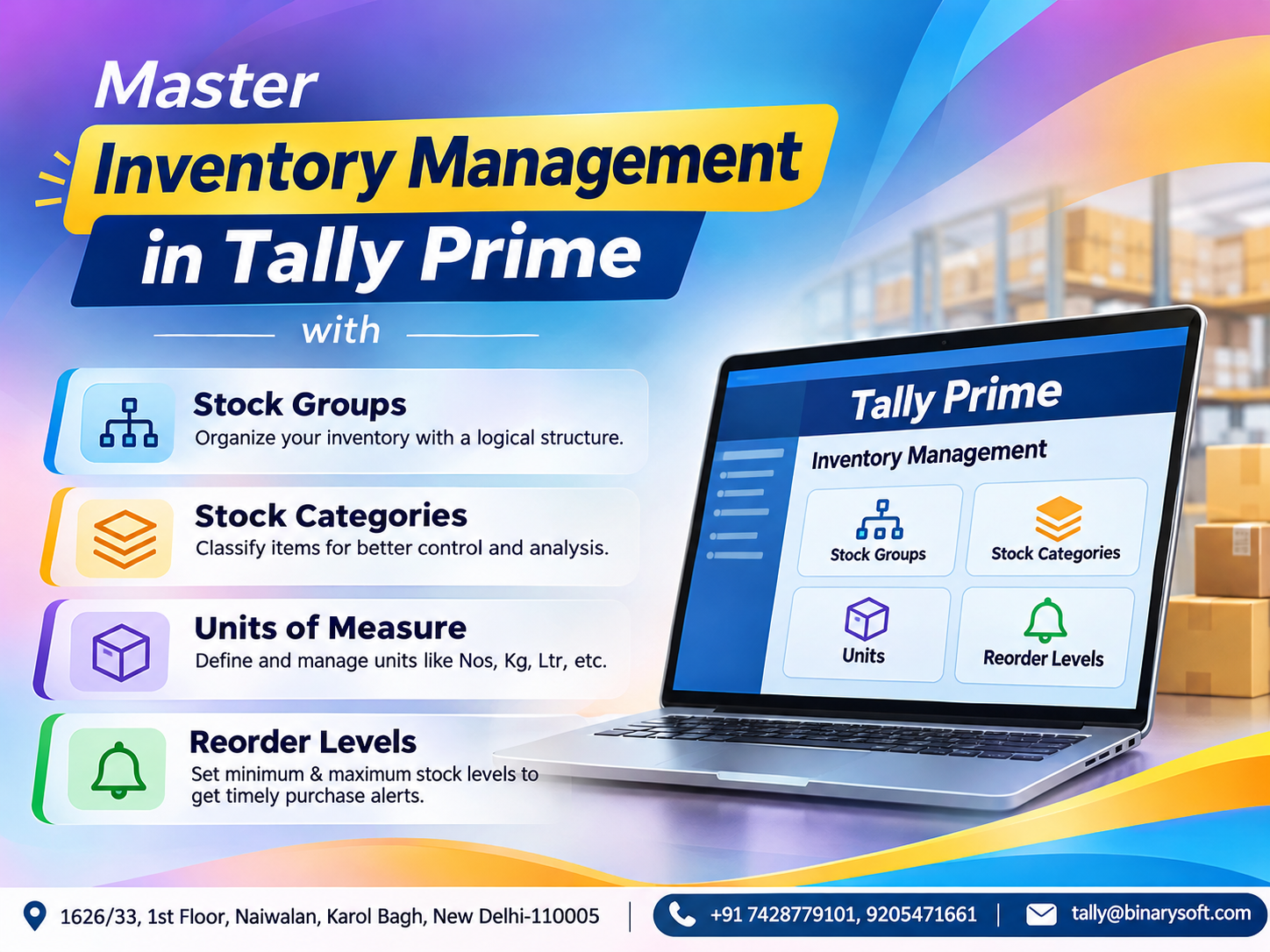
TallyPrime supports stock item creation, stock groups, units of measurement and godown management.
Create Stock Items
Users can define products and relevant inventory information.
Organize Stock Groups
Products can be categorized for easier reporting.
Record Purchases
Purchase transactions can update inventory records according to the configured workflow.
Record Sales
Sales transactions can reflect corresponding stock movements.
Review Stock Summary
Users can examine recorded stock quantities and values.
Practical Example
A hardware shop maintains switches, cables, lights and electrical accessories.
During the trial, the owner creates sample stock groups and stock items.
After recording sample purchases and sales, the owner reviews the Stock Summary.
This demonstrates how integrated accounting and inventory management can provide better visibility.
6. Test Customer Outstanding Management
Delayed customer payments can create cash flow problems.
TallyPrime provides bill-wise accounting and outstanding reports.
During the trial, businesses can create sample customer invoices and record partial or complete payments.
What Can You Evaluate?
Users can review outstanding invoice amounts, payment allocation and relevant ageing information.
Business Benefit
Organized outstanding reports can help accounting teams identify overdue invoices and plan customer follow-ups.
This is particularly useful for wholesale distributors and businesses that sell goods on credit.
7. Explore Supplier Payables
Supplier payments are another important part of financial management.
Businesses must understand how much they owe and when payments become due.
TallyPrime helps maintain supplier ledgers and bill-wise payable information.
During the trial, users can record sample purchase invoices and payments.
They can then review the corresponding outstanding reports.
This helps businesses understand how the software can support payment planning.
8. Experience Banking and Reconciliation
Businesses regularly record receipts, payments and bank transfers.
Maintaining accurate bank records is important for financial reporting.
TallyPrime supports bank accounting and reconciliation.
During the trial, users can create bank ledgers, record transactions and explore reconciliation features.
Example
A business records a supplier payment of ₹40,000 through its bank account.
The accountant can review the payment voucher and corresponding ledger information.
Where supported, bank statement information can be used for reconciliation.
This helps identify differences between accounting records and bank transactions.
9. Explore Financial Reports and Business Dashboards
Financial reporting is one of the most valuable capabilities of accounting software.
During the trial, businesses can review reports generated from recorded transactions.
Profit and Loss Account
Helps users understand income and expenses.
Balance Sheet
Provides information about assets, liabilities and capital.
Trial Balance
Summarizes ledger balances.
Cash Flow Statement
Provides insight into cash movements.
Stock Summary
Shows recorded inventory quantities and values.
Outstanding Reports
Help identify amounts receivable and payable.
Business Dashboard
Provides a consolidated view of selected business information.
Why This Matters
Instead of manually combining information from multiple spreadsheets, users can review reports generated from their accounting records.
The usefulness of these reports depends on accurate transaction entry.
10. Explore Connected GST and Compliance Features
Modern accounting increasingly involves interaction with digital tax systems.
Supported TallyPrime versions provide connected GST capabilities.
Depending on eligibility, configuration and available services, businesses can explore relevant functionality for GST return preparation, reconciliation, e-invoicing and e-way bills.
Important Considerations
Users should verify which connected features are available under their trial license.
Some services may require additional activation, authorization or internet connectivity.
Businesses should also ensure that test activities do not unintentionally create actual statutory submissions.
Case Study 1: Retail Business Evaluates TallyPrime Before Purchasing
Illustrative case study.
Business Background
A Delhi-based retail store sold electrical accessories and household products.
The owner used spreadsheets for billing and stock records.
Challenges
The store experienced differences between recorded and physical stock.
Customer invoices were prepared manually, and financial reporting required additional effort.
Trial Implementation
The owner registered for the TallyPrime trial.
During the evaluation, the team created sample stock items, recorded purchase transactions and generated sales invoices.
The owner also reviewed stock and financial reports.
Results
The business gained a better understanding of integrated billing and inventory management.
Employees identified the training required to move from spreadsheets to accounting software.
Business Decision
After evaluating the workflows, the owner selected an appropriate paid license.
Key Learning
A short software trial can help businesses identify practical benefits before making a financial commitment.
Case Study 2: Service Company Tests Accounting and GST Workflows
Illustrative case study.
Business Background
A professional services company maintained customer invoices and expense records in separate files.
The business wanted more organized accounting and GST reporting.
Challenges
Employees spent considerable time preparing reports and reviewing outstanding payments.
Trial Implementation
The company used the TallyPrime trial to create customer ledgers, record service invoices and enter expenses.
It also reviewed GST-related reports and financial statements.
Results
The accounting team understood how standardized voucher entry could improve record consistency.
Management gained visibility into the reporting capabilities.
Business Decision
The company evaluated its user requirements and implementation costs before selecting a paid license.
Key Learning
Testing actual business workflows helps organizations choose software based on operational needs rather than promotional claims.
11. Seven-Day TallyPrime Trial Evaluation Plan
A seven-day trial is most useful when businesses follow a structured plan.
Day 1: Installation and Company Setup
Register, install and activate the trial.
Create a company and configure basic accounting information.
Day 2: Accounting Masters
Create customer, supplier, income and expense ledgers.
Explore accounting groups and voucher types.
Day 3: GST Billing
Configure relevant GST information.
Create sample sales and purchase invoices.
Day 4: Inventory Management
Create stock groups and stock items.
Record sample inventory transactions.
Day 5: Banking and Outstanding Reports
Explore receipt and payment vouchers.
Review customer and supplier balances.
Day 6: Financial Reports
Generate a Profit and Loss Account, Balance Sheet and other relevant reports.
Day 7: Final Evaluation
Review the software's suitability.
Identify training requirements and decide whether Silver or Gold is appropriate.
Recommendation: Use clearly identified sample data during initial evaluation. If testing with actual business information, maintain backups and follow suitable data protection practices.
12. What Happens After the Free Trial Ends?
The trial is intended for evaluation rather than indefinite free business use.
After the trial period, users generally need an appropriate paid license to continue using licensed functionality.
Businesses should review the available purchase or subscription options before the trial expires.
Important Questions to Ask
How many users require access?
Does the business need inventory management?
Will employees work simultaneously?
Is remote access required?
What implementation assistance is necessary?
What are the ongoing licensing and support costs?
Answering these questions helps businesses make an informed purchasing decision.
13. TallyPrime Silver vs Gold After the Trial
Once the evaluation is complete, businesses can select a suitable license.
TallyPrime Silver
Silver is designed for single-user operations.
It is commonly suitable for small retailers, consultants, accountants and businesses with one primary accounting user.
TallyPrime Gold
Gold supports simultaneous multi-user accounting.
It is suitable for organizations with multiple employees working on shared company data.
Which Should You Choose?
Choose according to actual user requirements rather than business size alone.
A business with substantial sales but only one accounting user may not require a multi-user license.
A smaller business with several simultaneous accounting users may benefit from Gold.
14. TallyPrime Trial vs Paid License
| Feature | 7-Day Trial | Paid License |
|---|
| Duration |
Limited evaluation period |
According to selected license |
| Accounting |
Available for evaluation |
Supported |
| GST billing |
Available for evaluation |
Supported |
| Inventory |
Available for evaluation |
Supported |
| Financial reports |
Available for evaluation |
Supported |
| Connected services |
Subject to trial eligibility |
Subject to license and service terms |
| Continued licensed usage |
Requires conversion after trial |
According to license terms |
| Suitable for |
Testing and evaluation |
Ongoing business operations |
The exact capabilities and conditions should be confirmed for the applicable trial and paid editions.
15. Can TallyPrime Be Used on Cloud?
Businesses may require access to accounting information from different locations.
TallyPrime can be deployed in suitable cloud-hosted environments.
However, cloud hosting is generally separate from the standard desktop software license.
Businesses considering cloud access should evaluate hosting charges, network connectivity, security and backup arrangements.
During the trial, users can identify whether remote access is an important requirement for their organization.
16. Common Mistakes During a Free Trial
A software trial may fail to provide useful information if users do not test relevant workflows.
Testing Only the Dashboard
Viewing reports without recording transactions provides limited insight.
Ignoring Inventory
Trading and manufacturing businesses should evaluate inventory features.
Skipping GST Configuration
GST-registered businesses should understand relevant tax settings.
Using Inaccurate Sample Data
Incorrect entries may create misleading reports.
Not Involving Employees
Employees who will use the software daily should participate in the evaluation.
Waiting Until the Last Day
Businesses should begin testing promptly to make effective use of the limited trial period.
17. How Different Industries Can Benefit from the Trial
Retail
Retailers can evaluate billing, purchases and stock management.
Wholesale Distribution
Distributors can test customer outstanding reports and inventory workflows.
Manufacturing
Manufacturers can explore raw material and finished goods records.
Professional Services
Consultants can evaluate service invoicing, expenses and financial reporting.
Construction
Construction businesses can explore cost centres and project-related accounting.
E-Commerce
Online sellers can evaluate sales, purchases, returns and inventory accounting.
Automated marketplace integration may require additional tools or configuration.
18. Why Professional Guidance Can Improve Your Trial Experience
A seven-day evaluation period is relatively short.
Businesses unfamiliar with accounting software may spend considerable time understanding configuration procedures.
Professional guidance can help users focus on the features most relevant to their operations.
For example, a wholesale distributor may prioritize inventory and customer outstanding reports.
A professional services company may focus on invoicing, expense accounting and GST reporting.
A manufacturing company may require additional inventory configuration.
Understanding these priorities can make the evaluation more productive.
19. Why Choose Binarysoft Technologies?
Binarysoft Technologies is an Authorized Tally Partner providing assistance with TallyPrime licensing and related business requirements.
Businesses evaluating TallyPrime can seek guidance on selecting suitable software editions and understanding implementation needs.
Organizations planning to move from spreadsheets or existing accounting software can also discuss their migration and training requirements.
The objective is to help businesses choose an accounting environment that supports their daily operations and future growth.
Conclusion: Try TallyPrime Before Making Your Accounting Software Investment
Choosing accounting software is an important business decision.
The right system can help maintain accurate financial records, improve billing procedures, organize inventory and provide useful business reports.
However, businesses should understand their requirements before purchasing.
The TallyPrime 7-day free trial provides an opportunity to explore essential accounting and business management features.
Users can test invoices, accounting vouchers, inventory records, banking transactions and financial reports.
A structured evaluation helps identify operational benefits, employee training needs and implementation requirements.
Whether you manage a retail store, wholesale business, manufacturing unit or professional services company, testing software before purchasing can support a more confident decision.
Seven days may not transform an entire business, but they can provide valuable insight into how better accounting systems could support its future.
Contact Binarysoft Technologies
Powered by Binarysoft Technologies
Authorized Tally Partner
Location: 1626/33, 1st Floor, Naiwalan, Karol Bagh, New Delhi – 110005, INDIA
Contact Us: +91 7428779101, 9205471661
Email: tally@binarysoft.com
Business Hours: Monday to Friday, 10:00 AM – 6:00 PM
Frequently Asked Questions
Can I purchase TallyPrime after the trial?
Yes. Businesses can select an appropriate paid license after evaluating the software.
Does the trial include bank reconciliation?
Users can explore relevant banking and reconciliation functionality, subject to the trial version and available services.
What happens to my data after the trial?
Users should maintain backups and verify data continuity and license conversion requirements before the trial ends.
Is TallyPrime available for a 7-day free trial?
Yes. Eligible users can register for a seven-day trial to evaluate TallyPrime before purchasing.
What features can I explore during the trial?
Users can explore accounting, invoicing, inventory, banking, financial reporting and supported GST functionality.
CA. Aditya Khatod focuses on accounting automation, taxation, and financial reporting for MSMEs. He helps businesses organize transactions, improve reconciliation processes, and maintain structured records for compliance and management purposes.